You built something new. Or at least, it feels new.
Now comes the big question:
Can you patent it?
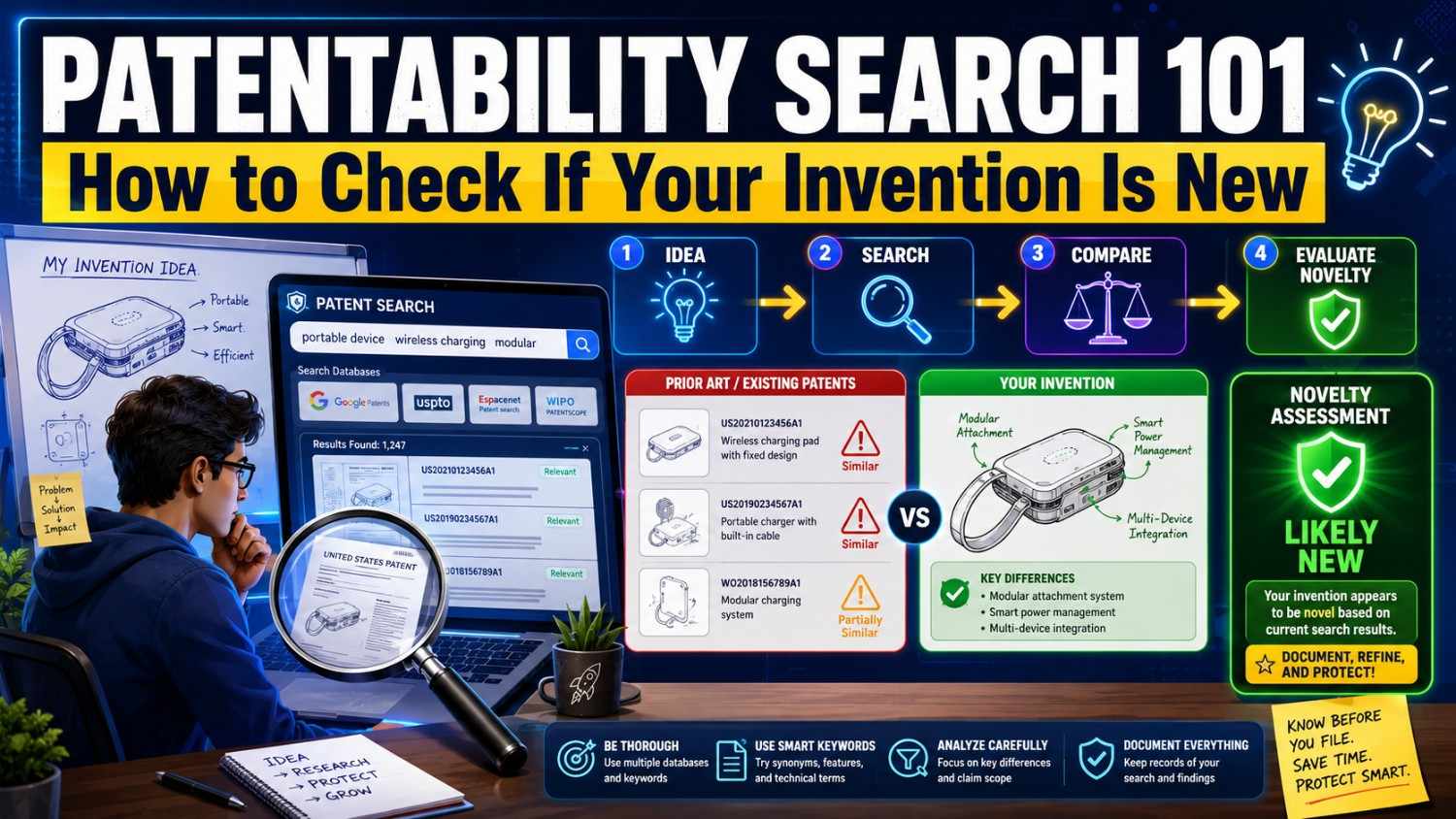
Before you spend money, file forms, or talk to investors about your “patent-pending” idea, you need to check whether your invention is truly new. That first check is called a patentability search.
A patentability search helps you see what already exists, what has already been patented, and how your invention may be different.
Done well, it can save you from wasting time. It can also help you file a stronger patent.
And if you want help turning your invention into a real patent plan, PowerPatent gives founders smart software plus real attorney oversight so you can move faster with more confidence. You can see how it works here: https://powerpatent.com/how-it-works
Now let’s break this down in plain words.
What Is a Patentability Search?
A patentability search is a search to find out whether your invention looks new enough to patent.
You search through old patents, published patent applications, products, papers, websites, videos, and other public information to see if someone has already shared the same idea.
The goal is simple.
You want to answer this question:
Has anyone already made, shown, described, sold, or filed something like my invention?
If the answer is yes, you may still have a patentable invention. But you may need to narrow your claim. That means you focus on the part of your invention that is truly different.
If the answer is no, that is a good sign. It does not promise you will get a patent. But it gives you a clearer path.
Think of it like checking a map before you build a road.
You do not want to build straight into a wall.
A patentability search helps you see the land before you file.
Why Founders Should Care About Patentability Searches
Many startup founders skip this step.
They are moving fast. They are shipping product. They are raising money. They think, “We’ll handle patents later.”
That can be a costly mistake.
If you wait too long, you may lose key rights. If you file without searching, you may spend money on a weak patent. If you pitch your invention without knowing what already exists, you may make claims you cannot support.
A patentability search helps you avoid those traps.
It gives you a better view of the field. It helps you see what competitors have filed. It helps you find the strongest angle for your own patent. It can also help you decide whether filing is worth it right now.
For a startup, this matters a lot.
Your patent is not just paperwork. It can become part of your moat. It can help you tell a stronger story to investors. It can make your company look more serious. It can protect key technical work before a bigger company copies it.
But the patent needs to be built on something real.
That starts with knowing what came before.
If you are building in AI, robotics, biotech, hardware, climate tech, security, developer tools, chips, medical devices, or any other deep tech space, the patent field may already be crowded. A search helps you find your clear lane.
PowerPatent was built for teams like this. It helps founders turn technical work into strong patent drafts with AI tools and real patent attorney review, so you do not have to guess your way through the process. You can explore the process here: https://powerpatent.com/how-it-works
What Does “New” Mean in Patent Law?
In normal life, “new” means something has not been seen before.
In patents, “new” has a sharper meaning.
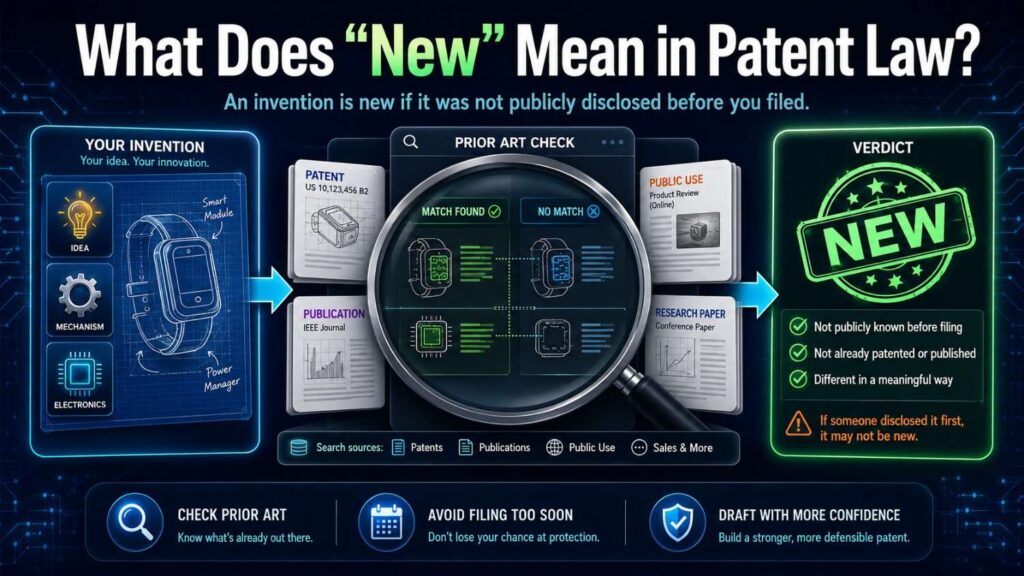
Your invention must be different from what is already public. That public information is often called prior art.
Prior art can include old patents. It can include patent applications. It can include research papers. It can include product pages, GitHub repos, manuals, videos, public demos, blog posts, investor decks, standards documents, and even old forum posts.
If the key parts of your invention are already out there, your invention may not be new.
Here is the hard part.
It does not matter whether you personally knew about that old information.
If it was public before your filing date, it can still count against you.
That is why searching matters.
You may think your idea is fresh because you have not seen it in your market. But another team may have filed a patent five years ago. A university lab may have published a paper. A large company may have described a similar system in a patent application that never turned into a product.
A patentability search helps you find these hidden signals before they surprise you later.
Patentability Is Not Just About Being New
A common mistake is thinking, “If no one has made my product, I can patent it.”
Not always.
For many inventions, the issue is not whether the full product exists. The issue is whether the core idea would seem too close to what already exists.
Your invention usually needs to pass several checks.
It should be new. It should not be an obvious next step from old ideas. It should be useful. And it should fit the kind of thing patents can protect.
But for this article, we are focusing on the first big question:
Is your invention new enough to be worth filing?
That is where a patentability search helps most.
It does not give a perfect yes or no. No search can promise that. But it can show risk. It can show white space. It can show where your invention may be strong.
This is why a good search is not just about finding one patent and saying, “We’re blocked.”
It is about learning.
A smart search teaches you the shape of the field.
The Simple Way to Think About Prior Art
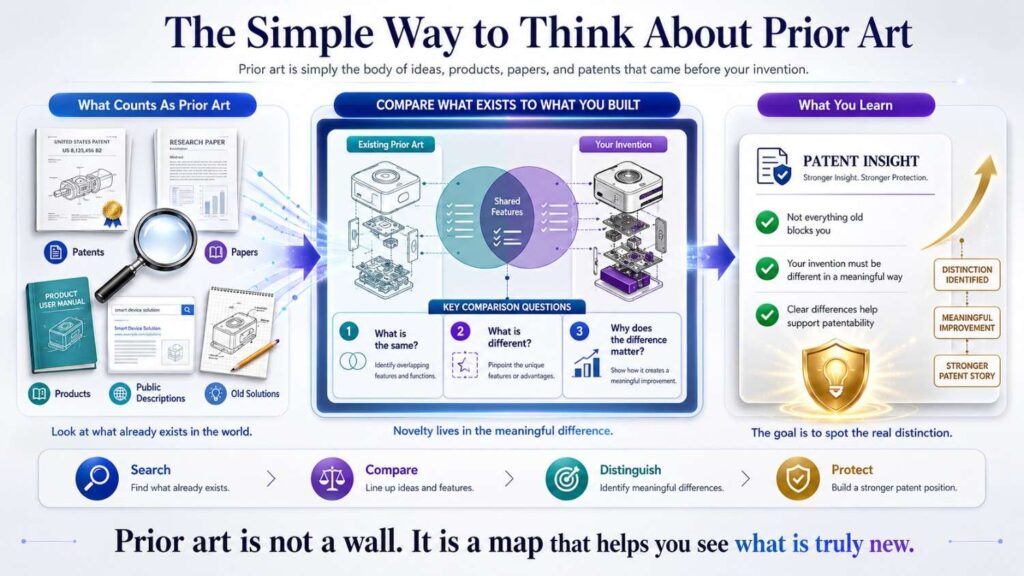
Prior art is anything public that shows the same invention, or parts of it, before you file.
It does not need to be a granted patent.
This surprises many founders.
A public YouTube video can be prior art. A technical paper can be prior art. A product manual can be prior art. A public GitHub repo can be prior art. A conference slide deck can be prior art. A standards document can be prior art.
If it teaches the key parts of your idea, it may matter.
For example, say your startup built a new way to reduce battery drain in edge AI cameras.
You search patents and do not find the exact product. Good.
But then you find a university paper from three years ago that describes a similar method for changing frame rate based on scene motion. That paper may be prior art.
It may not kill your patent. Maybe your method uses a different signal. Maybe your timing system is better. Maybe your camera network does something new. But the paper changes the story.
Now your patent should focus on what is truly different.
This is the real value of a patentability search. It does not just tell you what you cannot claim. It helps you find what you should claim.
Why Search Before You File?
You can file a patent without doing a search.
But that is like launching code without running tests.
Maybe it works. Maybe it breaks in production.
A search helps you avoid obvious problems before you spend money and time.
It can also make your patent stronger.
When you know the closest old work, you can explain your invention more clearly. You can focus on your real edge. You can avoid writing claims that are too broad and easy to reject. You can make sure the patent draft includes the details that matter.
This is especially important for technical founders.
You may see your invention as one big system. But a patent office may look at it as a set of parts. If each part already exists, you need to show what makes your mix special.
Maybe the magic is in how the parts talk to each other.
Maybe it is in the timing.
Maybe it is in how the model is trained.
Maybe it is in the data pipeline.
Maybe it is in the hardware layout.
Maybe it is in the way your system handles failure.
Maybe it is in what happens at the edge instead of in the cloud.
A search helps you find that magic.
And once you find it, PowerPatent can help you turn that technical insight into a stronger patent application with software built for inventors and attorney oversight built in. Start here: https://powerpatent.com/how-it-works
When Should You Do a Patentability Search?
The best time is before you file.
The second-best time is before you publicly share too much.
Many founders talk about their invention too early. They publish blog posts. They show demos. They pitch at events. They share architecture diagrams. They open source key code. They post technical details online.
Those steps may be good for growth. But they can create patent issues.
A patentability search before public launch can help you decide what to file first and what to keep private until filing.
You should consider a search when you have a working prototype, a clear technical design, or a real product direction. You do not need a finished product. In many cases, waiting for a finished product is too late.
A good moment is when you can explain what problem you solved, how your solution works, and why your approach is different from the usual way.
That is enough to start.
You can also search at later moments, such as before a fundraise, before a product launch, before entering a new market, before filing a continuation, before responding to a patent office rejection, or before buying another company’s IP.
For early-stage teams, the first search should not feel like a huge legal project. It should feel like product discovery for your invention.
You are learning the landscape.
What a Patentability Search Can and Cannot Tell You
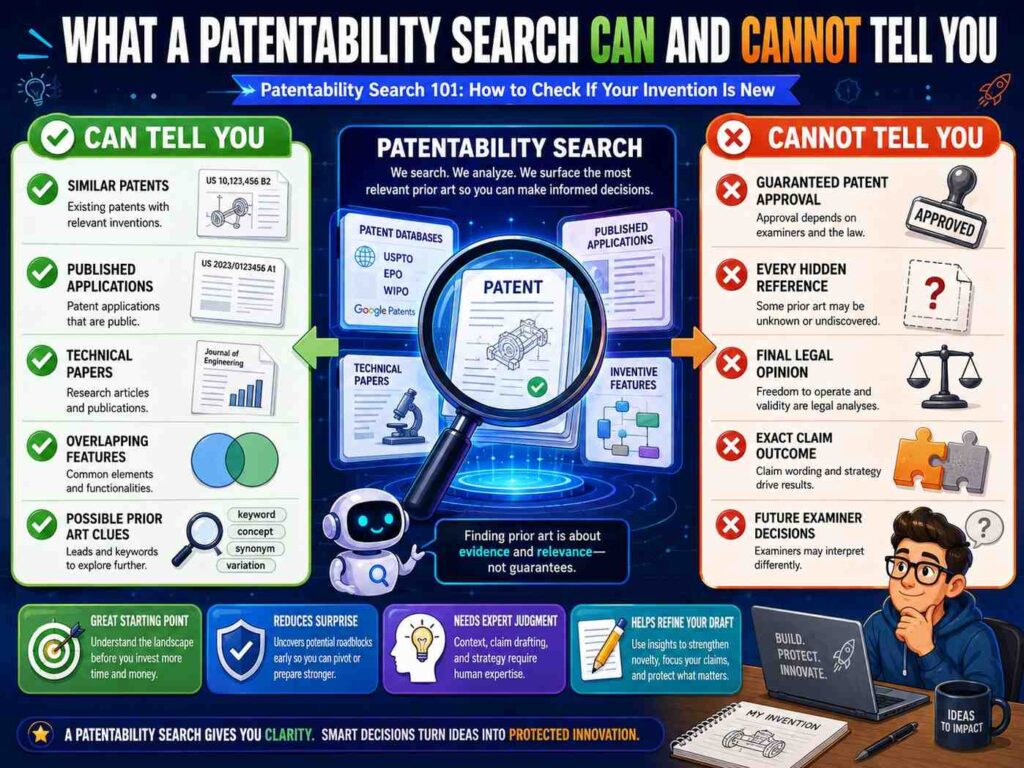
A patentability search can help you find similar inventions. It can show likely risks. It can help you decide whether to file. It can help your patent team write smarter claims. It can help you understand competitors. It can reveal words and phrases used in your field.
But it cannot promise that your patent will be allowed.
No search can find every piece of prior art. Some documents are hard to find. Some are in other languages. Some use strange terms. Some are buried in old systems. Some may not be published yet.
Also, a search is only as good as the invention details you give.
If your invention is vague, the search will be vague.
If you say, “We use AI to improve workflows,” that is too broad.
If you say, “We use a model that ranks incoming support tickets based on user account risk, product usage drops, and predicted churn, then triggers a human review when the score crosses a dynamic threshold,” that is much better.
The more clear you are, the more useful the search becomes.
A search is not a crystal ball.
It is a flashlight.
It helps you see enough to take the next step with less fear.
Start With the Invention, Not the Search Box
Most people start a patent search by typing random words into Google Patents.
That is normal.
But it is not the best first step.
Before you search, write down your invention in plain words.
Do not use fancy patent words. Do not try to sound like a lawyer. Explain it like you are talking to a smart friend.
Write what the invention does. Write what problem it solves. Write how it works. Write what parts are needed. Write what makes it different. Write what result is better because of your approach.
This step matters because search terms come from your own clear thinking.
If your invention is a software tool, do not only describe the user interface. Describe the data flow. Describe the model logic. Describe the decision point. Describe the system behavior.
If your invention is hardware, do not only describe the shape. Describe how the parts are arranged, how signals move, how heat moves, how force is handled, or how the device reacts under real use.
If your invention is AI, do not only say “machine learning.” Describe what data goes in, what the model predicts, what changes based on the result, how feedback is used, and what technical effect happens.
If your invention is biotech, do not only say “new treatment.” Describe the target, the method, the composition, the delivery path, or the measurable result.
A search works best when you know what you are searching for.
Find the Core of Your Invention
Every invention has many details.
Some details are nice but not central. Some are key.
Your job is to find the core.
The core is the part that would still matter if the product name, screen design, brand, and business model disappeared.
For example, imagine you built a platform that helps warehouses route robots around blocked aisles.
The product may have dashboards, alerts, user accounts, fleet views, maps, and reports. But the invention may be a method that predicts aisle blockage from sensor data and reroutes robots before congestion happens.
That is the core.
Or imagine you built a new coding assistant for embedded systems.
The product may include chat, code review, tests, and team settings. But the invention may be a way to generate code based on hardware timing limits and memory constraints.
That is the core.
Or imagine you built a wearable health sensor.
The invention may not be the whole wearable. It may be the way two sensors are placed so motion noise can be removed from a blood flow reading.
That is the core.
Once you find the core, your search gets much sharper.
You are no longer searching your whole product.
You are searching the invention inside the product.
Break the Invention Into Plain Pieces
After you find the core, break it into simple pieces.
You do not need a long list. Just capture the moving parts.
A useful pattern is:
Input → process → output → result
What comes in? What does the system do with it? What comes out? Why is that better?
For a software invention, the input may be data, a user action, a sensor signal, a file, a request, or a model result.
The process may be ranking, filtering, training, routing, encrypting, splitting, matching, compressing, predicting, detecting, syncing, or controlling.
The output may be an alert, a score, a command, a changed state, a new file, a selected route, a trained model, a safe action, or a reduced error.
The result may be faster speed, lower power use, better accuracy, less memory, fewer failures, safer operation, less noise, or better control.
This plain breakdown helps you search better.
You can search each piece. You can search the full flow. You can search different words for the same idea.
Most founders search too narrowly at first.
They search their brand name, product category, or favorite phrase. That often misses the closest prior art.
The patent world may use different words than your startup uses.
Your “AI agent” may be called an “automated task execution system.”
Your “edge device” may be called a “remote computing node.”
Your “smart routing” may be called “dynamic path planning.”
Your “model confidence score” may be called a “classification certainty value.”
That is why plain pieces matter. They let you translate.
Use Different Words for the Same Idea
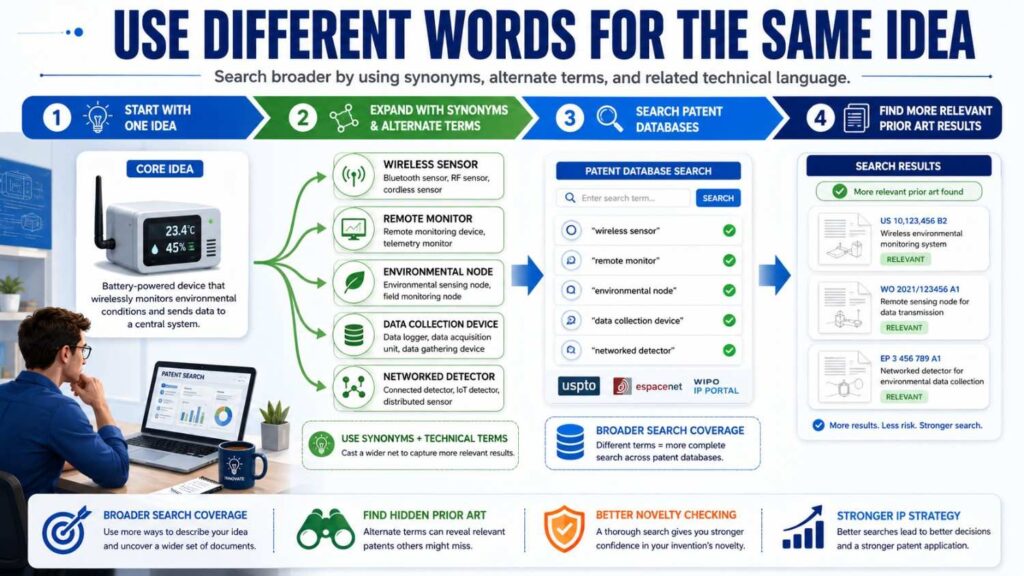
Patent searching is partly a word game.
Different people describe the same thing in different ways.
If you only search one phrase, you may miss the best results.
Take a simple example.
You invented a drone that avoids obstacles using sound.
You might search “drone obstacle avoidance using sound.”
But older patents may say “unmanned aerial vehicle,” not drone. They may say “collision avoidance,” not obstacle avoidance. They may say “acoustic sensing,” “ultrasonic sensor,” “sonar,” or “time-of-flight,” not sound.
So your search needs to widen.
The same rule applies in software.
A startup may say “AI assistant.” A patent may say “natural language interface,” “automated workflow agent,” “task orchestration engine,” “machine learning based recommendation system,” or “computer-implemented method for executing user intent.”
This is why patentability searches can feel hard. You are not only looking for your idea. You are looking for every possible way someone else could have described your idea.
A strong search uses many word paths.
That does not mean you need to become a patent expert overnight. But you do need to be patient and curious.
Search like a builder. Search like a competitor. Search like an old engineer. Search like a patent examiner. Search like someone who hates your favorite buzzword and uses the driest phrase possible.
That mindset helps.
Where to Search
You can start with free tools.
Google Patents is often the easiest place to begin. It lets you search patents and patent applications from many sources. It is simple, fast, and good for first-pass discovery.
The USPTO patent search tools are also useful for U.S. patents and published applications.
Espacenet can help you search global patent documents.
WIPO’s PATENTSCOPE can help with international applications.
For non-patent material, search regular Google, Google Scholar, product sites, GitHub, arXiv, IEEE, PubMed, conference sites, standards bodies, YouTube, technical blogs, and documentation pages.
You do not need to search everything at once.
Start with patents. Then search papers and products. Then search the web for real-world examples.
If your invention is in a field where papers matter, like AI, biotech, hardware, chips, materials, energy, or medical devices, do not skip academic search.
If your invention is in software, do not skip GitHub, docs, and technical blogs.
If your invention relates to a standard, protocol, wireless method, video encoding method, network system, or security flow, search standards documents and working group drafts.
Prior art can hide anywhere people share technical ideas.
How to Search Google Patents Without Getting Lost
Google Patents is friendly, but it can still flood you with results.
Start simple.
Search the clearest phrase for your invention.
Then scan the first page. Do not read every patent deeply yet. Look at titles, snippets, drawings, assignees, and dates.
When you find a result that seems close, open it and study the abstract, drawings, and claims. Also look at the “cited by” and “similar documents” sections. These can lead you to better results.
Then change your terms.
Search the same idea with broader words. Search it with technical words. Search it with older words. Search it with competitor names. Search it with the problem instead of the solution. Search it with the result instead of the mechanism.
For example, if your invention reduces latency in a distributed AI system, do not only search “reduce latency distributed AI.”
Search for “model inference latency edge server,” “distributed machine learning inference,” “dynamic model placement,” “edge cloud inference routing,” “latency aware neural network execution,” and similar phrases.
You are not trying to prove your invention is new in five minutes.
You are trying to find the closest old work.
That takes rounds.
The search gets better as you learn the language of the field.
Read Patent Drawings First
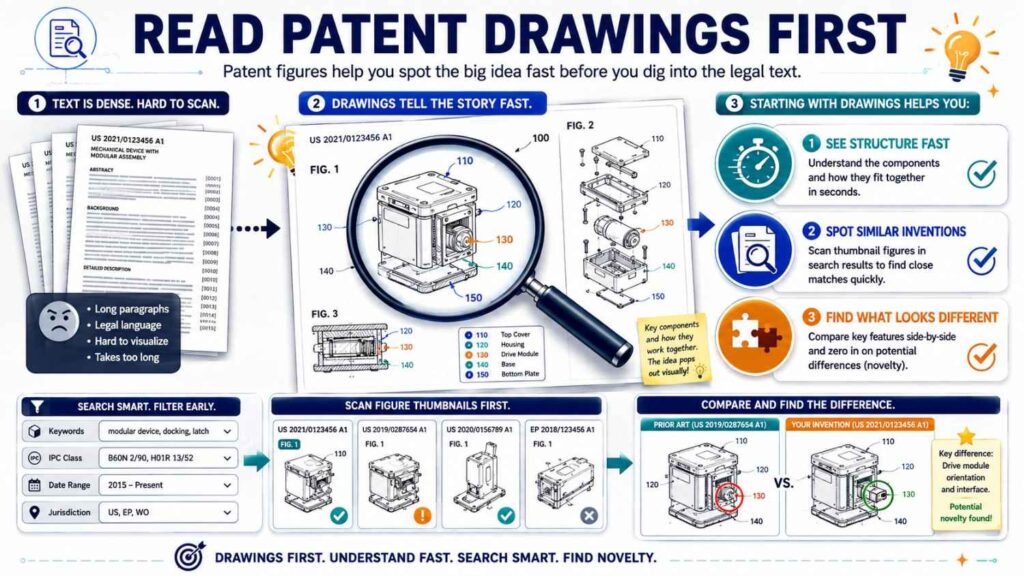
Patent documents can be dense.
A smart trick is to look at the drawings first.
Drawings often show the system, device, method, or flow in a way that is easier to understand than the text.
Look for block diagrams. Look for flowcharts. Look for hardware layouts. Look for network diagrams. Look for sensor placement. Look for data movement. Look for the step where the magic happens.
If the drawings look nothing like your invention, the patent may still matter, but it is less likely to be the closest hit.
If the drawings feel close, read more.
The abstract gives a quick summary. The background explains the problem. The detailed description explains examples. The claims define what the patent is trying to protect.
For a patentability search, you care about what the document teaches, not only what it claims.
Even if the patent’s claims are narrow, the description may still count as prior art if it publicly teaches your idea.
This is a key point.
Do not ignore a document just because the claims are different.
If it describes your core idea, take it seriously.
Learn to Read Claims Without Fear
Patent claims look strange at first.
They are written in long sentences. They use careful words. They can feel cold and hard to read.
But you can still learn from them.
A claim is the part of a patent that defines the legal boundary of the invention. For your search, claims help you see what the patent owner thought was important.
Start with claim 1.
It is often the broadest claim.
Break it into small parts. Ask, “Does my invention have this part?” Then ask, “Does my invention work in the same way?”
You do not need to make a legal decision by yourself. You just need to spot closeness.
If a claim has every key part of your invention, that is a serious result.
If it has some parts but not the key difference, write that down.
If it solves the same problem in a different way, write that down too.
Your notes will help later when you speak with a patent attorney or use a platform like PowerPatent to build your filing strategy.
Strong patents come from clear differences.
Claims help you see where those differences may be.
Do Not Search Only for Exact Matches
Many founders stop searching when they cannot find their exact product.
That is not enough.
Patent offices often reject inventions by combining old references. One old patent may show part A. Another paper may show part B. The examiner may argue that putting A and B together would have been an easy next step.
So you should search for close pieces, not just exact copies.
If your invention has three key parts, search each part alone. Then search pairs of parts. Then search the full combination.
For example, say your invention is a medical device that adjusts pressure based on a patient motion signal and a predicted risk score.
Search pressure adjustment devices.
Search motion-based control.
Search predicted risk scores.
Search motion plus pressure.
Search risk score plus pressure.
Search the full system.
This helps you see whether your invention is truly a new combination or whether the field was already moving that way.
This does not mean every combination is obvious. Many great patents are combinations of known parts used in a new way.
But you need to know what the parts are and how close the old work gets.
Search the Problem, Not Just the Solution
Sometimes the best prior art does not use your solution words.
It starts from the same problem.
If you solve battery drain, search for the battery drain problem.
If you solve model drift, search for model drift.
If you solve robot congestion, search for robot congestion.
If you solve false alarms in sensor systems, search for false alarm reduction.
If you solve secure data sharing between two systems, search for the security problem.
People who faced the same problem may have found similar solutions but used different terms.
Problem-based searching is powerful because it uncovers documents written from the user pain, not from your chosen method.
For example, your invention may “pause low-priority inference jobs when thermal limits are predicted.”
You might search that exact phrase and find little.
But if you search “thermal throttling edge AI device,” “reduce heat machine learning inference,” and “temperature aware task scheduling,” you may find much more.
The problem leads you to the field.
The field leads you to the words.
The words lead you to the prior art.
Search the Result Too
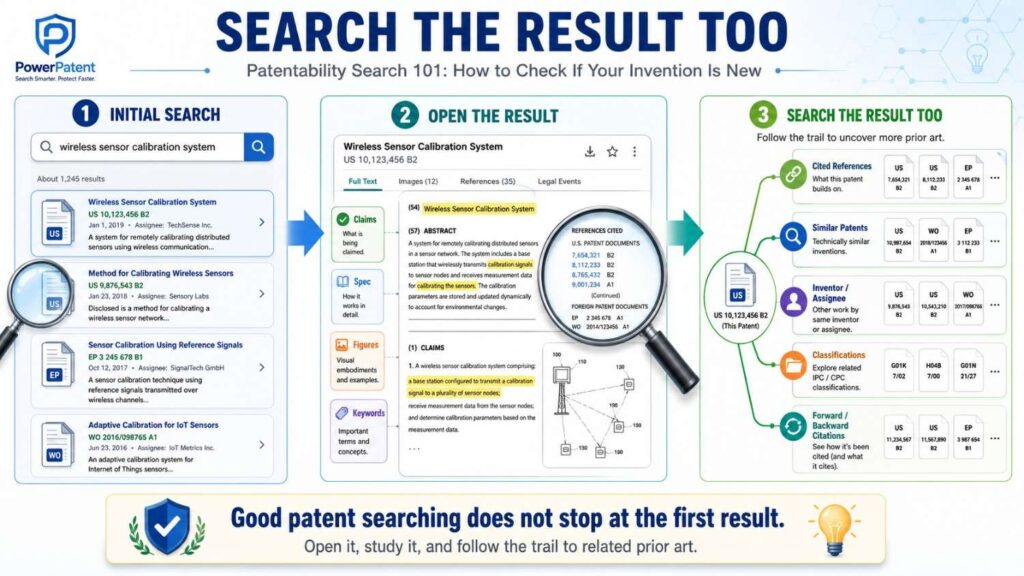
You should also search what your invention improves.
Does it reduce power use? Increase accuracy? Lower memory? Improve safety? Reduce training time? Compress data? Prevent failure? Make a device smaller? Make manufacturing easier? Reduce false positives?
Search that result with the product or field.
For example:
“reduce false positives lidar pedestrian detection”
“lower memory neural network embedded device”
“low power keyword spotting wearable”
“robot path planning reduce congestion”
“battery efficient federated learning mobile device”
Results-based terms often uncover patents and papers that use very different methods but aim at the same outcome.
This matters because even if their method is different, it can show what others were trying. It can also help you explain why your method is better.
A patent is stronger when the story is clear.
Here was the problem. Here were old ways. Here is what we do differently. Here is why that difference matters.
A search gives you the raw material for that story.
Search Competitors and Big Players
If you know the companies in your space, search them.
Large companies file many patents that never become public products. Their patent filings can reveal technical paths you will not see on their websites.
Search competitor names in Google Patents.
Search likely assignees. An assignee is usually the owner of a patent or patent application.
Look at what they filed in the last few years. Look at what they cited. Look at which inventors appear often. Look at repeated phrases.
This can teach you a lot.
You may discover that a competitor already filed around a feature you were planning. You may find a gap they did not cover. You may see that they focused on cloud systems while your invention is edge-based. You may see they protected a broad concept but missed a key implementation detail.
For startups, this is useful beyond patent filing.
It helps with strategy.
You can see where the market may be going. You can see what big players care about. You can see which technical areas are crowded and which are open.
A patentability search can become competitive intelligence.
But be careful.
Do not copy claim language from competitors. Do not assume a patent blocks you just because it looks similar. Do not panic when you find many filings.
Use the information to get smarter.
Then work with the right tools and attorney support to make good decisions.
That is exactly the kind of workflow PowerPatent is designed to support. You bring the invention. The platform helps structure it. Real patent attorneys help review the work. Learn more here: https://powerpatent.com/how-it-works
Search Inventor Names
Sometimes companies change names. Startups get acquired. Patents move. But inventors stay linked to the work.
If you find one close patent, click the inventor names. Search those names.
You may find a chain of related filings.
This is especially helpful in deep tech fields where a few researchers or engineers publish often.
An inventor may have filed patents at a university, then a startup, then a large company.
Following names can reveal prior art that a simple keyword search misses.
It can also show how the technology evolved.
If you see the same inventor working on similar ideas for years, study that cluster carefully.
It may be close to your invention.
Use Patent Classification Codes
Patent documents are grouped by classification codes.
These codes can help you search beyond keywords.
At first, they look strange. But they are useful.
When you find a close patent, look for its CPC or IPC classification codes. Then click or search those codes. You may find many related patents that use different words.
This helps because patent language varies, but classification systems group similar technical areas.
For example, if you find a close patent about neural network inference on edge devices, its classification codes may lead you to other patents about model deployment, distributed processing, or power-aware computing.
You do not need to master the classification system.
Just use it as a trail.
Find one good result. Look at its codes. Search within those codes using your keywords. Then repeat.
This is how searches become deeper.
Check Both Granted Patents and Published Applications
A granted patent is a patent that has been approved.
A published application is a patent application that has been made public but may not be granted yet.
Both can matter for patentability.
Do not ignore published applications.
Many important ideas appear in applications before they become patents. Some never become patents at all, but they can still be prior art.
In Google Patents, you will often see both.
Look at the publication date. Look at the filing date. Look at the status if shown. But for your search, focus on what the document teaches and when it became public.
A published application from a competitor may be highly relevant even if it was later abandoned.
This is another reason patent searches can feel unfair. A document that never turned into a patent can still make your invention harder to patent if it taught the idea first.
But knowing that early is far better than learning it after filing.
Look Beyond U.S. Patents
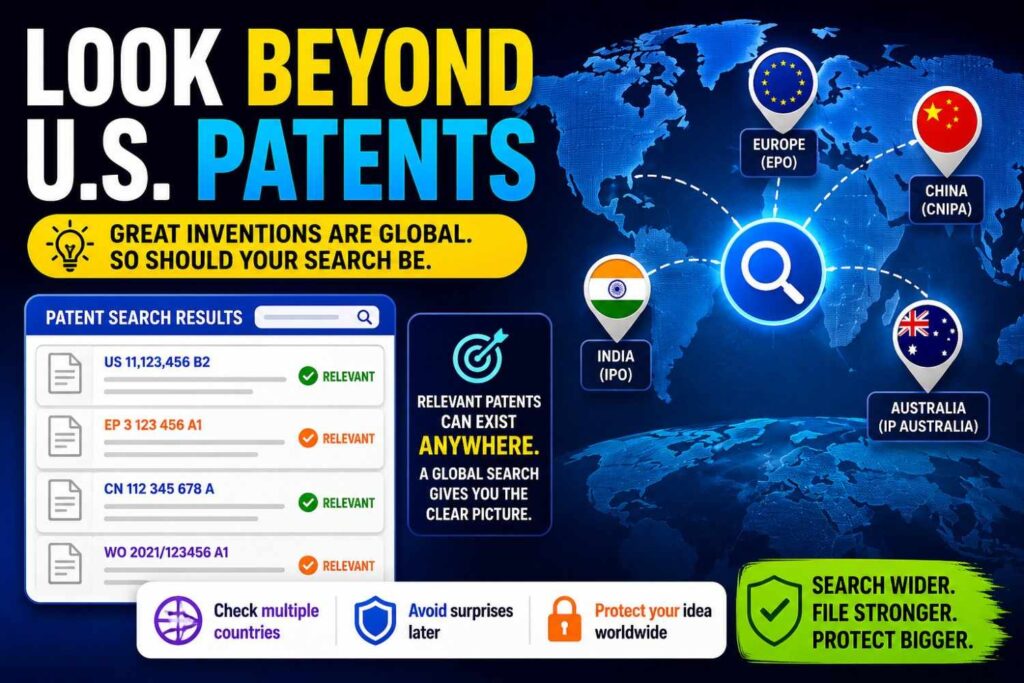
If you are filing in the United States, you may think only U.S. patents matter.
They do not.
Patent offices can use public information from many countries as prior art.
A Japanese patent application, a European patent, a Chinese publication, or an international PCT application may matter if it was public before your filing date.
This is why global tools are useful.
Google Patents includes many international documents. Espacenet and PATENTSCOPE can help too.
If your field is global, your search should be global.
This is especially true in electronics, robotics, AI, chips, wireless systems, batteries, medical devices, chemistry, and manufacturing.
A lot of prior art may come from outside your home market.
Do not let that scare you.
You are not trying to read every patent in the world.
You are trying to find the closest public teachings.
Global search simply gives you a better shot at finding them.
Search Non-Patent Literature
Patent people often use the phrase “non-patent literature.” It just means public information that is not a patent.
For founders, this can be where the most useful clues live.
Search research papers. Search technical blogs. Search docs. Search GitHub. Search conference talks. Search product manuals. Search open-source projects. Search standard drafts. Search white papers. Search tutorials.
If the public document explains your key idea before you filed, it may matter.
Software teams should take this seriously.
A GitHub repo can describe an algorithm. A README can explain a workflow. A developer blog can show a system design. An old Stack Overflow answer can point to a method. A paper on arXiv can teach a model architecture.
AI teams should search papers deeply. Many AI ideas are published before they are patented.
Hardware teams should search datasheets, manuals, teardowns, academic work, and supplier materials.
Biotech and medical teams should search scientific papers, trial materials, product inserts, and regulatory documents.
Energy and climate teams should search standards, lab papers, government reports, and technical product sheets.
Patents are only part of the map.
The whole public world can count.
Search Products That Already Exist
Sometimes the closest prior art is a product, not a patent.
A product page may not explain every detail. But manuals, demo videos, API docs, support articles, and teardown reviews often reveal how things work.
Search product names with words like “manual,” “datasheet,” “API,” “developer docs,” “technical guide,” “architecture,” “white paper,” and “demo.”
If a product appears to do what your invention does, write it down.
Then ask: does the public information show how it works?
A product that merely performs a result may not teach your exact invention. But if the docs explain the method, that can matter.
For example, a product page saying “our system saves battery” is vague. A technical guide explaining that the system samples motion data, predicts idle periods, and turns off a sensor at certain thresholds is much more relevant.
The more technical detail is public, the more seriously you should treat it.
Do Not Forget Your Own Public Disclosures
Here is something many founders miss.
Your own public disclosure can become prior art against you in some places or create deadlines.
If you posted a blog, gave a talk, released a demo, published a paper, shared a GitHub repo, or pitched publicly, that may matter.
In some countries, public disclosure before filing can hurt your ability to get a patent. In the U.S., there may be a grace period in some cases, but you should not rely on that without legal advice.
The safest habit is simple.
File before you publicly reveal the key technical details.
If you already disclosed, do not panic. But do act fast and talk to a patent professional.
This is one reason PowerPatent is helpful for startup teams. It is built to help you move quickly from invention details to a filing path, with real attorney oversight, so public launch does not outrun protection. See how the process works here: https://powerpatent.com/how-it-works
How to Take Useful Search Notes
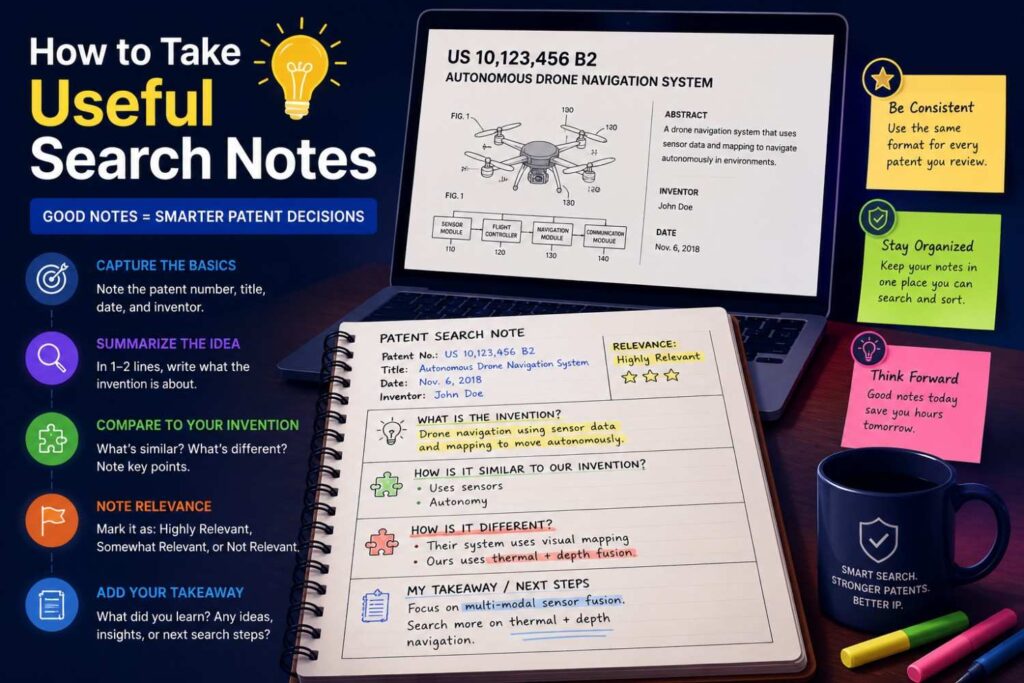
A patentability search becomes messy fast.
You may open dozens of tabs. You may find patents that look close, then not close, then close again. You may forget which terms worked.
Good notes make the search useful.
For each strong result, capture the title, link, publication number, date, owner, short summary, and why it matters. Most importantly, write how it is similar and how it is different.
Use plain words.
For example:
“This patent predicts robot congestion and reroutes robots. It uses camera data from fixed warehouse cameras. Our system uses robot-to-robot signals and predicts blockage before it appears on camera.”
That note is useful.
It gives your patent team a clear difference.
Bad notes look like this:
“Similar robot patent.”
That does not help much.
Your notes do not need to be perfect. They need to be clear.
The best notes focus on the gap between the old work and your invention.
That gap may become the heart of your patent.
Build a Simple Prior Art Table
You do not need a complex chart.
A simple table can help you compare results.
Use columns for the reference, what it teaches, what parts match your invention, what parts are missing, and your possible difference.
This helps you see patterns.
Maybe many references show the same input and output, but none show your process.
Maybe many references solve the same problem, but none use your sensor layout.
Maybe many references use AI, but none use your feedback loop.
Maybe one reference is very close, but it only works in cloud settings, while yours works offline on-device.
These patterns matter.
Patent strategy often comes from patterns.
When you see what everyone else did, you can better see what you did differently.
How Long Should a Patentability Search Take?
It depends on the invention.
A quick first-pass search may take a few hours.
A deeper search may take days.
A professional search can take longer, especially in crowded technical fields.
For an early startup, the goal is not to search forever. The goal is to learn enough to make a smart filing decision.
You want to find the closest references you can with reasonable effort. If you find very close prior art early, that does not mean you are done. It means you need to study the difference. If you find nothing close, that is encouraging, but you should still search with different terms and sources.
Do not let search become a way to avoid filing.
Some founders keep searching because they are afraid to take the next step.
At some point, you need to make a decision.
If the invention matters to the company, and you have a real technical difference, it may be time to file.
The search should guide action, not create endless doubt.
What Makes a Search Result “Close”?
A close result teaches the same core idea as your invention or comes near it.
It may solve the same problem in the same way. It may use the same inputs and outputs. It may have the same system flow. It may include the same key component. It may describe the same method steps.
The closer it is to your core, the more attention it deserves.
But closeness is not only about matching words.
A document can use very different words and still be close.
For example, your invention may use the phrase “AI workflow agent.” A patent may describe “a computer system configured to parse natural language commands, select software tools, execute ordered tasks, and update a task state based on tool output.”
That may be close even if it never says “agent.”
You need to read for meaning.
Ask what the old document actually teaches.
Does it teach the same technical move?
Does it use the same structure?
Does it solve the same problem by the same path?
If yes, it is close.
What If You Find the Exact Same Invention?
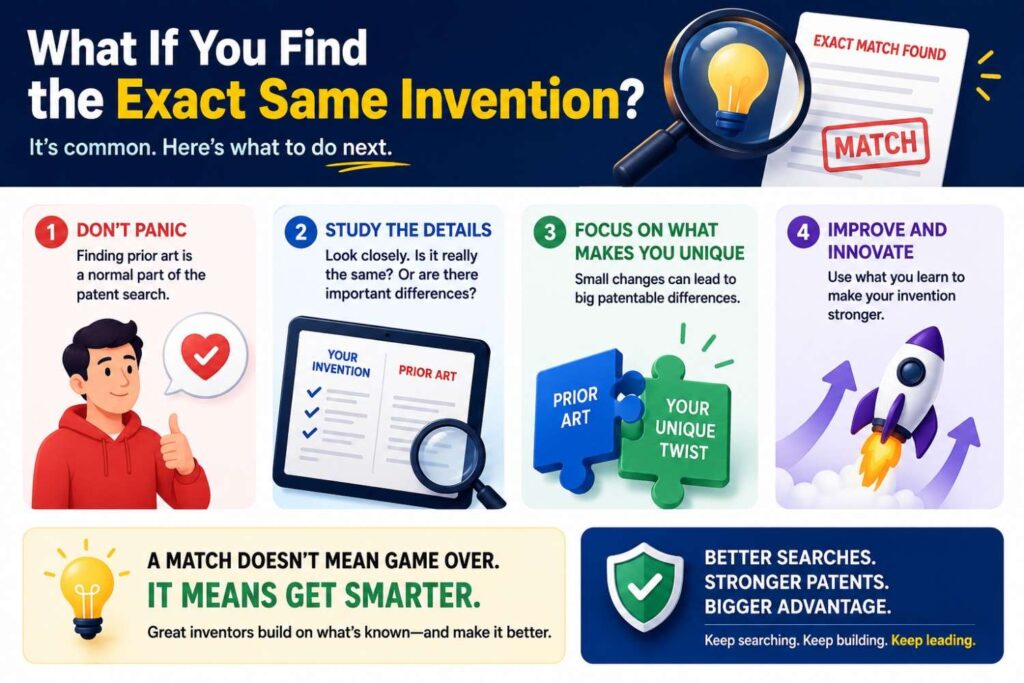
It happens.
You search and find a patent, paper, product, or public post that seems to show your invention.
That is not fun.
But it is useful.
First, make sure it is truly the same. Read carefully. Many things look close at first and become less close after study.
Second, check the date. Was it public before your filing date or before your own invention date? Dates matter.
Third, look for differences. Your version may have improvements, new constraints, new results, or a better implementation.
Fourth, do not assume all is lost. You may not be able to claim the broad idea, but you may be able to claim your improvement.
Many strong patents are not the first version of an idea. They are better versions, safer versions, faster versions, more scalable versions, cheaper versions, or versions that work in a hard setting.
For example, maybe the old system works only with clean lab data. Yours works with noisy field data.
Maybe the old method needs a cloud server. Yours runs on a low-power device.
Maybe the old device uses three sensors. Yours uses one sensor and a new signal process.
Maybe the old model is trained centrally. Yours updates locally without exposing private data.
Those differences may matter.
The key is to stop thinking in terms of “someone already had the idea” and start thinking in terms of “what exactly is new about our implementation?”
That shift can save the patent.
What If You Find Nothing Close?
That can feel great.
But be careful.
Finding nothing close does not prove your invention is patentable.
It may mean your invention is truly novel. It may also mean your search terms were too narrow. Or the closest prior art uses different words. Or it is in another language. Or it is in papers, not patents.
When you find nothing close, broaden your search.
Search the problem. Search the result. Search related industries. Search older terms. Search competitors. Search classification codes. Search academic work.
Also search the parts.
If no full system appears, check whether each key piece exists.
A clean search is encouraging, but it should be tested.
After a good search, if you still find little, that may be a strong signal that filing is worth exploring.
That is a good time to turn your invention notes into a draft-ready disclosure and work with a patent attorney.
PowerPatent helps with that bridge. It lets technical teams capture the invention in a structured way, then pairs software speed with attorney review so the final filing is not just fast, but thoughtful. Learn more here: https://powerpatent.com/how-it-works
Common Mistakes Founders Make During Patent Searches
The biggest mistake is searching only product names.
Your invention is not your product name. It is the technical idea inside the product.
Another mistake is searching only modern buzzwords.
Patent documents may not say “AI agent,” “copilot,” “LLM,” “digital twin,” or “edge intelligence” in the way your team says them. Older documents may use dry, broad, or outdated words.
Another mistake is ignoring papers.
This is risky in technical fields. Papers can be powerful prior art.
Another mistake is stopping too soon.
The first few searches are often weak because you do not yet know the right terms.
Another mistake is reading only abstracts.
Abstracts are useful, but they do not show everything. The detailed description and drawings may teach something important.
Another mistake is assuming that a similar patent means you cannot build your product.
Patentability and freedom to operate are different questions. A patentability search asks whether you can get a patent. A freedom-to-operate review asks whether selling your product may infringe someone else’s patent. They are related, but not the same.
Another mistake is trying to make legal conclusions alone.
As a founder, you can do a strong first-pass search. But when the invention matters, get real patent guidance.
This is where PowerPatent’s model can help. It gives founders more control and speed while still bringing in real attorney oversight, so you are not stuck choosing between DIY guessing and slow old-school law firm workflows. See it here: https://powerpatent.com/how-it-works
Patentability Search vs. Freedom-to-Operate Search
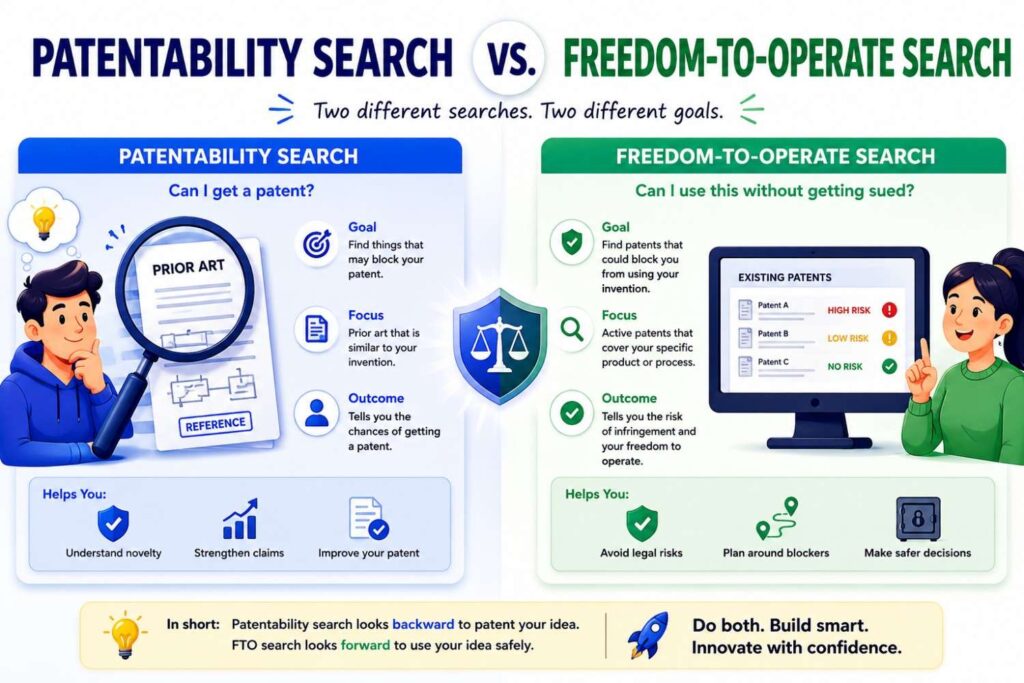
These two searches often get confused.
A patentability search asks, “Can we patent our invention?”
A freedom-to-operate search asks, “Can we sell our product without stepping on someone else’s patent rights?”
They are not the same.
For patentability, old public information matters, including expired patents, abandoned applications, papers, and public posts.
For freedom to operate, the focus is usually active patent claims in the countries where you plan to sell, make, or use the product.
A very old expired patent may stop you from getting a new patent if it teaches your idea. But it may not stop you from selling, because it is expired.
A newer active patent may not show your exact invention, but its claims may still cover part of your product.
Both searches can be important.
But when you are asking whether your invention is new, you are doing a patentability search.
Do not mix the two too early.
First, learn whether your idea has a patentable edge. Then, if the product is going to market, think about freedom to operate with counsel.
Patentability Search vs. Patent Landscape Search
A patentability search is focused.
It looks for prior art close to your invention.
A patent landscape search is broader.
It looks at the whole field. It may show who is filing, what trends are growing, what areas are crowded, and where white space may exist.
For a startup, both can help.
A patentability search helps with one filing decision.
A landscape search helps with company strategy.
If you are building a patent portfolio, not just one patent, a landscape view can be very useful. It can help you decide which inventions to file first, where competitors are active, and which technical areas may become valuable.
But do not overcomplicate your first step.
If you have one invention and want to know if it is new, start with a patentability search.
What Makes an Invention Easier to Patent?
There is no simple formula, but some signs are helpful.
Your invention may be easier to patent if it solves a clear technical problem in a clear technical way.
It may also help if your invention has measurable benefits, such as lower power use, faster processing, fewer errors, better security, less memory, improved safety, or better device control.
In software, the invention is often stronger when it improves how a computer system works, not just what business task it performs.
For example, “show better ads” may be weak. “Reduce model inference time on a mobile device by splitting a neural network based on current battery and network state” is more technical.
In hardware, the invention may be stronger when a structure or arrangement creates a real performance benefit.
In AI, the invention may be stronger when you can explain the data flow, model behavior, training method, deployment method, or system control in detail.
In biotech or chemistry, the invention may depend on specific compositions, methods, targets, ranges, or results.
The more concrete your invention is, the easier it is to search and explain.
Vague ideas are hard to protect.
Specific systems, methods, and improvements are much better.
What Makes an Invention Harder to Patent?
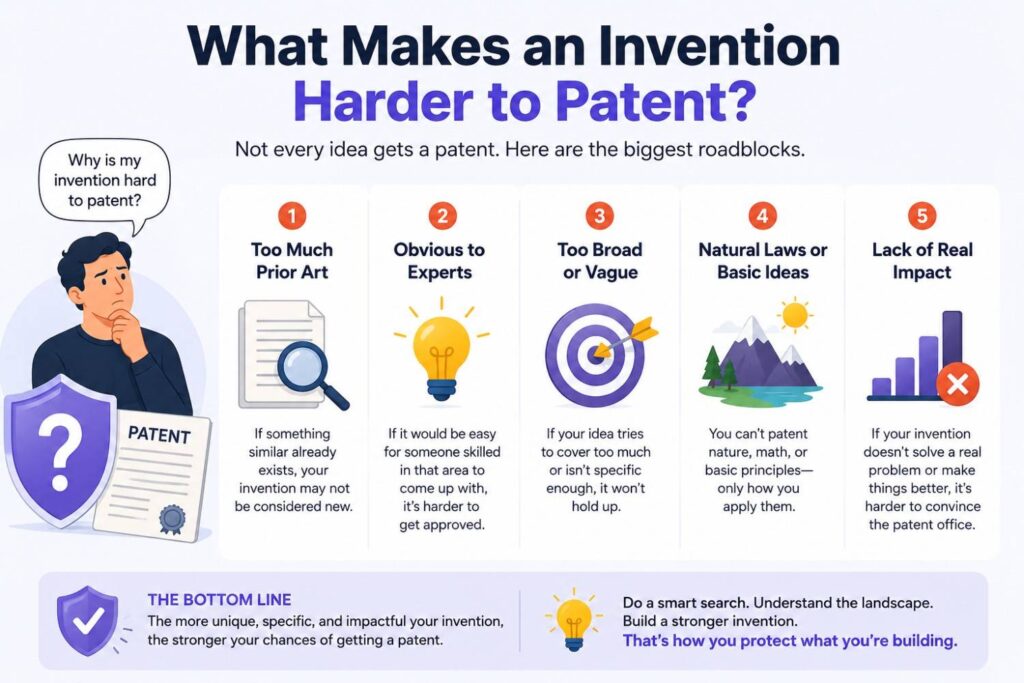
An invention may be harder to patent if it is only a business idea, a broad goal, or a normal use of known tools.
For example, “use AI to help sales teams” is not enough.
That is an idea, not a detailed invention.
But a specific method for ranking sales leads using a new signal process, reducing false positives, and triggering a timed workflow based on model confidence may be more concrete.
Another weak sign is when the invention is just “do it on a computer.”
Taking an old human process and putting it into software may not be enough unless there is a real technical improvement.
Another hard case is when all parts are well known and the combination gives an expected result.
That does not always kill patentability. But it raises the bar.
Your job is to find the technical difference that is not just routine.
A search helps you test that.
If every old reference points toward the same solution, you may need to narrow your focus.
If old work tried but failed to solve the problem, and your method works because of a new step, that may be a strong story.
The Best Search Starts With a Strong Invention Disclosure
An invention disclosure is a written explanation of your invention.
It does not need to be fancy. But it should be clear.
Before you search deeply, write a simple disclosure.
Explain the problem, the old way, your new way, the system parts, the steps, the data, the outputs, the benefits, and the variations.
Variations matter.
Do not describe only your current product version. Describe other ways the invention could work.
For example, if your product uses a camera, could the invention also work with radar, lidar, audio, or another sensor?
If your software runs in the cloud, could part of it run on-device?
If your model uses one kind of training data, could it use another?
If your system controls a robot, could it also control a drone, vehicle, machine, or medical device?
These variations can matter in patent drafting.
They also help your search.
If prior art shows one version, your broader thinking may reveal another version that is still new.
PowerPatent helps founders capture invention details in a way that is built for patent drafting, not just random notes. That can make the search and filing process much smoother. You can see the workflow here: https://powerpatent.com/how-it-works
How to Search AI Inventions
AI inventions need extra care.
Many AI teams describe their invention too broadly. They say they use a model, a neural network, an LLM, a classifier, or an agent. That is not enough.
For a patentability search, you need to search the specific technical flow.
Ask what is special.
Is it how the model is trained?
Is it how data is labeled?
Is it how prompts are built?
Is it how tools are selected?
Is it how outputs are checked?
Is it how confidence is measured?
Is it how models are split across devices?
Is it how private data is protected?
Is it how hallucinations are reduced?
Is it how the system recovers from bad outputs?
Is it how the model adapts over time?
For AI search, use patent databases and paper databases. Search arXiv, Google Scholar, conference papers, and technical blogs.
AI terms change fast. Older documents may not use current words.
For example, “large language model agent” may appear in newer work, but older work may say “natural language task execution,” “dialog system,” “planner,” “automated assistant,” or “semantic parser.”
Search both old and new language.
Also search the actual use case.
An AI method for legal documents may have similar prior art in medical records, customer support, or software engineering. The core method may not be limited to one industry.
This is why AI patent searches need both technical and product thinking.
You want to know whether your model workflow is new, not just whether your exact app exists.
How to Search Software Inventions
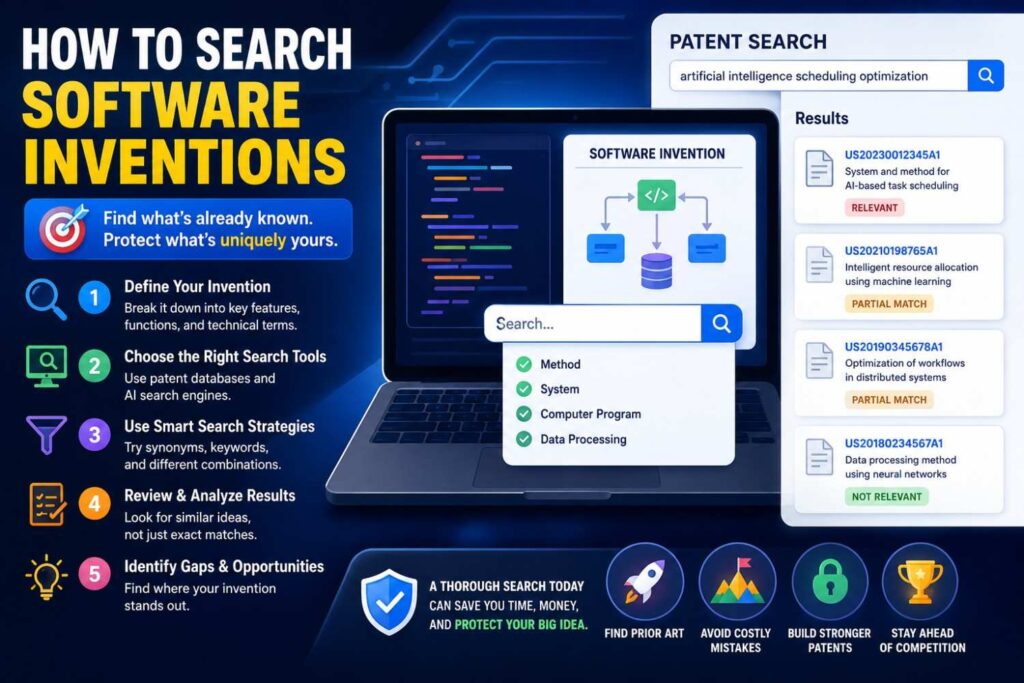
Software inventions can be patentable, but they need clear technical substance.
A good software search focuses on the system behavior.
What data is received? What is done to it? What rules, models, or steps are used? What output changes the system? What technical benefit occurs?
Search for methods, systems, workflows, and architectures.
Do not only search the user-facing feature.
For example, if your product lets users “auto-clean messy data,” search the technical cleaning method. Does it detect schema drift? Does it infer column types? Does it repair missing values based on graph relationships? Does it validate changes using a model? Does it keep a reversible audit trail?
Those details are searchable.
Software prior art often appears in patents, open-source repos, docs, and blog posts.
Search GitHub carefully if your invention relates to developer tools, infrastructure, security, databases, DevOps, ML ops, or APIs.
Search product documentation for major platforms. Many software methods are explained in docs before they are widely known.
Also search old academic terms.
Your “vector search memory layer” may connect to older work in information retrieval, embeddings, semantic indexing, cache systems, or approximate nearest neighbor search.
The search should follow the technical idea across names and eras.
How to Search Hardware Inventions
Hardware searches are often visual.
Start with drawings, diagrams, and product photos.
Search patents by structure, arrangement, mechanism, material, sensor placement, signal path, control method, manufacturing method, and use setting.
If your invention is a device, search the parts and how they connect.
If your invention is a robot, search the motion system, sensing system, control system, and failure handling.
If your invention is a medical device, search the body interface, sensor placement, fluid path, actuation, safety mechanism, and treatment method.
If your invention is a climate or energy device, search materials, heat flow, pressure flow, charge flow, control loops, maintenance steps, and deployment setting.
Hardware inventions often have many close variations.
A competitor may not have your exact shape, but they may have the same internal arrangement.
A paper may not show a product, but it may show the same mechanism.
A supplier datasheet may reveal a known module that does part of your system.
Search widely.
And when you find close art, study the drawings.
The difference may be in a small but important physical detail.
How to Search Biotech, Medical, and Chemistry Inventions
These fields need special care because small details can matter a lot.
Search patents and scientific papers.
Use terms for the target, compound, sequence, formulation, delivery method, dosage, patient group, marker, assay, device, or treatment step.
Search synonyms and older names.
Search PubMed, Google Scholar, patent databases, clinical trial records, product labels, and conference abstracts.
For chemistry, search structures, names, classes, ranges, compositions, and uses.
For biotech, search sequences, targets, pathways, cells, vectors, proteins, antibodies, biomarkers, and methods.
For medical devices, search both the device and the clinical problem.
In these areas, a professional search is often very valuable because the prior art can be dense and highly technical.
Still, founders can do a strong first pass.
You can identify close papers, known approaches, and competitor filings. That will make your attorney review more productive.
How to Judge Differences From Prior Art
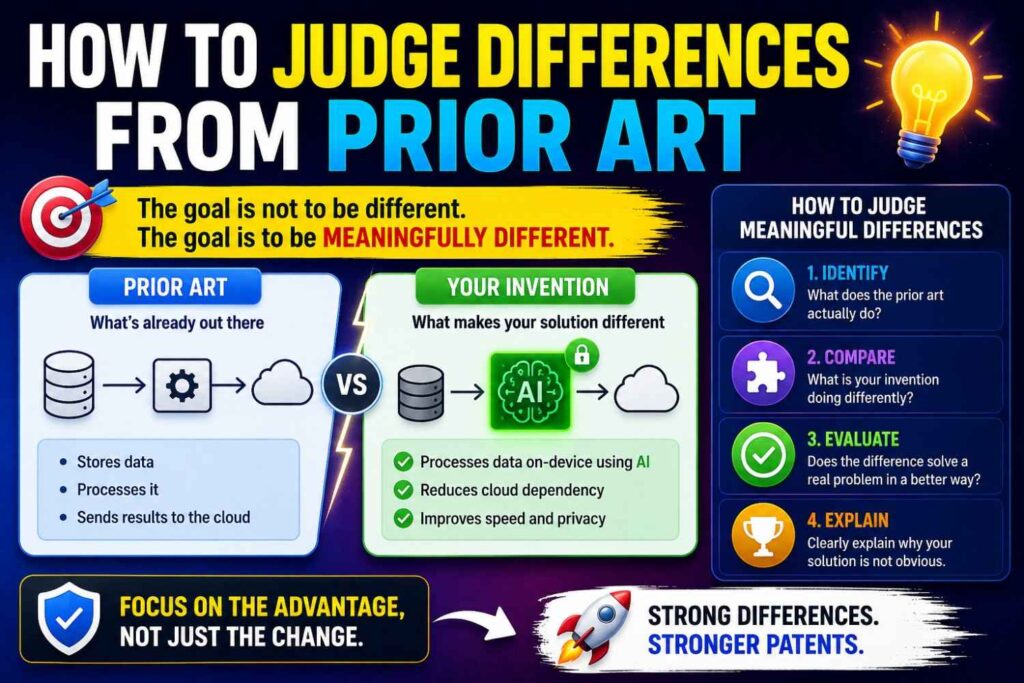
When you find a close reference, do not just ask, “Is this similar?”
Ask a sharper question:
What does our invention do that this does not?
Maybe your invention uses a different input.
Maybe it uses the same input but processes it differently.
Maybe it uses a different timing rule.
Maybe it uses a different control loop.
Maybe it works in a harder setting.
Maybe it reduces one kind of error the old system does not address.
Maybe it combines two signals that were not combined before.
Maybe it changes the system automatically while old systems require manual setup.
Maybe it uses less memory, less power, less bandwidth, or less hardware.
Maybe it improves safety or reliability.
The difference should not be cosmetic.
Changing a color, name, layout, or business use is usually not enough.
Look for a technical difference that changes how the system works.
Then ask whether that difference creates a real benefit.
A patent story becomes stronger when the difference and benefit connect.
“Our system is different because it uses X. That matters because X reduces Y.”
That is the kind of clarity you want.
The “So What?” Test
Here is a simple test for your difference.
After you write the difference, ask:
So what?
If the answer is weak, the difference may not matter.
Example:
“Our app shows the button on the left instead of the right.”
So what?
Unless that creates a real technical effect, it may not help.
Now compare:
“Our device samples the low-power motion sensor first and wakes the high-power image sensor only when motion patterns match a stored risk profile.”
So what?
“It cuts battery use while still catching important events.”
That is stronger.
The “so what?” test helps founders avoid thin patent ideas.
A good patentable difference often has a clear reason it matters.
It saves power. It reduces delay. It improves accuracy. It prevents failure. It makes the system safer. It reduces compute. It improves signal quality. It enables a device to work where old systems fail.
Find the “so what,” and your patent search becomes much more useful.
What to Do After the Search
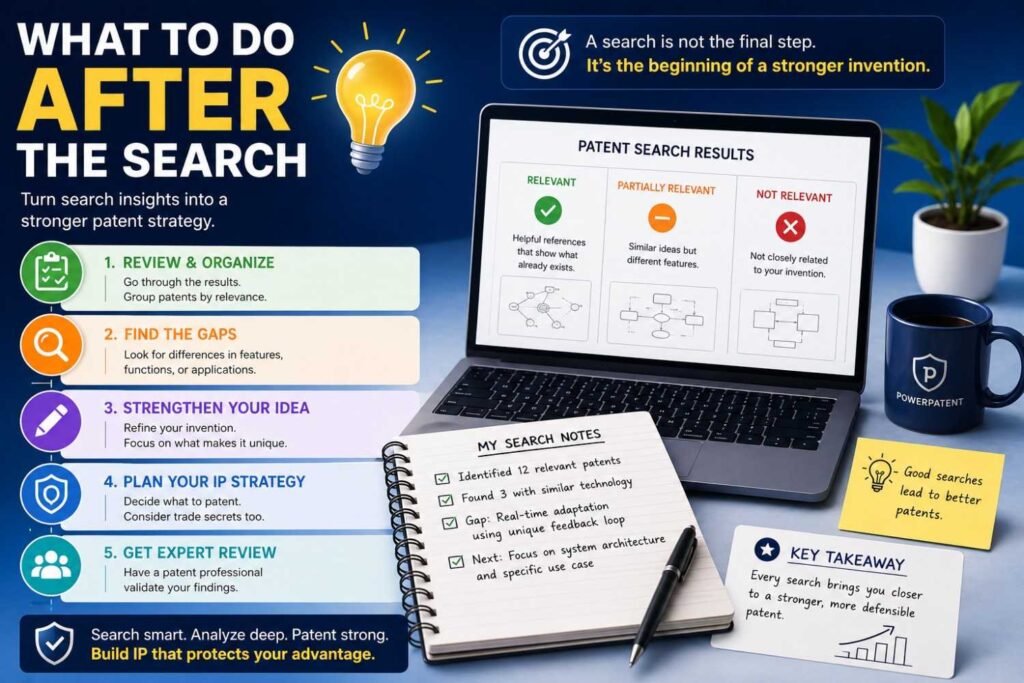
After you search, you should have a clearer view.
You may have a few close references. You may have notes on differences. You may have new search terms. You may have a better sense of the field.
Now decide what to do.
If the search found strong differences, move toward filing.
If the search found close art, refine the invention. Focus on the improvement. Add detail. Consider whether there are other patentable parts of your product.
If the search found the same invention, consider whether your implementation has a new improvement worth filing.
If the search was unclear, get help.
Do not let uncertainty freeze you.
For startups, speed matters. Filing early can protect important work before launch, fundraising, pilots, or partnerships.
A good next step is to turn your search notes and invention disclosure into a draft-ready package.
PowerPatent helps teams do exactly that. It gives you a faster way to move from technical idea to attorney-reviewed patent filing, without the old slow back-and-forth that founders hate. See how PowerPatent works here: https://powerpatent.com/how-it-works
How a Search Helps You Write a Better Patent
A patentability search is not only a filter.
It is a drafting tool.
When you know the prior art, you can write a better patent application.
You can describe the technical problem more clearly. You can explain why old systems fall short. You can include examples that show your edge. You can draft claims that focus on the new part. You can avoid wasting space on old ideas. You can include fallback versions in case the broad version is rejected.
This is very important.
Many weak patents fail because they are too vague or too broad. They try to claim the whole product instead of the real invention.
A search helps you avoid that.
It shows what is already known so your patent can focus on what is new.
The result is a more thoughtful application.
Not just “we invented a smart platform.”
But “we invented this specific technical process that improves this specific system in this specific way.”
That is much stronger.
Why “Broad” Is Not Always Better
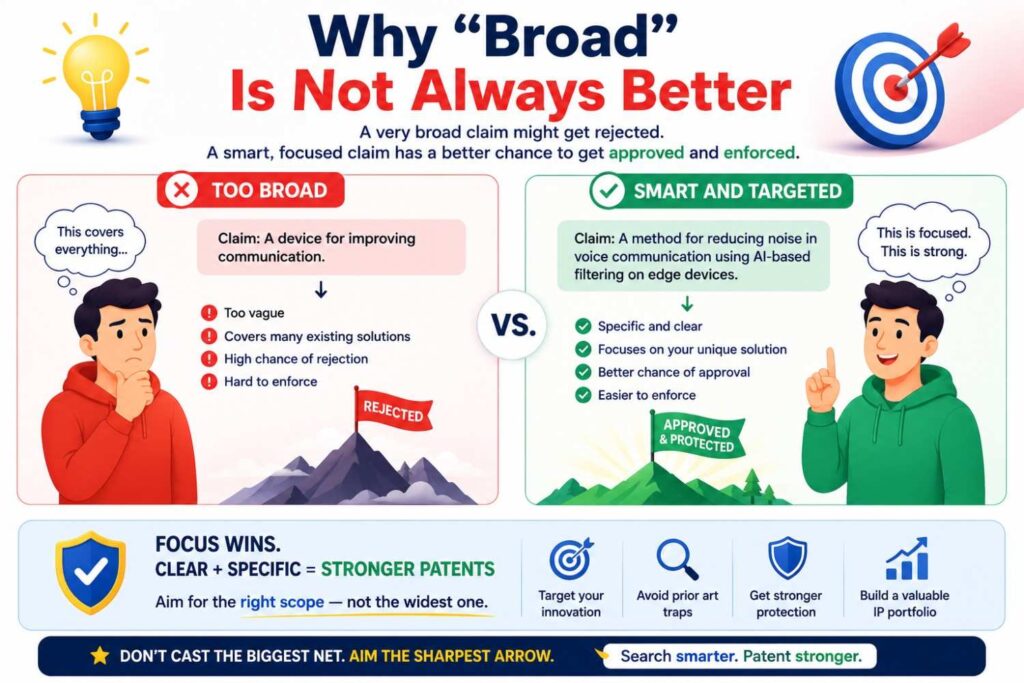
Founders often want the broadest patent possible.
That makes sense. Broad sounds powerful.
But too broad can be weak.
If your claim is so broad that old prior art covers it, the patent office may reject it. Even if it gets allowed somehow, it may be easier to challenge later.
A strong patent often starts with the right scope.
Broad enough to matter. Specific enough to survive.
A patentability search helps you find that balance.
If the field is empty, you may have room for broader claims.
If the field is crowded, you may need narrower claims focused on your improvement.
That is not failure. That is strategy.
A narrower patent on a key technical advantage can be very valuable, especially if that advantage is hard for competitors to avoid.
For example, a broad claim to “AI-based warehouse routing” may be hard to get and easy to attack.
A focused claim to a specific congestion prediction and rerouting method that reduces robot idle time may be stronger and more useful.
Good patents protect what matters.
Not just what sounds big.
Why Speed Still Matters
A patentability search should not take forever.
Startups live in real time.
You may be about to launch. You may be pitching investors. You may be signing a pilot deal. You may be sharing technical details with a partner. You may be hiring people who will see your roadmap.
Waiting too long can create risk.
A practical search gives you enough confidence to act.
You do not need perfect knowledge. You need informed action.
That means doing a solid search, capturing the best prior art, identifying your likely difference, and filing when the invention matters.
PowerPatent is built around this reality. Founders need speed, but they also need quality. The platform helps you move faster while still keeping attorney oversight in the loop. That combination can help you protect your work without slowing down your company. Learn more here: https://powerpatent.com/how-it-works
The Founder-Friendly Patentability Search Workflow
Here is a simple way to run the process without getting buried.
First, write your invention in plain words. Capture the problem, solution, steps, system parts, and benefit.
Second, identify the core technical idea. Strip away brand, UI, and business model. Find the real invention.
Third, create search terms. Use your words, technical words, older words, problem words, result words, and competitor names.
Fourth, search patents. Start with Google Patents, then branch into USPTO, Espacenet, or PATENTSCOPE as needed.
Fifth, search non-patent sources. Look at papers, GitHub, docs, product manuals, technical blogs, videos, and standards.
Sixth, study close results. Read drawings, abstracts, detailed descriptions, and claims.
Seventh, write the differences. For each close result, explain what it has and what it lacks.
Eighth, decide your filing angle. Focus on the technical difference that creates a real benefit.
That is the workflow.
It is not magic.
It is careful thinking.
A Practical Example: AI Customer Support Tool
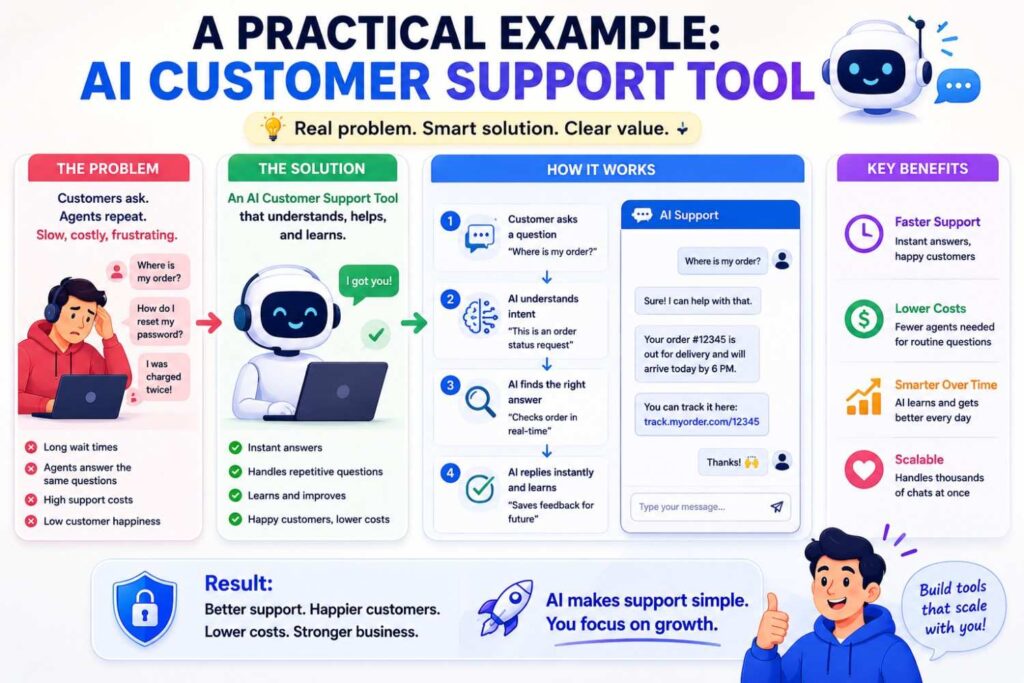
Let’s make this real.
Imagine your startup built an AI tool for customer support teams.
The basic pitch is: “Our AI helps support agents answer tickets faster.”
That is too broad for a strong patent search.
So you dig deeper.
The actual invention is that your system detects when a customer issue may cause churn. It uses product usage drops, billing history, sentiment, and ticket text. It then creates a priority score. If the score is high, the system routes the ticket to a senior agent and suggests a custom retention action.
Now the search becomes more focused.
You search for AI ticket routing. You search for churn prediction support tickets. You search for sentiment-based ticket priority. You search for customer health score routing. You search for automated retention workflow. You search for machine learning customer service escalation.
You find patents about ticket routing. You find papers about churn prediction. You find products that assign customer health scores.
At first, that feels bad.
But then you notice something.
The old systems predict churn at the account level, not at the ticket-event level. They do not combine a sudden product usage drop with ticket sentiment and billing risk to trigger a specific support routing action.
That may be your angle.
The patent may not be “AI support tool.”
The patent may be a specific method for event-level churn risk routing in a support system.
That is much more precise.
It may also be more valuable because it protects the real engine behind the product.
A Practical Example: Edge AI Camera
Now imagine your startup built an edge AI camera for factories.
The pitch is: “Our camera detects safety risks with low power.”
Again, too broad.
The real invention is that the device runs a tiny motion classifier first. Only when motion matches a risk pattern does it wake a larger vision model. The larger model then runs locally and sends only a compact event record to the cloud.
Now search.
You search low-power vision camera. You search motion-triggered image recognition. You search edge AI wake-up model. You search hierarchical inference camera. You search event-based factory safety detection. You search low power object detection device.
You find old cameras that wake on motion. You find edge AI systems. You find safety detection models.
But maybe none combine a low-power motion classifier, local risk pattern detection, selective wake-up of a larger model, and compact event reporting in an industrial safety setting.
That combination may be the invention.
The search helps you avoid claiming old ideas like “motion wakes camera.”
Instead, you claim your specific low-power inference flow.
That is stronger.
A Practical Example: Robotics Routing
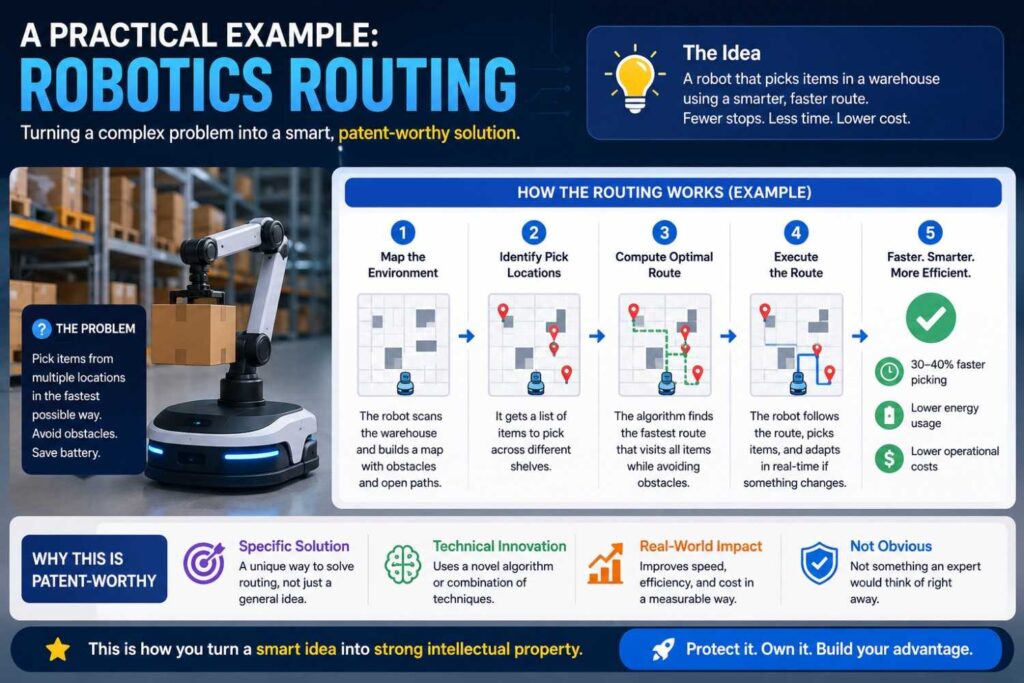
Imagine you built software for warehouse robots.
The pitch is: “Our software routes robots better.”
Too broad.
The real invention is that each robot shares short local status messages with nearby robots. The system predicts aisle congestion before a central server sees it. Robots then adjust routes locally when the confidence score is high, while the central map updates later.
Search terms might include local robot coordination, decentralized robot routing, warehouse robot congestion prediction, multi-agent path planning, robot-to-robot communication, dynamic obstacle avoidance, and confidence-based rerouting.
You find a lot.
Robotics is crowded.
But you notice old systems often depend on a central controller. Others use local avoidance but do not predict congestion. Others predict congestion but do not use robot-to-robot status messages.
Your filing angle may be the local prediction and rerouting method.
Again, the search does not kill the idea. It shapes it.
That is what a good patentability search should do.
A Practical Example: Developer Tool
Imagine your startup built a tool that helps engineers fix production bugs.
The pitch is: “Our AI finds and fixes bugs.”
Too broad.
The real invention is that the system links logs, traces, recent code changes, and dependency updates. It creates a ranked set of likely root causes. Then it generates a patch only within files linked to the top cause and runs targeted tests before suggesting the fix.
Search terms might include automated root cause analysis, log trace code change correlation, AI bug fixing, targeted patch generation, software incident diagnosis, and dependency update failure detection.
You find prior art for root cause analysis. You find code repair papers. You find monitoring tools.
But maybe the unique piece is how your system limits patch generation to files linked through a trace-change graph and uses targeted tests before sending the patch.
That is more specific.
It is also easier to explain.
The patent search helps you move from a marketing phrase to a technical invention.
How to Use Search Results in Investor Conversations
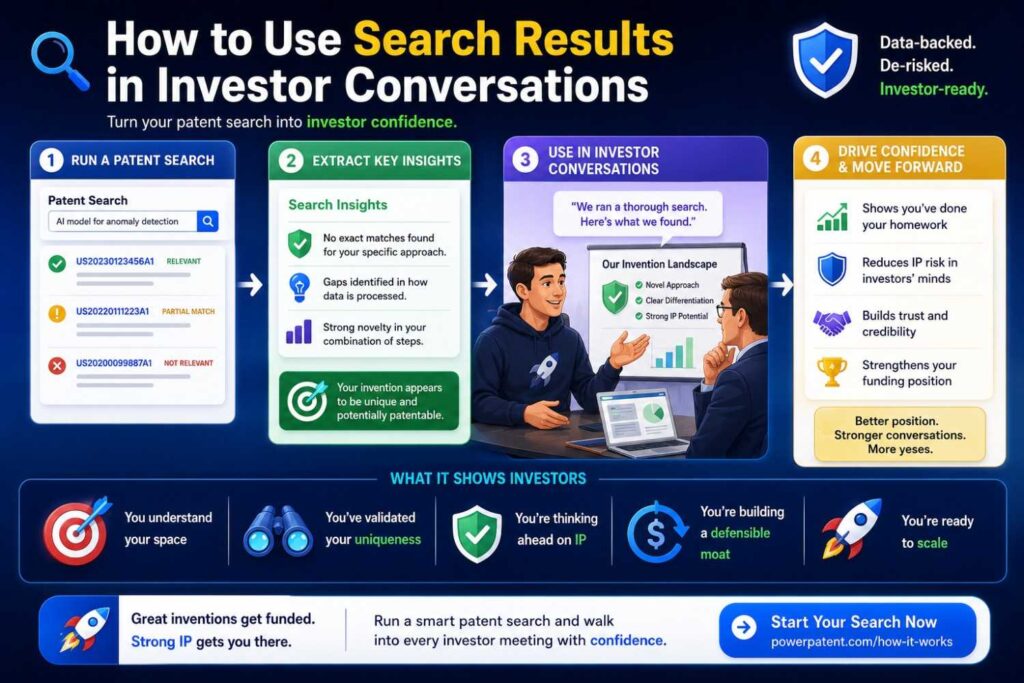
Investors care about defensibility.
They may ask whether your technology can be copied. They may ask whether you have filed patents. They may ask what makes your approach different.
A patentability search can help you answer with confidence.
You do not need to share every detail. But you can say you reviewed the space, found known approaches, and identified a specific technical improvement your team is protecting.
That sounds much stronger than “we think it’s patentable.”
It shows discipline.
It also helps you avoid overclaiming.
Smart founders do not say, “No one has ever done anything like this,” unless they are very sure.
A better statement is:
“We found prior work in X and Y, but our approach differs in Z. We are filing around that technical difference.”
That is credible.
It tells investors you understand your field.
PowerPatent can help founders get to that point faster by turning invention details into a more structured patent path with attorney oversight. Explore it here: https://powerpatent.com/how-it-works
How Patentability Searches Help Product Strategy
A search can also shape your roadmap.
You may discover that one feature is crowded but another is open. You may find that a competitor has filed heavily around one technical path, while your alternate path has more room. You may see that your strongest patent opportunity is not the feature customers see, but the backend system that makes it work.
This can affect what you build next.
It can affect what you keep as a trade secret.
It can affect what you file.
It can affect how you talk about your moat.
For deep tech startups, IP strategy and product strategy should not be separate worlds.
They should talk to each other.
A patentability search is one of the first bridges between them.
It helps you see where your engineering work has protectable value.
Should You Do the Search Yourself or Hire Help?
Both can make sense.
A founder-led search is useful because you know the technology deeply. You can spot subtle differences that an outsider may miss. You can search fast and learn the field.
Professional help is useful because patent searchers and attorneys know where to look, how to read references, and how patent offices may view the prior art.
The best approach is often both.
Start with your own search. Capture your invention clearly. Find the closest results you can. Then bring that work into a patent process with expert review.
This saves time and improves quality.
It also keeps you involved.
You should not hand your invention to someone and disappear. The best patents come from a strong back-and-forth between inventors and patent professionals.
PowerPatent was designed for that kind of workflow. It lets inventors stay close to the process while software handles structure and speed, and real patent attorneys provide oversight. See how it works here: https://powerpatent.com/how-it-works
How Much Should You Trust a DIY Search?
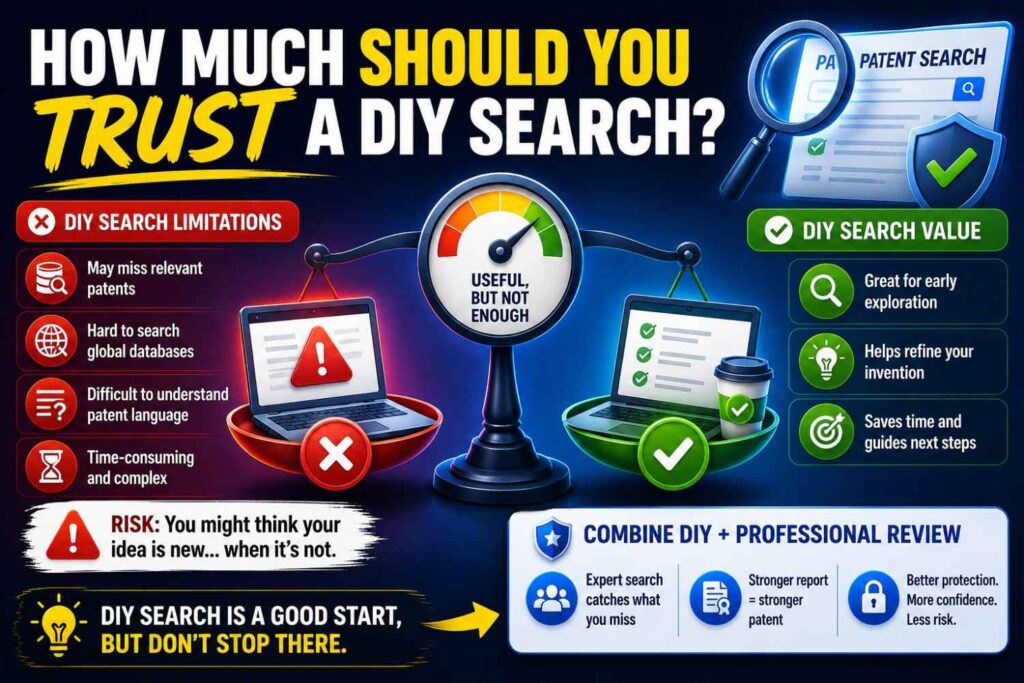
A DIY search is helpful, but it has limits.
You may miss documents. You may misread claims. You may use the wrong terms. You may overlook non-patent sources. You may not know how an examiner would combine references.
That does not mean your search is worthless.
It means you should treat it as a first pass.
A strong founder search can reduce blind spots. It can help you explain your invention. It can give your attorney a head start. It can reveal obvious problems before you spend more money.
But if the invention is important to your company, do not rely only on your own search.
Use it as a base for a better patent process.
How to Know If Your Invention Is Worth Filing
A search helps, but the filing decision also depends on business value.
Ask whether the invention supports your core product. Ask whether competitors would want to copy it. Ask whether it is hard to keep secret. Ask whether it may matter to investors, acquirers, partners, or customers. Ask whether it could become part of a larger patent portfolio.
Some inventions are technically interesting but not worth filing.
Others are simple but very important because they protect a key market advantage.
Patent filing is a business decision, not just a legal one.
A patentability search gives you one part of the answer: how new the invention looks.
The other part is value: how much the invention matters.
When both are strong, filing becomes much easier to justify.
What If Your Invention Is Not New Enough?
This is not the end.
It may mean you need to file on an improvement.
It may mean you need to keep some know-how as a trade secret.
It may mean you need to invent around old work.
It may mean you should focus your patent budget elsewhere.
It may mean your current feature is not the patent, but another part of your system is.
This is why search is useful even when the answer is not what you hoped.
It protects you from spending money on a weak filing.
It also pushes your team to find the real innovation.
Sometimes the first idea is not patentable, but the second version is. Sometimes the workaround is better than the original. Sometimes a search reveals a gap that leads to a stronger invention.
Do not treat prior art as only a threat.
Treat it as feedback.
How to Improve Your Invention After a Search
Once you see the prior art, you may be able to improve your invention.
You may add a technical step that solves a problem the old systems ignored. You may change the architecture. You may improve the data flow. You may make the system work with less power. You may add a fallback mode. You may create a better training process. You may design around a known limitation.
This is not cheating.
This is invention.
Many inventions grow stronger after studying the field.
The key is to make real improvements, not fake differences.
Do not add random complexity just to look different. Add changes that make the system better.
Then search again.
See if the improved version is more distinct.
This loop can be very powerful.
Search, learn, improve, file.
That is a smart founder move.
Why Patents Should Not Be an Afterthought
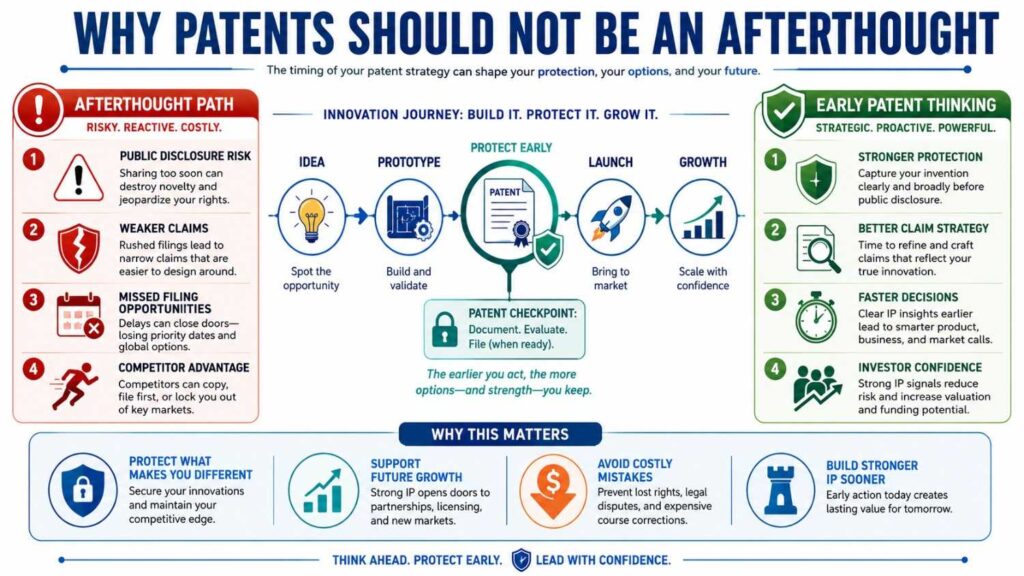
Startups often treat patents as something to do later.
But later can be risky.
Once your product is public, your options may narrow. Once competitors see your work, they may move fast. Once investors ask about IP, it may be harder to catch up. Once a partner sees your technical details, you want protection already in motion.
Patents are not only for big companies.
For startups, they can help protect the hard work that makes the company special.
They can also create options.
A patent portfolio can support fundraising, partnerships, licensing, acquisitions, and market position.
But only if you start early enough.
A patentability search is often the first serious step.
It helps you move from “we should patent something someday” to “this is the invention, this is the prior art, this is the filing angle.”
That is real progress.
Why Old-School Patent Workflows Frustrate Founders
Many founders avoid patents because the process feels slow, expensive, and confusing.
They do not want long legal memos. They do not want endless calls. They do not want to translate technical work into legal language from scratch. They do not want to wait weeks just to see a draft that misses the point.
That frustration is real.
Traditional patent workflows were not built for modern startup speed.
PowerPatent takes a different approach.
It combines smart software with real patent attorney oversight, so founders can move faster while still getting professional review. The goal is not to make patents feel like a black box. The goal is to help technical teams protect what they are building with more control and less friction.
You can see the process here: https://powerpatent.com/how-it-works
How PowerPatent Fits Into the Patentability Search Process
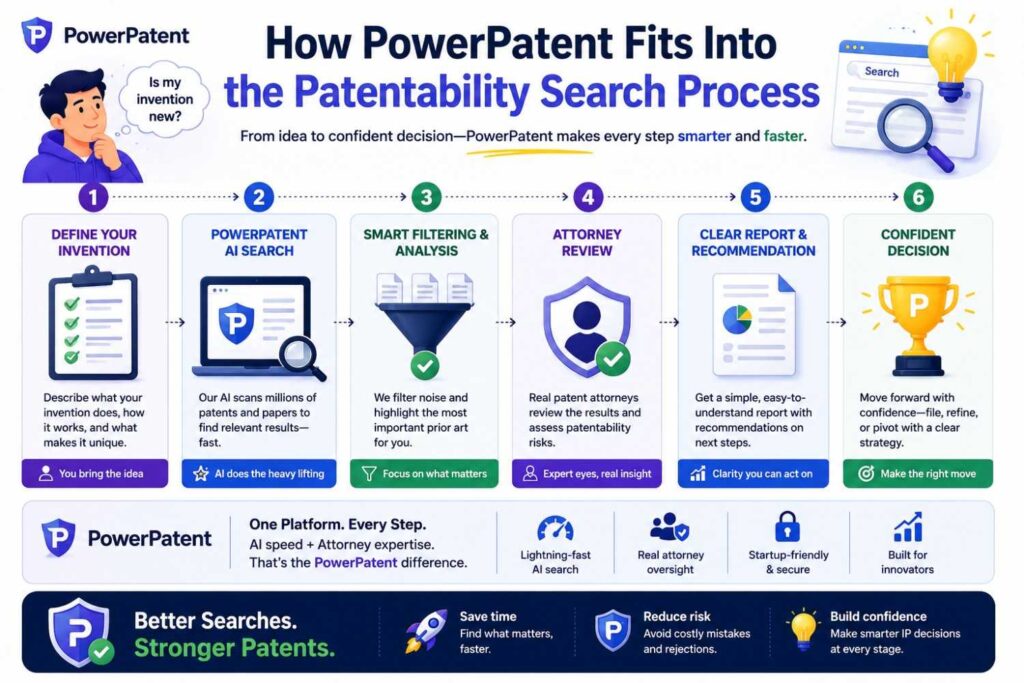
PowerPatent helps after you have an invention worth exploring.
You may come in with raw notes, code, diagrams, model details, product specs, or a rough invention idea.
The platform helps turn that material into a clearer invention record. That matters because clear invention records lead to better searches, better drafts, and better attorney review.
Then, with attorney oversight, your technical details can be shaped into a patent application that focuses on what is new and useful.
This is important because a patent is only as strong as the invention story inside it.
PowerPatent helps founders avoid the common trap of filing vague patents that sound broad but do not protect much.
Instead, the process helps bring out the real technical edge.
For busy founders and engineers, that can be the difference between “we should do patents later” and “we filed around our core invention before launch.”
What to Prepare Before Using PowerPatent
You do not need a perfect legal document.
Bring what you have.
Bring diagrams. Bring product notes. Bring architecture docs. Bring model cards. Bring API flows. Bring screenshots. Bring data flow charts. Bring code comments. Bring lab notes. Bring test results. Bring customer problem notes. Bring your own search results.
The more real technical detail you provide, the stronger the process can be.
A simple invention summary is a great start.
Explain what you built, why it matters, how it works, and what seems different.
If you already did a patentability search, bring the closest references and your notes on differences.
That gives the patent team a head start.
It also helps avoid wasting time on old ground.
A Simple Template for Your Invention Summary
You can write your invention summary in a few plain paragraphs.
Start with the problem. What was hard, slow, costly, risky, or broken before?
Then explain the old way. How do people usually solve this problem?
Then explain your way. What does your system do differently?
Then explain the parts. What components, data, sensors, models, devices, or steps are involved?
Then explain the result. What gets better because of your approach?
Then explain variations. What other ways could the invention be built?
This does not need to sound legal.
In fact, it should not.
Plain language is better at this stage.
The patent language can come later.
Your job is to capture the invention clearly.
Why Details Matter More Than Big Claims
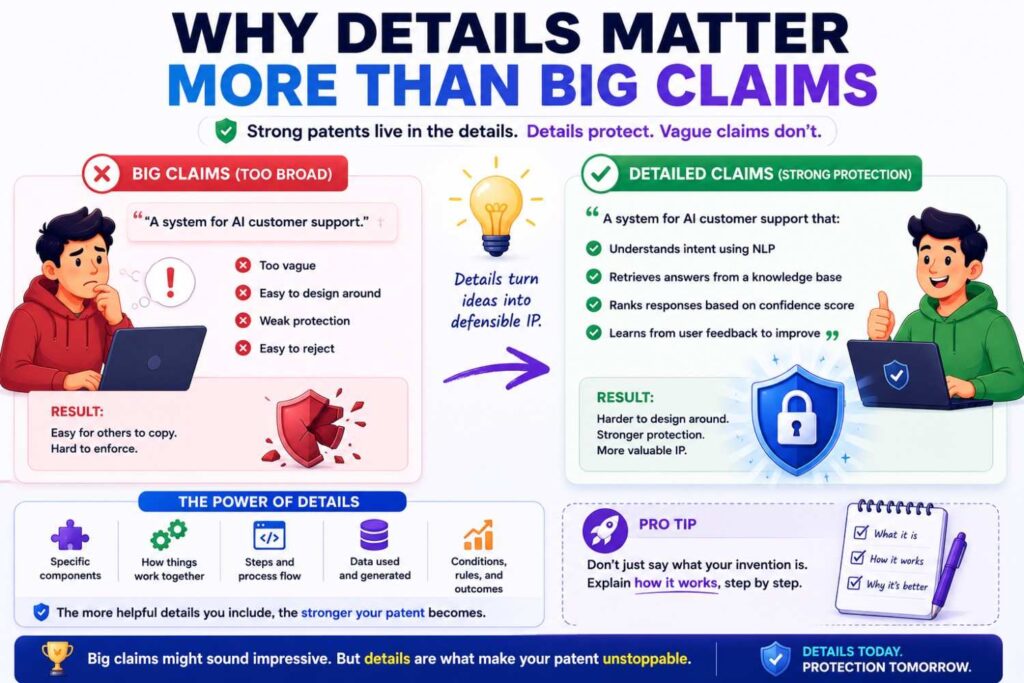
Founders often start with big claims.
“We are changing healthcare.”
“We are reinventing robotics.”
“We are building the future of AI agents.”
That may be true for marketing.
But patents need details.
The patent system does not protect ambition. It protects inventions.
That means you need to explain the mechanism.
How does the thing work?
What steps happen?
What data moves?
What part controls what?
What happens when something fails?
What changes based on a signal?
What makes the system better?
The more specific you are, the easier it is to search and protect.
This is good news for engineers.
You do not need to hype the invention. You need to explain it.
The real technical work is the asset.
How to Talk to Engineers About Patentability Searches
If you are a founder working with an engineering team, do not ask, “Do we have anything patentable?”
That question is too broad.
Ask better questions.
Ask what problems took the longest to solve.
Ask what part of the system competitors would have trouble copying.
Ask what workaround made the product finally work.
Ask what reduced cost, latency, compute, power, failure, noise, or risk.
Ask what part is not obvious from the UI.
Ask what technical choice felt surprising.
Ask what was tried and rejected.
Engineers often forget that their hard-won solutions may be inventions.
They see them as “just implementation.”
But in patents, implementation details can be the gold.
A patentability search starts by finding those details.
How to Avoid Over-Disclosing Before Filing
Before you file, be careful about what you share publicly.
You can usually talk about benefits and high-level outcomes without revealing the full technical method.
But avoid publishing the secret sauce before you file.
Be careful with blog posts, open-source releases, conference talks, pitch decks, demo videos, public docs, and customer materials.
This does not mean you should stop selling or marketing.
It means you should be thoughtful.
File first when the technical detail matters.
If you need to share details with partners, use proper agreements and get legal guidance.
For startups, the safest pattern is often:
Capture invention. Search. File. Then share more freely.
PowerPatent can help speed up that path, so protection does not slow down your launch. See how it works here: https://powerpatent.com/how-it-works
What About Provisional Patents?
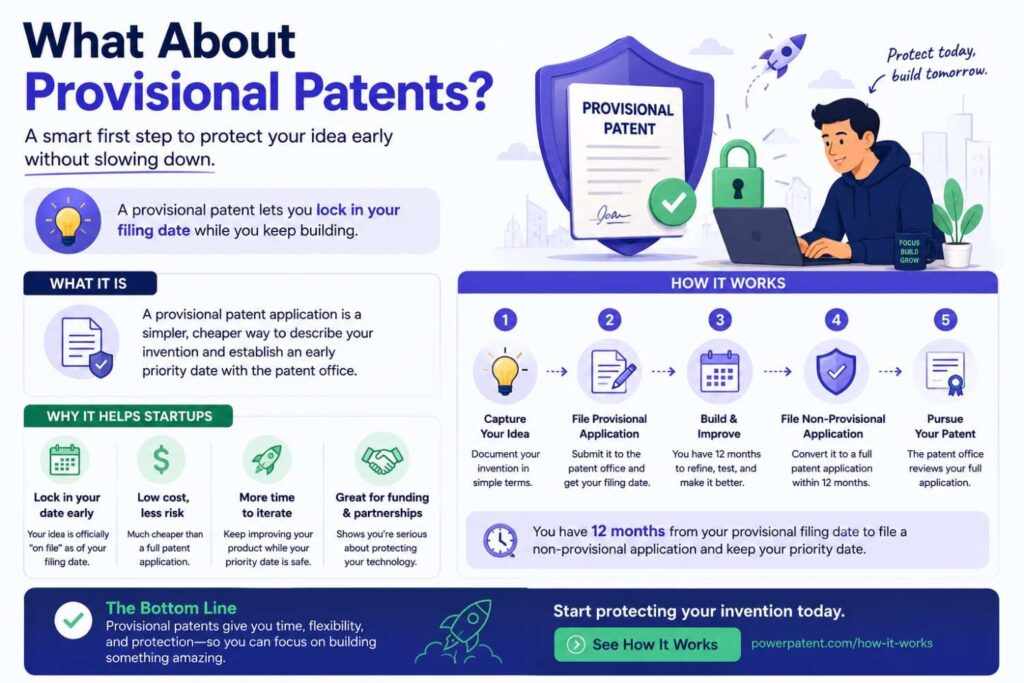
A provisional patent application can be a useful first filing in the U.S.
It can help secure an early filing date while giving you time to refine the invention and file a full non-provisional application later.
But a provisional is only useful if it has enough detail.
A thin provisional that barely explains the invention may not help much.
This is where a patentability search can improve the filing.
If you know the closest prior art, you can make the provisional more focused. You can include the key differences. You can add technical examples. You can describe variations.
Do not treat a provisional as a napkin note.
Treat it as the first foundation of your patent rights.
Fast is good.
Careless is not.
The best approach is fast and thoughtful.
Should You File Before or After a Search?
In an ideal world, search first, then file.
But startup life is not always ideal.
If you are about to publicly disclose key details, you may need to file quickly.
In that case, a focused search can still help, even if it is short. Search the most obvious terms. Check the closest competitors. Look for major blockers. Then file with as much detail as possible.
After filing, you can continue searching and refine future applications.
The key is not to let perfect be the enemy of protected.
If your invention is important and disclosure is near, speed matters.
But when you have time, search first.
A good search can make the filing better.
How Patent Examiners Use Prior Art
When your patent application is reviewed, a patent examiner searches for prior art.
The examiner may find references you did not find.
They may reject your claims based on one reference or a combination of references.
This is normal.
A rejection does not mean the patent is dead.
It often starts a back-and-forth process where claims are amended and arguments are made.
A patentability search before filing helps you prepare for this.
If you already know the closest prior art, you can draft claims that avoid it. You can include support for fallback positions. You can explain the invention in a way that makes the difference clearer.
This can reduce surprises.
It can also make prosecution smoother.
Prosecution is the process of working with the patent office after filing. You do not need to know all the details right now. Just know that a better initial filing can make that later process easier.
The Role of Attorney Oversight
AI tools can help with patents. Search tools can help. Founder notes can help.
But attorney oversight still matters.
Patent law has rules. Claim scope matters. Prior art analysis can be subtle. Filing strategy can affect future rights. Mistakes can be expensive.
The best modern workflow does not remove attorneys.
It gives them better inputs and uses their time where it matters most.
That is the PowerPatent approach: smart software for speed and structure, plus real attorney review for quality and judgment.
For founders, that means you do not have to choose between slow traditional service and risky DIY filing.
You can move faster while still having expert oversight.
Learn more here: https://powerpatent.com/how-it-works
How to Tell If a Patent Search Is Good Enough
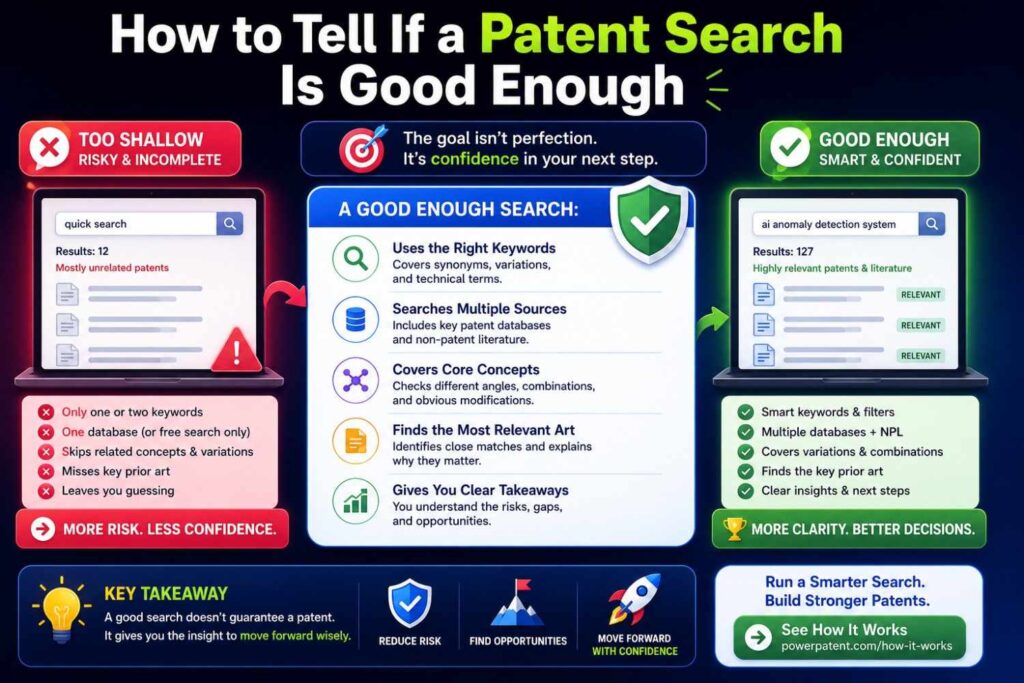
A search is good enough when you have searched the main terms, synonyms, problem terms, result terms, competitor filings, and key non-patent sources, and you have found and reviewed the closest references you can reasonably identify.
It is also good enough when the search has helped you clearly state what seems new.
That is the real test.
Can you say, in plain words, how your invention differs from the closest known work?
If yes, the search has done its job.
You may still want professional review. You may still find more art later. But you are no longer guessing in the dark.
You have a working view of the field.
That is enough to take the next step.
What Your Final Search Summary Should Say
At the end of your search, write a short summary.
It should explain the invention, the closest references, the main similarities, the main differences, and the likely filing angle.
Do not make it long.
A clear one-page summary can be more useful than twenty pages of messy notes.
Here is the kind of language that helps:
“We found several references that use sensor data to trigger image capture. The closest reference uses motion detection to wake a camera. Our system differs because it first classifies motion patterns using a low-power model, then wakes a larger local model only when the pattern matches a safety-risk profile. This reduces power use while keeping event detection accurate.”
That is clear.
That gives a patent team something to work with.
It also helps your own team understand what matters.
How to Keep Searching as Your Product Changes
Your first patentability search is not the last.
As your product changes, new inventions may appear.
A model training process may become unique. A deployment method may change. A hardware layout may improve. A customer need may force a new workflow. A scaling problem may lead to a clever system design.
These moments can be patentable.
Build a habit of invention capture.
Every month or quarter, ask what technical problems the team solved. Ask what changed in the architecture. Ask what made the product faster, safer, cheaper, smaller, smarter, or more reliable.
Then decide what to search and file.
This is how startups build real patent portfolios.
Not by filing random ideas.
By capturing the technical work that makes the company stronger.
How Search Supports a Patent Portfolio
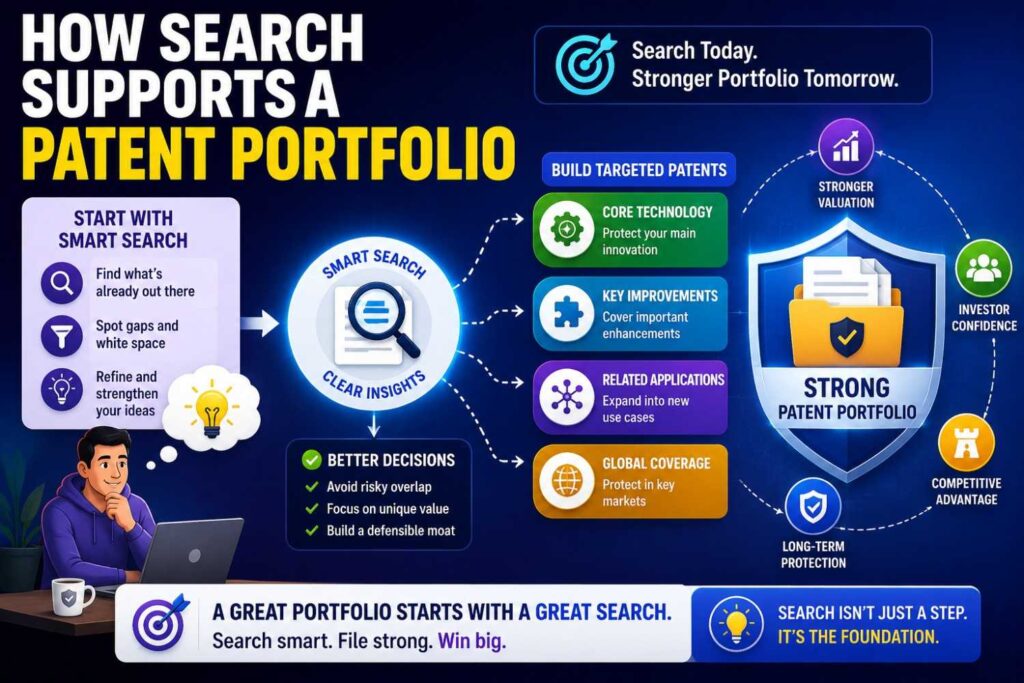
One patent can help.
A portfolio can be much stronger.
A portfolio protects different parts of your technology. It can cover core systems, improvements, workflows, devices, methods, and future versions.
Patentability searches help you choose what belongs in the portfolio.
They show which areas are open. They show which claims may be crowded. They show where your team has repeated advantages.
For example, an AI robotics company may file around perception, local planning, fleet coordination, safety fallback, charging behavior, and data feedback loops.
A medical device company may file around sensor structure, signal processing, patient fitting, calibration, alert logic, and treatment workflow.
A developer tools company may file around code analysis, test selection, incident diagnosis, patch generation, and deployment safety.
Each filing should have a clear invention and a clear reason it matters.
Search helps keep the portfolio focused.
The Emotional Side of Patent Searches
Patent searches can be frustrating.
You may feel excited, then worried, then confused, then excited again.
You may find a close patent and think your idea is dead. Then you may read deeper and realize your approach is different. You may find nothing and wonder if you searched badly. You may find too much and wonder if the field is crowded.
That emotional swing is normal.
Do not let it throw you.
The purpose of a search is not to protect your ego. It is to protect your company.
Finding prior art is not failure. It is information.
The strongest founders want the truth early.
That truth helps them make better decisions.
The Big Secret: Most Inventions Are Improvements
Many founders think an invention must be a lightning bolt.
A totally new thing. Never seen before. No connection to anything else.
That is rare.
Most real inventions are improvements.
A better way to do something. A faster way. A safer way. A smaller way. A more private way. A more reliable way. A way that works in a harder setting.
That is okay.
Patents often protect improvements.
Your job is to show what improved and how.
A patentability search helps you frame that improvement against the old world.
Without the search, you may not know what the old world looked like.
With the search, you can say:
“Here is what existed. Here is what was missing. Here is what we built.”
That is the story.
A Founder’s Mindset for Patentability
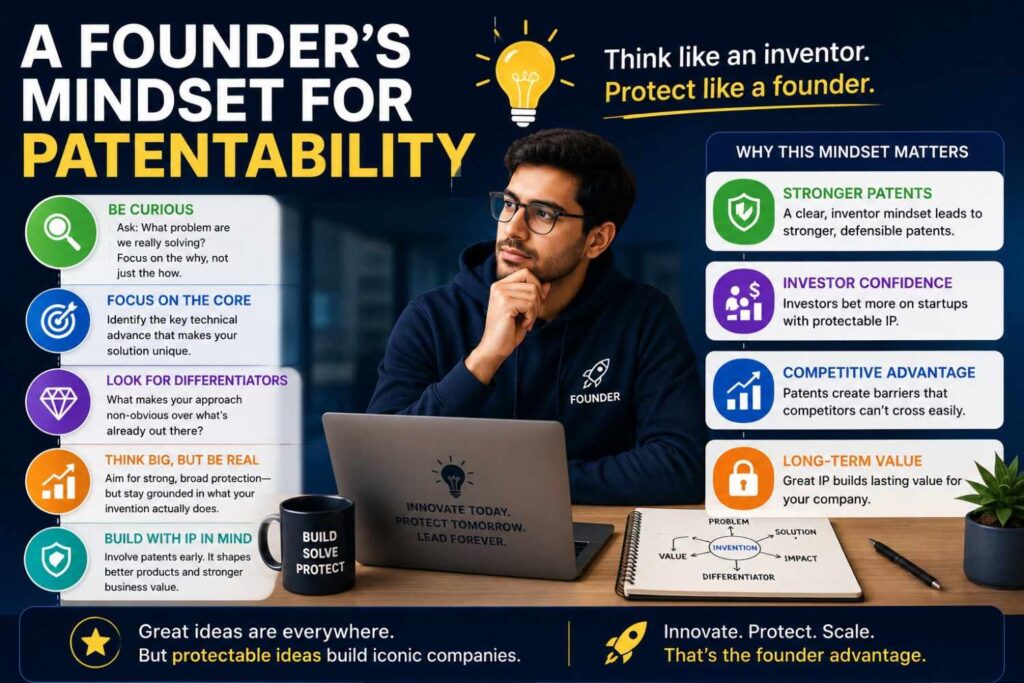
Do not think like a lawyer first.
Think like a builder.
What did you build that was hard?
What did you try that failed?
What finally worked?
What would a competitor copy if they could see under the hood?
What part of the system creates the advantage?
Then think like a searcher.
What would someone else call this?
What older field has similar ideas?
What papers would describe this?
What patents would a big company file around this?
Then think like a strategist.
Is this worth protecting?
Would it matter in a fundraise, sale, partnership, or market fight?
Would a patent help us keep control?
That mindset turns patentability search from a legal chore into a founder tool.
Why PowerPatent Exists
PowerPatent exists because founders need a better way to protect what they are building.
Old patent processes can feel slow, costly, and hard to understand. DIY tools can feel risky. Founders need speed, but they also need trust.
PowerPatent combines smart AI software with real patent attorney oversight.
That means you can move faster without being left alone.
You can turn code, models, diagrams, and technical ideas into stronger patent filings. You can keep more control over the process. You can avoid the endless back-and-forth that slows teams down.
For deep tech startups, this matters.
Your invention may be one of your most valuable assets.
Protecting it should not feel like dragging a heavy box uphill.
It should feel like a clear, guided path.
Start here: https://powerpatent.com/how-it-works
Final Thoughts: Search First, Then File Smarter
A patentability search is one of the smartest early moves a founder can make.
It helps you see whether your invention is new. It helps you find the closest prior art. It helps you understand competitors. It helps you write a stronger patent. It helps you avoid wasting time on weak claims. It helps you turn a broad product idea into a clear technical invention.
You do not need to become a patent expert.
You need to ask good questions, search with care, take clear notes, and get the right help when the invention matters.
Start with the core.
Search the old work.
Find the difference.
Protect what matters.
And when you are ready to turn your invention into a real patent path, PowerPatent can help you move faster with smart software and real attorney oversight.
See how it works here: https://powerpatent.com/how-it-works