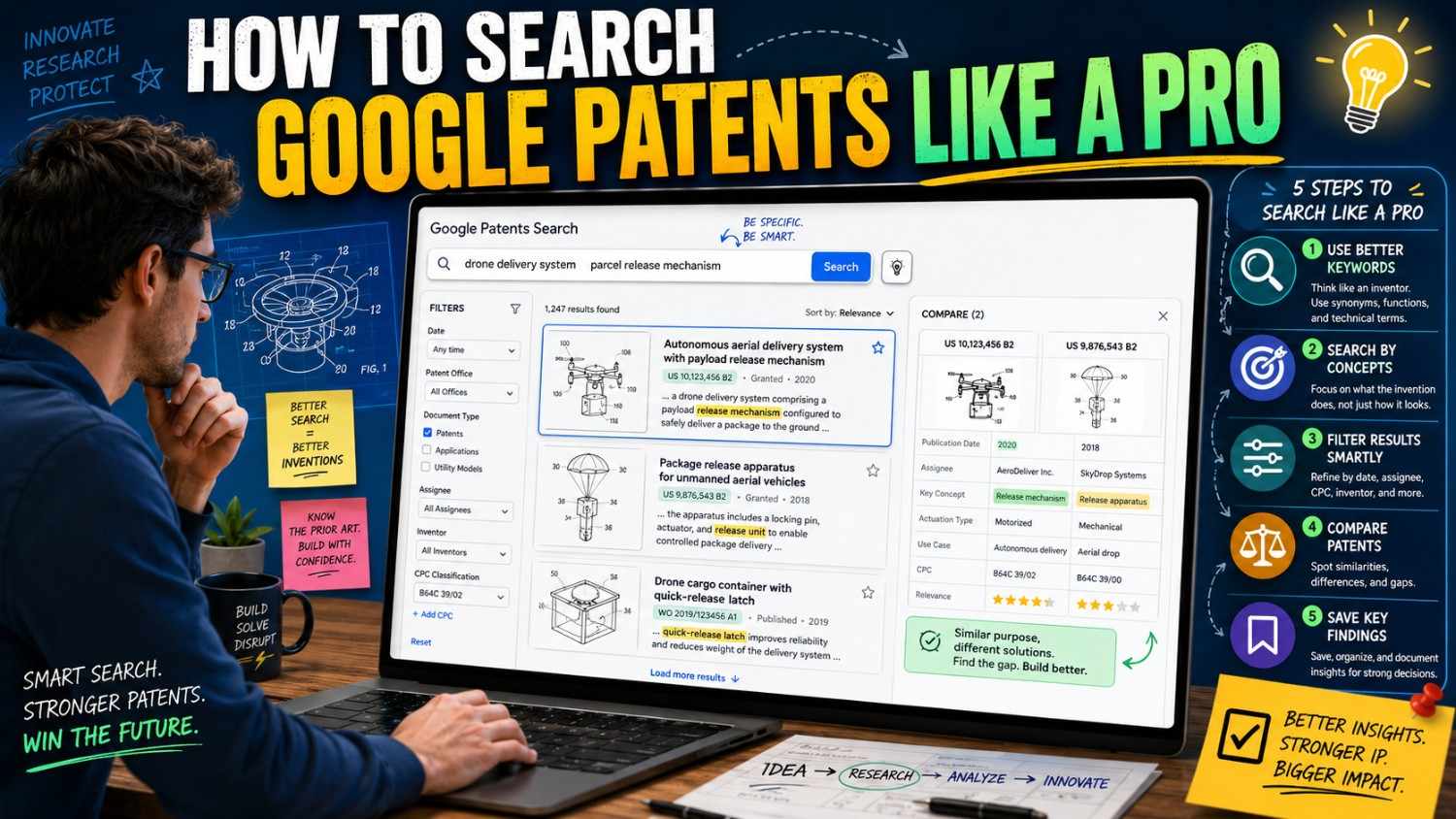
You do not need to be a patent lawyer to start learning what already exists.
Google Patents is one of the easiest free tools for checking old patents, published applications, and related technical work. Used well, it can help you find prior art, study competitors, sharpen your invention, and file with more confidence.
PowerPatent helps founders turn technical ideas, code, models, and product work into stronger patent filings with smart software and real patent attorney oversight. When you are ready to move from search to filing, you can see how it works here: https://powerpatent.com/how-it-works
Why Google Patents Is Worth Learning
Google Patents is useful because it gives founders a fast way to look through patent documents from around the world. It also includes tools for searching patent text, filtering results, checking related documents, and reviewing non-patent literature through Google Scholar in some searches. Google’s own patent search page says it lets users search and read full-text patents from around the world and find prior art in its non-patent literature index.
That matters because many founders start with a simple question:
“Has anyone already patented this?”
Google Patents can help you begin answering that.
It is not perfect. No patent search tool is perfect. Google itself notes that it cannot guarantee complete coverage.
But it is still a strong first stop.
For a startup, that first stop can be very valuable.
It can help you see whether your invention is truly new. It can help you find words used in your field. It can help you study what large companies and competitors have filed. It can help you avoid filing on an idea that was already public. It can also help you explain your invention better before working with a patent attorney.
Think of Google Patents like a map.
It may not show every rock on the road, but it helps you see the land.
And when you are building a company, seeing the land early is a big advantage.
What Google Patents Can Help You Do
Google Patents can help with several founder tasks.
It can help you run a first-pass patentability search. That means you are checking whether your invention looks new compared with older patents and public documents.
It can help you study competitors. You can search company names, inventor names, product terms, and technical fields to see what others have filed.
It can help you learn patent language. This is a big deal because patents often use different words than startups use.
It can help you find related documents. A single strong result can lead you to similar patents, cited patents, later patents, patent family members, and related technical terms.
It can help you prepare for a better patent filing. When you know the closest old work, you can focus your patent on what is truly new.
But Google Patents should not be the only step when the invention matters.
A founder search is a great start. It is not the same as full patent attorney review.
If the invention is core to your business, use the search to get smarter, then bring the results into a real patent process.
PowerPatent is built for that next step. It helps technical teams organize invention details and move toward attorney-reviewed filings without the slow, confusing back-and-forth many founders hate. See the process here: https://powerpatent.com/how-it-works
The Biggest Mistake: Searching Too Soon
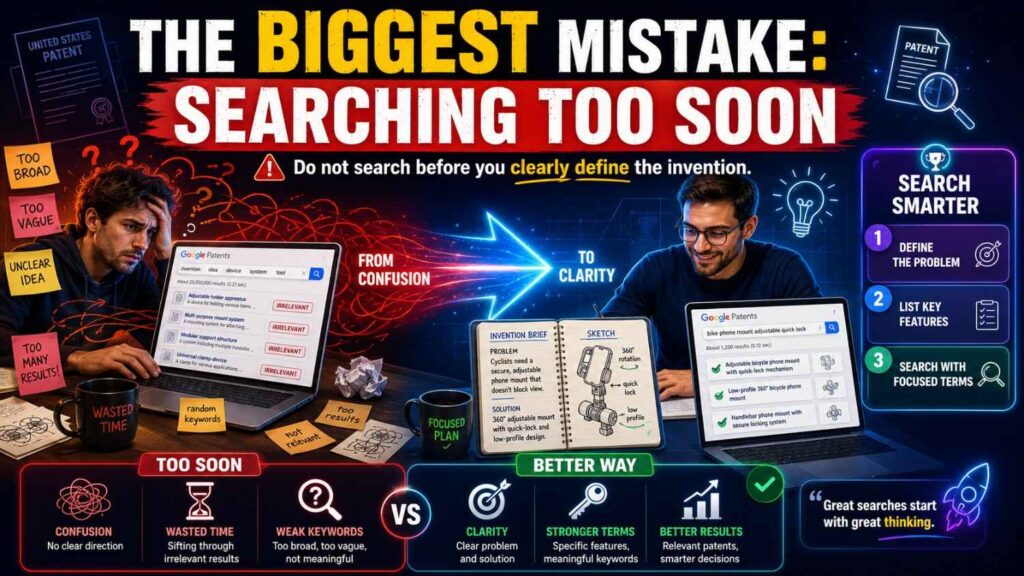
Most people open Google Patents and type the first phrase that comes to mind.
That is normal.
It is also why many searches fail.
The best patent search does not start in Google Patents.
It starts with a clear invention.
Before you search, write down what your invention actually is.
Not the product name. Not the company pitch. Not the market category.
The invention.
For example, do not search only:
“AI assistant for doctors.”
That is too broad.
Instead, write what the system does:
“The system reads a patient message, checks medication history, compares the message against known risk signals, creates an urgency score, and routes high-risk messages to a clinician before routine messages.”
Now you have something searchable.
You can search urgency scoring, patient message routing, medication risk signals, clinical triage, message classification, and automated healthcare routing.
The search becomes sharper because your thinking is sharper.
This is the first pro move.
Get the invention clear before you search.
Write the Invention Like an Engineer, Not a Marketer
Marketing words are often too broad for patent searching.
Words like “smart,” “AI-powered,” “seamless,” “next-generation,” “intelligent,” and “automated” may sound good in a pitch deck, but they are weak search terms.
Patent searching needs technical words.
What data comes in?
What happens to it?
What part makes a decision?
What output is created?
What device, model, system, or process changes?
What gets better?
For a software invention, describe the data flow.
For an AI invention, describe the model workflow, inputs, outputs, checks, and feedback.
For a hardware invention, describe the parts, layout, movement, signal path, heat path, material, or sensor position.
For a biotech or medical invention, describe the target, assay, composition, delivery path, sensor setup, treatment step, or measurable result.
Your goal is to turn a vague product idea into a technical search target.
A weak search target sounds like:
“Better robot navigation.”
A strong search target sounds like:
“A robot routing method that uses local robot-to-robot signals to predict aisle congestion before a central map update, then changes the route when a confidence score passes a threshold.”
That gives you real search paths.
Build a Search Word Bank
Patent searching is a word game.
Different people describe the same invention in different ways.
Your startup may say “AI agent.”
A patent may say “automated task execution system.”
Your product team may say “smart routing.”
A patent may say “dynamic path planning.”
Your engineers may say “edge inference.”
A patent may say “local processing at a remote computing node.”
So before searching, build a word bank.
Use simple words, technical words, old words, broad words, narrow words, problem words, result words, and competitor words.
For example, if your invention is a low-power AI camera, your word bank might include camera, imaging device, vision sensor, image capture, motion detection, low power, battery saving, duty cycle, wake-up, local inference, edge computing, embedded model, event detection, object recognition, selective activation, industrial safety, and false alarm reduction.
Now you can mix these words.
Search “low power image capture motion detection.”
Search “selective activation vision model.”
Search “edge computing camera event detection.”
Search “battery saving imaging device wake-up.”
Search “industrial safety vision sensor false alarm.”
Each search shows a different part of the field.
The more word paths you try, the better your odds of finding close prior art.
Start Broad, Then Narrow
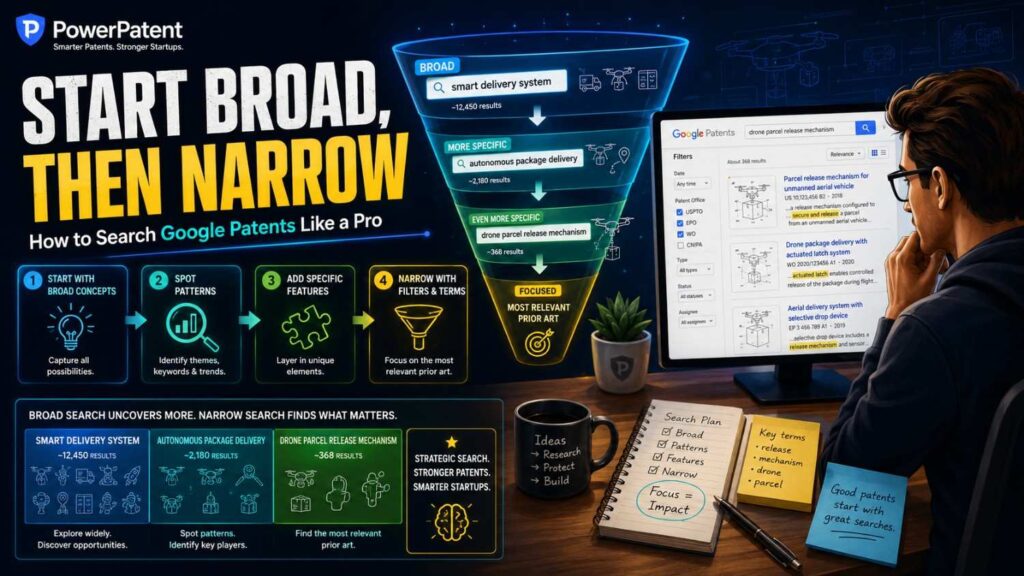
A good Google Patents search usually starts broad and gets narrower.
Start with the main concept.
Then add technical details.
Then add filters.
Then search specific fields like title, inventor, assignee, or classification.
If you start too narrow, you may miss important results.
For example, suppose your invention predicts battery cell imbalance from early heat signals.
If you start with:
“predict battery cell imbalance from early thermal signals before voltage drift”
You may find very little.
That does not mean your invention is new. It may mean your words are too exact.
Start with:
“battery cell imbalance thermal”
Then try:
“battery management temperature charge control”
Then:
“cell balancing temperature prediction”
Then:
“battery pack thermal signal imbalance detection”
Then:
“adaptive charging thermal model battery cell”
Now you are searching around the idea from several angles.
Once you find close results, use their language to search more deeply.
That is how pros work.
They do not expect the first search to win.
They use each search to learn the next search.
Use Google Patents Advanced Search
Google Patents has an Advanced Search page that lets you search with more structure. The Advanced Search page is available directly from Google Patents and is built for searching patent text and related prior art.
The advanced interface can help you filter by things like terms, inventors, assignees, dates, patent offices, languages, status, and classifications.
This matters because a normal keyword search can give you too many results.
Filters help you cut the noise.
For example, if you are searching a robotics invention, a broad search for “robot path planning” may return a huge set. You can narrow by date, company, inventor, classification, or exact phrases.
If you are studying one competitor, you can search by assignee.
If you are checking whether a field changed recently, you can filter by publication date.
If you know the technical class, you can search within that class.
The basic search box is good for discovery.
Advanced Search is better for control.
Use both.
Understand How Search Terms Work
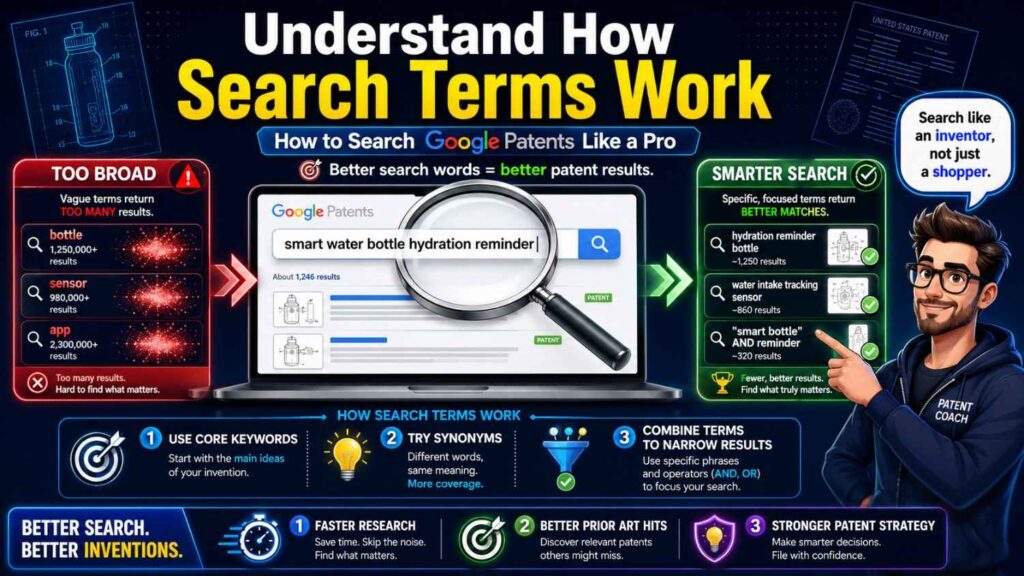
Google’s help page explains that search terms can match patent title, abstract, claims, description, and full text of Scholar documents, as well as CPC codes. It also notes that search fields are generally combined together, and you can add OR terms inside a search field. (Google Help)
In plain words, this means your search can reach deep into the patent document, not just the title.
That is helpful because many relevant patents do not have obvious titles.
A patent titled “System and Method for Device Management” may still describe your exact low-power sensor method.
A patent titled “Information Processing Apparatus” may include a workflow that matters to your AI product.
A patent titled “Control System” may describe a robotics method close to yours.
Do not judge only by title.
Search terms can find hidden matches in the full document.
But this also creates noise.
A word may appear once in a long description and make the result show up, even if the patent is not very close.
That is why you need to scan results carefully.
Learn the Difference Between Keyword Search and Field Search
A keyword search looks broadly across documents.
A field search targets a specific part of the record.
For example, you may want a word in the title, not anywhere in the document.
Or you may want a company name as the assignee.
Or you may want a person as the inventor.
Or you may want results from one date range.
Field search helps you make the search tighter.
A broad keyword search is good when you are exploring.
A field search is good when you know what you are looking for.
For example, if you search “Apple low power camera,” you may get documents that mention Apple as a fruit, Apple as a company, or low power and camera in random places.
But if you search Apple as the assignee and low power camera as the technical terms, your results become cleaner.
The same applies to inventor names.
If you find one strong patent by a named inventor, search that inventor directly. That can uncover related filings that normal keyword search may miss.
Use Quotes for Exact Phrases
Quotes help when you need an exact phrase.
For example, searching:
“dynamic path planning”
is different from searching:
dynamic path planning
Without quotes, the tool may find documents where those words appear apart from each other.
With quotes, you are asking for that phrase.
Use quotes for phrases that are common in your field.
Examples:
“federated learning”
“state of charge”
“natural language interface”
“knowledge graph”
“motion artifact”
“task allocation”
“collision avoidance”
“anomaly detection”
“edge computing”
“battery management system”
But do not use quotes too early or too often.
Exact phrase searches can be too narrow.
If you search only one quoted phrase, you may miss patents that describe the same idea with different words.
Use quotes when you want precision.
Use unquoted searches when you want discovery.
Use OR to Search Synonyms
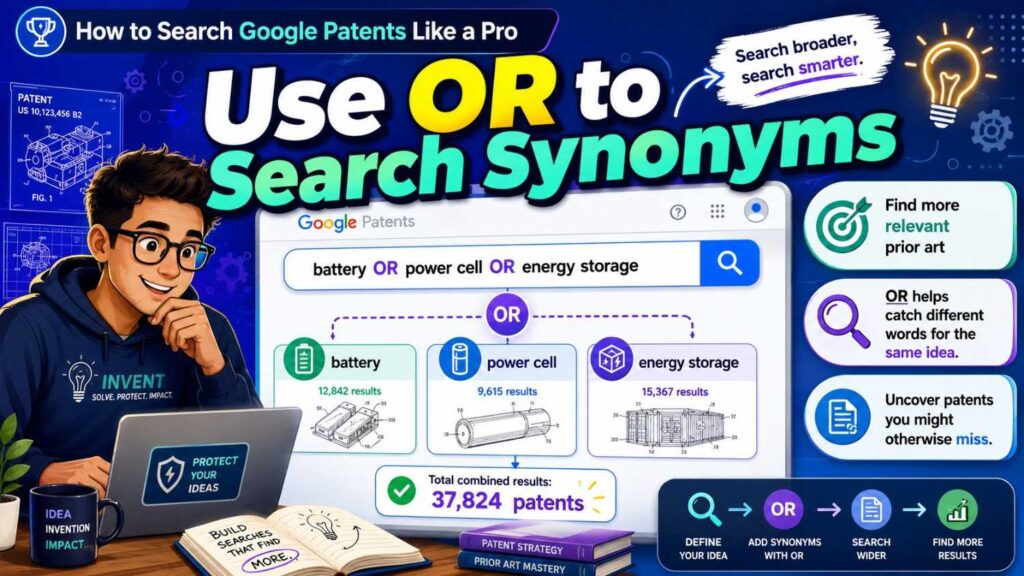
OR helps you search different words for the same idea.
For example:
drone OR “unmanned aerial vehicle” OR UAV
This helps because patents may use formal language.
Another example:
“edge device” OR “remote computing node” OR “embedded device”
Or:
“motion artifact” OR “movement noise” OR “signal noise”
Or:
“task routing” OR “workflow routing” OR “request routing”
The key is to group words that mean similar things.
This lets you search wider without running many separate searches.
Google’s support material notes that OR can be added within a search term box in Advanced Search. (Google Help)
Use OR when you know several ways a concept may be described.
This is one of the easiest ways to improve your results.
Use Minus Terms Carefully
In many search tools, a minus sign can help exclude terms.
This can be useful when results are polluted by an unrelated meaning.
For example, if you search “cell balancing,” you may get biological cell results when you mean battery cells.
You might exclude biology words.
But be careful.
Excluding terms can remove useful results by accident.
A patent may mention a term you excluded in a different context. If that happens, you may never see it.
Use exclusions only when the noise is clearly hurting the search.
When in doubt, search without exclusions first.
Then use filters and better terms instead.
A pro search is broad enough to catch surprises and narrow enough to stay useful.
That balance takes practice.
Search by Patent Number
If you already have a patent number or publication number, Google Patents is a fast way to pull it up.
You can paste the number into the search box.
This is useful when you find a number in a competitor deck, product marking, patent office record, article, or search result.
Patent numbers can look different by country.
For example, U.S. patents, U.S. published applications, PCT publications, European publications, and other foreign documents have different formats.
If one format does not work, try removing spaces or punctuation.
Once you open the document, look for family members, citations, similar documents, inventors, assignees, and classification codes.
One patent number can be the door into a whole patent family.
Search by Assignee
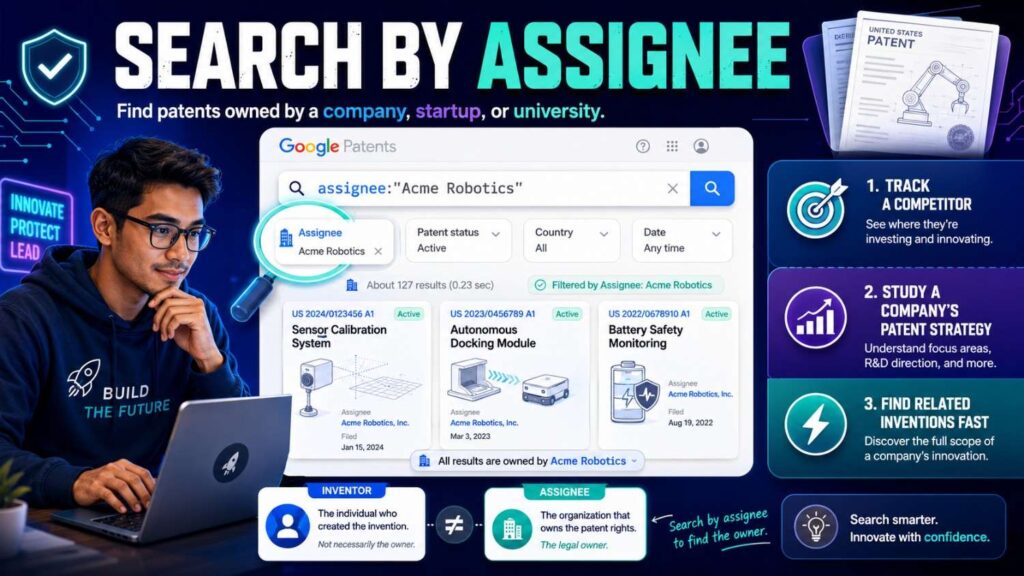
The assignee is usually the owner of the patent or application.
For competitor research, assignee search is very useful.
Search your direct competitors.
Search large companies in your space.
Search acquired startup names.
Search old company names.
Search university names if the technology came from research labs.
For example, if you are building in warehouse robotics, search the major robotics companies, automation companies, and logistics players.
If you are building in AI chips, search chip companies, cloud companies, and university labs.
If you are building in medical devices, search established device companies, hospitals, universities, and startups that were acquired.
Assignee searching can show what others thought was worth protecting.
It can also reveal product directions that are not yet public.
But do not assume every competitor patent blocks you. That is a different question.
In a patentability search, competitor patents help you understand what is already public and where your invention may be different.
Search by Inventor
Inventor search is underrated.
If you find one close patent, click or search the inventor names.
Inventors often file related work over many years.
They may move from a university to a startup to a large company.
They may publish papers and file patents in the same area.
Following inventor names can reveal prior art that keywords miss.
This is especially helpful in deep tech fields.
In robotics, a few researchers may keep working on navigation, control, or sensing.
In biotech, scientists may publish papers and patents around one target.
In AI infrastructure, engineers may file related patents across different employers.
If one person appears often near your invention, study their work.
It may help you understand the field much faster.
Search by Classification Codes
Patent classification codes group inventions by technical area.
The most common code system you will see is CPC, which stands for Cooperative Patent Classification.
Do not worry if the codes look confusing.
You do not need to memorize them.
Use them as trails.
When you find a close patent, look at its CPC codes. Click or search those codes. Then add your keywords.
This can find patents that use different words but belong to the same technical area.
For example, one patent may say “image recognition,” another may say “visual classification,” and another may say “object detection.” A shared classification can connect them.
Classification searching is powerful when keyword searching feels messy.
It is also useful when your field uses many synonyms.
A pro move is to combine classification codes with problem terms.
For example, search within a machine learning classification for “latency,” “edge,” “privacy,” or “training.”
That gives you a cleaner set than broad keyword searching alone.
Search by Date
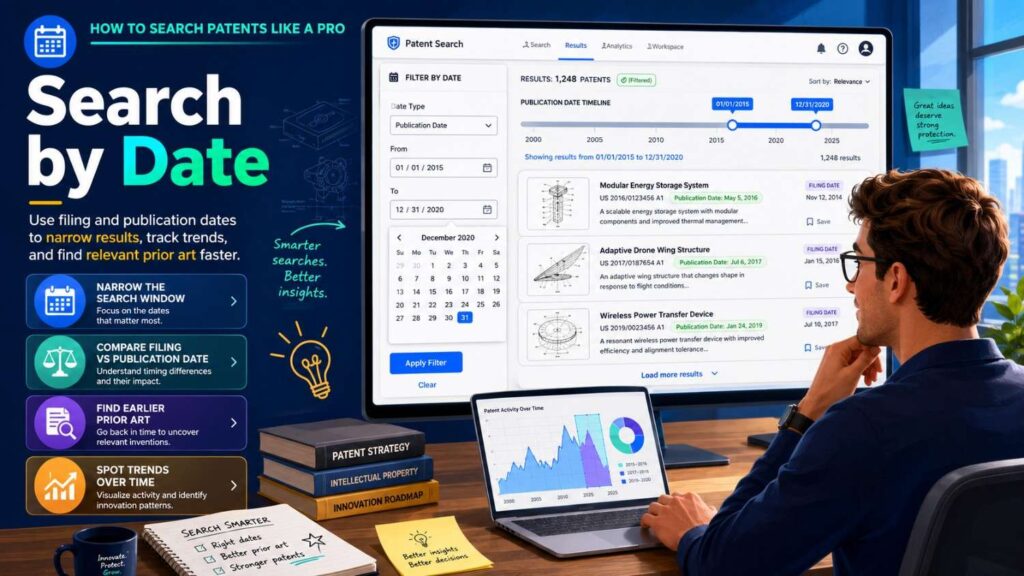
Dates matter.
If you are checking novelty, older public documents may matter.
If you are checking recent competitor activity, newer filings matter.
If you want to understand how a field has changed, search by date ranges.
For a patentability search, you usually care about documents that were public before your filing date.
For market intelligence, you may care about recent publications from the last few years.
For a technology trend search, you may compare older and newer filing patterns.
Google Patents can show important dates like filing, publication, and priority dates.
Learn to look at them.
The publication date tells you when the document became public.
The filing date tells you when the application was filed.
The priority date may point to the earliest related filing.
Do not make legal conclusions from dates alone if the issue matters. But do capture them.
Dates are part of the patent story.
Search by Status, But Do Not Overtrust It
Google Patents may show status information such as active, expired, pending, abandoned, or similar labels.
This can be helpful.
But for patentability searching, status is not the main issue.
An expired patent can still be prior art.
An abandoned published application can still be prior art.
A pending application can still teach something important.
Status matters more for freedom-to-operate work, where you are asking whether an active patent might affect your product.
Patentability is different.
Patentability asks whether your invention was already publicly taught.
So do not ignore expired or abandoned documents during a novelty search.
They may be very important.
Read the Search Results Page Like a Pro
The search results page can tell you a lot before you open anything.
Look at the title.
Look at the snippet.
Look at the date.
Look at the assignee.
Look at the publication number.
Look at the drawing thumbnail if shown.
Look at repeated words across results.
Do not open every result at first.
Scan for patterns.
Are the same companies appearing?
Are the same inventors appearing?
Are the same technical words appearing?
Are results clustered around one older term you did not know?
Are most results about a different field?
This scan helps you adjust.
If the results are too broad, add a technical term.
If the results are too narrow, remove a detail.
If the results are in the wrong field, add a field term or exclude an obvious wrong meaning.
If one company appears often, search that company directly.
A good search is not one query.
It is a conversation with the results.
Open the Closest Results First
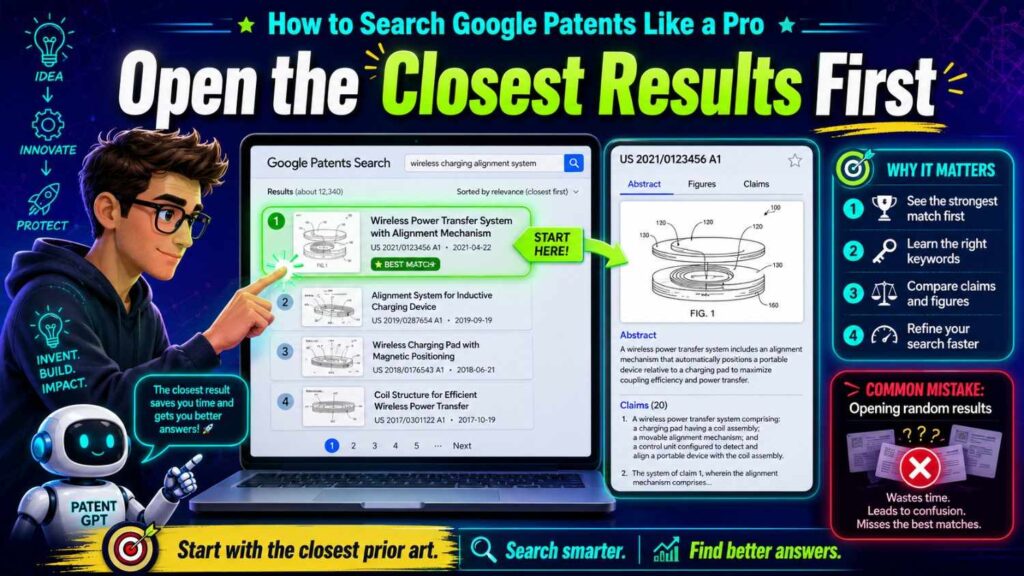
When you see a promising result, open it.
Do not wait until you have hundreds of results.
A close patent can teach you better terms.
It can also show you classifications, citations, inventors, assignees, and related documents.
This helps your next searches.
When opening a patent, start with four things:
The abstract.
The drawings.
The description.
The claims.
The abstract gives a quick summary.
The drawings show the system, method, or device.
The description explains examples.
The claims show what the applicant is trying to protect.
For a patentability search, the whole document can matter.
Even if the claims do not match your invention, the description may still teach something close.
Read the Drawings First
Patent drawings are often easier than patent text.
For software and AI patents, drawings may show system blocks, data flows, model steps, user devices, servers, databases, and decision paths.
For hardware patents, drawings may show part placement, shape, motion, heat flow, fluid flow, electrical paths, sensor layout, or mechanical structure.
For medical devices, drawings may show patient contact, delivery paths, sensor location, safety features, or device operation.
Look at the figures.
Ask what each figure is showing.
Is there a flowchart?
Is there a block diagram?
Is there a device layout?
Is there a method step that looks like your invention?
If the drawings feel close, read more carefully.
If they are clearly unrelated, move on unless the text has useful terms.
Drawings help you avoid wasting time in dense patent language.
Read the Abstract, But Do Not Stop There
The abstract is useful, but it is not enough.
Some important patent details are not in the abstract.
The detailed description may include variations, examples, and technical steps that matter to your invention.
A patent may have a boring abstract but a very relevant flowchart.
Or it may have a broad abstract but narrow claims.
For patentability, you care about what the document publicly teaches.
So read beyond the abstract when the result seems close.
Skim the background to understand the problem.
Scan the detailed description for steps and examples.
Check the claims to see what the inventor thought was important.
Then write a simple note.
Do not rely on memory.
Understand Claims Without Fear
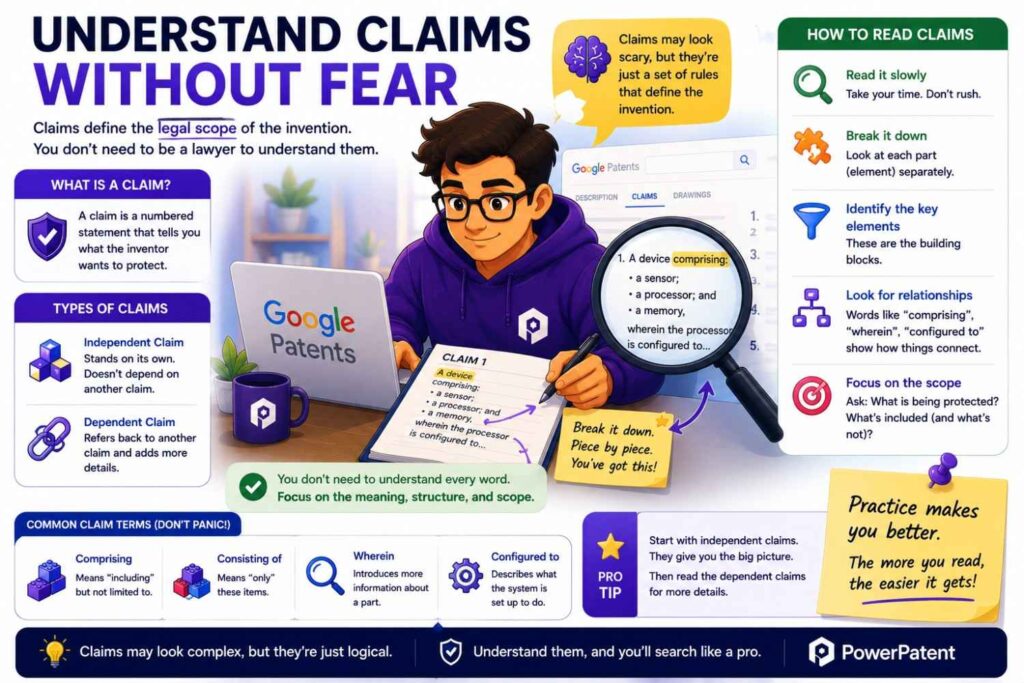
Patent claims can look strange.
They are often long, formal, and hard to read.
Do not let that stop you.
Start with claim 1.
Break it into pieces.
Ask:
What is the first part?
What is the second part?
What does the system receive?
What does it process?
What does it output?
What parts are required?
What step creates the result?
Then compare those pieces to your invention.
Does your invention have the same parts?
Does it do the same steps?
Does it use the same input?
Does it create the same output?
Does it miss your key difference?
You are not trying to become a patent attorney.
You are trying to spot closeness.
If claim 1 maps closely to your invention, that is important.
If the claim is different but the description is close, that is still important for patentability.
Save it.
Use “Similar Documents”
Google Patents often shows similar documents.
This feature can be very helpful.
When you find one close patent, similar documents can lead to a cluster of related work.
Sometimes the best prior art is not the first result you found.
It is a similar document two clicks away.
Open similar documents that look close.
Scan titles, dates, assignees, drawings, and abstracts.
Look for documents that use different words but teach the same concept.
This is one of the fastest ways to go deeper.
A beginner search moves in a straight line.
A pro search branches from strong results.
Use Citations
Patent documents cite other documents.
They may cite earlier patents, later patents, and sometimes non-patent literature.
Citations can be a goldmine.
Backward citations show older references.
Forward citations show later documents that cited the patent.
If you find a close patent, check what it cites.
Then check what cited it.
This creates a timeline.
You can see where the idea came from and where it went.
For startups, this is useful in two ways.
First, it helps find prior art.
Second, it helps identify active companies and researchers in the space.
If many later patents cite one older patent, that older patent may be important.
If your competitor cites a certain reference often, study it.
Citations can help you find the backbone of a field.
Use Patent Families
A patent family is a group of related patent filings that often cover the same invention in different countries or stages.
For example, one invention may have a U.S. application, a European application, a PCT application, and other family members.
Google Patents often shows family information.
This can help you avoid reading the same invention ten times without realizing it.
It can also help you find better versions of the same document.
Sometimes one family member has clearer text, better translation, or useful claim changes.
For competitor research, family size can show whether a company cared enough to file broadly.
For patentability searching, a family helps you understand one invention as a group.
Do not count every family member as a totally separate idea.
Group related documents in your notes.
Search Non-Patent Literature
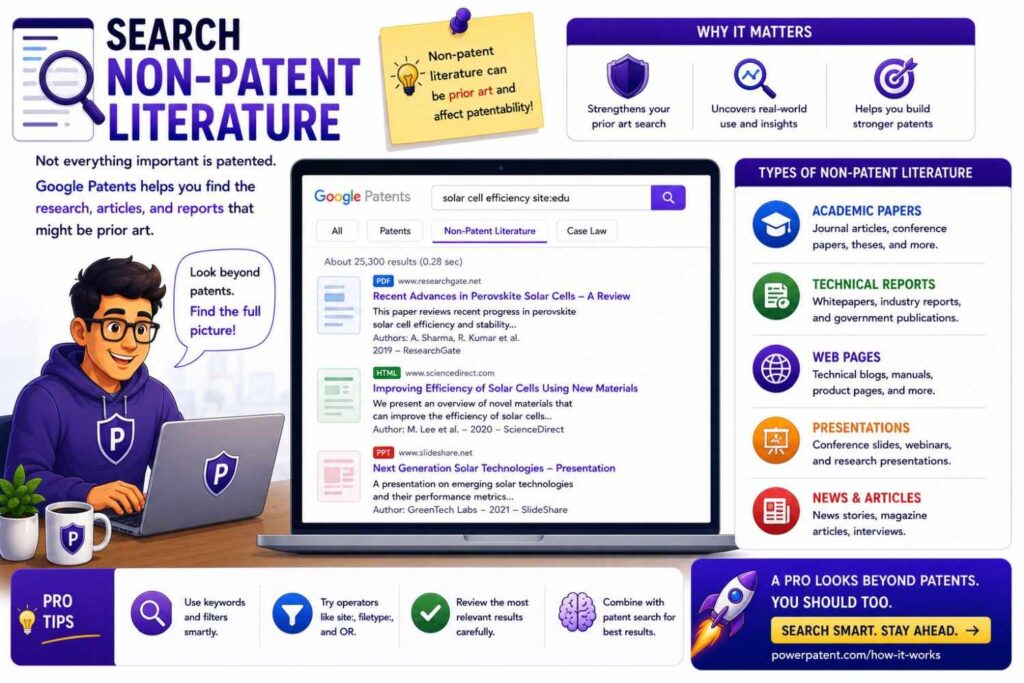
Patent prior art is not only patents.
Papers, technical documents, manuals, public code, and other materials can matter.
Google Patents can include non-patent literature in its prior art index, and Google’s own patent page refers to finding prior art in its non-patent literature index.
This is especially important in AI, robotics, biotech, medical devices, software, materials, chips, and climate tech.
Many ideas appear in papers or open-source projects before they appear in patents.
When you find non-patent literature results, do not ignore them.
Read the abstract or summary.
Check the date.
Ask if the paper or document teaches your key method.
A research paper may not use your product language, but it can still be very close.
For example, your product may be a “smart warehouse routing platform,” while a robotics paper may describe the same multi-agent path planning method.
That matters.
Do Not Search Only the Product Category
Many founders search the product category and stop.
That is a mistake.
If you built an AI legal tool, do not search only “AI legal tool.”
Search the actual technical method.
If you built a medical wearable, do not search only “medical wearable.”
Search the sensor arrangement, signal processing, motion correction, power control, or alert logic.
If you built a robotics platform, do not search only “warehouse robot.”
Search path planning, robot-to-robot communication, obstacle prediction, local control, fleet coordination, charging, and safety fallback.
Patent offices do not care only about product categories.
They look at technical features.
Your search should do the same.
Search the Problem
A strong search does not only search your solution.
It searches the problem.
If your invention reduces false alarms, search false alarms.
If it lowers power use, search low power and battery saving.
If it cuts latency, search latency reduction.
If it protects privacy, search privacy preserving methods.
If it prevents unsafe device behavior, search safety control and failure prevention.
Problem searches find old work that faced the same pain.
That old work may use different words for the solution.
It may also help you write a stronger patent story later.
For example:
“Old systems reduced false alarms by doing X. Our system does Y, which works better in this setting.”
That is more powerful than:
“We made a better system.”
Search the pain.
It often leads to the real prior art.
Search the Result
Search what your invention improves.
Does it save battery?
Does it reduce compute?
Does it improve accuracy?
Does it reduce memory?
Does it improve signal quality?
Does it reduce heat?
Does it shorten test time?
Does it reduce network traffic?
Does it make a robot safer?
Search those results with your technical field.
For example:
“battery saving wearable sensor”
“latency reduction edge inference”
“memory efficient neural network device”
“false positive reduction safety camera”
“test time reduction code dependency graph”
“thermal management battery charge control”
Result searches help you see how others tried to get the same benefit.
If old systems got the same result in the same way, you may have a novelty issue.
If old systems got the same result in different ways, your method may still be new.
If old systems did not solve the result well, your story may be stronger.
Search Each Part of the Invention
Do not search only the full invention.
Search the pieces.
A patent examiner may later combine old references. One reference may show one part. Another may show another part.
So you should know where each part appears.
Imagine your invention has three parts:
A sensor input.
A prediction model.
A control action.
Search the sensor input alone.
Search the prediction model alone.
Search the control action alone.
Then search pairs.
Then search the full combination.
This helps you understand whether your invention is new as a whole or whether each part is already common.
If each part is old, your patent may need to focus on the special combination and the result it creates.
That can still be valuable.
Many inventions are new combinations.
But you need to know what the parts are.
Search Adjacent Fields
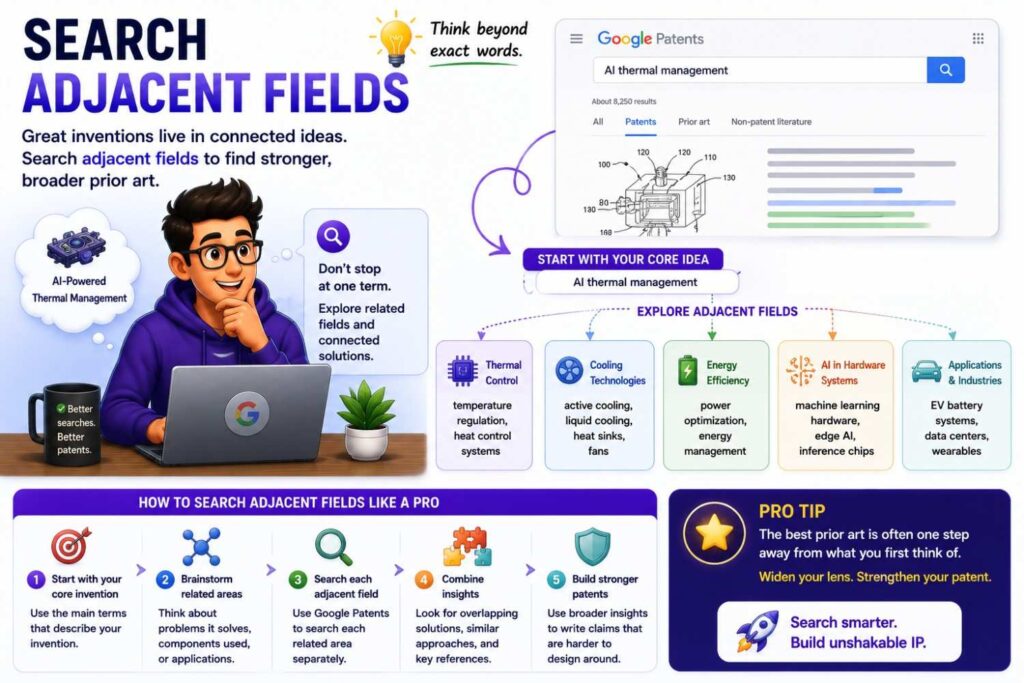
Your invention may be new in your market but old in another field.
A method used in drones may matter for warehouse robots.
A signal correction method used in fitness wearables may matter for medical sensors.
A routing method used in telecom may matter for cloud computing.
A security method used in finance may matter for healthcare data.
Search adjacent fields where the same technical problem appears.
This is a pro move because prior art does not always stay inside your market.
If you are building in one industry, ask where else the same data, sensor, model, device, or control problem shows up.
Then search there.
This can reveal strong prior art.
It can also help you explain why your version is different.
Maybe the old method did not work in your setting because your constraints are harder.
That detail may matter.
Search Old Words, Not Just New Words
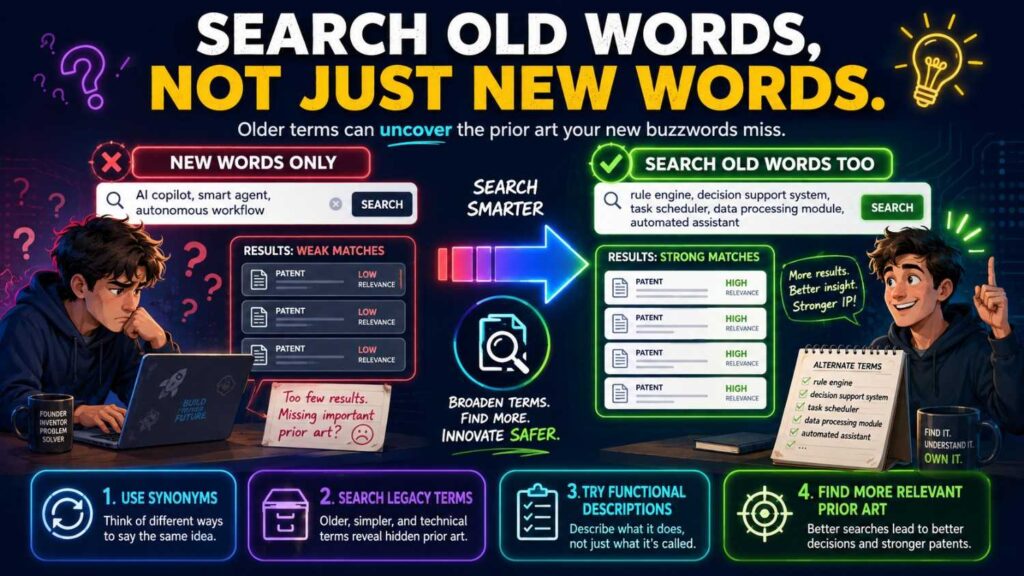
Technology words change.
Patent documents may use older terms.
A modern founder may say “LLM agent.”
Older patents may say “natural language task execution system.”
A founder may say “vector database.”
Older documents may say “semantic index” or “nearest neighbor search.”
A founder may say “digital twin.”
Older documents may say “simulation model,” “virtual representation,” or “asset model.”
A founder may say “edge AI.”
Older documents may say “embedded inference,” “local processing,” or “remote node computation.”
Search old words.
This matters a lot in fast-moving fields.
If you only search today’s buzzwords, you may miss the best prior art.
Use Competitor Product Names Carefully
Product names can be useful, but they are not enough.
A patent may not mention the product name.
Large companies often file patents before a product is named.
A startup may file under a corporate name that is different from the product.
An acquired startup’s patents may now be owned by a larger company.
Search product names, but also search company names, old company names, inventors, and technical terms.
For example, if a competitor sells a “smart routing engine,” search the product name.
Then search the company as assignee.
Then search the founders as inventors.
Then search the technical terms that describe the routing method.
Product names are starting points, not the whole search.
Study Assignees for Strategy
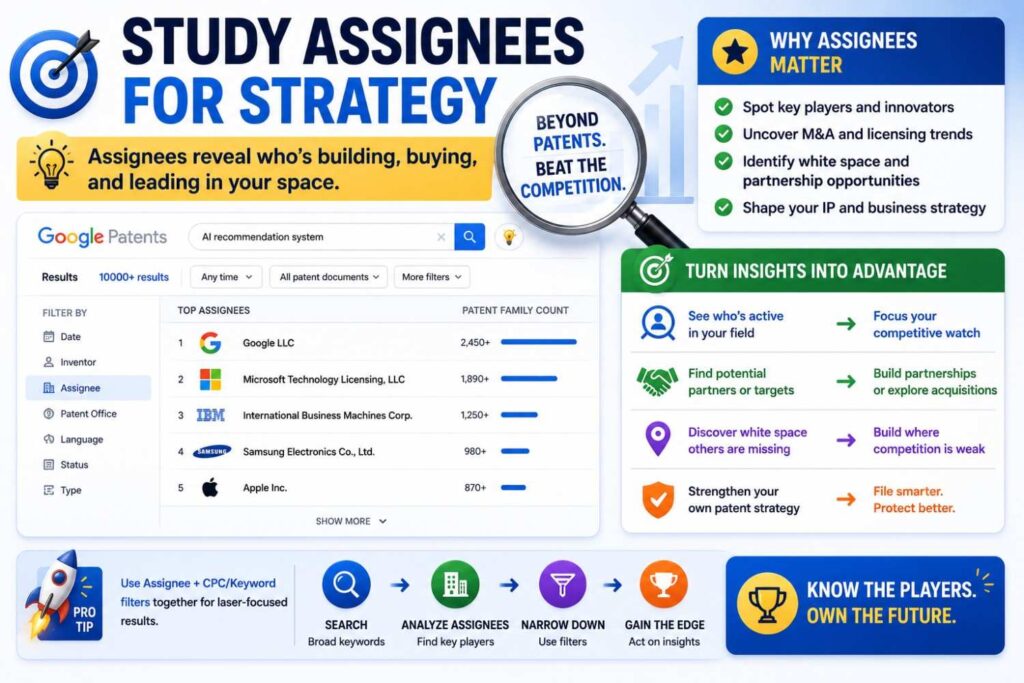
Assignee search can show business patterns.
If a large company files many patents in your area, that tells you the field matters.
If a competitor has no patents around a key feature, there may be room.
If a university has early patents in your area, there may be licensing history or foundational work.
If a startup filed heavily before being acquired, that may show where acquirers saw value.
Do not overread one patent.
But look for patterns.
Who is filing?
What are they filing on?
Are filings increasing?
Are they focused on hardware, software, models, data, workflows, or control systems?
Which parts of the stack are crowded?
Which parts look open?
Google Patents can help founders think strategically, not just legally.
Create a Search Log
A search log is simple.
Write down what you searched, where you searched, what you found, and what you learned.
This matters because patent searching gets messy fast.
You will open many tabs. You will try many terms. You will find documents that look close, then less close, then close again.
Without notes, you will forget.
Your search log should capture the query, date, database, useful results, close references, and next search terms.
For each close patent, write a plain summary.
Do not just save links.
Write why it matters.
For example:
“This patent uses motion detection to wake a camera. It does not classify risk patterns before waking the main model. Our invention may differ in the low-power classifier and selective wake-up rule.”
That note is useful.
“Camera patent, maybe close” is not.
Build a Prior Art Table
A prior art table helps compare close references.
Use simple columns.
Reference.
Date.
Owner.
What it teaches.
What matches our invention.
What is missing.
Our possible difference.
Business impact.
This table is valuable when you speak with a patent attorney.
It shows that you have done serious thinking.
It also helps your team align.
Maybe one founder thinks a patent is scary. Another thinks it is not close. The table forces everyone to compare the same facts.
A good prior art table can make the patent process faster and better.
PowerPatent helps founders bring structured invention details and search findings into a clearer filing workflow with attorney oversight. When your search starts producing close references, this is where the next step matters. See how PowerPatent works here: https://powerpatent.com/how-it-works
Do Not Copy Patent Language Into Your Own Filing
Reading patents can influence your words.
Be careful.
Do not copy another patent’s language into your own invention write-up.
Use prior art to learn the field.
Use your own words to describe your invention.
Your filing should be based on what your team built, not pasted phrases from someone else’s patent.
This is not just about style.
Copying language can make your invention sound like the old work and blur your real difference.
Write clearly.
Write technically.
Write from your product, system, code, model, device, or lab work.
The best patent applications come from real invention detail.
Know the Difference Between Patentability Search and Freedom-to-Operate Search
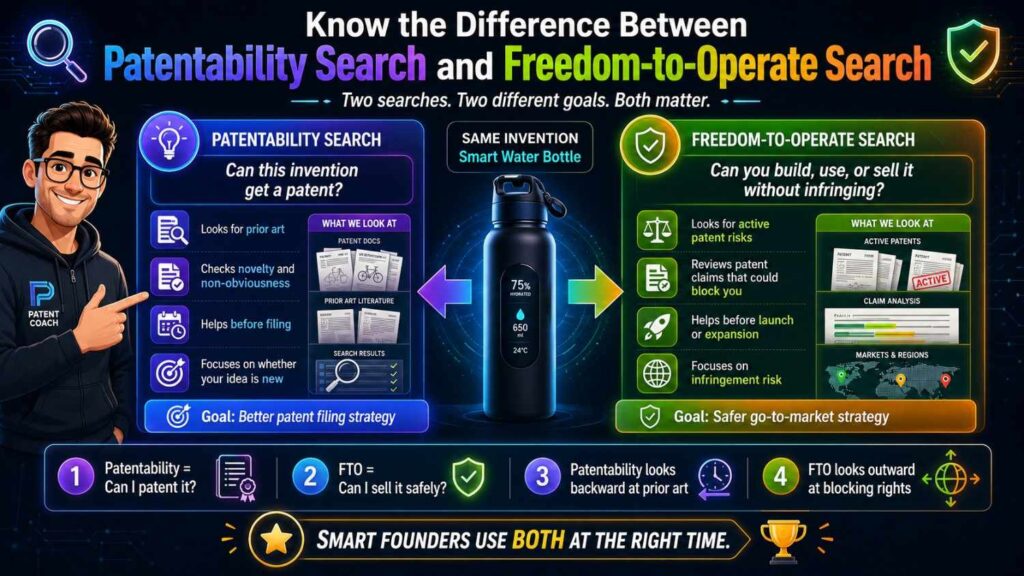
Google Patents can help with many searches, but you need to know what question you are asking.
A patentability search asks:
“Can we get a patent on our invention?”
A freedom-to-operate search asks:
“Can we sell our product without infringing someone else’s active patent?”
These are different.
For patentability, old expired patents can still matter because they show what was already public.
For freedom to operate, active claims matter more.
A patentability search focuses on what came before your invention.
A freedom-to-operate review focuses on whether your product may fall within someone else’s active patent claims.
Do not mix the two.
A founder Google Patents search is often a good first step for patentability.
Freedom-to-operate work is more complex and usually needs legal review.
Do Not Assume a Similar Patent Blocks You
When founders find a similar patent, they often panic.
Do not panic.
A similar patent does not automatically mean you cannot file.
It does not automatically mean you cannot build.
It does not automatically mean you are infringing.
You need to study what the patent teaches, what it claims, whether it is active, where it is active, and how your invention differs.
Those are different questions.
During a patentability search, focus on learning.
What does the reference show?
What does it miss?
What is your technical difference?
Why does that difference matter?
A close reference may simply help you write a stronger patent.
Do Not Assume No Results Means You Are Safe
The opposite mistake is also common.
A founder searches one phrase, finds little, and says, “No one has done this.”
That is risky.
Maybe your terms were wrong.
Maybe the closest patent uses older words.
Maybe it is in another country.
Maybe it is in a paper.
Maybe it is in a product manual.
Maybe it is described as part of a broader system.
A clean first search is encouraging, but it is not proof.
Try multiple word paths.
Search competitors.
Search inventors.
Search classifications.
Search papers.
Search adjacent fields.
If you still find little, that is a stronger signal.
But never treat one empty query as a final answer.
Use Google Patents to Learn the Language of the Field
One of the best uses of Google Patents is language learning.
When you find close documents, look at the words they use.
What do they call the device?
What do they call the model?
What do they call the signal?
What do they call the method?
What problem do they describe?
What result do they measure?
Write down useful terms.
Then search those terms.
For example, your team may say “AI memory.”
Patents may say “context store,” “dialog history,” “semantic memory,” “persistent user profile,” “knowledge representation,” or “retrieval index.”
Each term opens another search path.
This is why patent searching improves over time.
Your first search uses your words.
Your later searches use the field’s words.
Search Around the Claims You Might Want
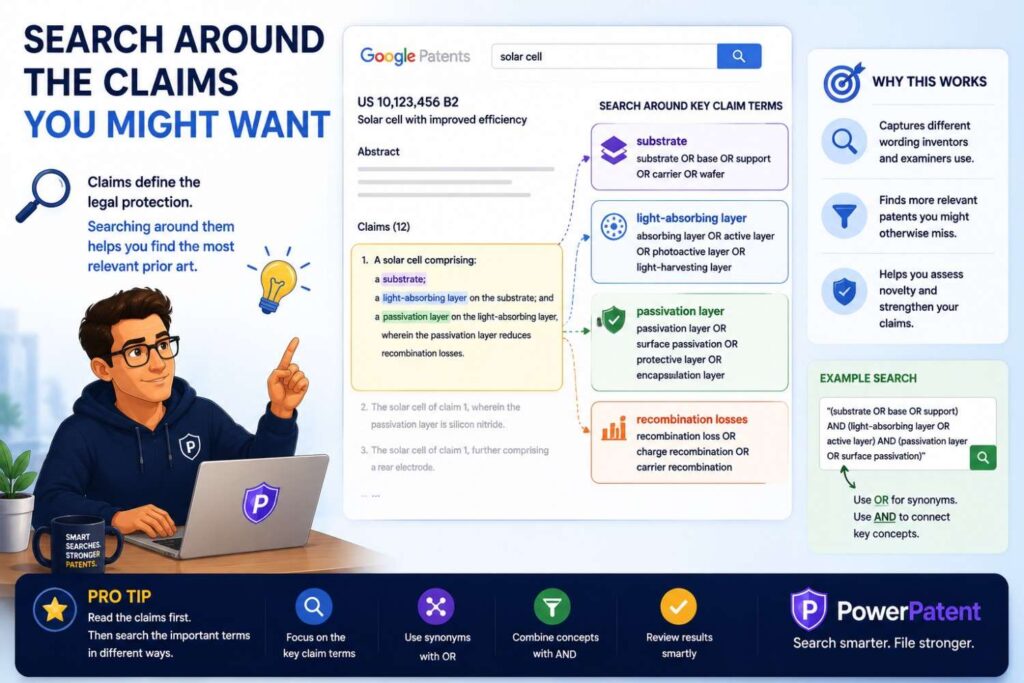
Think about what you might want to protect.
Not in legal claim language, but in plain terms.
Do you want to protect a data flow?
A model workflow?
A device layout?
A control loop?
A sensor arrangement?
A training method?
A verification step?
A routing rule?
A safety fallback?
Search around that.
If you want to protect the model workflow, search model workflow references.
If you want to protect sensor placement, search sensor placement references.
If you want to protect a routing rule, search routing rule references.
This helps you avoid wasting time on less relevant product features.
Your search should support your filing goal.
Search Before You Publish
If you plan to publish a technical blog, paper, open-source repo, product demo, API docs, or architecture post, search before you publish.
Public disclosure can create patent risk.
In some places, public disclosure before filing can hurt patent rights. In the U.S., there may be grace period rules in some cases, but founders should not rely on them without legal advice.
A practical rule is simple:
If the content reveals how the invention works, consider filing before publishing.
Google Patents can help you do a quick check before that decision.
But if the invention matters, do not stop at a quick check. Get professional help.
PowerPatent is designed to help founders move quickly before disclosure, with software speed and attorney oversight. Learn more here: https://powerpatent.com/how-it-works
Search Before Fundraising
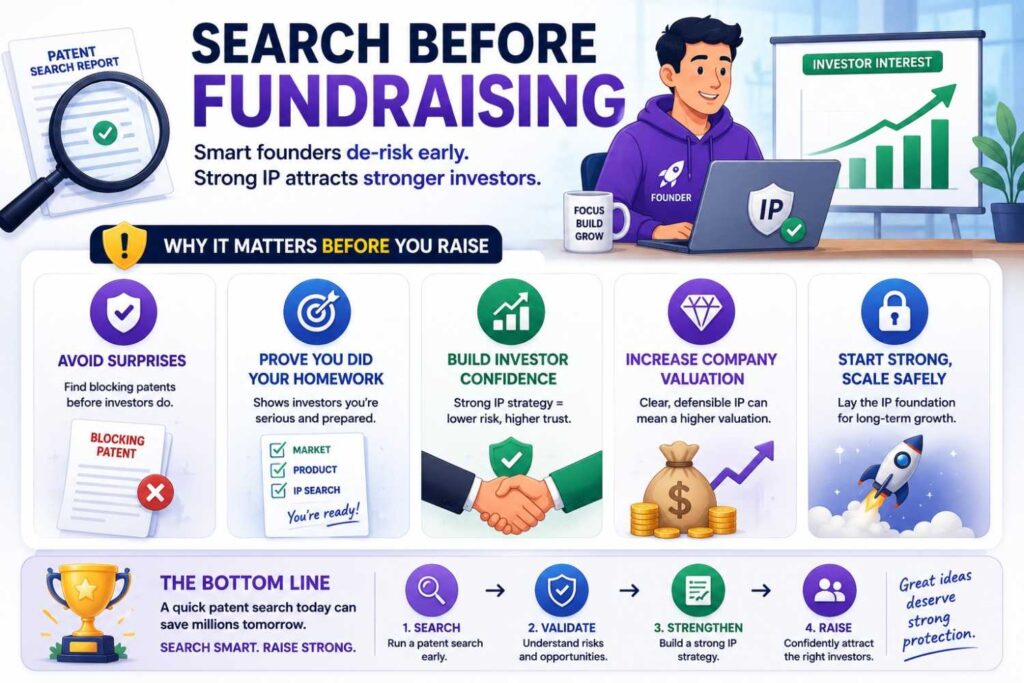
Investors often ask about defensibility.
They may ask if you have patents.
They may ask what makes your technology hard to copy.
They may ask if you have searched the field.
A Google Patents search can help you prepare.
You can identify close prior art.
You can explain how your invention differs.
You can avoid broad claims like “no one has ever done this.”
A stronger investor answer sounds like:
“We reviewed prior patent filings in this area. The known systems focus on X and Y. Our filing is focused on Z, which is the technical step that gives us lower latency.”
That sounds serious.
It shows you understand your field.
It also shows you are not guessing.
Search Before Partner Meetings
Large partners often want technical detail.
They may ask how your system works.
They may want architecture diagrams.
They may want integration docs.
Before sharing deep details, search and consider filing.
This is especially important if the partner has its own engineering team.
Most partners are not trying to steal your work. But once details are shared, control gets harder.
A patent filing before disclosure can give you more confidence.
Google Patents can help you check whether the invention looks new before that step.
PowerPatent can help you move from invention details to a filing path faster, so business deals do not outrun IP protection. See how it works here: https://powerpatent.com/how-it-works
Search Before Product Launch
A product launch can reveal more than you think.
The UI may show workflow.
The API may show system behavior.
Docs may explain the data model.
Demo videos may reveal steps.
Customers may infer features from outputs.
If the invention will become visible, search and file before launch when possible.
This is especially true for hardware and developer tools.
Hardware can be inspected.
APIs can reveal logic.
Developer docs can expose methods.
Even AI systems can reveal behavior through outputs and logs.
Do not wait until after the world sees the invention.
Use Search Results to Improve the Invention
A good search can make your invention better.
You may find old systems that solve part of the problem.
You may see weaknesses in those systems.
You may realize your version can be improved.
You may add a fallback mode.
You may change a sensor placement.
You may improve the model workflow.
You may build a better control rule.
This is not a bad thing.
Search is not only defensive. It can inspire better engineering.
The key is to make real improvements, not fake differences.
Do not add random steps just to look different.
Add changes that make the system better.
Then search again.
Use Search Results to Choose What to File
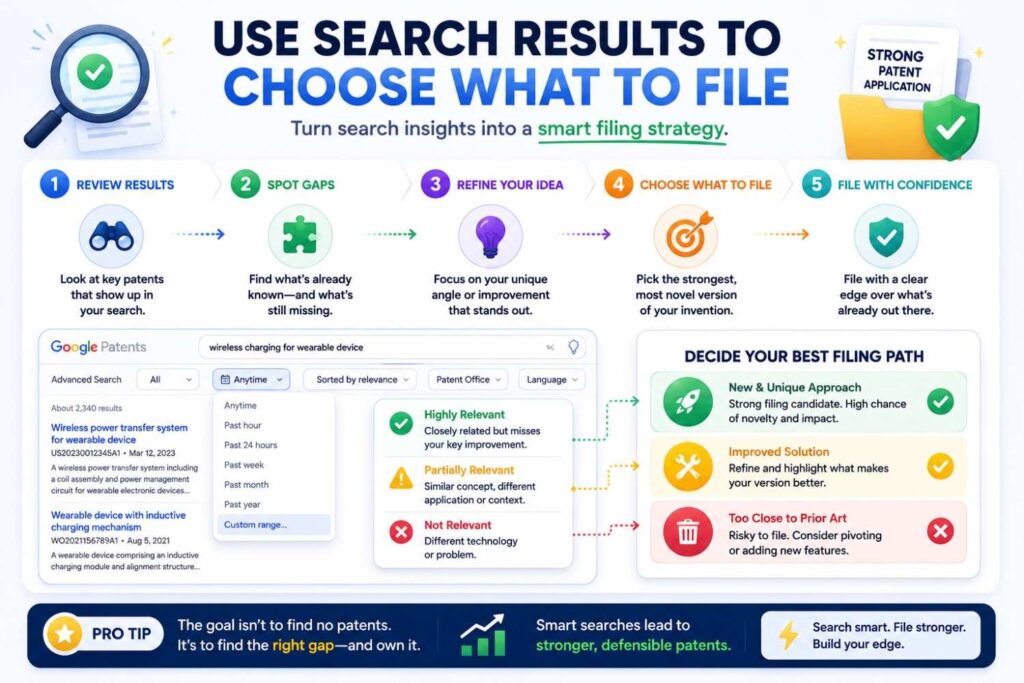
One product can contain many inventions.
Google Patents can help you decide which invention to file first.
Maybe one feature is crowded.
Maybe another has clear white space.
Maybe the visible product flow is old, but the backend optimization is new.
Maybe the model itself is not new, but the deployment method is.
Maybe the device structure is known, but the calibration method is not.
Search helps you rank filing options.
For a startup, this is important.
You do not have infinite time or budget.
Protect the inventions that matter most.
Use Search Results to Draft a Better Invention Disclosure
An invention disclosure is a plain explanation of your invention.
Your Google Patents search can make it stronger.
After searching, include:
The problem your invention solves.
The old ways you found.
What those old ways miss.
Your technical difference.
The benefit of that difference.
Examples and variations.
You do not need to write legal claims.
Just explain the invention clearly.
This helps your patent attorney or PowerPatent workflow focus on the strongest angle.
A better invention disclosure often leads to a better patent application.
Example: Searching an AI Customer Support Invention
Let’s walk through a founder-style example.
Say your startup built an AI customer support tool.
Your first search might be:
AI customer support
That will be too broad.
You need the actual invention.
Suppose your system reads a support ticket, checks product usage drops, reviews billing risk, analyzes message tone, and routes the ticket to a senior agent if a churn risk score crosses a threshold.
Now build search paths.
Search:
customer support ticket routing churn risk
AI support ticket escalation
customer health score support ticket
sentiment ticket routing account risk
product usage churn prediction support
automated customer service escalation machine learning
Now open close results.
Maybe you find patents about ticket routing.
Maybe you find papers about churn prediction.
Maybe you find products that score customer health.
Compare them.
Do they use product usage drops?
Do they combine billing risk and ticket tone?
Do they trigger routing to a senior agent?
Do they use a dynamic threshold?
If no single reference shows the whole flow, your invention may have a clearer novelty angle.
The patent should not be “AI support tool.”
It should focus on the risk scoring and routing method.
Example: Searching an Edge AI Camera Invention
Suppose your startup built a factory safety camera.
The pitch is:
“Our camera detects hazards with low power.”
That is too broad.
The invention may be:
A low-power model classifies motion patterns. If a pattern matches a safety-risk profile, the device wakes a larger local vision model. The larger model confirms the event and sends a compact event record instead of full video.
Search:
low power camera motion detection wake
edge AI camera selective activation
vision model wake-up motion classifier
industrial safety camera event detection
local inference camera battery saving
motion-triggered object detection embedded device
Now study results.
Old cameras may wake on motion.
Old AI cameras may run local models.
Old safety systems may send alerts.
But do they use a staged low-power classifier before waking the larger model?
Do they use risk patterns rather than any motion?
Do they send compact event records to reduce bandwidth?
Your search should help find the filing angle.
The invention may be the staged wake-up and local event confirmation flow.
Example: Searching a Developer Tool Invention
Suppose your startup built a tool that selects which tests to run after a code change.
The broad search is:
AI code testing
That is too vague.
The invention may be:
A system builds a dependency graph from code changes, production logs, and past test failures. It updates risk scores for affected modules and runs only tests tied to high-risk paths.
Search:
test selection code dependency graph
regression test selection production logs
change impact analysis software testing
risk based test selection code changes
software failure prediction test prioritization
dependency graph production log analysis
Open close documents.
Some may show test selection from code dependencies.
Some may show failure prediction.
Some may use production logs.
Compare.
Do they update the dependency graph based on production logs?
Do they choose tests based on module risk scores?
Do they connect recent code changes with past test failures?
If your method creates a new technical result, such as shorter test time without losing coverage, that may be valuable.
Example: Searching a Battery Management Invention
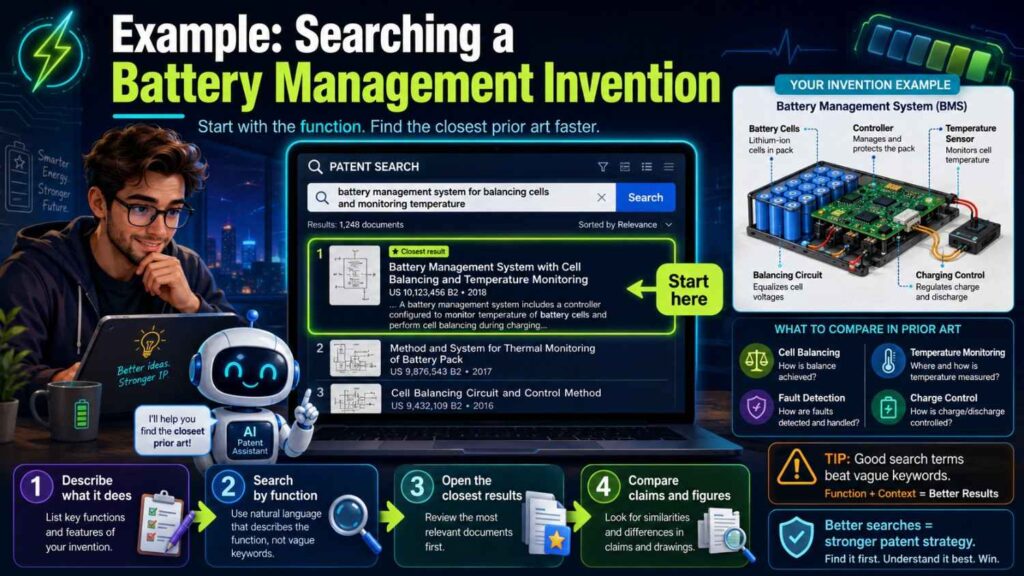
Suppose your invention predicts battery imbalance before voltage drift appears.
Search:
battery cell imbalance thermal prediction
battery management temperature charge control
cell balancing thermal signal
adaptive charging battery pack temperature
early imbalance detection battery cell
state of health thermal model battery
Look at patents and papers.
Many systems may use voltage.
Many may monitor temperature.
Many may balance cells.
But do they predict imbalance from early heat patterns before voltage drift and adjust charging?
If not, that may be your difference.
Your search should help you avoid claiming old things like general cell balancing.
Instead, focus on the early thermal prediction and charge adjustment method.
Example: Searching a Robotics Invention
Suppose your robot fleet uses local robot-to-robot signals to predict aisle congestion before the central map updates.
Search:
multi robot congestion prediction
warehouse robot path planning local communication
decentralized robot routing
robot to robot communication path planning
multi agent navigation congestion
local obstacle prediction autonomous robot
fleet coordination warehouse robot
Open close results.
Some may show central fleet routing.
Some may show local obstacle avoidance.
Some may show robot-to-robot communication.
Some may show congestion prediction.
The key question is whether one reference shows your full flow.
If old systems depend on a central controller and yours predicts locally before central updates, that may be important.
If old systems do local avoidance but not congestion prediction, that may also matter.
The search sharpens your story.
How to Tell If a Result Is Truly Close
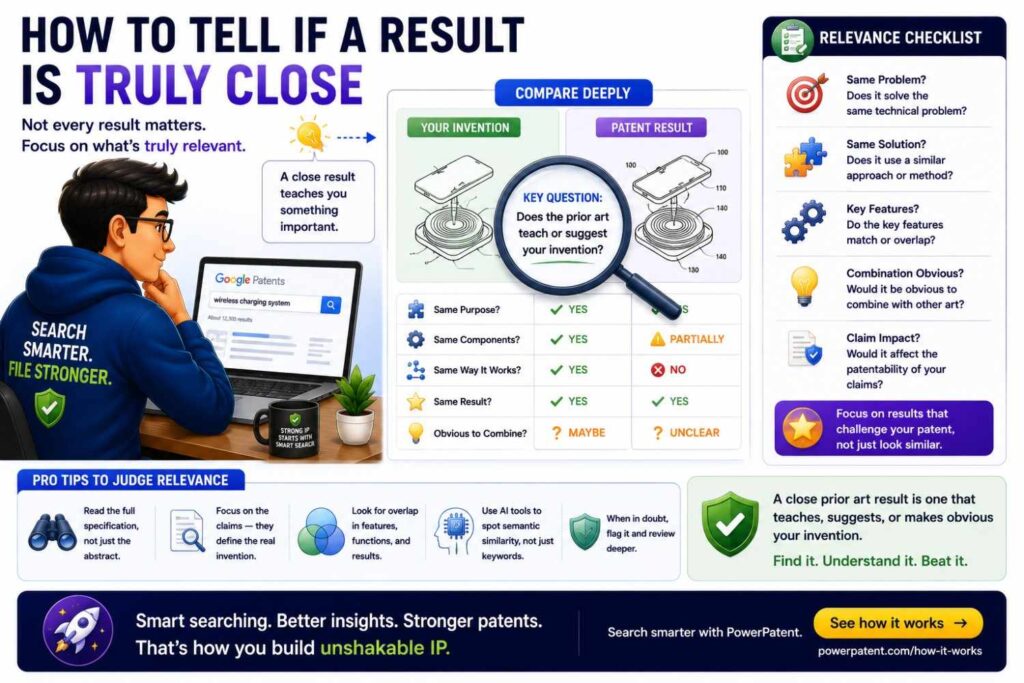
A close result is not just one that uses the same word.
It teaches the same technical idea.
Ask:
Does it solve the same problem?
Does it use the same core parts?
Does it follow the same steps?
Does it use the same inputs?
Does it create the same output?
Does it get the same result in the same way?
Does it include the feature I think is new?
If yes, it is close.
If it only shares a broad field, it may not be close.
For example, two patents can both mention “machine learning” and still be unrelated.
Two devices can both be “wearables” and have very different inventions.
Two systems can both “route tasks” but use different signals and rules.
Read for meaning, not word match.
How to Write Good Search Notes
Your notes should be plain and useful.
Do not write long legal analysis.
Write what the reference teaches and why it matters.
A good note sounds like:
“This patent predicts traffic between autonomous vehicles using central server data. It does not use local robot-to-robot messages before a central update. Our possible difference is local congestion prediction using nearby robot state signals.”
Another good note:
“This application uses customer sentiment to route support tickets. It does not combine product usage drop and billing risk into a churn score. Our difference may be multi-signal account risk routing.”
Bad notes sound like:
“Similar patent.”
“Maybe relevant.”
“AI routing thing.”
Those notes do not help later.
Write notes that your future self can understand in 30 seconds.
When to Stop Searching
You can search forever.
Do not.
A practical founder search should cover the main technical terms, synonyms, problem terms, result terms, competitor names, inventor names, classifications, and key papers or product docs.
You should have a short list of closest references.
You should understand what they teach.
You should be able to say how your invention appears different.
At that point, the search has done its job.
You may still need professional review.
But you no longer have a blank page.
You have a view of the field.
That is enough to move into a more serious patent process.
When to Get Help
Get help when the invention is important.
Get help when the search finds close art.
Get help when you are unsure how to compare references.
Get help before public disclosure.
Get help when investors or partners are about to review your IP.
Get help when the field is crowded.
Get help when the invention is in a complex area like biotech, medical devices, AI infrastructure, chips, wireless, robotics, or energy.
A founder-led Google Patents search is valuable.
But patent strategy is not just searching.
It includes claim scope, filing timing, disclosure rules, ownership, continuation strategy, and business fit.
That is where attorney oversight matters.
PowerPatent combines smart software with real patent attorney review so founders can move quickly without treating patents like guesswork. Start here: https://powerpatent.com/how-it-works
Common Google Patents Mistakes
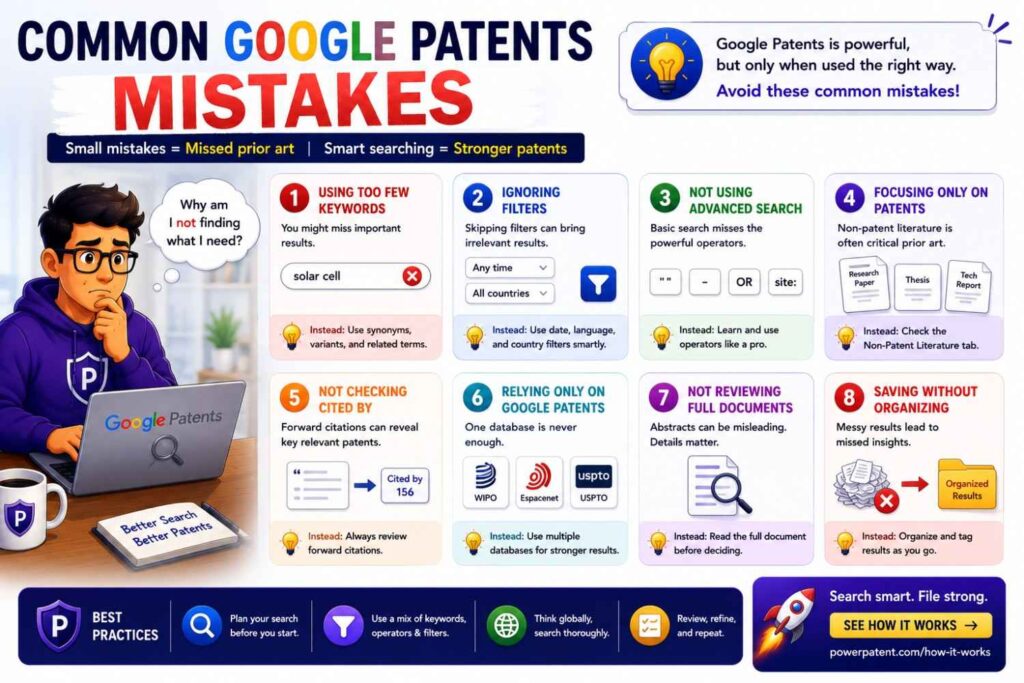
One common mistake is searching only one phrase.
Another is searching only product names.
Another is ignoring old words.
Another is ignoring papers.
Another is reading only titles.
Another is assuming similar means blocked.
Another is assuming no results means safe.
Another is failing to take notes.
Another is mixing up patentability and freedom to operate.
Another is waiting until after public launch.
These mistakes are easy to make.
The fix is not complicated.
Search the invention, not the brand.
Use many words.
Read close documents.
Follow citations.
Check competitors.
Take notes.
Get help before filing.
A Simple Pro Workflow
Here is a practical workflow you can use.
Start by writing the invention in plain words.
Find the core technical feature.
Build a word bank.
Search broadly in Google Patents.
Open close results.
Read drawings, abstracts, descriptions, and claims.
Mine good results for better words.
Search synonyms with OR.
Search exact phrases with quotes.
Search assignees and inventors.
Search classification codes.
Follow similar documents and citations.
Search papers and non-patent materials.
Compare close references in a simple table.
Write your difference in one sentence.
Decide whether to file, search more, improve the invention, or get attorney review.
That is the rhythm.
It is not magic.
It is careful, repeatable work.
The One-Sentence Difference Test
After you search, try to write this sentence:
“Our invention is different from the closest results because it does X, which creates Y benefit.”
For example:
“Our invention is different because it uses a low-power classifier to decide when to wake a larger vision model, which saves battery and reduces false wake-ups.”
Or:
“Our invention is different because it updates a code dependency graph using production logs before selecting tests, which cuts test time while preserving failure detection.”
Or:
“Our invention is different because it predicts battery imbalance from early heat signals before voltage drift appears, which allows safer charging sooner.”
If you can write this sentence clearly, your search has created value.
If you cannot, keep working.
Maybe the invention is not clear enough.
Maybe the closest prior art is too close.
Maybe the real invention is a different part of the product.
The one-sentence test forces clarity.
Turn Search Into Filing Strategy
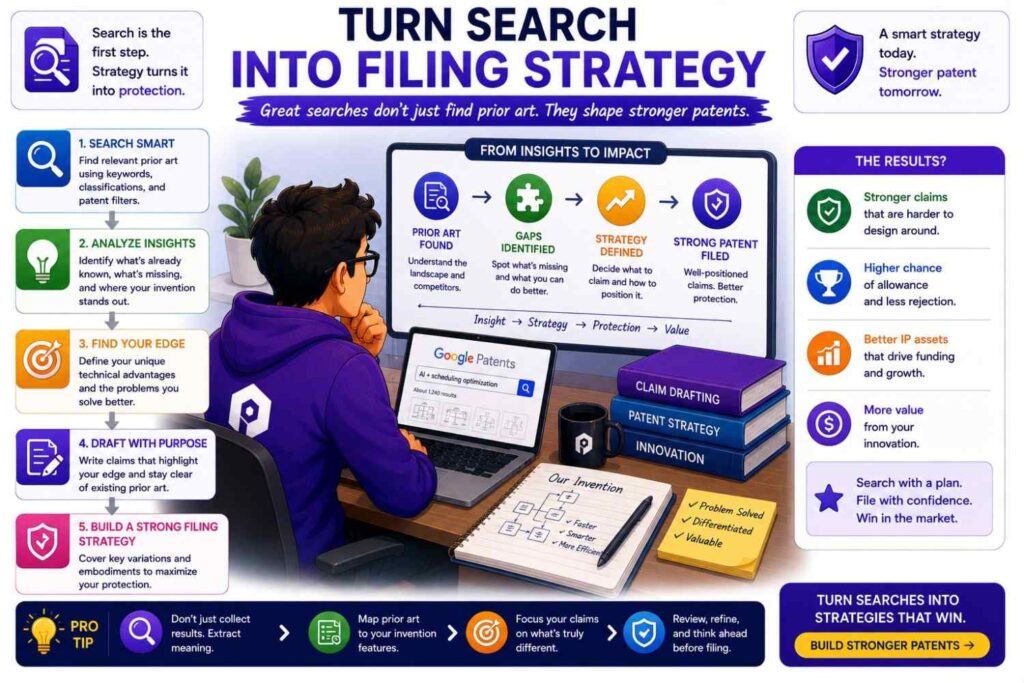
A Google Patents search should lead to action.
If the search shows clear white space, move toward filing.
If the search shows close prior art, narrow the invention to the real improvement.
If the search shows the invention is old, look for a better improvement or another invention.
If the search shows the field is crowded, focus on a specific technical edge that competitors need.
If the search shows many related filings from competitors, think about portfolio strategy.
Do not treat search as an academic exercise.
For startups, search should support business decisions.
What should we protect?
When should we file?
What should we keep secret?
What should we disclose?
What should we build next?
What should we tell investors?
That is the strategic value.
How PowerPatent Fits After Google Patents
Google Patents helps you find the field.
PowerPatent helps you turn that field knowledge into a filing plan.
That difference matters. A search by itself does not protect anything. A folder full of patent links does not stop a competitor. A spreadsheet of prior art does not create a filing date.
The value comes from what you do next.
After you search Google Patents, you should have a better sense of the old work, the words used in your space, the companies filing near you, and the parts of your invention that still look different. PowerPatent helps you take that raw search work and shape it into a stronger, more focused patent application with smart software and real attorney oversight.
Turn Search Notes Into a Filing Strategy
Most founders finish a Google Patents search with messy notes.
They have links, screenshots, copied patent numbers, a few scary competitor filings, and a rough feeling that their invention is “probably different.”
That is not enough.
Before filing, those notes need to become a strategy.
PowerPatent helps founders move from scattered search results to a clearer filing angle. The key question becomes:
What should this patent actually protect?
That question should be answered before drafting begins.
For example, your Google Patents search may show that the broad idea of “AI ticket routing” is already crowded. That does not mean your invention is dead. It may mean the patent should focus on your specific way of combining product usage drops, billing risk, and message tone to trigger a senior-agent handoff.
Or your search may show that “low-power cameras” are old. But your staged wake-up flow using a small local classifier before activating a larger model may still be the real asset.
PowerPatent helps bring that kind of focus into the patent workflow.
The goal is not to file around the biggest buzzword.
The goal is to file around the technical edge that makes your product hard to copy.
Separate Noise From Real Prior Art
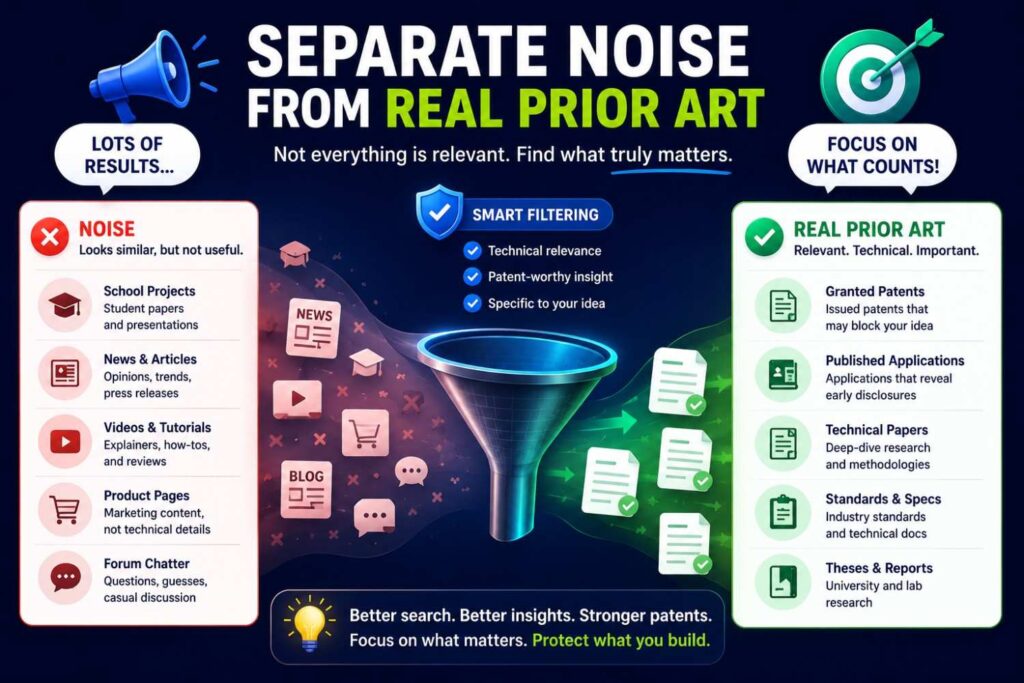
A Google Patents search can feel overwhelming.
Some results look close but are not. Some sound broad but miss your key step. Some competitor patents may seem scary because the title is similar, even though the claims are aimed at something else.
This is where founders can lose time or make bad calls.
PowerPatent helps organize the invention and the known references so the review can focus on what matters.
The practical move is to divide your search results into three groups.
First, keep the closest references. These are the patents or applications that teach the same problem, method, or system flow.
Second, keep language references. These may not be very close, but they use helpful words, class codes, or field terms.
Third, set aside weak matches. These are documents that share a broad field but do not touch the real invention.
This simple sorting step keeps the filing process clean.
It also helps avoid overreacting to every patent you find.
A founder should not walk away from a strong filing just because Google Patents returned a lot of results. Crowded fields can still have valuable white space. The job is to find that space and describe it well.
Build a “Closest Art” Brief Before Drafting
Before using PowerPatent or speaking with a patent attorney, create a short “closest art” brief.
This does not need to be long.
It should answer five simple questions:
What are the top three to five closest patent documents?
What does each one teach?
What part of your invention does each one show?
What part does each one miss?
Why does your missing part matter to the product or business?
This brief can save a lot of time.
It gives the patent team a head start. It also makes it easier to draft around known issues. Instead of starting with a blank page, the filing starts with a clear view of the field.
For a startup, this is a major advantage.
You are not paying for confusion. You are using your search to make the next step sharper.
PowerPatent’s workflow is especially useful here because it helps founders bring technical details and search findings into a structured process, rather than throwing everything into a long email thread and hoping the key point is understood.
Convert the Difference Into a Patent Thesis
After Google Patents, every invention should have a patent thesis.
A patent thesis is a plain sentence that explains why this invention deserves protection.
It should sound like this:
“We should protect this invention because it does [specific technical thing], which creates [specific business or technical advantage], and competitors would need a similar method to match [key benefit].”
This is not legal claim language.
It is business clarity.
For example:
“We should protect this invention because it uses production log signals to update a code dependency graph before selecting tests, which cuts test time while keeping failure detection strong, and competitors would need a similar method to match our developer speed.”
That sentence gives the patent process direction.
It tells the team what matters.
It also prevents the filing from drifting into vague language like “AI-powered software testing.”
PowerPatent can help founders move from broad product descriptions to this kind of focused invention story. That matters because strong patents are built around clear technical differences, not loose product claims.
Connect the Patent to the Business Model
A patent should support the business.
After searching Google Patents, ask how the invention connects to the way your company wins.
Does it lower your cost to serve customers?
Does it make your product more accurate?
Does it help you pass enterprise security review?
Does it make your hardware harder to copy?
Does it support a future licensing model?
Does it protect a feature that customers pay for?
Does it help explain your moat to investors?
PowerPatent fits best when founders bring this business context into the patent process.
A patent attorney can help with legal structure, but the founder usually understands why the invention matters to the company.
That business reason should not stay hidden.
For example, if your invention reduces cloud compute cost, say that. If it makes a device safe enough for medical use, say that. If it allows your system to run on cheaper hardware, say that. If it lets customers deploy without sending private data to the cloud, say that.
These business facts can help shape the filing.
They can also help decide which invention to file first.
Rank Filing Options After the Search
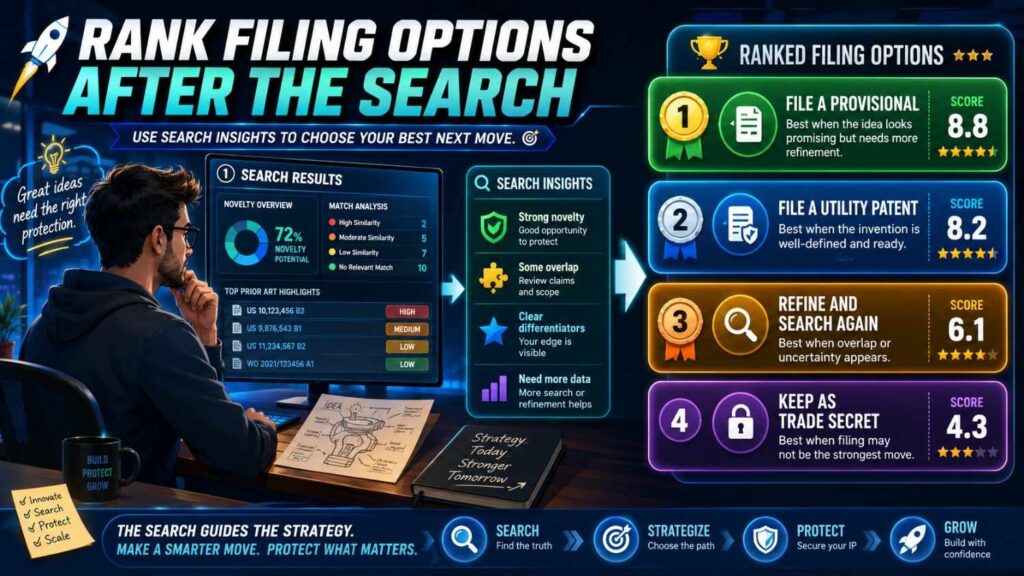
Google Patents often reveals that one product has several possible inventions.
That can be good, but it can also create confusion.
PowerPatent can help founders bring order to the decision by ranking inventions before filing.
A practical way to rank is to score each invention on five points:
How central is it to the product?
How easy is it for competitors to copy?
How soon will it be publicly disclosed?
How strong does the novelty look after search?
How important is it to customers, investors, or partners?
The best first filing is often the invention that scores high across several of these areas.
It may not be the flashiest feature.
It may be the backend method that makes the product work at scale. It may be the sensor layout that makes the device reliable. It may be the model workflow that reduces unsafe outputs. It may be the control loop that lets the system perform better than competitors.
This ranking step keeps your patent budget tied to business value.
That is how startups build smarter portfolios.
Use Google Patents Results to Avoid Thin Filings
One danger of fast patent filing is filing too thin.
A thin filing may describe the invention at a high level but fail to include enough technical detail. That can create false comfort.
Google Patents results can help prevent this.
When you see how detailed older patents are, you can ask better questions about your own invention.
What exact inputs does our system use?
What thresholds, rules, models, signals, or steps matter?
What are the alternate versions?
What happens when the system fails?
What examples prove the benefit?
What part is required and what part is optional?
What old method are we improving?
PowerPatent helps founders capture these details in a more guided way, so the filing is not just fast, but filled with the right technical substance.
This matters because your patent application should support not only the version you built today, but also reasonable versions you may build next.
Turn Competitor Search Into Portfolio Planning
Google Patents can show where competitors are filing.
PowerPatent can help you turn that insight into a portfolio plan.
If competitors are filing heavily around one layer of the stack, you may need to protect a different layer where your company has a stronger edge.
For example, a robotics company may find many competitor patents around path planning. But its real advantage may be in failure recovery, charging behavior, local map updates, or fleet-level task assignment.
An AI startup may find crowded filings around model output generation. But its strongest IP may be in prompt verification, tool selection, memory control, privacy filtering, or model deployment.
A hardware startup may find many patents around device shape. But its edge may be in calibration, manufacturing, thermal control, or sensor fusion.
This is where search becomes strategic.
The question is not only, “Can we file this patent?”
The better question is, “Where should our patent portfolio make us hardest to copy?”
PowerPatent helps founders move toward that bigger view while still taking action on the next filing.
Capture White Space Before It Closes

Google Patents may reveal white space.
White space means an area where you do not see much prior filing, even though the technical problem matters.
For a startup, this is valuable.
If your team has solved a real problem in that white space, filing early can help you build a stronger position before others move in.
But white space does not stay open forever.
Once a market heats up, more companies file. Once a new AI method becomes common, more patents appear. Once a technical bottleneck becomes obvious, competitors start working around it.
After you find white space, do not let the insight sit unused.
Move quickly from search to invention capture to filing.
PowerPatent is designed to help with that speed. It gives founders a way to act while the opportunity is still open, with attorney oversight included in the process.
You can see how PowerPatent works here: https://powerpatent.com/how-it-works
Prepare for Investor and Partner Questions
A Google Patents search can help you answer hard business questions.
PowerPatent helps you turn those answers into a clearer IP story.
Investors may ask:
What are you protecting?
Why is it different?
Have others filed in this space?
How does this support your moat?
Partners may ask:
Do you own the technology?
Is this core method protected?
Can competitors copy this after seeing the integration?
A strong answer is not, “We searched and found nothing.”
A stronger answer is:
“We reviewed the patent space, found older work around X and Y, and are filing around Z, which is the technical step that gives us our advantage.”
That answer sounds credible.
It shows that you understand the field. It also shows that your patent strategy is tied to the company’s real edge.
PowerPatent helps founders build that kind of story from the search and filing process.
Create an IP Decision Log
After Google Patents, do not let decisions disappear into Slack or memory.
Create an IP decision log.
For each invention, record the search date, closest references, filing decision, business reason, disclosure risk, and next step.
This log helps as your company grows.
It shows why you filed one invention and not another. It helps new team members understand IP choices. It helps during fundraising and diligence. It helps avoid revisiting the same debate every quarter.
A simple entry might say:
“Filed on staged edge vision wake-up flow because search showed motion-triggered cameras and local inference systems, but not risk-pattern classification before large model activation. Important for battery life and factory safety use case. Public demo planned next quarter.”
That is clear.
It turns patent work into company knowledge.
PowerPatent can fit into this operating rhythm by helping founders move from invention records to reviewed filing steps in a more organized way.
Build a Repeatable Search-to-File System
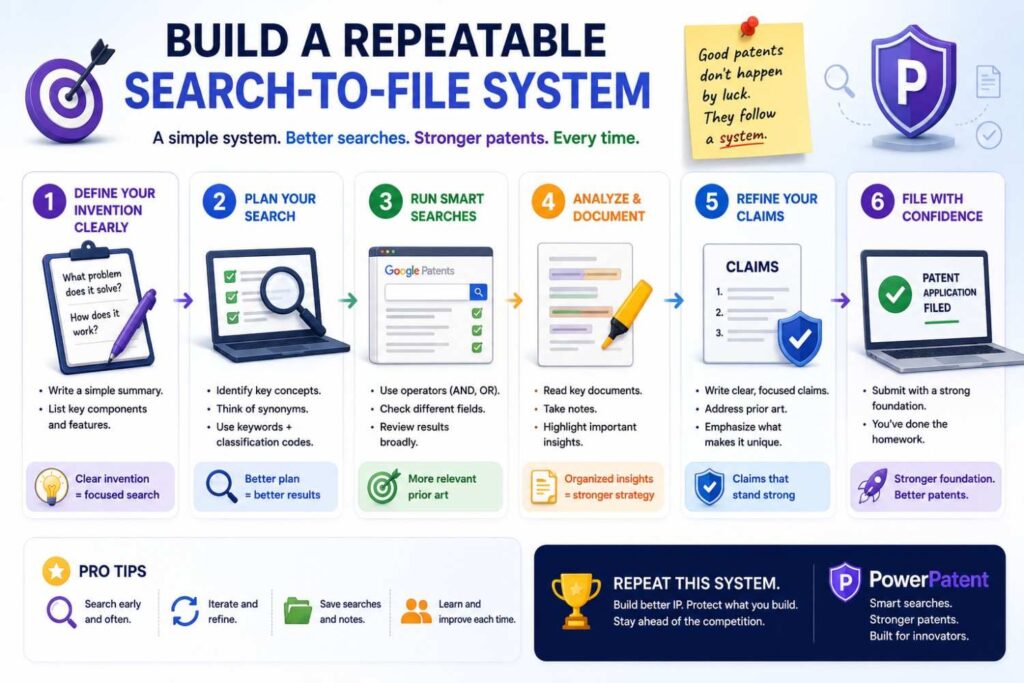
The best startups do not treat patents as random events.
They build a system.
Google Patents can be part of that system.
PowerPatent can be the next step in that system.
A practical company rhythm looks like this:
Every month or quarter, review major technical wins.
Pick the inventions that seem valuable.
Run focused Google Patents searches.
Summarize the closest prior art.
Rank the inventions by business value and disclosure risk.
Move the best candidates into PowerPatent for structured invention capture and attorney-reviewed filing.
This turns IP from a last-minute scramble into a normal part of building.
That is how strong portfolios are made.
Not by panic-filing before a fundraise.
Not by waiting until competitors copy you.
Not by hoping one broad patent covers everything.
Strong portfolios come from steady capture of the real technical work that makes the company valuable.
Know What PowerPatent Does Not Replace
PowerPatent is not a magic button that makes every idea patentable.
It does not remove the need for clear invention details.
It does not make prior art disappear.
It does not replace the founder’s job of explaining why the invention matters.
What it does is make the path from invention to filing much more structured and founder-friendly.
You still need to bring real technical substance.
You still need to be honest about close prior art.
You still need to decide what matters to the business.
PowerPatent helps organize that work and adds real patent attorney oversight, so you are not alone trying to turn a messy invention into a patent application.
That balance is important.
Software brings speed.
Founders bring the invention and business context.
The best results come when all three work together.
Make the Next Step Concrete
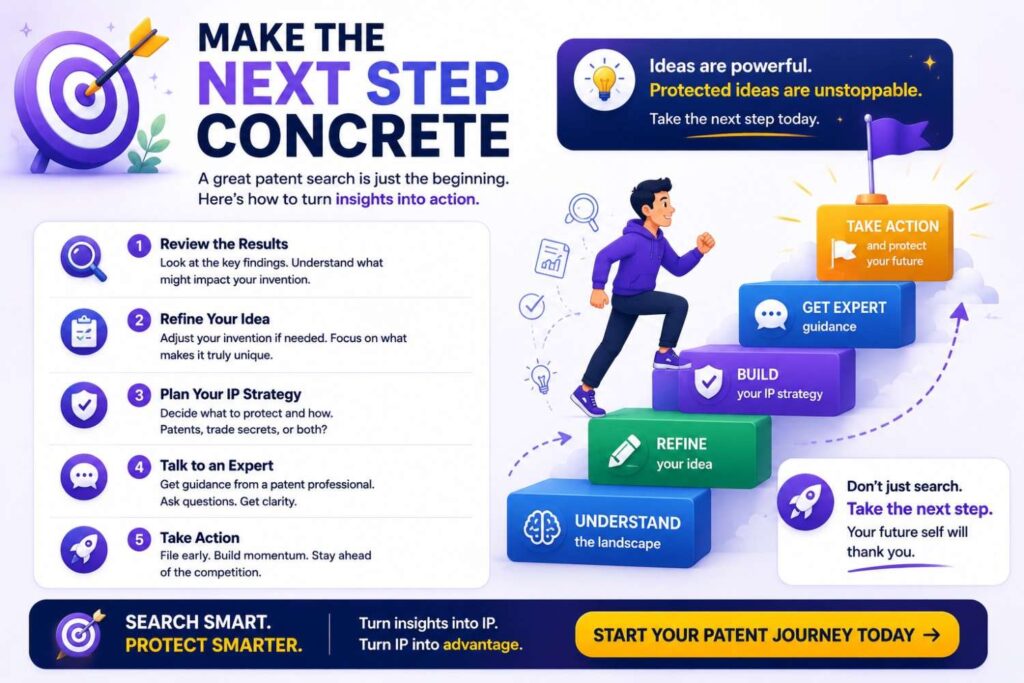
After your Google Patents search, do not end with “interesting findings.”
End with a decision.
File now.
Search more.
Gather more technical detail.
Hold as a trade secret.
Deprioritize.
Split into several inventions.
Prepare for a continuation strategy later.
The worst outcome is leaving a valuable invention in a vague “maybe” pile until after launch, after a customer pilot, or after a competitor sees the feature.
A search should create action.
If your invention looks important and different, move it into a real filing workflow.
PowerPatent helps founders take that next step without turning the process into a slow legal maze.
Start here: https://powerpatent.com/how-it-works
Final Thoughts
Google Patents is one of the best free tools a founder can learn.
It can help you search old patents, study competitors, learn patent language, find prior art, and sharpen your invention before filing.
But the tool is only as good as your method.
Do not search like a tourist.
Search like a builder.
Start with the real invention. Use many words. Search the problem and the result. Read drawings. Follow citations. Study competitors. Take clear notes. Compare close references. Find the true difference.
Then act.
If the invention matters, do not leave it sitting in a search spreadsheet.
Protect it.
PowerPatent helps founders turn technical work into real patent filings with smart software and attorney oversight, so you can move faster and protect what makes your company hard to copy.
Start here: https://powerpatent.com/how-it-works