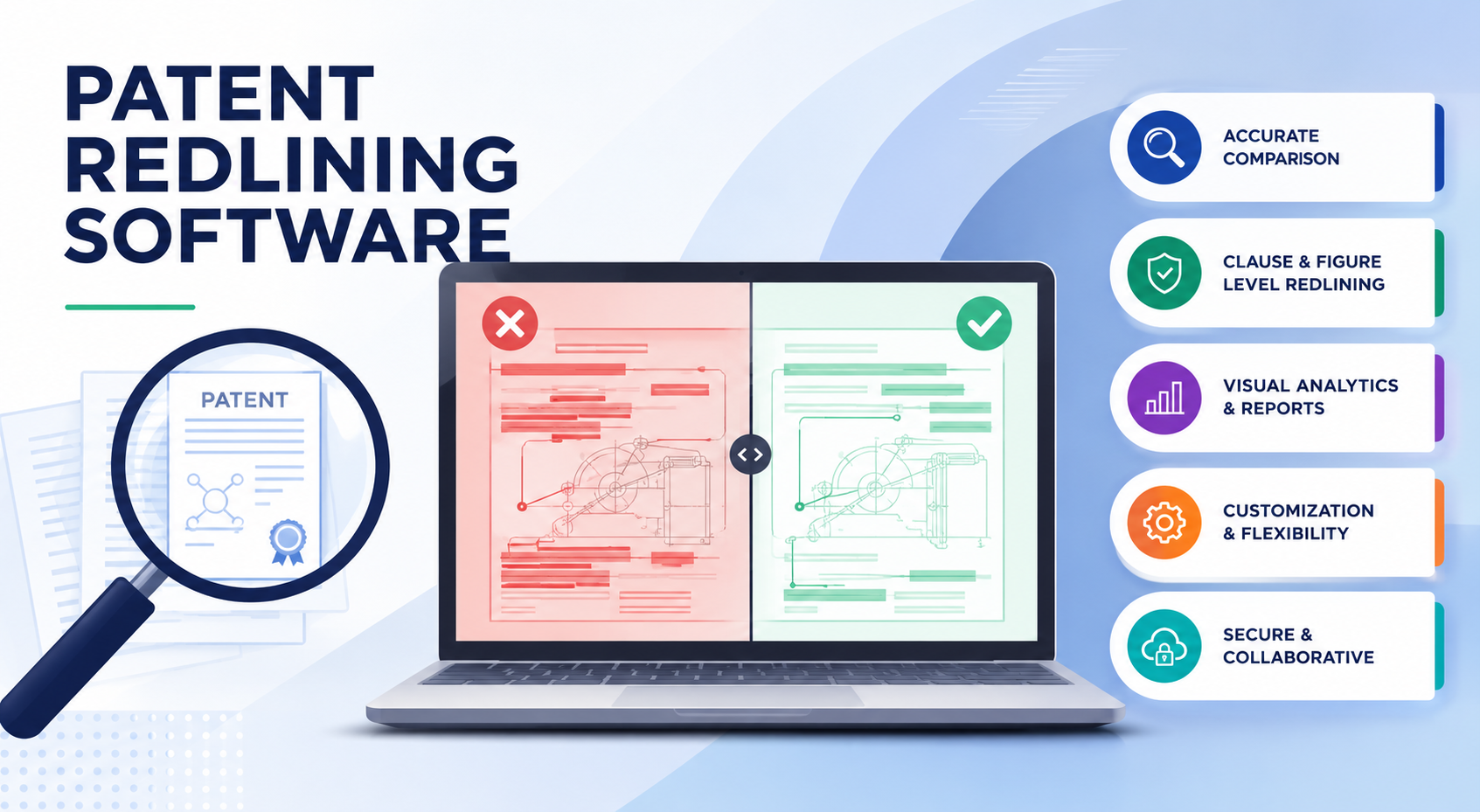
Patent redlining is where small changes can create big risk. One missed word can weaken a claim. One unclear edit can slow down review. One messy version can leave an IP team guessing what changed, who changed it, and why it matters.
Patent redlining software should protect meaning, not just mark changes.
A patent is not a normal business document. A small edit can change the reach of the invention. One word can make a claim too narrow. One removed phrase can create doubt later.
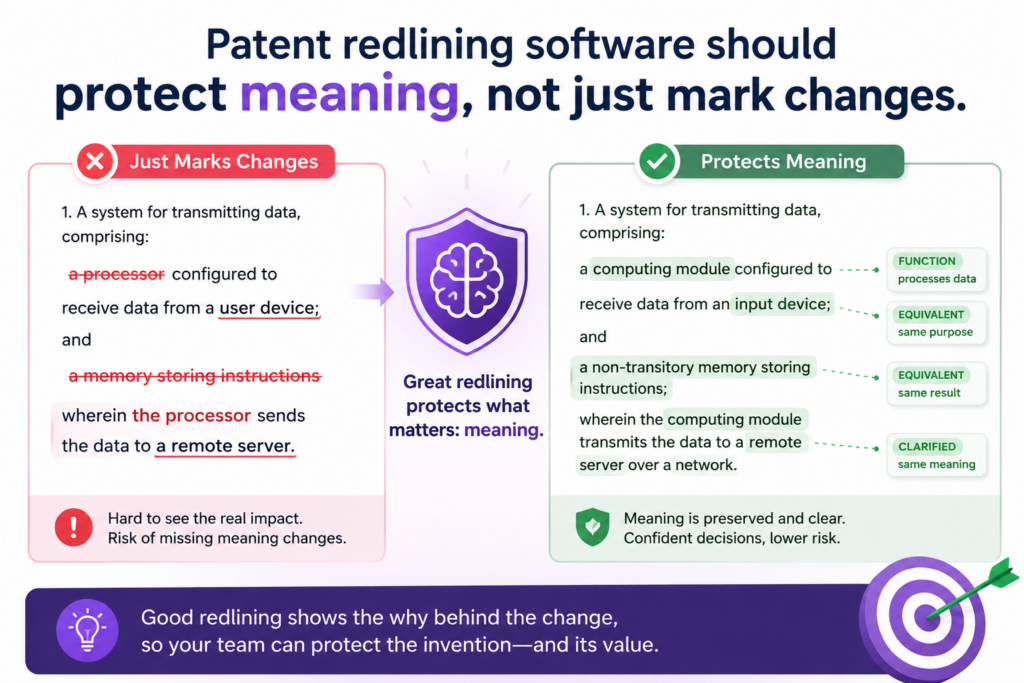
One unclear change can make the team spend hours trying to understand what happened. This is why patent redlining software needs to do more than show text in red and green.
The best tools help IP teams see what changed and understand why it matters. They make review faster, but they also make review safer. That balance is important.
Speed without control can create risk. Control without speed can slow the whole company down. Strong redlining software should give your team both.
The software should make edits easy to read in dense patent text.
Patent drafts are hard to read because they are full of long sentences, claim terms, drawings, part names, and repeated phrases. Normal document tools often struggle with this kind of writing.
They may show too many small changes. They may break one real edit into ten tiny edits. They may make the page look so messy that no one wants to review it.
Good patent redlining software should make edits clean and clear. It should help the reviewer quickly see what was added, what was removed, and what stayed the same.
It should also keep the structure of the patent easy to follow. Claims, figures, parts, and examples should not become a wall of color.
Clean redlines help teams review faster without guessing.
When redlines are clean, the reviewer can focus on the real issue. Did the claim get broader? Did the draft add support for a key feature?
Did the attorney change a term that the engineer uses in a different way? These are the questions that matter. The software should help the team answer them fast.
This is also where PowerPatent fits well for busy founders and technical teams. PowerPatent helps turn raw invention details into stronger patent work with smart software and real attorney oversight.
That means teams do not have to fight messy documents alone. They get a clearer process from idea to filing. You can see the process here: https://powerpatent.com/how-it-works
The tool should handle patent claims with special care.
Claims are the heart of a patent. They define what the patent is trying to protect. This makes claim edits some of the most important edits in the whole draft.
A redline tool that treats claims like normal text can miss the point. It may show the words, but it may not help the reviewer understand the effect.
For IP teams, claim review is where many delays happen. The attorney may adjust the scope. The inventor may worry that the claim no longer matches the product.
The founder may ask whether the draft still protects the key business edge. A strong redlining tool should make that review easier.
Claim changes should be clear enough for both attorneys and inventors.
A patent attorney may understand the legal effect of a claim change right away. An engineer may not.
A founder may only want to know whether the company’s core feature is still covered. The software should support all of these readers.
This does not mean the tool should replace legal judgment. It should not. But it should make the review easier by keeping claim edits clear, organized, and tied to the invention story.
When everyone can see the change, the attorney can guide the team more easily. The review becomes a real discussion, not a slow back-and-forth over confusing text.
The best tools help teams spot scope changes before filing.
A scope change is not always bad. Sometimes a claim needs to be narrower to avoid known work.
Sometimes it needs to be broader to protect the business better. The problem is when the team does not notice the change until too late.
Patent redlining software should help IP teams catch these shifts early. It should make it easy to compare old and new claim language.
It should show when a key part was removed, when a new limit was added, and when a phrase was changed across several claims. This is the kind of visibility that can prevent painful mistakes.
For startups, this matters even more. Early patent filings often shape future funding, partnerships, and product defense. A rushed or unclear claim edit can hurt later.
PowerPatent helps founders work through this process with guided software and attorney review, so they can move fast while still protecting what matters. Learn more here: https://powerpatent.com/how-it-works
Patent redlining software should connect edits to the full invention story.
A patent is not just a set of claims. It includes the background, summary, drawings, detailed description, examples, and sometimes many versions of the same idea.
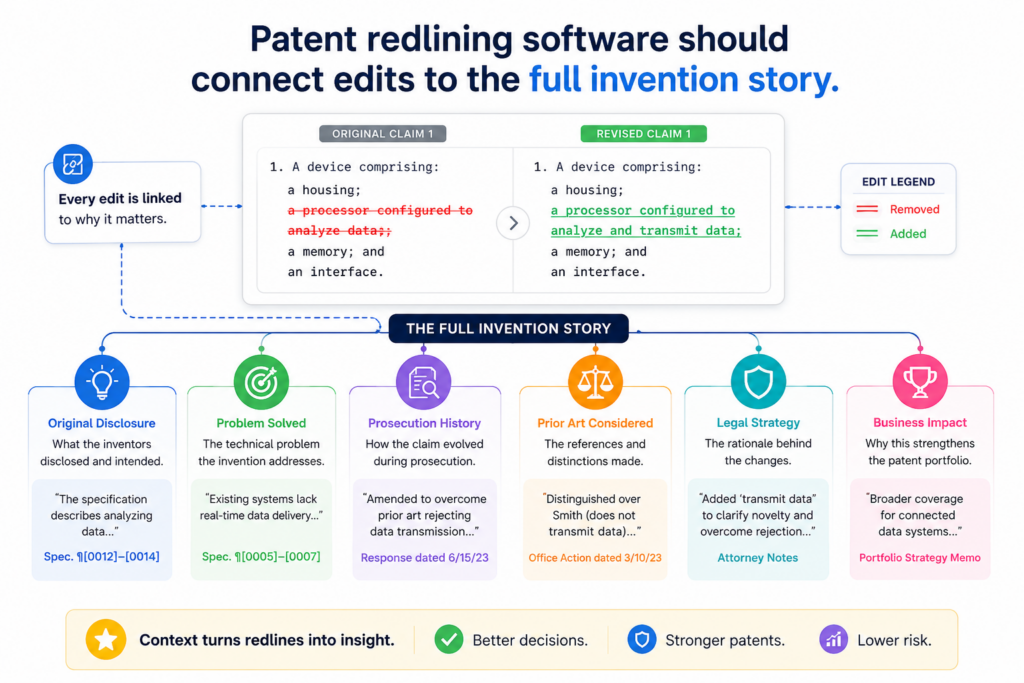
When one part changes, another part may need to change too. Redlining software should help teams see these links.
For example, a claim may use a new term. That same term should be supported in the description. A drawing label may change. That same label may need to change across the full draft.
A feature may be added to the claims. The draft may need more support to explain how the feature works. If the redline tool only shows local edits, the team may miss the bigger issue.
The software should make consistency easy to check.
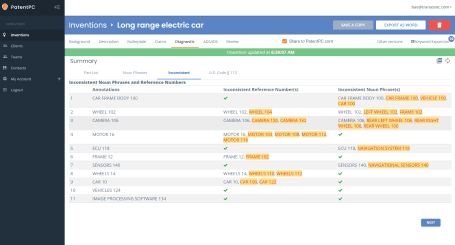
Consistency is a big part of strong patent work. When the same feature is called three different names, readers can get confused.
When a drawing number does not match the text, review slows down. When a claim term does not appear clearly in the description, the draft may need more work.
Patent redlining software should help teams catch these problems. It should make repeated terms easy to track.
It should help reviewers see whether a change in one place affects another place. It should also make it easy to search, compare, and confirm that the draft still tells one clear story.
Strong consistency checks save time during attorney and inventor review.
Many IP teams lose hours to small cleanup issues. They hunt for changed terms. They compare drawing labels by hand. They ask inventors to confirm the same point more than once. This is not the best use of anyone’s time.
A better tool reduces this waste. It lets attorneys spend more time on judgment and strategy.
It lets inventors spend more time explaining the invention, not cleaning up the document. It gives founders more confidence that the draft is moving forward in the right shape.
This is one reason modern patent teams are moving away from old, manual workflows. They want software that supports the full patent process, not just one file. PowerPatent was built around that idea.
It helps teams capture invention details, organize the draft, and work with real patent attorneys so the final filing is clearer and stronger. See how it works here: https://powerpatent.com/how-it-works
Version control should be simple enough that no one loses track.
Patent drafting often has many versions. There may be an inventor draft, an attorney draft, a founder review draft, a claim revision, a filing draft, and a final clean copy.
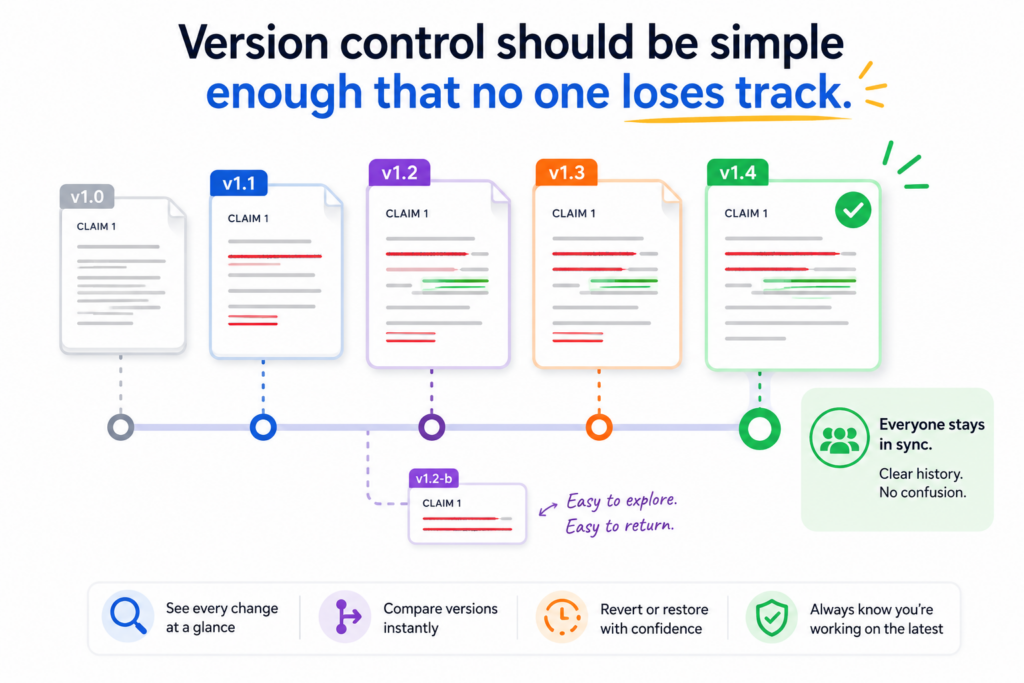
When these versions live in email threads, shared drives, and local files, things can get messy fast.
The risk is not just annoyance. The team may review the wrong file. A key edit may get lost. An old claim set may come back by mistake.
Someone may approve a draft without seeing the latest change. Patent redlining software should prevent this kind of chaos.
Every reviewer should know which version is current.
A good system should make the latest version obvious. It should show who made changes, when they were made, and what changed from the prior draft.
It should also make it easy to compare versions without opening five files and guessing which one matters.
This is especially important when several people are involved. An engineer may review the technical parts. A founder may review business value.
A patent attorney may review claim strength. An operations person may track filing steps. Everyone needs the same source of truth.
Clear version history gives IP teams more control.
Version history is not just a record. It is a safety net. It helps the team understand how the draft changed over time.
It also helps explain why a choice was made. When a question comes up later, the team can go back and see the path.
The best patent redlining software should make this easy. It should not force the team to dig through email chains or file names like “final final clean revised.” It should keep the review process organized from the start.
For founders, this can remove a lot of stress. Patents already feel hard enough. The file process should not make it harder.
PowerPatent helps teams keep work moving with software built for modern patent drafting and real attorney oversight. That means fewer loose ends and more confidence before filing. You can explore the workflow here: https://powerpatent.com/how-it-works
The review experience should work for busy technical teams.
Inventors and engineers are often busy building the product. They may not have time to read a long patent draft line by line.
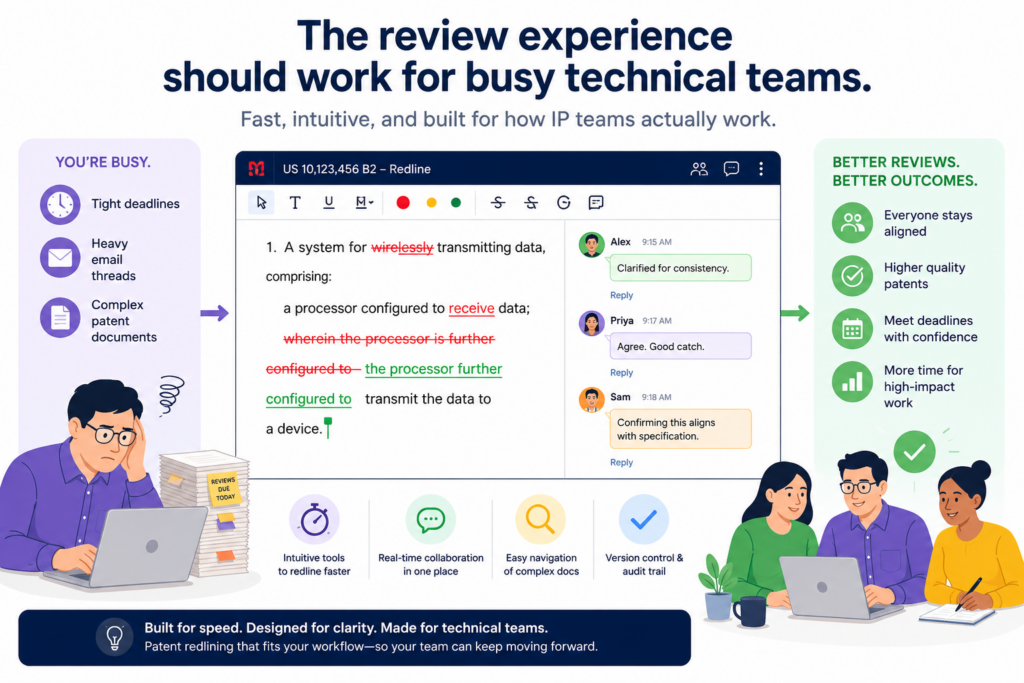
But their input is still critical. They know how the system works. They know which details matter. They know where the draft may be wrong or too thin.
Patent redlining software should respect their time. It should make review focused. It should help them see the parts that need their attention.
It should avoid making them fight with formatting, files, or legal language. The easier the review feels, the better the feedback will be.
The tool should help inventors give useful feedback quickly.
A strong review tool should let inventors comment on the exact part that needs attention. It should help them answer clear questions.
It should make technical edits easy to explain. It should also keep all feedback tied to the draft, so nothing gets lost.
This matters because bad feedback loops slow patents down. An attorney asks a question. The engineer answers in a message.
The founder adds a note somewhere else. Then someone has to connect all the pieces. A better system keeps the discussion close to the text.
Faster inventor feedback can lead to better filings.
When inventors can review fast, the draft improves faster. Gaps get filled. Wrong terms get fixed. Missing examples get added. The attorney can then shape the filing with better source material.
This is where patent redlining software should support the whole team, not just the legal side.
The goal is not to make engineers act like patent lawyers. The goal is to make it easy for them to share what they know, in a way the attorney can use.
PowerPatent was built for this kind of founder and inventor workflow. It helps teams move from invention capture to attorney-reviewed patent work without the usual drag.
For technical teams that want strong protection without slowing product work, that can be a major edge. See how PowerPatent helps here: https://powerpatent.com/how-it-works
Security should be built into the redlining workflow from day one.
Patent drafts often contain sensitive technical details. They may describe new products, private research, code ideas, model design, hardware systems, or business plans.
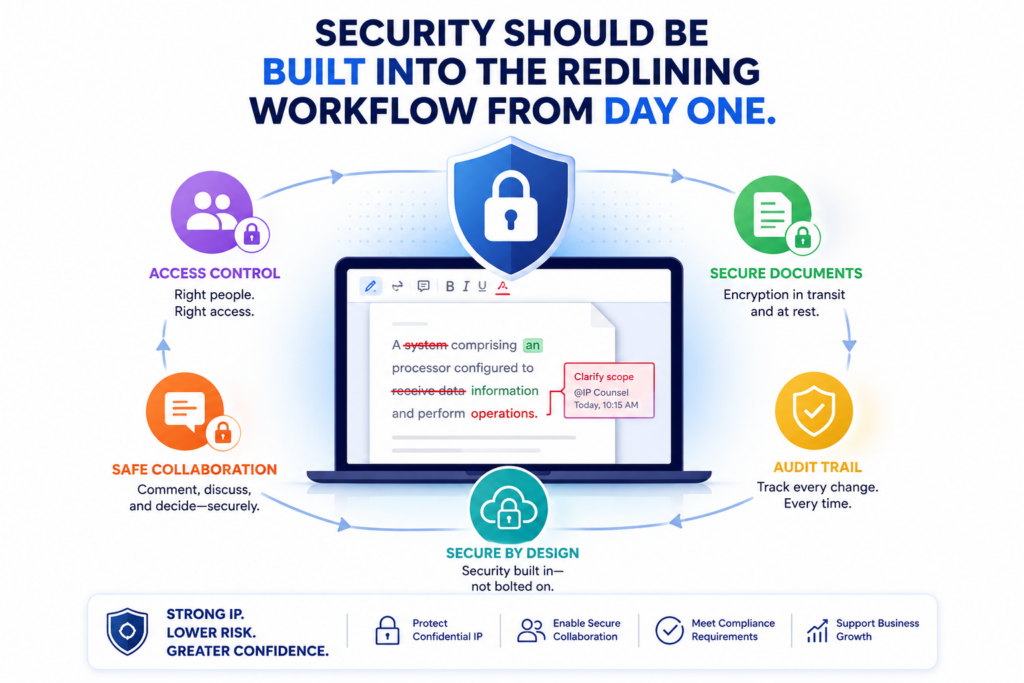
These are not files a team should pass around carelessly. Redlining software must treat patent data as high-value information.
This is not only about keeping files private. It is about controlling access, tracking activity, and reducing accidental sharing.
A team should know who can open a draft, who can edit it, and who can download it. The tool should support safe review without making the process too heavy.
Access control should match how IP teams actually work.
Different people need different access. An outside attorney may need full drafting rights. An inventor may only need review access.
A founder may need approval rights. A contractor may need to comment on one part and nothing more.
Patent redlining software should make those roles easy to manage. If access is too broad, the risk goes up.
If access is too hard to manage, the team may work around the system and use email instead. The right tool finds the balance.
Better security helps protect the invention before the patent is filed.
Before filing, the invention is still private. That privacy can matter. A careless workflow can create risk, confusion, or delay.
A secure redlining system helps the team protect the idea while the patent is still being shaped.
Security also builds trust inside the company. Founders can feel better knowing the draft is not floating around in random places.
Attorneys can review with a cleaner record. Engineers can share technical details without worrying about where the file will end up.
PowerPatent combines modern software with real patent attorney support, which helps teams protect both the process and the final filing.
For startups working on deep tech, AI, robotics, hardware, software, or advanced systems, that kind of control can be vital. Learn how the platform works here: https://powerpatent.com/how-it-works
Patent redlining software should make attorney review easier, not replace it.
Patent software can help a team move faster, but patents still need human judgment. This is especially true when claims are being changed, narrowed, expanded, or cleaned up before filing.
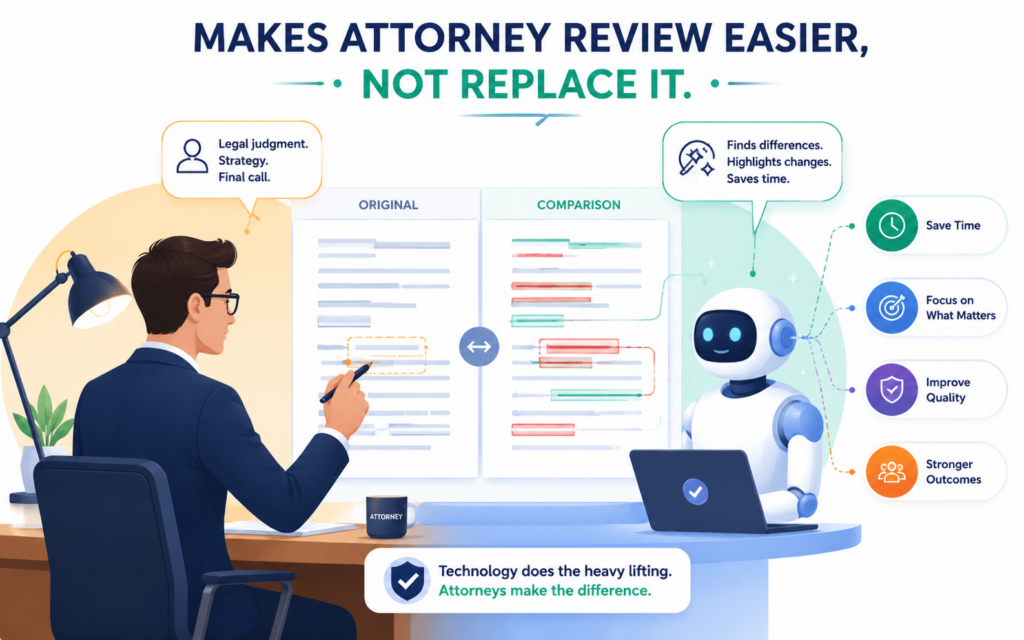
A tool can show the edit. It can help organize the draft. It can make review smoother. But a real patent attorney still needs to guide the strategy.
This matters because patent work is not just word cleanup. It is about deciding what the company should protect, how broad the filing should be, and how the draft should support the invention.
Good redlining software should give attorneys a better way to work, not push them out of the loop.
The best tools help attorneys spend more time on strategy.
Many attorneys lose time on document cleanup, file comparison, version tracking, and small formatting problems. That is not where their value is highest.
Their real value is in shaping the claims, spotting risk, asking the right questions, and making sure the filing supports the company’s goals.
A strong redlining system should reduce the low-value work. It should help attorneys move through changes faster.
It should make the draft easier to review and easier to explain to founders and inventors. When the tool does that well, the attorney can focus on the parts that truly matter.
Smart software works best when paired with real oversight.
For startup teams, this pairing is powerful. Software can bring speed and structure. Attorney oversight can bring judgment and care.
Together, they can help teams avoid the two common traps: going too slow with old-school workflows or going too fast without enough review.
That is the heart of PowerPatent. The platform helps founders and technical teams use smart software while still getting real patent attorney oversight.
This helps teams move quickly without treating patents like a guessing game. You can see how PowerPatent works here: https://powerpatent.com/how-it-works
The software should make comments easy to track and resolve.
Comments are where patent drafts often get messy. An attorney asks a question in the document. An inventor answers in email. A founder adds a note in a chat thread.
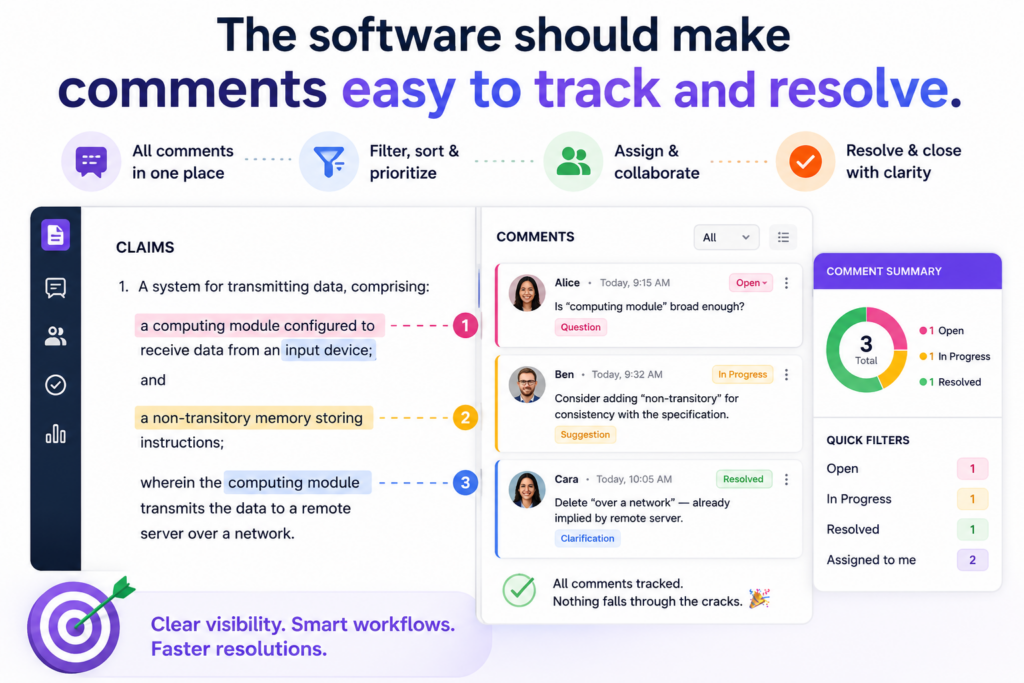
Someone else updates the draft but forgets to close the comment. Later, no one knows whether the issue was solved.
That kind of review process creates drag. It also creates risk. A comment may contain an important technical detail. A question may point to a weak part of the draft.
A founder may flag a business concern that should shape the claims. Patent redlining software should keep all of this close to the draft and easy to manage.
Comments should stay tied to the exact text being reviewed.
A useful comment system should make it clear what part of the draft is being discussed. If an engineer comments on a claim term, that note should stay tied to that term.
If the attorney asks for more detail about a system step, the answer should stay near that step. This makes review faster because the team does not need to search through separate messages.
Comments should also be easy to close when the issue is handled. Open items should not hide inside long threads.
They should be visible enough that the team can clear them before filing. This is especially important near deadlines, when every loose end can slow the process.
A clean comment trail helps teams make better decisions.
Patent review is not just about fixing text. It is about making choices. Should this feature be claimed now?
Should this example be added? Should this term be changed to match how the product works? These decisions often happen inside comments.
A strong redlining tool should preserve that thinking. It should make it easy to see what was discussed, what was decided, and what still needs review. This gives the team more confidence before the filing goes out.
For founders, this can make the whole patent process feel less confusing. Instead of scattered notes and unclear next steps, the team gets one clear place to work.
PowerPatent helps make this process smoother by bringing invention details, drafting support, and attorney review into a more guided workflow. Learn more here: https://powerpatent.com/how-it-works
Patent redlining software should support technical review without slowing engineers down.
Engineers often do not want to live inside patent documents. They want to build, test, ship, and improve the product.
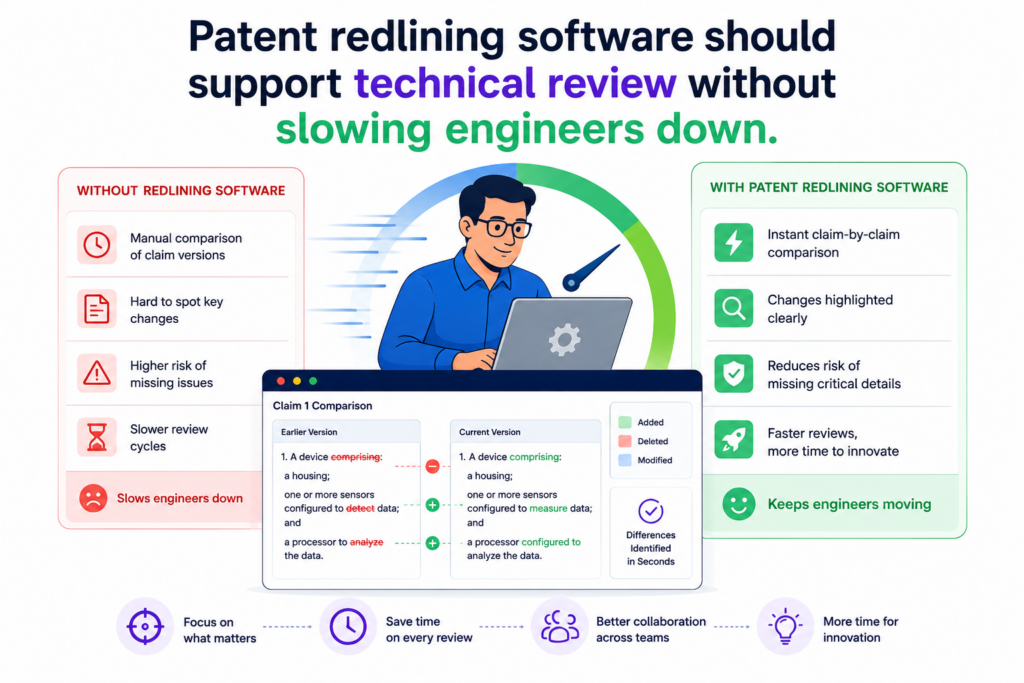
But their input is still one of the most important parts of the patent process. Without their details, the filing may be too thin. Without their review, the draft may miss the real invention.
The right redlining software should make technical review easier for them. It should not force engineers to decode every legal phrase.
It should help them focus on whether the draft explains the system correctly, whether the terms match the product, and whether the key steps are described in the right way.
The review flow should feel natural for product and engineering teams.
Technical people need a clear path. They should be able to see the change, understand the question, and give a direct answer.
They should not need to guess what the attorney needs. They should not need to search across five files. They should not need to worry about breaking the document.
When the redlining tool is easy to use, engineers give better feedback. They catch small errors. They add missing details.
They explain edge cases. They point out better examples. These inputs can make the patent stronger because they help the attorney understand the full invention.
Better engineer feedback can improve the quality of the patent draft.
A strong patent filing often depends on clear technical support. That support comes from the people who built the system.
If the software makes their review painful, they may rush it. If it makes review simple, they are more likely to give useful answers.
This is where modern patent platforms can help. PowerPatent is built for technical founders and inventors who need a clear way to move from idea to filing.
It helps capture the invention, shape the draft, and keep real patent attorneys involved. That means engineers can stay focused on building while still helping protect what they are creating. See how the process works here: https://powerpatent.com/how-it-works
The software should show what changed without making the page unreadable.
A redline that is hard to read is almost as bad as no redline at all. Patent drafts already have dense language.
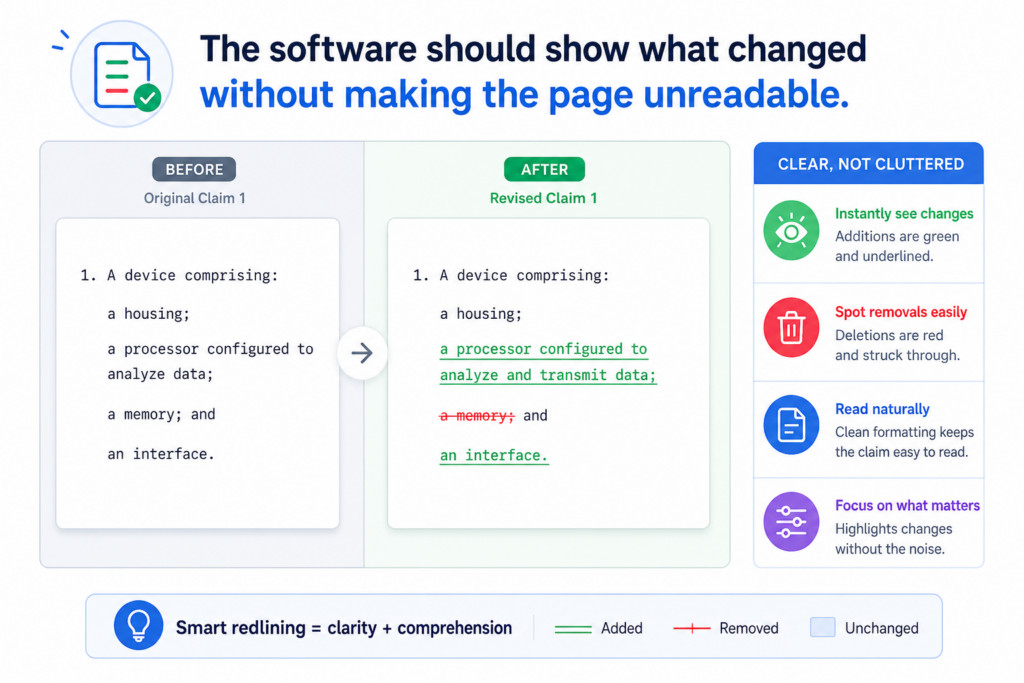
If the redline adds too much visual noise, the reviewer may miss the change that matters. This is a common problem with tools that were made for normal documents, not patent work.
Good patent redlining software should make changes stand out without overwhelming the page. It should show edits in a way that helps the eye move through the draft.
The reviewer should be able to understand the change without rereading the same paragraph five times.
Readability matters because patent review is careful work.
Patent review is not skim reading. A reviewer may need to check whether a term is used the same way across the claims and the description. They may need to see whether a limitation was added.
They may need to compare a new phrase against the drawings. If the page is hard to read, this work becomes slower and less reliable.
The best redlining tools give teams control over how changes appear. Some users may want a full markup view. Others may want a cleaner view that focuses on major changes.
A good system should support both. It should let the attorney dig deep while letting founders and inventors review without feeling buried.
Clear visual design helps reduce review fatigue.
Review fatigue is real. When a team looks at too many messy edits for too long, attention drops. That is when mistakes happen. A cleaner review experience helps people stay sharp.
This is not just a design issue. It is a quality issue. A better reading experience can help teams catch more errors and move faster with less stress. For IP teams handling many drafts at once, that difference can be huge.
PowerPatent focuses on making the patent process more guided and easier to manage.
For founders and teams that want protection without getting stuck in confusing documents, this kind of experience can be a major advantage. You can explore PowerPatent here: https://powerpatent.com/how-it-works
Patent redlining software should help teams compare more than two versions.
Many tools are built around a simple idea: compare version A to version B. That is useful, but patent work often needs more than that.
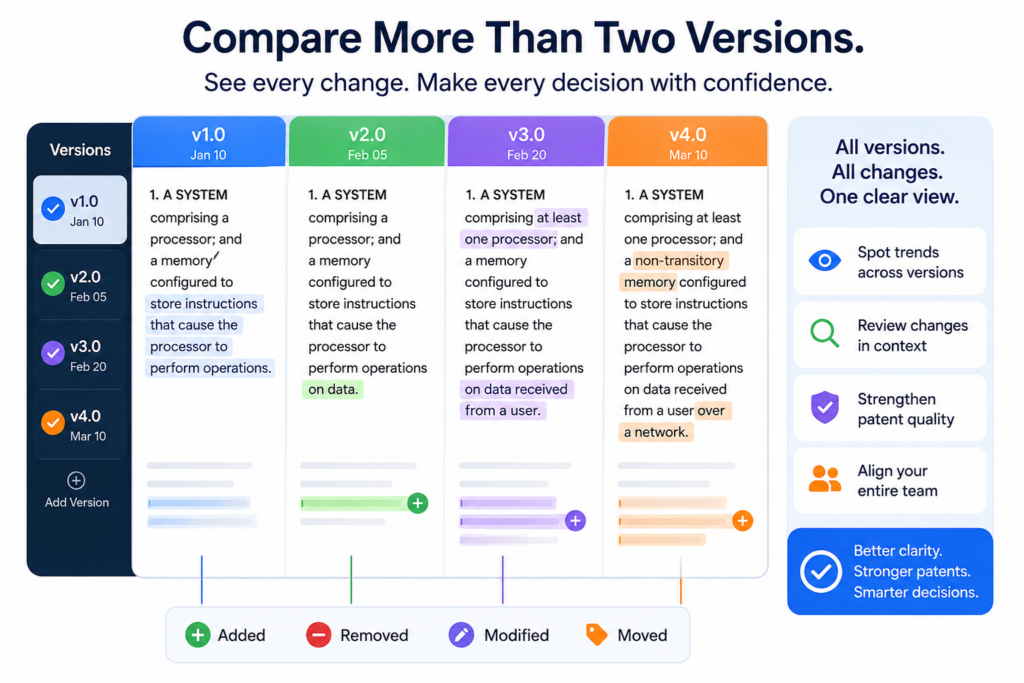
A team may need to compare an inventor draft, an attorney revision, a founder-approved version, and a filing-ready draft.
The real question is not only what changed last time. It is how the draft changed across the whole review path.
This is especially important when a draft has gone through several rounds. A term may have changed in one version, changed back later, and then appeared again in another section.
A claim may have been narrowed, then moved, then rewritten. The software should help the team see that history clearly.
Multi-version comparison helps teams understand the full path of a draft.
When teams can compare more than two versions, they get better context. They can see whether a change was new or part of a longer trend.
They can check whether an older idea was removed by choice or by mistake. They can also recover useful language without digging through old files.
This is helpful for attorneys because it supports better judgment. It is helpful for founders because it gives them more control.
It is helpful for inventors because they can see whether their technical feedback made it into the draft.
Strong version comparison helps prevent accidental loss of key ideas.
A patent draft can lose important details during revision. This does not always happen because someone made a bad choice.
Sometimes it happens because a paragraph was moved, a term was cleaned up, or a claim was rewritten under time pressure. If the tool does not make version changes clear, the team may not notice.
Patent redlining software should make it easy to protect important ideas through every draft. It should help the team see what was removed and decide whether that removal was correct.
PowerPatent helps teams avoid this kind of confusion by giving founders and inventors a more structured path from invention capture to attorney-reviewed patent work.
That means fewer gaps, fewer loose threads, and a cleaner route to filing. Learn more here: https://powerpatent.com/how-it-works
The tool should make filing readiness easier to check.
A patent draft can look close to done and still have open issues. A claim term may need support. A drawing label may need cleanup. An inventor comment may still be unresolved.
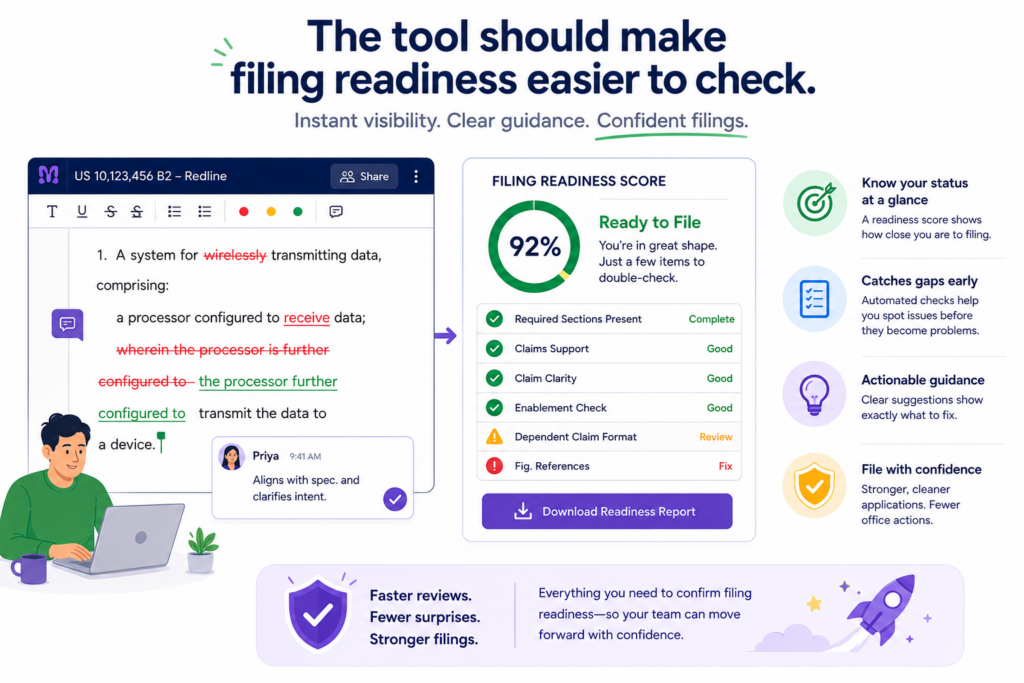
A last-minute edit may have changed the meaning of a key phrase. Filing readiness is not just about having a clean copy. It is about knowing the draft is ready to move forward.
Good redlining software should help IP teams check that readiness with less stress. It should make open changes, unresolved comments, and major edits easy to review before the final version is approved.
Final review should focus on risk, not file cleanup.
Near filing, teams should not waste time hunting through drafts or trying to figure out what changed. They should be focused on the important questions. Does the draft match the invention?
Are the claims aligned with the product? Are the right examples included? Are all key reviewers comfortable with the final version?
The software should support this final check. It should make it easy to move from marked-up review to clean final copy.
It should also make sure that the clean copy truly reflects the approved changes.
A smoother final review can help teams file with more confidence.
Confidence matters at filing time. Founders want to know their invention is being protected. Attorneys want to know the draft has been reviewed.
Engineers want to know the technical details are right. A good redlining workflow helps bring all of that together.
This is one of the biggest reasons to choose patent software that is built for modern teams. The goal is not just to make a document look clean.
The goal is to help the team make smart choices, avoid preventable mistakes, and move forward with control.
PowerPatent gives startups a better way to handle this process with smart tools and real patent attorney oversight.
It helps teams protect what they are building without letting patent work slow the company down. See how it works here: https://powerpatent.com/how-it-works
Patent redlining software should help teams find risky language before it becomes a problem.
Some words look harmless, but they can change how a patent is read.
A draft may use words that are too narrow, too vague, or too tied to one version of the product. In normal writing, that may not matter much. In a patent draft, it can matter a lot.
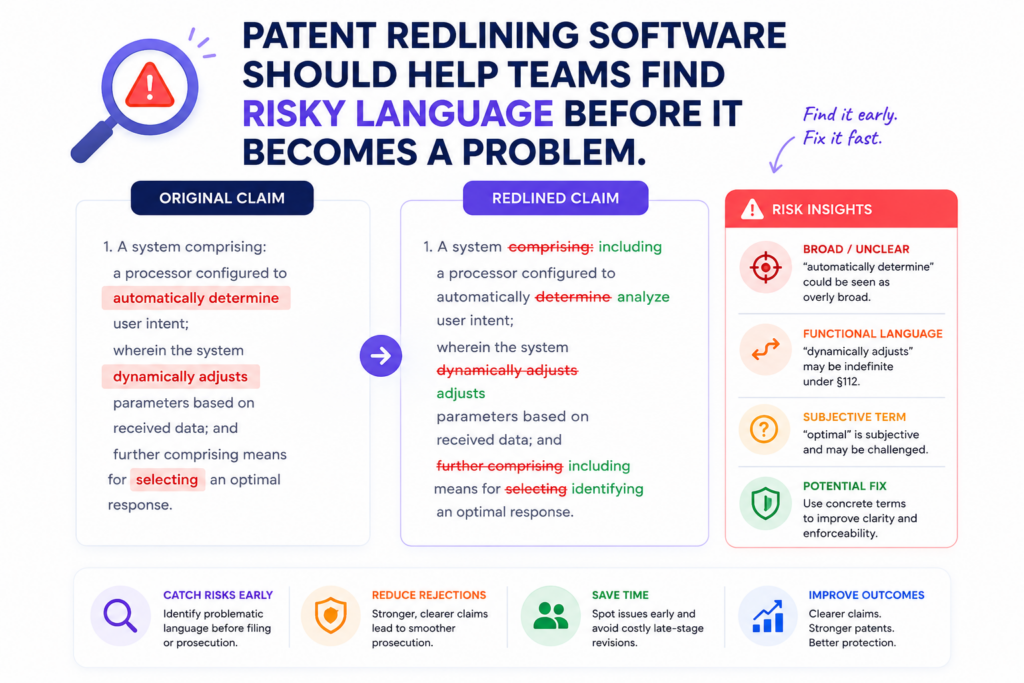
Strong patent redlining software should help IP teams see when important wording changes. It should make it easy to spot edits that may affect claim strength, product coverage, or future flexibility.
The point is not to scare the team. The point is to catch language issues early, while they are still easy to fix.
Risky patent language is often hidden inside small edits.
A small change can shift the whole meaning of a claim. For example, changing a broad word to a narrow word may make the patent easier to understand, but it may also limit what the patent covers.
Adding a step may make the invention clearer, but it may also give others a way to design around it. Removing an example may make the draft shorter, but it may also reduce useful support.
This is why redlining needs context. The tool should not only show that a word changed.
It should help the reviewer notice where the change appears, whether it appears in the claims, and whether the same idea is used elsewhere in the draft.
The best tools make review feel more controlled and less reactive.
IP teams should not be surprised by important changes at the end of the process. They should see them as they happen. A good redlining workflow helps the team review with more control.
It helps attorneys explain the effect of edits. It helps inventors confirm whether the technical meaning is still right. It helps founders understand whether the filing still supports the company’s business goals.
This is one of the reasons PowerPatent is built around both smart software and real attorney oversight. Software can help surface and organize changes, while attorneys can guide the final judgment.
That combination helps teams move faster without losing care. See how PowerPatent works here: https://powerpatent.com/how-it-works
The software should make claim terms easy to track across the full draft.
Claim terms are not just words. They are anchors. When a claim uses a term, the rest of the patent should support it. If a claim talks about a “routing engine,” the description should explain it in a clear way.
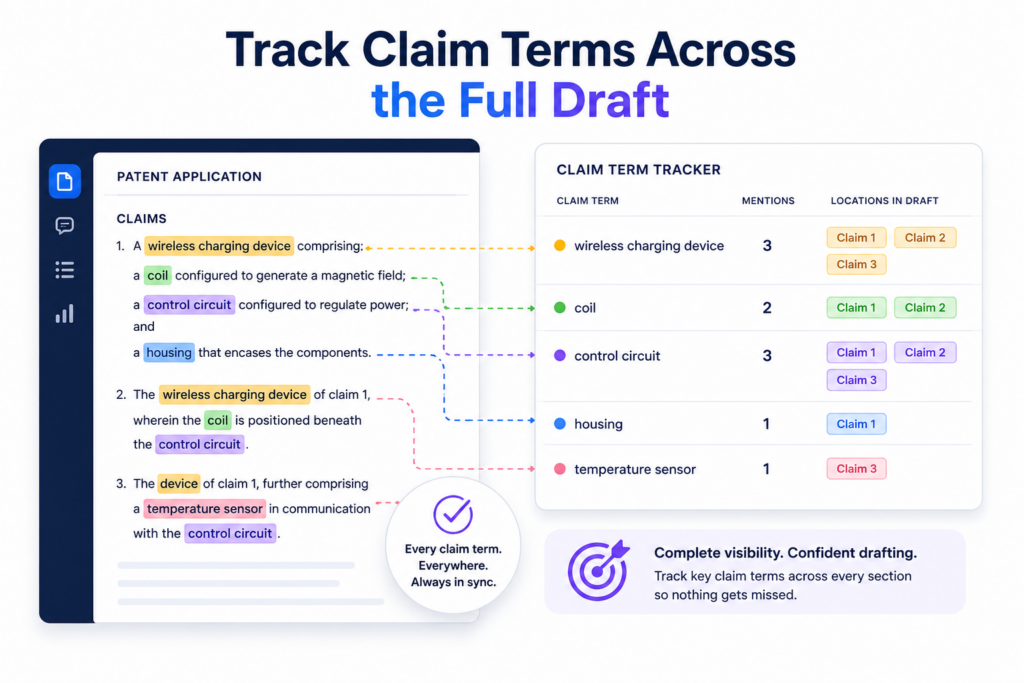
If the draft later calls the same thing a “decision module,” the team should know whether that change was planned or accidental.
Patent redlining software should help IP teams follow these terms across the whole document.
This matters because patents often use repeated wording for a reason. When that wording changes, the team needs to know.
Term tracking helps prevent gaps between the claims and the description.
A common draft problem is mismatch. The claims may say one thing while the description uses different words.
The invention may be correct, but the wording may feel disconnected. This can slow review and create more work for the attorney.
Good redlining software should make term changes easy to find. It should help the team see when a key word was added, removed, replaced, or used in a new way. It should also help reviewers check whether the description still supports the claims after each edit.
Clear term history helps inventors and attorneys speak the same language.
Engineers often use product words. Attorneys often use patent words. Founders often use market words. A strong patent draft needs to bring these views together without creating confusion.
When a redlining tool makes terms easy to track, the team can have better conversations. The attorney can ask whether a term matches the product. The engineer can explain what the system really does.
The founder can flag words that matter to the business. This creates a better draft because everyone is looking at the same language.
PowerPatent helps technical teams capture invention details in a clearer way, then work with real patent attorneys to turn those details into a stronger filing.
For startups that want to protect deep technical work without drowning in confusing edits, that kind of structure can make a real difference. Learn more here: https://powerpatent.com/how-it-works
Patent redlining software should support drawings, labels, and figure references.
Patent drawings are often where the invention becomes easier to understand. They can show the system, the flow, the device, the interface, or the key parts.
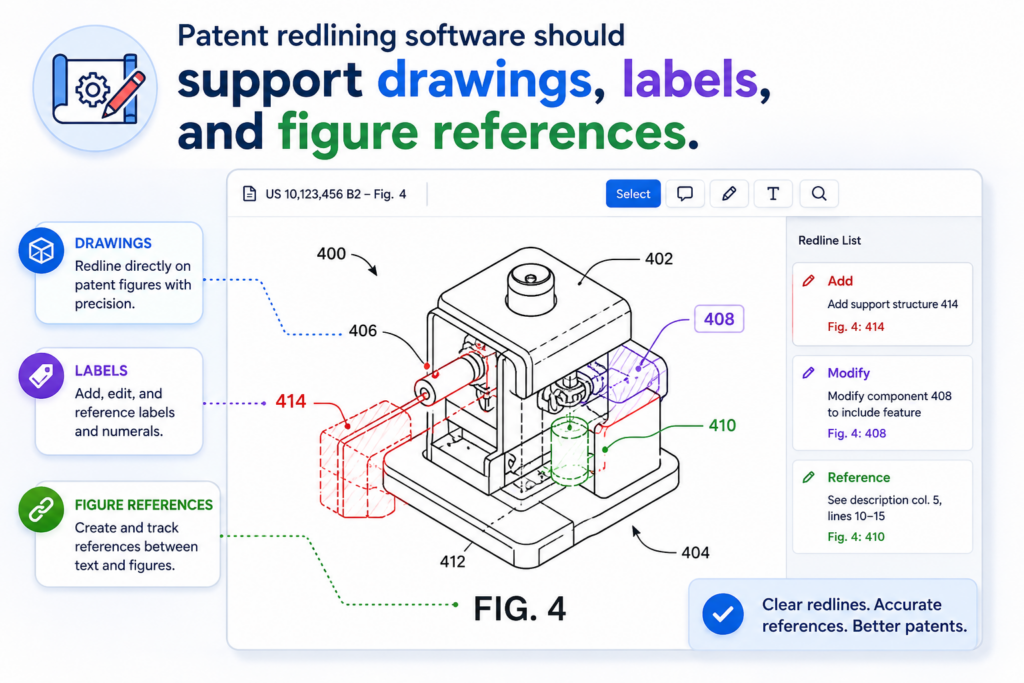
But drawings also create review work. Each label needs to match the text. Each figure reference needs to be correct. Each changed part name may need to be updated in many places.
A redlining tool that ignores drawings can leave the team with blind spots. IP teams need a way to review changes that affect both the written draft and the figures.
Figure-related edits should not be treated as afterthoughts.
A patent draft may include many references to “FIG. 1,” “FIG. 2,” or certain numbered parts. If one label changes, the written description may need to change too.
If a figure is removed or replaced, the related text may need cleanup. If the claims refer to a feature shown in a drawing, the team may want to confirm that the drawing still supports that idea.
Good software should help teams catch these links. It should make it simple to see when figure text changes, when labels are updated, and when a reference may no longer match. This saves time and reduces filing stress.
Drawing consistency can improve the quality of the full patent package.
A patent filing should feel like one clean story. The claims, description, drawings, and labels should all support each other.
When they do, review is smoother. When they do not, the team has to spend extra time fixing avoidable issues.
This is especially important for hardware, robotics, medical devices, semiconductor tools, AI systems, and complex software platforms.
These inventions often rely on diagrams to make the technical idea easier to explain. The redlining software should respect that.
PowerPatent helps teams bring technical detail, invention structure, and attorney review into a more guided workflow.
That is useful for founders who want to move quickly but still file something they can stand behind. You can explore the process here: https://powerpatent.com/how-it-works
The software should make outside counsel collaboration clean and simple.
Many IP teams work with outside patent attorneys. That can be a good thing, but it can also create friction if the tools are messy. Drafts may move between systems.
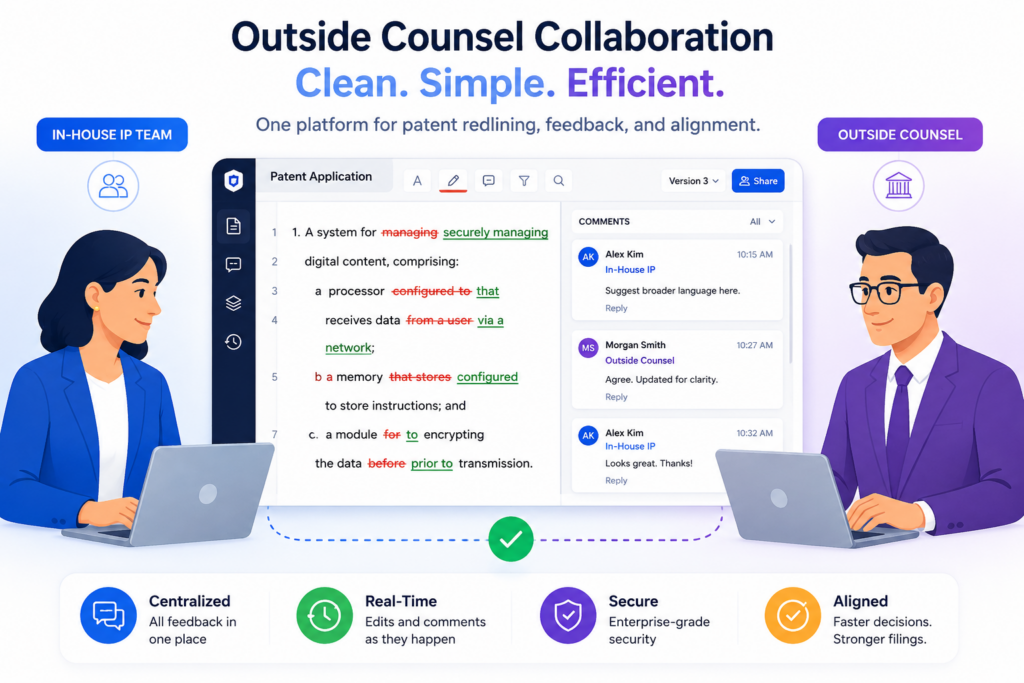
Comments may live in email. Redlines may come back in different formats. The company may not have a clear view of what changed or why.
Patent redlining software should make outside counsel collaboration smoother. It should give both sides a shared place to review, revise, and resolve issues without losing control of the draft.
Collaboration should not depend on long email threads.
Email is useful, but it is not a great place to manage patent redlines. Attachments get buried. Versions get mixed up.
Important notes are easy to miss. When the review process depends on email, the team often spends too much time managing the work instead of improving the draft.
A better system keeps the draft, comments, redlines, and decisions together. The company can see the status.
The attorney can see the latest input. The inventors can answer questions in the right place. This makes the whole process feel less scattered.
A shared workflow helps reduce delay and miscommunication.
Patent delays often come from small communication gaps. Someone reviews the wrong version. Someone misses a question.
Someone thinks a comment was resolved when it was not. These problems are common, but they are also preventable.
The right software should make the workflow clear. It should show what needs review, who needs to act, and what changed since the last round. This helps outside counsel do better work and helps the company stay in control.
PowerPatent was designed for modern patent work where software and attorney guidance work together. Founders do not have to choose between speed and real oversight.
They can get a cleaner process from invention capture to filing. See how it works here: https://powerpatent.com/how-it-works
Patent redlining software should make approvals clear before filing.
Before a patent is filed, someone needs to be comfortable with the final draft. That may be the founder, the head of engineering, the in-house IP lead, or the outside attorney.
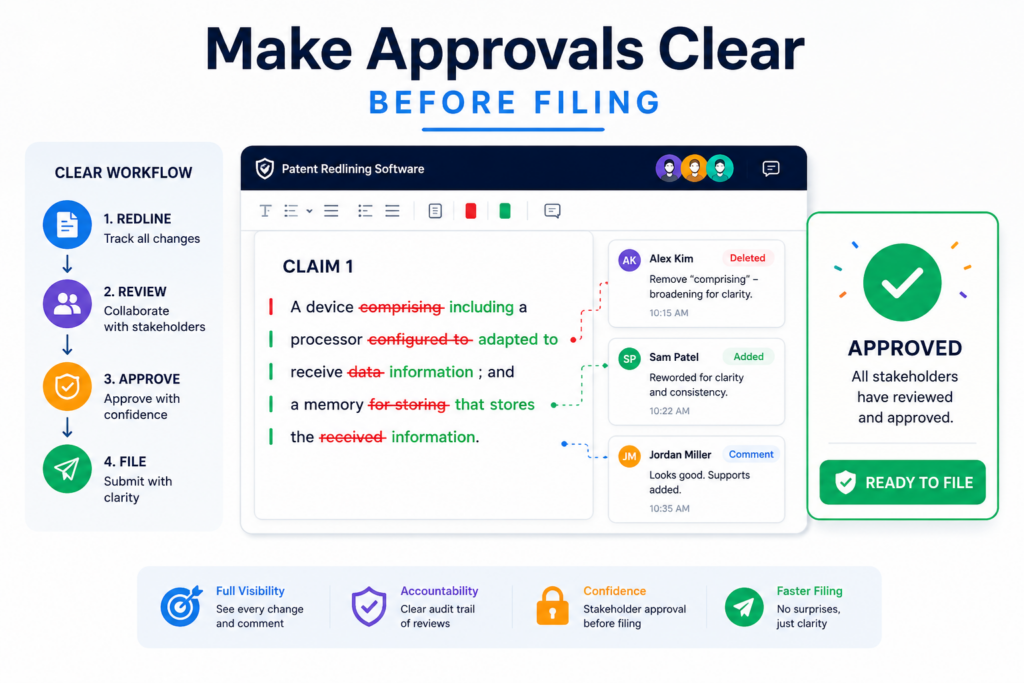
In many teams, more than one person needs to sign off. The problem is that approval can become vague when the process is messy.
A comment like “looks good” in an email is not always enough. Which version looked good? Did the person see the latest claim edits?
Were all comments resolved first? A strong redlining tool should make approval clear and tied to the final version.
Final approval should be linked to the exact draft being filed.
The team should know which document was approved. They should know whether it was the clean version or the marked-up version.
They should know whether the approver saw the last round of edits. This is basic control, but many patent workflows still lack it.
Good software should help teams avoid last-minute confusion. It should make final review clear, visible, and easy to confirm.
It should also make it hard to accidentally file a version that still has open comments or unresolved changes.
Clear approvals help founders file with confidence.
Founders want to know that the patent protects the right invention. Attorneys want to know that the right people reviewed the draft.
Engineers want to know that the technical details were not changed in a way that makes them wrong. A clean approval flow helps everyone feel better before filing.
This does not need to be slow or formal in a painful way. It just needs to be clear. The best tools make approval part of the normal workflow, not a separate scramble at the end.
PowerPatent helps startups build a more confident path to filing by combining guided software with real patent attorney oversight.
That means teams can move faster while still keeping important review steps in place. Learn more here: https://powerpatent.com/how-it-works
The software should help IP teams learn from past redlines.
Every patent draft teaches the team something. Maybe the inventors often leave out examples. Maybe the claims often need broader wording.
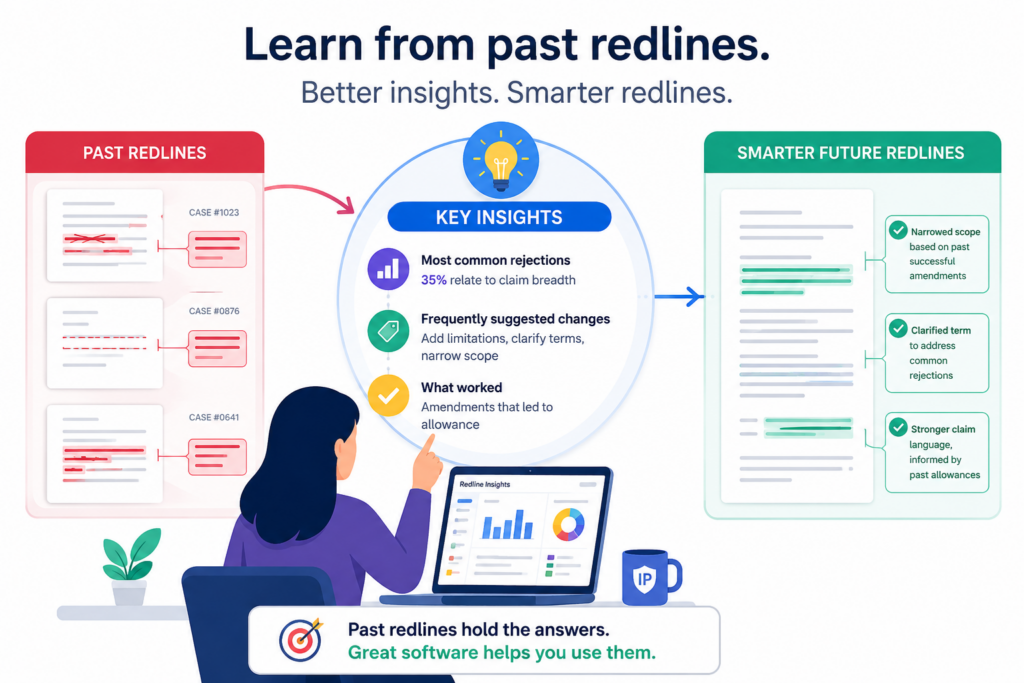
Maybe certain product terms keep causing confusion. Maybe outside counsel always asks for the same missing details. These patterns are valuable.
Patent redlining software should help teams learn from them. It should not treat each draft like a one-time event. A smart IP team wants to improve its process over time. Better redline history can help with that.
Past edits can reveal where the patent process is breaking down.
If the same issues appear again and again, the problem may not be the draft. It may be the intake process. The team may not be capturing enough invention detail early.
Engineers may not be explaining the “why” behind the system. Founders may not be sharing the business angle clearly enough. Attorneys may be forced to ask basic questions too late.
A good redlining workflow can make these patterns easier to see. It can show where major changes happen, where comments pile up, and where review takes too long. That insight can help the team improve the next filing.
Better process learning leads to faster and stronger patents.
The goal is not only to finish one patent. The goal is to build an IP system that gets better as the company grows. This matters a lot for startups with many inventions.
A team that learns from each draft can file faster, avoid repeated mistakes, and give attorneys better input from the start.
PowerPatent supports this kind of modern patent workflow. It helps teams move from raw invention details to attorney-reviewed filings with more structure and less friction.
For founders, that means less guesswork and more control over the ideas that matter most. You can see how PowerPatent helps here: https://powerpatent.com/how-it-works
Patent redlining software should make audit trails easy to understand.
A strong IP team needs a clear record of what happened inside each draft. This is not about creating extra admin work.
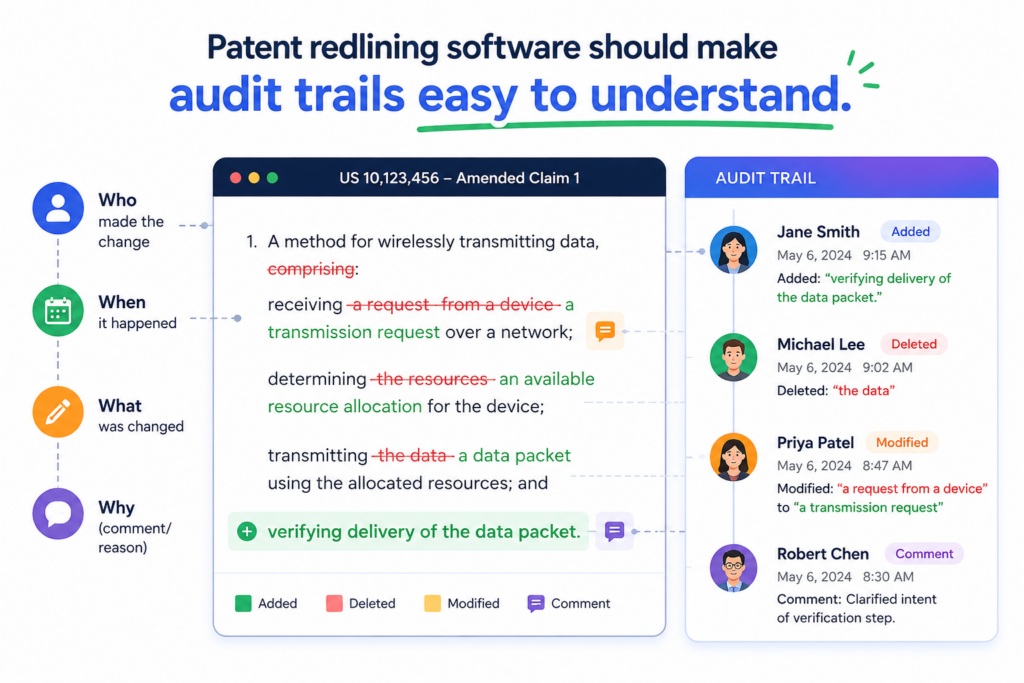
It is about knowing who changed the draft, when the change happened, and how the final version took shape. When the record is clean, the team can move with more trust.
Patent drafts often pass through many hands. An inventor may fix a technical detail. A patent attorney may rewrite a claim. A founder may ask for broader coverage.
An IP lead may approve the final version. If the software does not track this path clearly, the team may lose the story behind the document.
A useful audit trail should feel clear, not buried.
Some tools technically keep a history, but the history is hard to read. It may show too much noise. It may hide key changes inside menus.
It may make the team click through many screens just to answer a simple question. That does not help when deadlines are close.
Good patent redlining software should make the history useful in real life. It should show the major changes in a way the team can understand.
It should help reviewers see who made a claim change, who resolved a comment, and whether the final draft reflects the latest approval.
Clear records reduce confusion when questions come up later.
Questions often come up after a draft moves forward. Someone may ask why a claim was narrowed. Someone may want to know when a feature was removed.
Someone may need to confirm whether an inventor reviewed a certain section. A clean audit trail makes these answers easier to find.
This can save time, but it can also protect trust inside the team. No one wants to guess when dealing with patent work. A clear record helps the company make decisions based on facts, not memory.
PowerPatent helps modern teams avoid messy patent workflows by combining smart software with real attorney oversight.
Founders and inventors can move faster while keeping more control over the work that protects their core ideas. See how the process works here: https://powerpatent.com/how-it-works
The software should help teams review patent drafts in context.
Patent redlining is not just about the words on the page. It is about the invention, the product, the market, and the company’s plan.
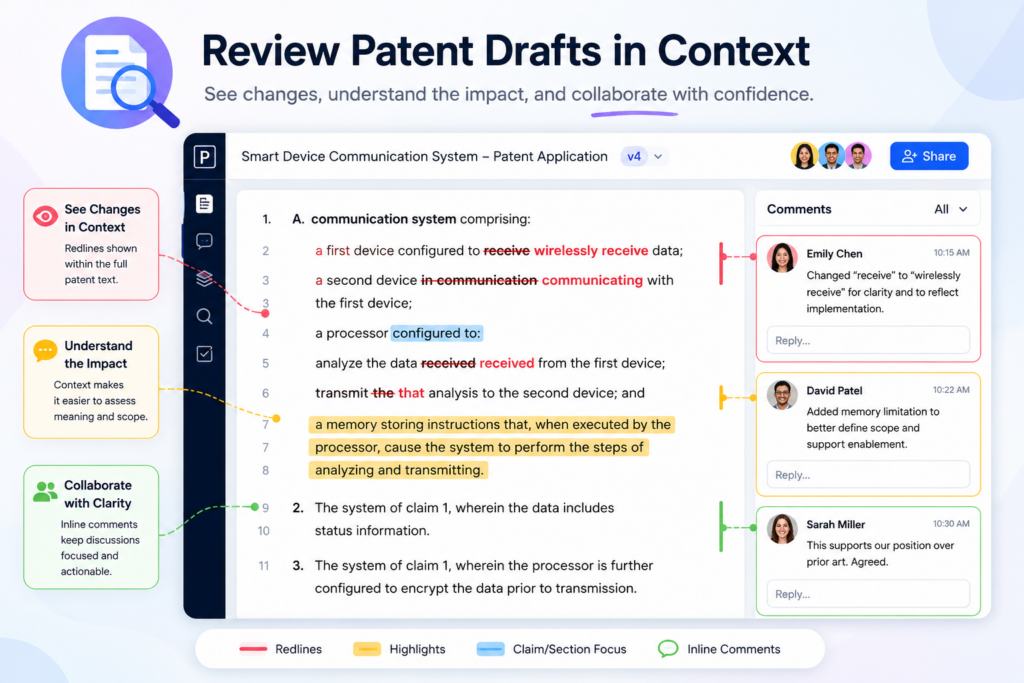
A draft can be technically correct but still miss what makes the invention valuable. The right software should help reviewers keep that bigger picture in view.
This matters because patents are not written in a vacuum. They support a business. They may help with funding, partnerships, product defense, or future growth.
When redlines are reviewed without context, teams may approve changes that look fine but do not fully support the company’s goals.
The best tools connect edits to business and technical goals.
An IP team should be able to review a draft while keeping the invention’s purpose in mind.
What problem does the invention solve? What part of the product is most valuable? What design choices make the system hard to copy? What future versions may need protection too?
Patent redlining software does not need to answer all of these questions by itself. But it should make it easier for the team to keep them close to the draft.
Notes, comments, invention summaries, and review prompts can all help the team avoid shallow edits.
Context helps prevent narrow patents that miss the real value.
A patent can become too narrow when reviewers only focus on cleaning up the language. They may add detail for clarity but forget to protect the broader idea.
They may describe the current product but fail to cover the next version. They may leave out the business edge because it was never made clear in the review process.
Good software helps keep the team anchored. It makes redlining part of a smarter workflow, not just a document cleanup task.
This is a key reason founders use PowerPatent. The platform helps teams turn technical ideas into stronger patent filings with guided software and real patent attorney support.
It helps protect what the company is building now while giving the team a clearer path as the product grows. Learn more here: https://powerpatent.com/how-it-works
Conclusion
Patent redlining software is not just a nicer way to show edits. It is a safer way to protect hard work, reduce review pain, and help IP teams make better choices before filing. The right tool should keep claims clear, versions controlled, comments organized, drawings aligned, and attorney review close to the work.
For startups and technical teams, this means less confusion and more confidence when the invention matters most. PowerPatent brings smart software and real patent attorney oversight together so founders can protect what they are building without slowing down. See how it works here: https://powerpatent.com/how-it-works