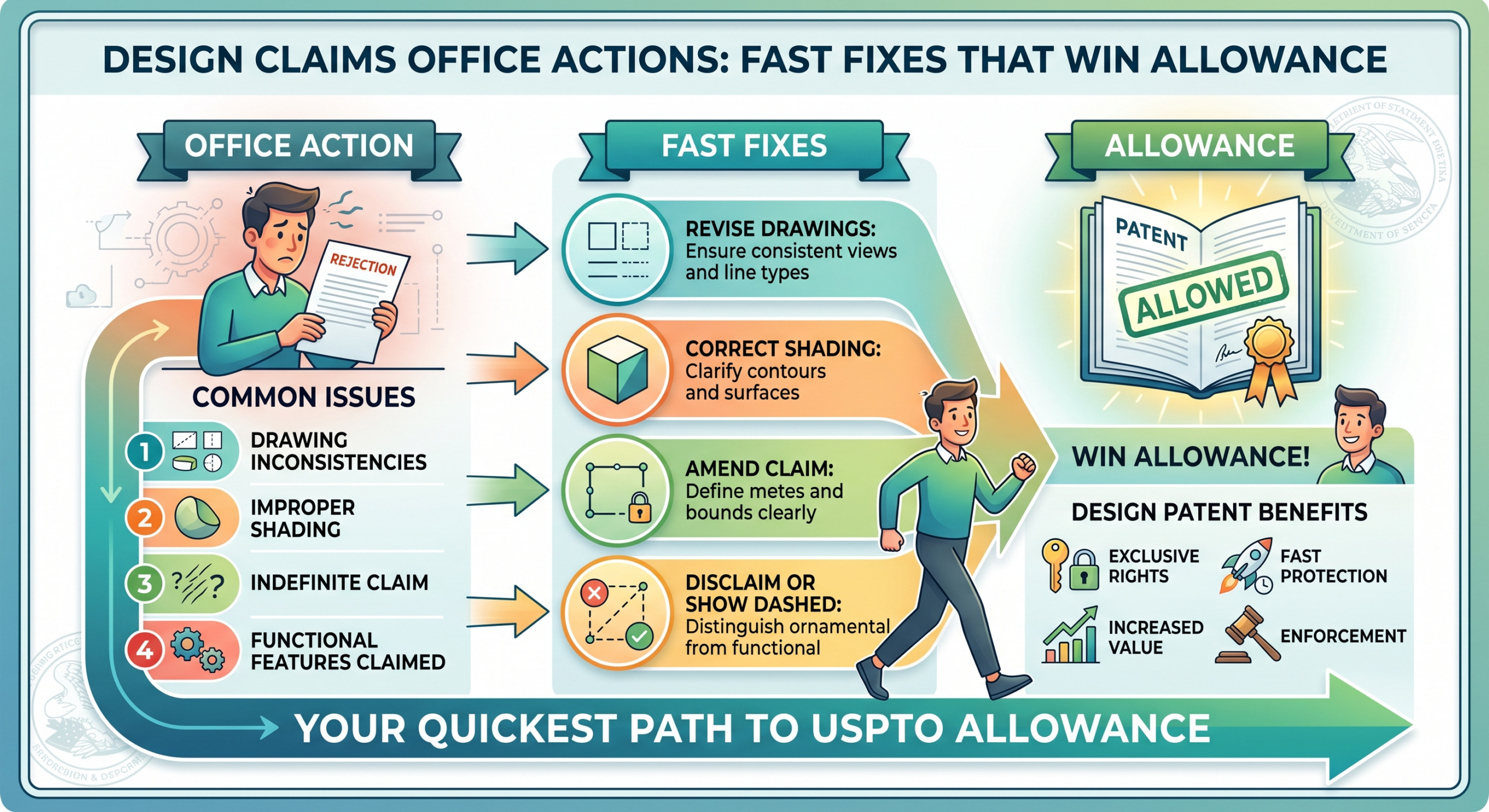
A design patent can protect the look of what you built. The shape. The screen. The icon. The pattern. The part people see and remember. That is where PowerPatent helps. With smart software and real patent attorney oversight, founders can move faster, avoid costly mistakes, and keep control of the patent process without getting buried in legal back-and-forth. You can see how it works here: https://powerpatent.com/how-it-works
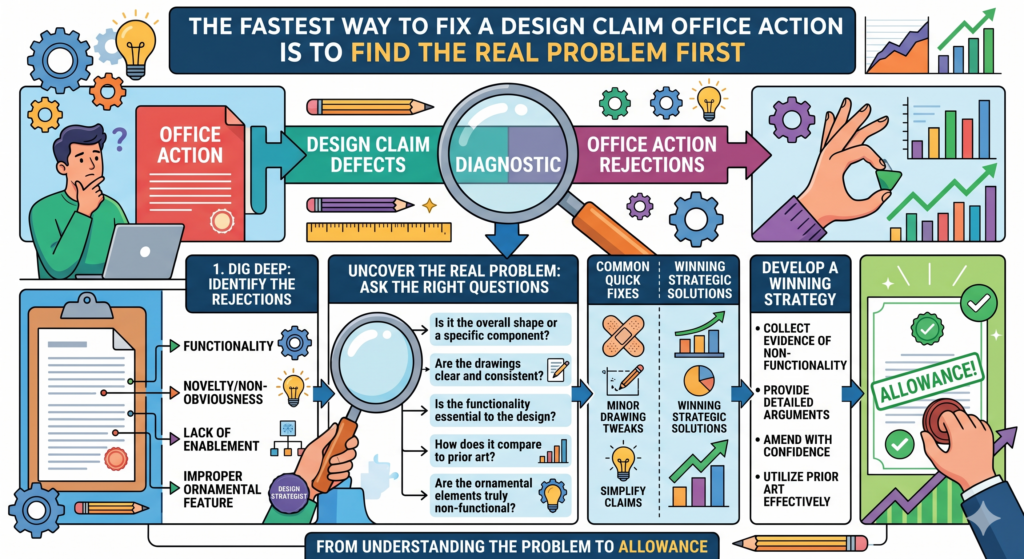
The Fastest Way to Fix a Design Claim Office Action Is to Find the Real Problem First
A design claim Office Action can look bigger than it really is. The examiner may use formal words, cite rules, and point to several figures at once.
That can make the whole thing feel like a full rejection of your product. In many cases, it is not. It is often a request to make the design clearer, cleaner, or more complete.
The first move is not to rewrite everything. The first move is to slow down for one moment and sort the issue. In a design patent case, the drawings carry most of the weight.
The USPTO says a design patent application needs a drawing, a claim, and a clear showing of the design, and the drawing must include enough views to show the full look of the design.
Read the Office Action Like a Product Bug Report, Not Like a Wall
Think of the Office Action as a bug report for your patent file. The examiner is saying, “This part is unclear,” or “This view does not match that view,” or “This line type needs to be explained.” That is much easier to handle than thinking, “The patent is dead.”
When founders treat the response like a product bug fix, they make better choices. They look for the exact break.
They find the view, line, edge, claim word, or title that caused the issue. Then they fix that point without touching the rest of the filing.
That matters because a design patent can be shaped by small details. A tiny drawing change may affect what is protected.
A rushed response can make the claim too narrow. A careless edit can also create a new issue that was not there before.
The Office Action Is Usually Asking for Clarity Before It Is Asking for Surrender
Many design Office Actions are not saying your design has no value. They are saying the record is not clear enough yet. That is a different problem.
A clarity problem can often be fixed with cleaner drawings, a better broken-line statement, corrected figure descriptions, or a narrow amendment that matches what was already shown.
The danger is overreacting. If the examiner says one surface lacks shading, you do not want to redraw the whole product in a way that changes the design.
If one broken line is not explained, you do not want to claim parts you meant to leave out. If one view is missing, you do not want to add new matter that was never shown before.
This is where attorney oversight helps. PowerPatent gives founders smart software to organize the issue and real patent attorney review to help avoid moves that look fast today but cost protection later. You can see the process here: https://powerpatent.com/how-it-works
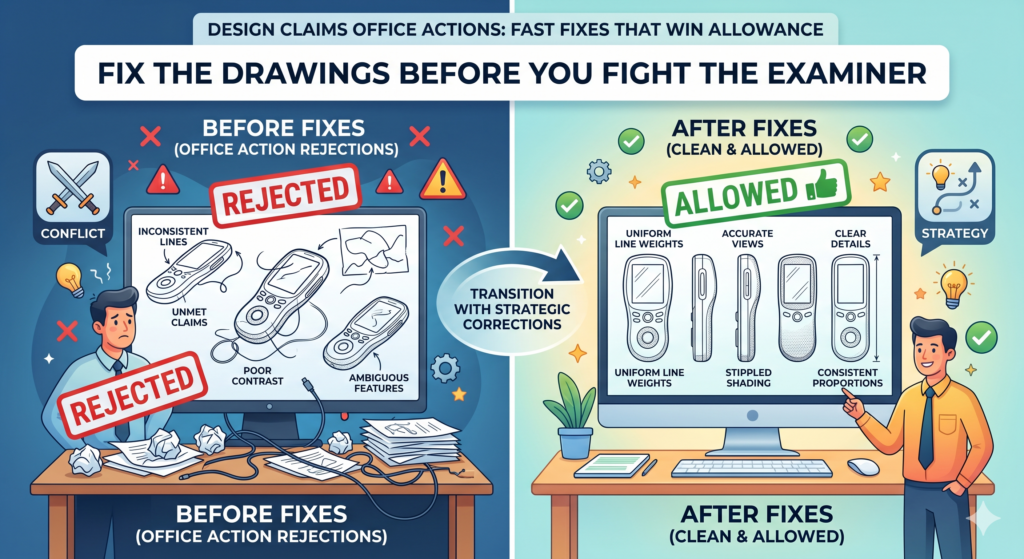
Fix the Drawings Before You Fight the Examiner
In design patent work, the drawing is not just a picture. It is the heart of the claim. That is why drawing problems show up so often in Office Actions.
The examiner is trying to understand exactly what visual design you want protected. If the drawings leave room for guessing, the examiner may object.
A fast fix starts by comparing every figure against every other figure. The front view should agree with the side view.
The top view should not show a shape that disappears in the perspective view. Shading should help show the form, not create doubt. Broken lines should be used with care and explained when needed.
Look for Mismatched Views Before You Change the Claim
One of the most common causes of delay is a mismatch between views. A curve appears in one figure but not another. A seam is solid in one view and broken in another.
A corner looks round from the front but sharp from the side. These small breaks can make the examiner wonder what the design really is.
The fix is to create a view-by-view check. Start with the main perspective view, then compare each part of the design against the front, rear, left, right, top, and bottom views.
Do not rush this step. The goal is not just to make the drawings pretty. The goal is to make them say one clear thing.
If a view is wrong, the best response is often a corrected drawing sheet plus a short explanation. The explanation should be calm and direct.
It should say what was corrected and why the correction does not change the original design. The tone should not sound defensive. The examiner needs a clean record, not a debate over every mark.
Clean Drawing Fixes Can Move the Case Without Weakening the Design
A good drawing fix keeps the same design and removes confusion. That is the sweet spot. For example, if a surface edge was shown with inconsistent line weight, the correction should make that edge consistent across views.
If shading was missing, the correction should show the shape without adding a new feature. The USPTO guidance says design drawings should use enough views to fully show the appearance, and proper surface shading can show surface character and contour.
This is where many teams make a costly mistake. They ask a draftsperson to “fix the drawings” without thinking about claim scope.
The draftsperson may make the design look nicer, but also change the visual meaning. That can create a bigger problem than the original Office Action.
The safer move is to connect the drawing fix to the response plan. The person fixing the drawings should know which parts are claimed, which parts are not claimed, and which parts must not move.
PowerPatent helps teams keep those pieces connected, so a drawing change does not become a protection problem. Founders can move quickly while still having attorney review in the loop: https://powerpatent.com/how-it-works
Broken Lines Must Tell the Examiner What You Are Not Claiming
Broken lines are powerful because they help you show context without claiming everything. They can show parts of the product that are not part of the design.
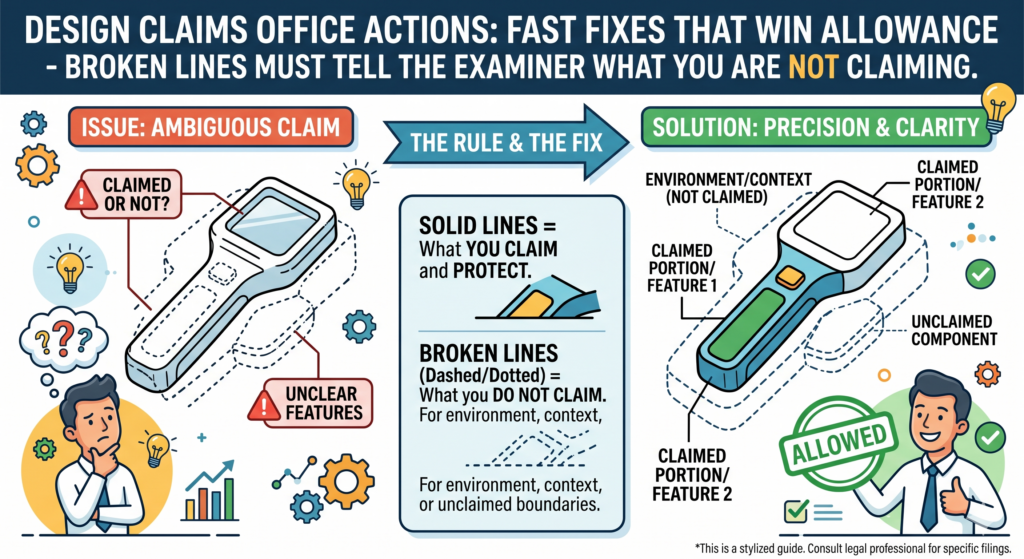
They can show the setting around the design. They can also mark a boundary when only part of an article is being claimed. But when broken lines are used poorly, they become a fast path to an Office Action.
The examiner needs to know what the broken lines mean. If the drawings show broken lines but the written description does not explain them clearly, the examiner may object.
USPTO guidance treats the drawing as central to the design filing, and broken-line use must make clear what is claimed and what is not claimed.
Do Not Let Broken Lines Blur the Edge of the Design
The main job of broken lines is to reduce confusion. But they often do the opposite when they are used without a clear plan. A founder may want to show the full product so the examiner understands the design.
That makes sense. But if half the product is shown in broken lines and the statement is weak, the examiner may not know where the claimed design starts and stops.
The fast fix is to match the drawings and the written statement. If broken lines show environment, say so. If broken lines show parts of the article that form no part of the claimed design, say so.
If broken lines show a boundary, say so. Keep it simple. Do not use fancy words when clear words work better.
This is especially important for hardware, devices, wearables, user interface designs, and product parts. Many modern products have a claimed visual feature that sits inside a larger system.
The founder may only want to protect the faceplate, icon layout, housing curve, display frame, or surface pattern. Broken lines can help keep the claim focused, but only when they are used with discipline.
A Strong Broken-Line Statement Protects Focus and Reduces Delay
A strong broken-line statement does not try to sound impressive. It tries to prevent doubt. It tells the examiner what the broken lines show and confirms that those parts are not part of the claimed design. That kind of statement can turn a confusing filing into a clean one.
But there is a trap. Do not use broken lines just because you are unsure what to claim. That is not strategy. That is guessing. Before filing or responding, decide what part of the design matters most to the business.
Is it the whole product shape? Is it the front face? Is it a screen layout? Is it a pattern on a surface? Is it a small visual feature that competitors may copy?
Once that choice is clear, the broken lines can do their job. They can push the noise into the background and keep attention on the protected look.
A design Office Action is often won by making the examiner’s job easier without giving away the value of the design. That is the balance. Move fast, but do not move blind.
Treat the Claim as a Pointer to the Drawings, Not as a Place to Get Creative
A design patent claim is usually short, but it is not small. In a design case, the claim points to the look shown in the drawings. That is why a design Office Action often turns on whether the drawings and the claim match each other.
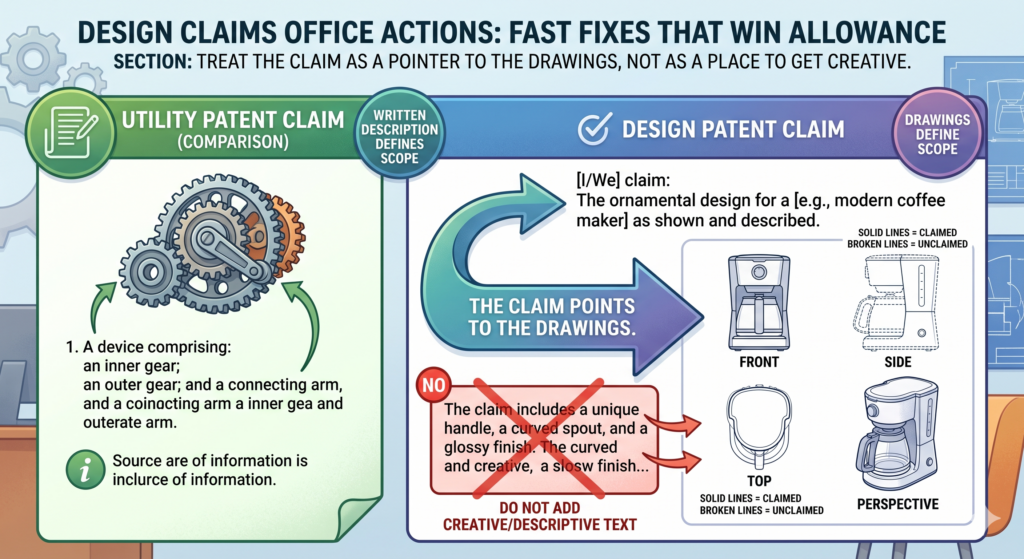
The USPTO’s design patent guide explains that a design is about the visual look of an article, and MPEP guidance also treats the drawing as a core part of the design application.
The fast fix is to avoid turning the claim into a long speech. Many founders want to add more words because more words feel like more protection.
In design patents, that is often backwards. Extra wording can create new questions. It can also make the record messy.
The Claim Should Stay Clean While the Drawings Do the Heavy Lifting
When an examiner objects to a design claim, the first question is simple. Does the claim point to the same design shown in the figures? If the answer is yes, the fix may be small. If the claim title, article name, and figure descriptions are out of sync, the fix may be to align them.
For example, a filing may call the article a “display screen with graphical user interface” in one place and a “mobile device interface” in another place. That may seem harmless to a product team.
To an examiner, it can raise a question about what the design is applied to. That question can slow the case.
A clean response does not try to impress the examiner. It removes doubt. It uses the same article name in the title, claim, and figure descriptions.
It makes sure the drawings support that name. It avoids adding product features that are not shown.
A Simple Claim Can Be Strong When the Record Is Clear
A simple claim is not weak when the drawings are strong. The real strength comes from a clear visual record.
If the figures show the design well, and the claim points to that design cleanly, the case becomes easier to allow.
The danger is adding words that feel helpful but create limits. A founder may want to describe the design as “sleek,” “smart,” “thin,” or “modern.” Those words may work in a pitch deck, but they do not help a design claim. The examiner needs clear visual support, not brand language.
This is where PowerPatent helps teams move with care. The software helps organize the filing and response, while real patent attorneys help check whether a change makes the claim cleaner or weaker.
That kind of review can be the difference between a fast fix and a bad shortcut. See how PowerPatent helps founders protect product designs here: https://powerpatent.com/how-it-works
Do Not Add New Matter When You Are Trying to Clean Up the Case
A design Office Action can tempt a team to “just add” the missing view, line, shade, feature, or angle. That may sound easy.
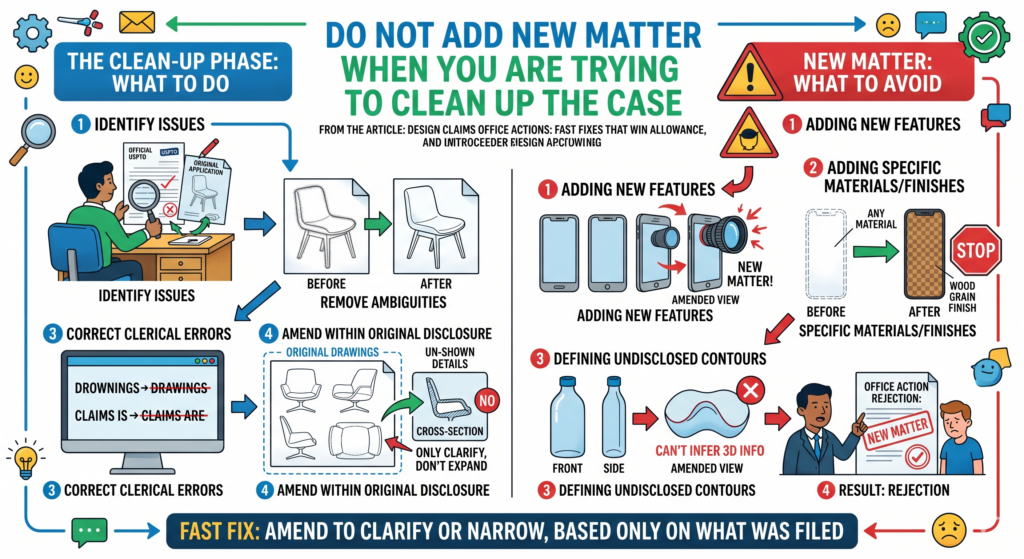
But it can be risky. In patent work, you generally cannot add new subject matter after filing. For a design case, that means new visual details can create trouble if they were not supported by the original drawings.
The best fast fix is not always the biggest fix. It is the safest fix that answers the examiner and stays tied to what was already filed.
If the original drawings clearly show a feature in one view, a correction may be easier to support. If the feature was never shown, adding it later may cause a new issue.
The Response Should Repair the Record Without Rebuilding the Design
A good Office Action response should feel like a repair, not a remodel. The goal is to help the examiner understand the same design more clearly. The goal is not to improve the product, beautify the drawing, or update the filing to match the latest version of your product.
This point matters a lot for startups. Your product may change every week. Your industrial design may improve between filing and examination.
Your team may have a new button shape, new screen border, new icon set, or cleaner enclosure. That does not mean you should push those updates into an old design application.
If the new product look is important, it may deserve a new filing. Trying to force it into the existing case can hurt both the current application and the future protection plan.
The Safe Question Is Whether the Original Filing Already Showed the Fix
Before making any drawing change, ask one plain question. Did the original filing already show this visual detail clearly enough?
If yes, the response can often explain that the correction only makes the existing design clearer. If no, the team should be careful.
This is why a fast design response should not be handled as a basic admin task. A small visual change can shift the scope of protection. A rushed edit can create a new rejection.
A polished drawing can still be a bad patent move if it adds something the original filing did not support.
The smart path is to separate product updates from patent fixes. Product updates belong in your roadmap.
Patent fixes belong in the record. Sometimes those two tracks meet, but they should not be mixed by accident.
PowerPatent is built for founders who move fast but do not want sloppy IP. It helps connect the business goal, the design file, the Office Action, and attorney review in one clearer workflow. You can learn how that works here: https://powerpatent.com/how-it-works
Fix Figure Descriptions So the Examiner Does Not Have to Guess
Figure descriptions look boring until they cause delay. They tell the examiner what each drawing view shows.
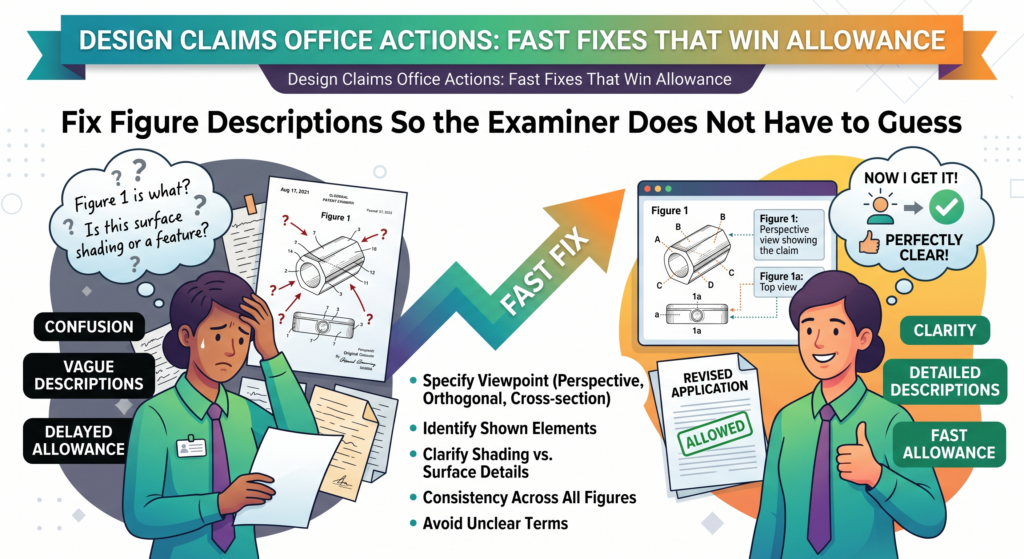
If the descriptions are wrong, missing, or inconsistent, the examiner may object even if the drawings themselves are mostly fine.
This is one of the easiest areas to fix fast. It is also one of the easiest areas to overlook. A team may spend hours improving drawings and forget to update the text that describes them.
Then the response goes in with clean figures but messy descriptions. That is avoidable.
The Figure Descriptions Should Match the Drawings With No Loose Ends
Each figure description should line up with the actual view shown. If Figure 1 is a front perspective view, say that. If Figure 2 is a front view, say that.
If a bottom view is omitted because it is plain or not visible during use, that should be handled carefully and only when it makes sense for the design.
The USPTO design patent guide gives examples of design application parts, including drawings and descriptions, and MPEP Section 1503 explains that design applications include required elements such as the claim and drawing.
These parts need to work together, because the examiner reads the record as a whole.
The fix should be exact. Do not use loose labels. Do not call a view “side view” if it matters whether it is left or right. Do not describe hidden parts that are not shown. Do not leave an old figure description in place after a drawing sheet has changed.
Clean Figure Text Makes the Whole Response Feel More Trustworthy
Examiners review many files. A response that is clean, direct, and internally consistent is easier to allow than one that feels patched together.
The figure descriptions are a small signal that the applicant understands the design and has fixed the problem with care.
This is also where founders can save time. You do not need a long legal argument for every figure description issue.
In many cases, you need a clean amendment and a short note that the descriptions have been corrected to match the drawings.
That said, the wording still matters. If you say too much, you may create a limit. If you say too little, you may leave doubt. The best figure text is clear, dry, and useful. It does not sell the product. It helps the examiner see the design.
For teams filing many design patents, this is worth building into the workflow.
Every drawing set should be checked against the title, claim, figure descriptions, and broken-line statement before filing and again before responding. That simple habit can prevent many Office Actions or make them much easier to fix.
PowerPatent helps founders build that kind of clean process without slowing down the team.
It gives you software speed plus attorney oversight, so your design protection can move with the same focus as your product work. Start here: https://powerpatent.com/how-it-works
When the Examiner Says the Design Is Unclear, Do Not Guess What They Mean
An unclear design rejection can feel vague. The examiner may say the claim is indefinite, the drawings are not clear, or the scope cannot be understood from the figures. That sounds serious, but it often points to a fixable problem in the visual record.
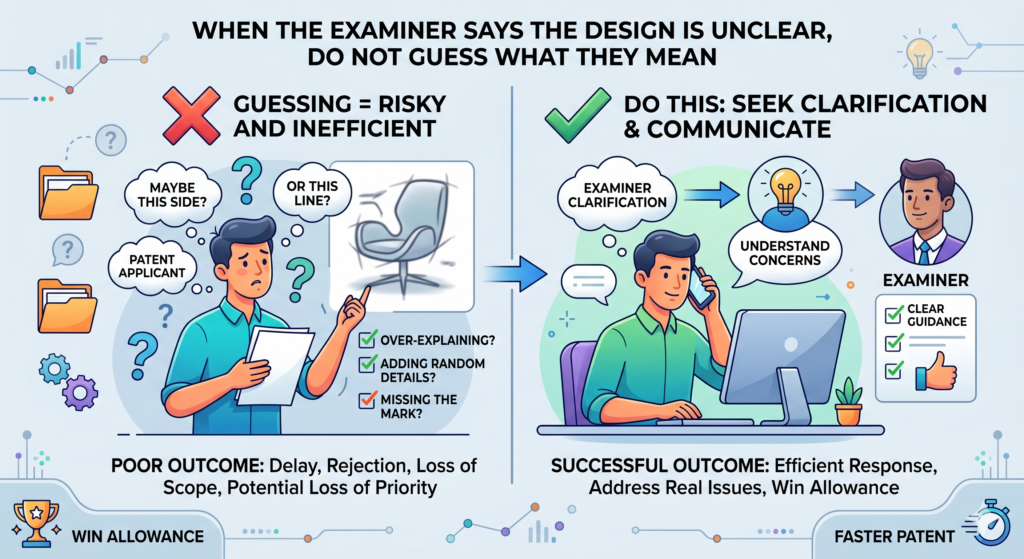
In design patent work, the examiner reads the claim together with the drawings.
The USPTO’s MPEP explains that a design patent application needs a claim in a specific form and that the drawing is an essential part of the application. So when the drawing leaves doubt, the claim can become hard to understand too.
The best fix starts by finding where the eye gets confused
The examiner is not looking at your product the way your team looks at it. Your team already knows the shape, the parts, the use, and the reason the design matters. The examiner only has the record. That means the drawings and text must do all the work.
Start by reading the Office Action with the figures open. Do not read it like a long letter. Read it like a map.
When the examiner names Figure 1, go to Figure 1. When the examiner names a line, edge, surface, broken line, shade mark, or missing view, stop there. Do not keep moving until you see what the examiner sees.
Many unclear-design problems come from one of three places. The views do not match. The boundary of the claimed design is not clear.
Or the line type does not tell the examiner what is claimed and what is not claimed. You do not need to panic when you see this. You need to make the visual story cleaner.
The response should make the design easier to see without changing the design itself
The safest response explains the fix in plain terms. It does not argue for pages when a clean correction will do. If the issue is a mismatch, correct the mismatch.
If the issue is a missing broken-line statement, add a clear statement. If the issue is a surface that looks flat but should show shape, correct the shading only where the original filing supports it.
This is where speed and care have to work together. A fast response that changes too much can hurt the design. A careful response that takes too long can slow the business. The goal is to fix only the part that blocks allowance.
That is also where a founder-friendly workflow helps. PowerPatent gives teams a way to move fast while still having real attorney oversight on the response.
You do not have to turn a drawing issue into a three-month mess. You can see how PowerPatent helps teams protect what they are building here: https://powerpatent.com/how-it-works
When Prior Art Shows Up, Focus on the Visual Difference That Buyers Would Notice
Not every design Office Action is just about formal issues. Sometimes the examiner cites prior art. That means the examiner found an older design that they think may be too close to yours.
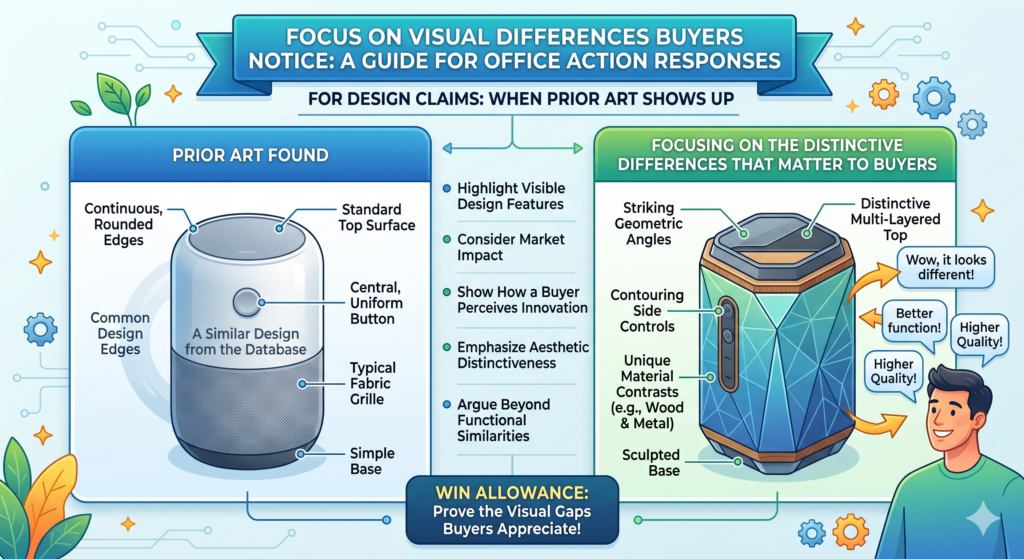
This can feel frustrating, especially when you know your design is different. But the response should not be emotional. It should be visual, calm, and sharp.
For design patents, the fight is usually about the overall look. The examiner is comparing the claimed design to earlier designs. Your job is to show why the visual impression is different enough to support allowance.
The MPEP chapter on design examination covers issues such as novelty, obviousness, and other examination grounds, so a prior art response should stay tied to the actual visual differences in the record.
Do not argue every small difference when one strong visual story is better
A weak response says, “Our design is different because there are many small changes.” Then it names every small detail. That can make the design feel less strong, not more strong. It can sound like the only differences are tiny.
A stronger response builds a visual story. It explains how the overall design looks different when seen as a whole.
Maybe your product has a softer front shape, a different edge flow, a cleaner screen frame, a distinct handle form, or a unique surface pattern. The point is not to bury the examiner in details. The point is to make the key difference easy to see.
This is where founders often have an advantage. You know why customers notice the design. You know what makes the product stand out in a store, on a screen, in a demo, or inside a larger system.
That business insight can help shape the response, as long as the argument stays tied to what is shown in the drawings.
A winning prior art response teaches the examiner where to look
The examiner may have found a reference that looks close at first glance. Your response should help them look again. It should guide the eye to the difference that matters.
Do not use vague words like “unique,” “innovative,” or “premium” as the main argument. Those words may be true, but they do not do the work. Use clear visual words instead.
Talk about shape, contour, proportion, spacing, surface treatment, border width, corner form, visual balance, or arrangement when those things are actually shown in the drawings.
The best response is often short but strong. It says what the cited design shows, what your claimed design shows, and why the two create different visual impressions.
It avoids anger. It avoids marketing claims. It avoids long side stories about how hard the product was to build.
This matters because prior art is not just a legal issue. It is a business signal. If the examiner found something close, your team should understand how close it is.
That can help you decide whether to push the current claim, file a continuation where available, protect another version, or build a wider design filing plan.
PowerPatent helps founders think through that plan with software that makes the process faster and attorney review that helps keep the response grounded.
For teams that need protection without slowing product work, that mix matters. Start here: https://powerpatent.com/how-it-works
Do Not Use the Office Action Response to Fix Your Product Strategy
A design Office Action is not the place to rethink your whole product. It is not the place to add the new version your team just shipped.
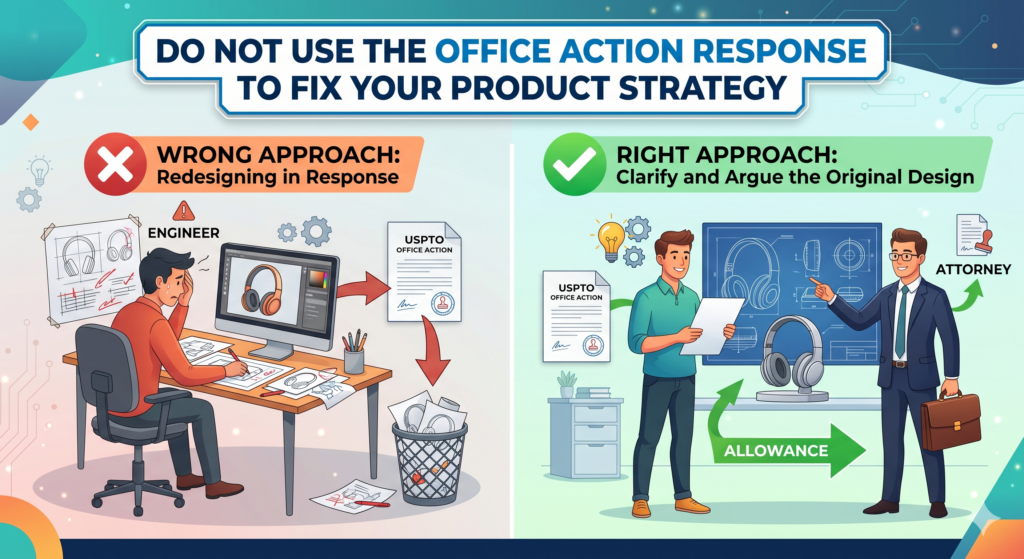
It is not the place to make the design look more like your latest website, app, device, dashboard, case, shell, handle, icon, or package.
That may sound obvious, but it is a common trap. Startups move fast. By the time an Office Action arrives, the product may already look different. The team may want the patent filing to catch up.
But the response has a narrow job. It should answer the examiner based on the application that was already filed.
Keep the patent fix separate from the product update
When a team mixes the two, the response can get messy. The founder wants the patent to cover the new look. The designer wants the drawings to match the latest mockup.
The engineer wants to remove old parts that no longer ship. The examiner, however, is reviewing the filed application.
The smart move is to split the work. First, fix the pending case. Answer the Office Action cleanly. Protect the design that was filed, if it still matters. Then decide whether the newer design should be protected with a fresh filing.
This is especially important for fast-moving areas like user interfaces, AI tools, hardware devices, robotics parts, medical device housings, wearables, industrial systems, and consumer electronics.
A small change in layout, border shape, surface pattern, or product contour can create a different visual design. That new version may be worth protecting, but not by forcing it into the wrong place.
A clean response protects the current case while your next filing protects what changed
Think of each design filing as a snapshot. It captures a look at a point in time. If the look changes in a meaningful way, the next snapshot may need its own filing. That is not a burden when you have a good process. It is how a strong design portfolio gets built.
A single design patent may protect one valuable look. A set of design patents can protect the product family.
That can matter when a competitor tries to copy the face, the shape, the display, the surface, or the part that makes your product feel like yours.
The Office Action response should not carry all of that weight. It should do one job well. It should move the current case toward allowance. Then your broader filing plan can handle the next product version.
This is where PowerPatent is built for real startup life. You can move from invention to filing to response to portfolio planning without getting lost in old-school back-and-forth.
Smart software keeps the work organized. Real patent attorneys help check the moves that matter. See how it works here: https://powerpatent.com/how-it-works
A Short Examiner Interview Can Save Weeks When the Issue Is Narrow
Sometimes the fastest fix is a conversation. If the Office Action turns on a narrow drawing issue, a broken-line question, a figure description problem, or a simple misunderstanding, an examiner interview may help.
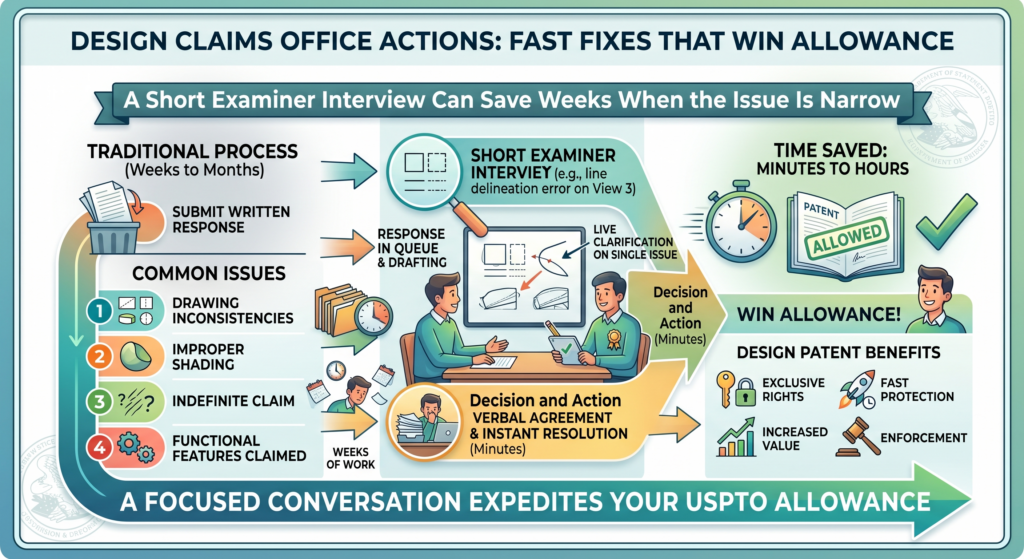
It can clarify what the examiner needs before the written response is filed.
This does not mean every case needs an interview. Some responses are clear enough on paper.
But when the issue is hard to read, or when the examiner’s wording leaves room for two possible fixes, a short interview can prevent wasted effort.
The best interview has one goal and no drama
An examiner interview should not be a debate club. It should have one clear goal. You want to understand the path to allowance or at least narrow the issue. That means the team should prepare before the call.
The best preparation is simple. Know which rejection or objection you want to discuss. Know which figures matter.
Know the fix you are considering. Know what you are not willing to change. If you enter the call without that clarity, the interview can create more confusion.
For a design case, the interview should stay visual. The drawings should be front and center. If the problem is a boundary line, talk about the boundary line.
If the problem is inconsistent shading, talk about the shading. If the problem is prior art, talk about the overall visual impression and the key differences.
The interview should lead to a cleaner written response
The interview itself does not replace the written response. The record still matters.
After the interview, the response should clearly capture the agreed path or the clarified issue. That way, the examiner can review the paper and see that the applicant understood the concern.
This is another place where founders benefit from attorney oversight. A founder may know the product better than anyone, but a patent attorney can help frame the discussion in a way that protects the claim.
The goal is not just to get the examiner to say yes. The goal is to get allowance without giving up more than needed.
A good interview can also reveal when the examiner is open to a simple amendment. That can save time.
It can reduce back-and-forth. It can help the team avoid filing a response that misses the examiner’s real concern.
PowerPatent helps founders keep this process simple, fast, and controlled.
The platform helps organize the Office Action, the drawings, the response plan, and the attorney review so your team can move toward allowance with less stress. Learn more here: https://powerpatent.com/how-it-works
Fix the Title So It Does Not Create a Scope Problem
The title of a design patent application looks small, but it can cause real trouble. It tells the examiner what article the design is for.
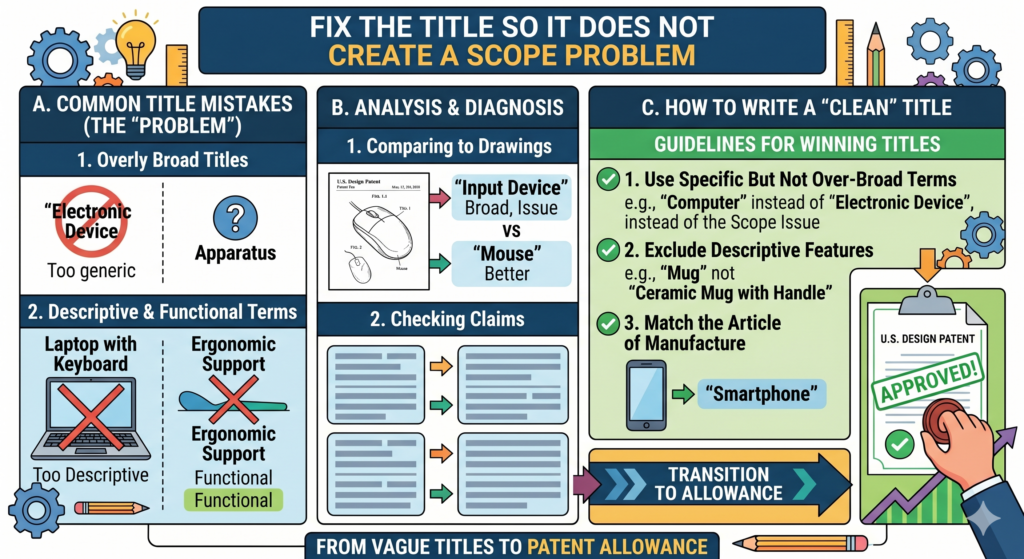
If the title is too vague, too broad, too narrow, or does not match the drawings, the examiner may push back.
A design is not protected in the air. It is tied to an article. That is why the title matters. If your drawings show a medical device housing, but the title says “device,” the examiner may ask for more clarity.
If your drawings show a display screen with a graphical user interface, but the title sounds like a full phone, that mismatch can create delay.
A clear title helps the examiner understand the design faster
The title should name the article in plain words. It should not try to sell the product. It should not include brand names, buzzwords, or features that are not shown. It should be useful, clear, and matched to the drawings.
This is especially important for startups because product names often change. Your team may call the product one thing in the app, another thing in investor decks, and another thing in engineering notes.
That is fine inside the company. But in a design patent filing, loose naming can cause confusion.
For example, if the product is a sensor housing, the title should not drift between “sensor,” “smart node,” “device body,” and “wireless module.”
Those may all feel related, but the patent record should be steady. The examiner should not have to guess whether the design is for the whole product or only one visual part.
The fast fix is to align the title, claim, drawings, and figure text
When a title objection appears, do not treat it as a throwaway issue. Look at the whole file. The title, claim, figure descriptions, broken-line statement, and drawings should all point in the same direction.
If the title needs to be changed, the response should make that change cleanly.
The new title should fit what the drawings actually show. It should not add a new idea. It should not turn a narrow design into a broad one by clever wording. It should simply remove doubt.
This kind of fix can move a case forward quickly because it helps the examiner place the design in the right bucket. It also helps future readers understand the patent.
That can matter later if a competitor copies the product and your team needs to explain what the patent covers.
PowerPatent helps founders avoid this kind of mismatch before it slows the case. The platform helps connect the drawings, title, claim, and attorney review in one cleaner workflow, so your team can move fast without missing details that matter. See how it works here: https://powerpatent.com/how-it-works
Use Amendments Like a Scalpel, Not Like a Hammer
An Office Action response is not the time to make broad, careless changes. Every amendment should have a reason.
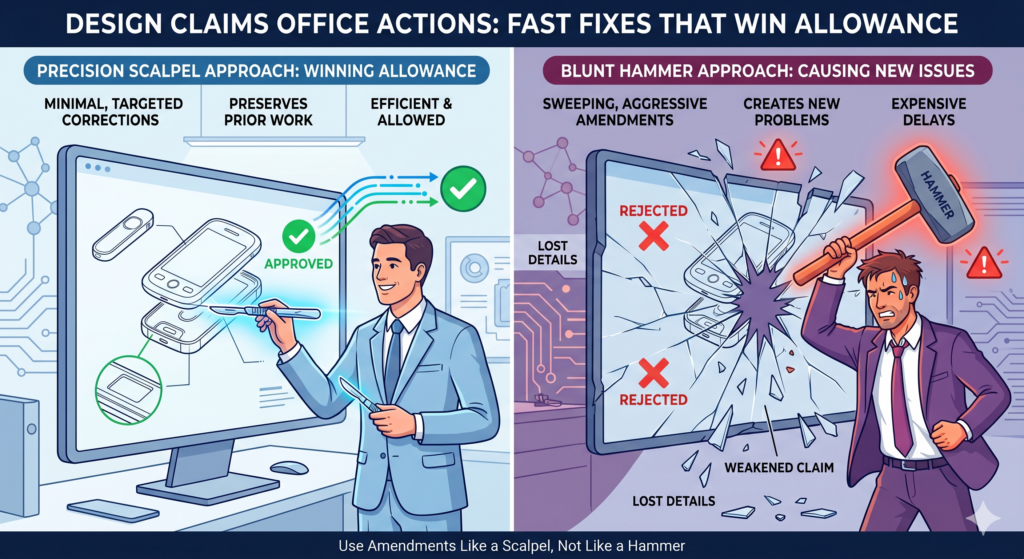
Every change should answer a real issue. If the examiner raises one problem, the response should not rewrite the whole application unless there is a clear need.
This is one of the biggest differences between a rushed response and a strong response. A rushed response tries to fix everything at once. A strong response fixes the issue in front of it and protects the value of the design.
The best amendment is the smallest change that fully solves the problem
A narrow amendment can be powerful. It shows the examiner that you understood the issue. It keeps the record clean.
It lowers the chance of creating new problems. It also helps protect the claim from becoming smaller than it needs to be.
For example, if the examiner objects because a broken-line statement is missing, you may not need to change the claim or redraw every figure. You may only need to add a clear statement explaining what the broken lines show.
If the examiner objects to a figure label, you may only need to correct the figure description. If the examiner points to inconsistent shading, the fix may be limited to that shading, as long as the original filing supports it.
The danger comes when a team treats every Office Action as a full rewrite. That can make the file noisy. It can also send the wrong signal. The examiner may wonder why so much changed if the issue was small.
A precise amendment can help win allowance while keeping protection intact
A good design response is not just about getting to allowance. It is about getting to allowance with useful protection. Those are not always the same thing.
A weak response may get allowed by giving away too much. A strong response gets the case allowed while keeping the claimed design as close as possible to the value the company wanted to protect.
That means you should ask a business question before making a patent change: does this fix protect the look competitors are most likely to copy?
If the answer is yes, the amendment may make sense. If the answer is no, the team should pause and rethink the path. Sometimes the better move is to argue. Sometimes it is to amend.
Sometimes it is to file another design application for a different version. The right move depends on the product, the prior art, and the business goal.
This is why founders should not treat design Office Actions as simple paperwork. They are decision points. They shape the protection your company may rely on later.
PowerPatent brings software speed and attorney oversight together so those decisions are easier to make.
You can keep your team moving while still getting help on the parts where a small mistake can cost real value. Learn more here: https://powerpatent.com/how-it-works
When Shading Causes Trouble, Fix Shape Without Adding Style
Shading in design drawings helps show shape, depth, and surface form. It can show whether a surface is flat, curved, raised, recessed, rounded, or angled.
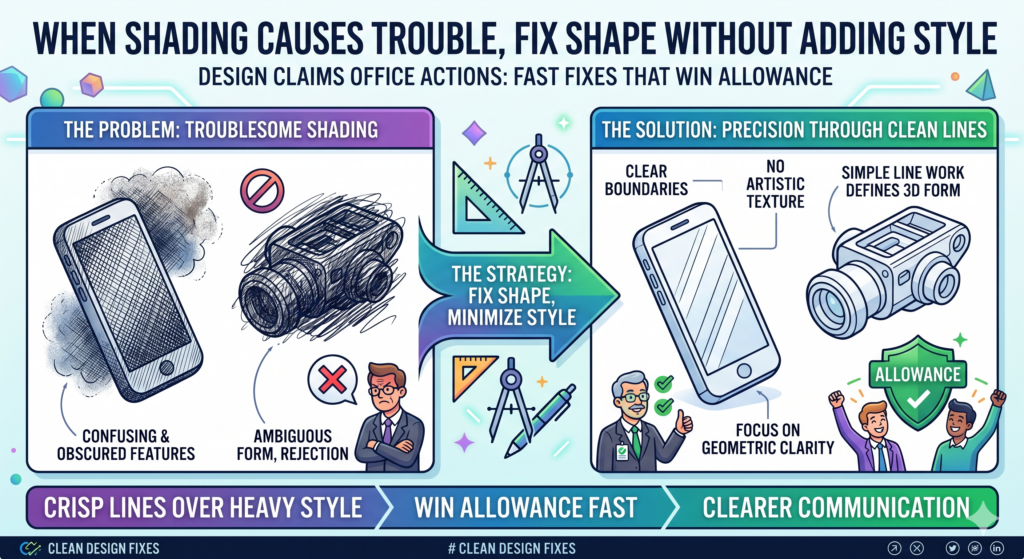
But shading can also create problems when it is missing, uneven, unclear, or inconsistent across views.
A shading objection should not be handled like an art project. The goal is not to make the design look beautiful. The goal is to make the design understandable.
Shading should explain the surface, not decorate the product
In a design patent drawing, shading has a job. It helps the examiner see the form of the design. If shading is too heavy, too light, or inconsistent, it can confuse the record.
A surface may look curved in one view and flat in another. A groove may look like a color stripe. A raised edge may look like a shadow. These small issues can lead to delay.
The first step is to compare the shading across all views. Do the same surfaces look the same? Do curved areas have enough visual information?
Do flat areas stay flat? Do raised areas read as raised? Does the shading match the line work?
The answer should come from the original design, not from a new design choice. A designer may want to improve the look of the drawing by adding more detail.
That can be risky. More detail is not always better. If the detail changes the visual impression or adds a feature that was not supported, it can hurt the case.
The safest shading fix makes the original form easier to see
When responding to a shading issue, the correction should be limited and purposeful. It should show the shape that was already present.
It should not add texture, color, pattern, or ornament unless those things were part of the original claimed design and properly shown.
This matters for modern products. Many startup designs include smooth surfaces, soft corners, glass-like screens, molded housings, slim wearable bands, robotic shells, and clean interface elements.
These designs can be hard to show with simple lines. Shading can help, but only when used with discipline.
A strong response may say that the drawings have been corrected to clarify surface contour. It does not need to make big claims. It should let the corrected drawings do the work.
The key is to avoid turning a shading fix into a scope change. If the design is a simple rounded housing, the shading should show that rounded housing. It should not make the product look like a different model.
If the design is a flat display frame, the shading should not suggest a raised bezel unless that raised bezel was already part of the filed design.
PowerPatent helps teams catch these issues early. It gives founders a cleaner way to review drawings, spot examiner concerns, and move responses through attorney oversight without losing speed. See how it helps here: https://powerpatent.com/how-it-works
If a View Is Missing, Decide Whether It Is Truly Needed Before You Add Anything
Missing-view issues can be tricky. In a design application, the drawings should show the full visual design being claimed.
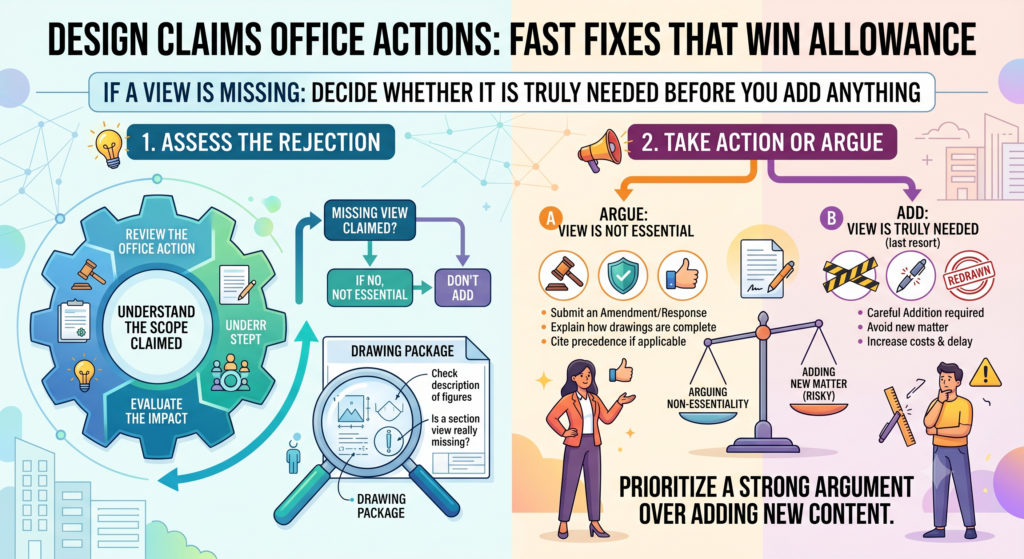
If an examiner believes a view is needed to understand the design, they may object. But the fix is not always to add a new drawing right away.
Before adding anything, ask whether the missing view is needed to understand the claimed design.
Sometimes the view may be unnecessary because it is flat, plain, not visible in normal use, or not part of what is claimed. Other times, the missing view may be needed because the shape cannot be understood without it.
A missing view should be handled with care because new drawings can create risk
Adding a view sounds simple, but it can raise a serious question. Does the added view show something that was already clear from the original filing, or does it introduce new visual information? That difference matters.
If the original drawings already showed enough to support the missing view, adding or correcting the view may be possible.
But if the new view shows details that were not present before, the examiner may treat that as a problem. The response could become harder instead of easier.
This is why the team should not guess. The response plan should start by reviewing the filed drawings as a whole. Look at what each view already shows.
Look at whether the missing side, bottom, back, or top can be understood from the existing figures. Look at whether the claimed part is shown in solid lines and whether unclaimed parts are shown in broken lines.
The cleanest answer may be an explanation, a correction, or a new filing
Sometimes the right fix is to add the missing view. Sometimes the right fix is to explain why the view is not needed. Sometimes the right move is to file a new application for a fuller or updated version of the design.
For example, if the bottom of a product is plain and forms no part of the claimed design, the response may be able to address that directly.
But if the bottom has a unique pattern, port layout, curved base, or visual structure that matters, then ignoring it may weaken the record.
The business goal should guide the choice. If the missing view shows a feature competitors may copy, you want to think carefully before treating it as unimportant.
If the missing view adds nothing to the protected look, you may not want to create new delay by overworking it.
This is where PowerPatent can help founders make a better call. The platform helps organize the drawings and Office Action, while real patent attorneys help decide whether the fix should be an amendment, an explanation, or a fresh filing. You can explore the process here: https://powerpatent.com/how-it-works
Do Not Let a Restriction Issue Catch You Off Guard
Sometimes an Office Action tells you that the application includes more than one design. This can happen when the drawings show different versions, different embodiments, or parts that the examiner sees as separate designs.
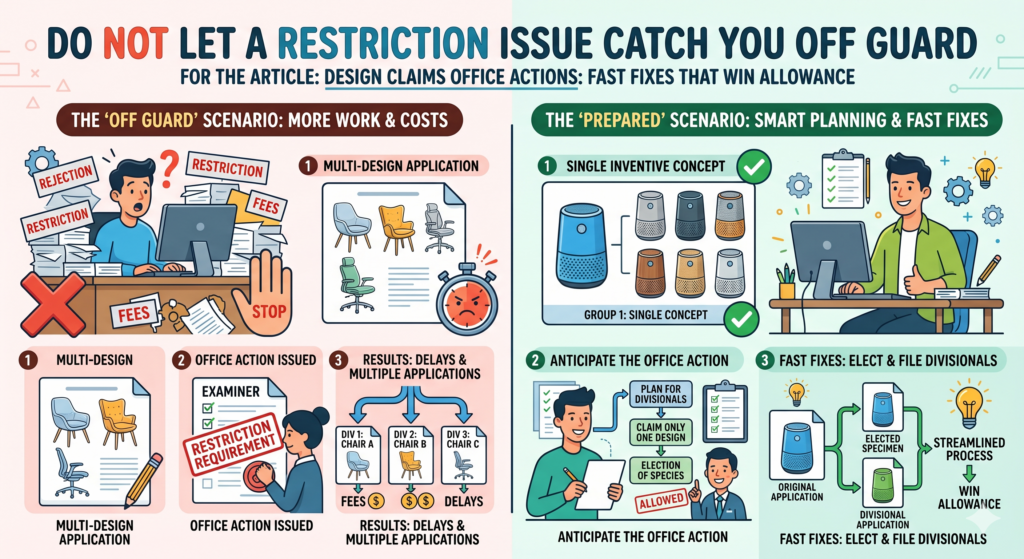
For a startup team, this can feel odd because all the figures may relate to the same product. But in design patent work, small visual changes can matter a lot.
A restriction issue is not always bad news. It may mean you have more than one design worth protecting. The key is to respond in a way that keeps the current case moving while preserving other useful design options when possible.
Choose the design that matters most to the business right now
The first question is not just “Which design can we get allowed fastest?” The better question is “Which design protects the look competitors are most likely to copy?”
That choice should be tied to the product. If one version is the version customers see most often, that may be the right one to pursue first.
If one version protects the core visual feature across several products, that may be more valuable. If one version is already old and no longer used, it may not deserve the same focus.
This is where founders should bring business context into the response. The examiner sees the drawings. Your team sees the market. You know which product face, screen, housing, pattern, icon, or part carries the most value.
A restriction response can also reveal a filing plan
When the examiner says there may be more than one design, do not treat that only as a burden. It may be a sign that you should build a stronger design portfolio.
The elected design can move forward in the current case. Other designs may be pursued separately if they still matter and if the filing path supports it.
This is especially useful for startups with product families. A robotics company may have several shell designs. A medical device company may have different handle forms.
A SaaS company may have multiple interface screens. A hardware team may have variants for different markets or device sizes.
The fast fix is to make a clear election when required, then decide what to do with the non-elected designs. Do not let them disappear by accident. Track them. Review them. Decide whether they should be protected too.
PowerPatent helps teams see these choices clearly. Instead of treating each Office Action as a one-off fire drill, founders can connect the response to the bigger patent plan.
Smart software keeps the work organized, and real patent attorney oversight helps guide the choice. See how it works here: https://powerpatent.com/how-it-works
Make the Response Easy for the Examiner to Allow
A strong response is not just correct. It is easy to review. That matters because examiners handle many cases.
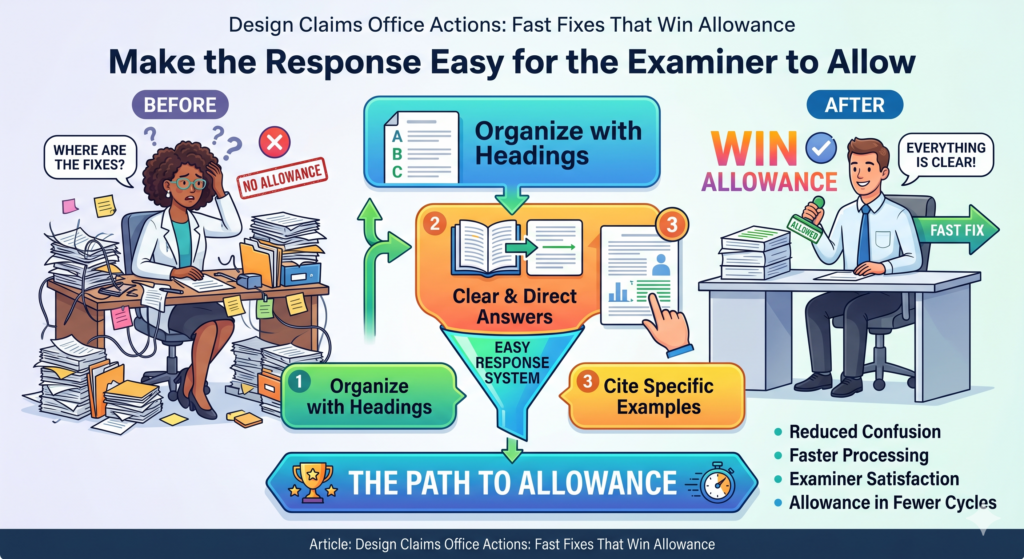
If your response is clear, focused, and tied to the exact issue, you make the examiner’s job easier. That can help the case move faster.
This does not mean you should give up important protection just to be agreeable. It means you should remove friction where friction does not help you.
A messy response can hide a good argument. A clean response can make a simple fix feel obvious.
Lead with the fix, not with a long story
Many Office Action responses start too slowly. They explain the product, the company, the market, the history, and the value of the design before getting to the issue.
That may be useful in a pitch, but it is not usually useful in a design response.
The examiner needs to know what changed, why it answers the concern, and why the claim is now ready for allowance. The response should get there quickly.
If drawings were corrected, say what was corrected. If figure descriptions were amended, say they now match the drawings.
If a broken-line statement was added, explain that it clarifies what is not claimed. If prior art was cited, explain the key visual difference between the claimed design and the reference.
A clean response reduces the chance of a second Office Action
The goal is not to sound clever. The goal is to close the loop. Every examiner concern should be answered.
Every amendment should be supported. Every drawing change should match the text. Every statement should help the record.
Before filing the response, review it from the examiner’s point of view. Can they find the issue? Can they see the fix?
Can they understand why the concern has been addressed? Can they allow the case without guessing?
This final review can catch small problems. A figure number may be wrong. A broken-line statement may refer to the wrong view. A title change may not match the claim.
A drawing sheet may have been corrected while the description stayed old. These are simple errors, but they can cause real delay.
PowerPatent helps reduce that friction by keeping the response workflow clear. Founders do not need to manage scattered drafts, loose drawings, and unclear attorney notes.
The platform brings the key parts together so the team can move toward allowance with more confidence. Learn more here: https://powerpatent.com/how-it-works
Use Prior Art as a Map for Better Future Filings
Prior art in an Office Action can feel like bad news, but it can also be useful. It shows what the examiner thinks is close. That gives your team a better view of the design space. If you use that information well, your next filings can be sharper.
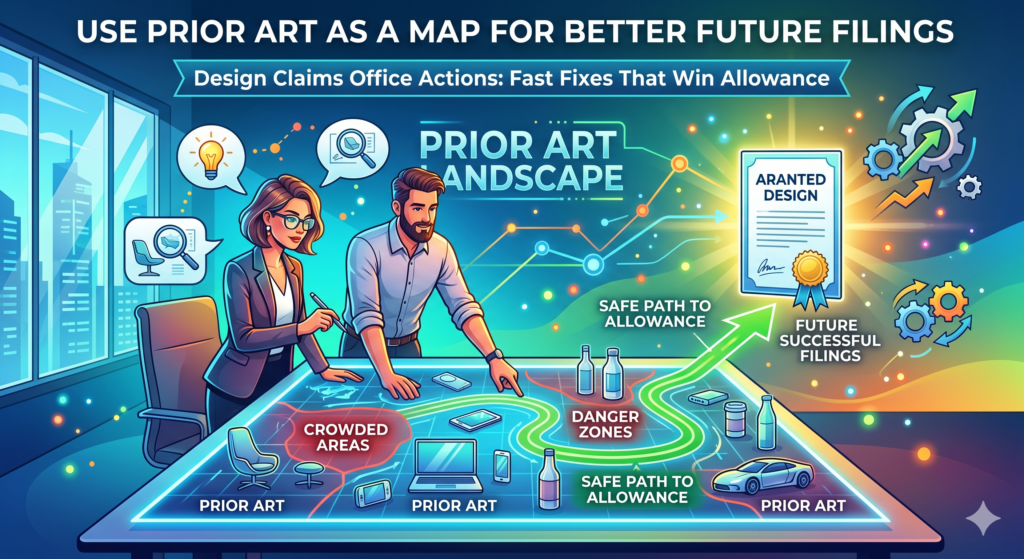
Many teams respond to prior art only for the case in front of them. That is a missed chance. The better move is to learn from it.
Which parts of your design are crowded? Which parts look more open? Which visual features seem to set your product apart? Which parts might need more focused protection in a later filing?
The cited art can show where your design protection should go next
When an examiner cites an older design, study it like a competitor product. Look at the overall shape. Look at the surface details.
Look at the proportions. Look at the areas where the examiner saw overlap. Then compare that to your product roadmap.
This can help you file smarter. If your first design application was broad but the art is close, maybe a later filing should focus on a more distinct visual feature.
If the cited art is weak around a certain surface pattern, frame shape, icon layout, or housing detail, that may be a place to protect more carefully.
This does not mean you should file random design patents. It means you should file around real product value.
Protect the parts customers see, the parts competitors may copy, and the parts that make your product recognizable.
A design Office Action can become a portfolio advantage
A single response may win allowance. A smart review of the Office Action can improve the whole portfolio. That is a better outcome.
For example, if your device has a distinct front face and a distinct side profile, but the current case only claims the full body, you may decide to protect the front face separately.
If your app has a key screen layout and a key icon design, you may decide to file on both. If your hardware part has a unique outer shape and a unique surface texture, those may need separate treatment.
This is how strong design portfolios are built. Not all at once. Not with panic. They are built through careful choices that connect product design, market risk, and patent timing.
PowerPatent helps founders turn these choices into action. You can go from Office Action insight to filing strategy without getting buried in slow, confusing legal process.
The software helps you move faster, and attorney oversight helps keep the filings smart. Start here: https://powerpatent.com/how-it-works
Keep the Founder, Designer, and Attorney in the Same Loop
Design Office Actions often go sideways when the wrong people work in separate silos. The founder knows the business goal.
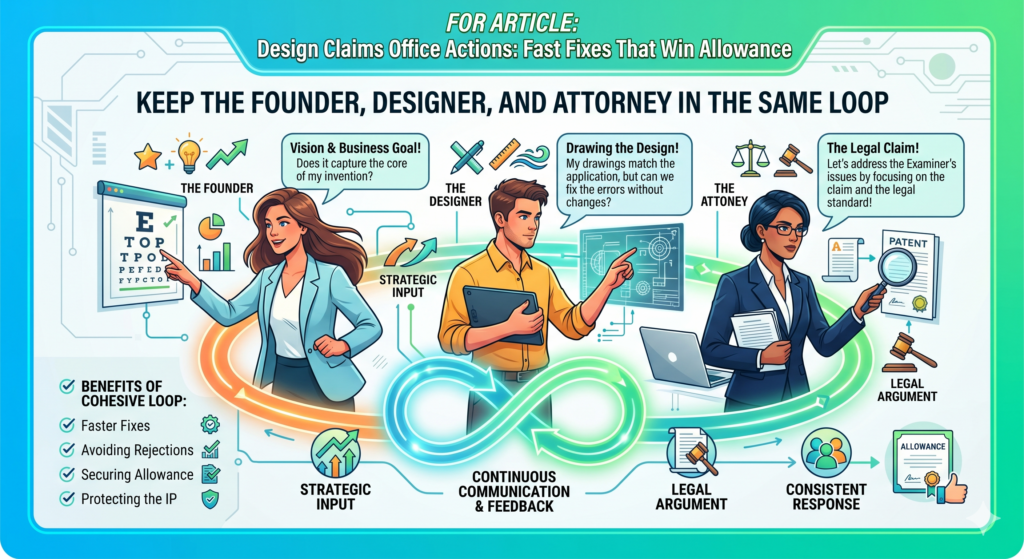
The designer knows the visual details. The attorney knows the patent risk. If those people do not connect, the response can miss something important.
A founder may push for speed. A designer may polish the drawings. An attorney may focus on the record. All three views matter. The best response brings them together without turning the process into a long meeting chain.
The founder should explain what must stay protected
Before anyone edits drawings or words, the founder or product lead should explain what visual feature matters most. Is it the shape of the whole product?
The front face? The screen layout? The pattern? The edge? The housing? The icon? The part competitors are most likely to copy?
That answer helps everyone make better choices. The designer knows what not to change. The attorney knows where scope matters most. The response can stay focused.
Without that answer, the team may fix the Office Action in a way that wins allowance but loses value. That is not the goal. A patent that does not protect the business asset is not a win.
The designer should confirm that the fix still shows the real design
Design patent drawings are technical, but they still need design judgment. A small line change can alter the visual look. A shading fix can make a surface feel different. A broken-line choice can change what appears claimed.
The designer can help confirm whether the corrected drawings still reflect the intended product design.
But the designer should not work alone. They need guidance on what parts are claimed, what parts are not claimed, and what changes could create patent risk.
The attorney then checks whether the response fits the rules, answers the examiner, and avoids avoidable harm. That three-way loop does not need to be slow. It just needs to be clear.
PowerPatent is built for this kind of teamwork. It helps founders, technical teams, and attorneys work from the same source of truth, so IP work does not feel like a black box.
You can see how PowerPatent supports faster, cleaner patent work here: https://powerpatent.com/how-it-works
Build a Response File That Shows Every Fix in One Clean Path
A design Office Action response should not feel scattered. The examiner should not have to jump between unclear drawings, loose comments, and messy edits to figure out what changed. A strong response creates one clean path from the examiner’s concern to your fix.
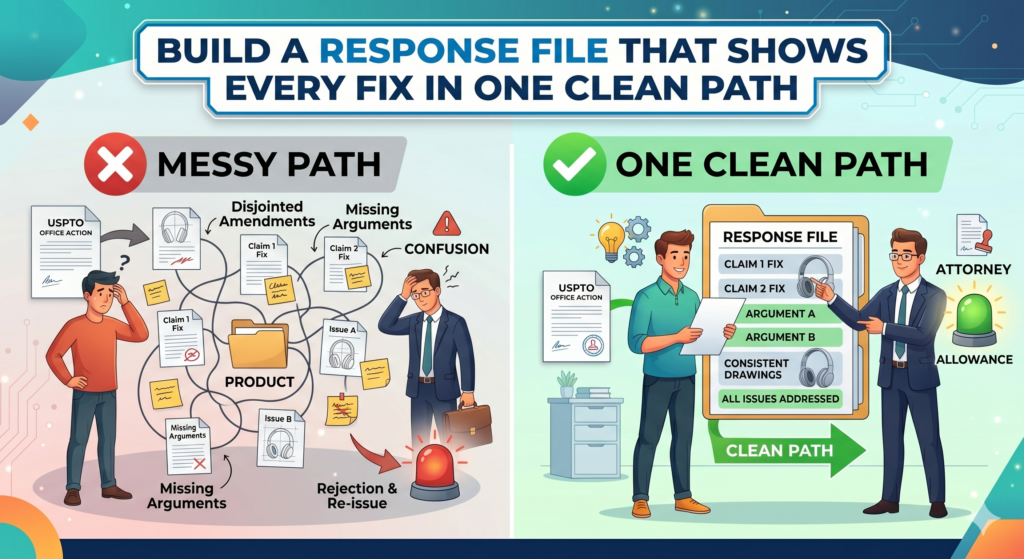
This is where many teams lose time. They make the right correction but present it poorly. The drawings are updated, but the response does not explain the update well.
The claim is amended, but the title still says something different. The broken-line statement is fixed, but one figure description still points the wrong way.
A good response file is built like a clean product handoff. Every part should match. Every change should have a reason. Nothing should feel random.
Your response should make the examiner feel safe saying yes
The examiner needs to know that the issue has been fixed and that the fix does not create a new issue. That is the real job of the response. It is not just to answer. It is to make allowance feel simple.
Start with the exact issue raised in the Office Action. Then show the exact change made to address it. If the drawings were corrected, make sure the replacement drawings are clean and consistent.
If text was amended, make sure it matches the drawings. If an argument was made, keep it tied to the design shown in the figures.
This is especially important when several small issues appear together. A title issue, broken-line issue, and drawing issue may seem separate, but they often connect.
If you fix only one part, the others may still leave doubt. If you fix all of them in a clean way, the whole case can move.
The response should remove friction without making broad promises
Founders are often tempted to explain too much. They want to tell the full story of the product, the design process, and the company’s mission. That story may be powerful, but it usually does not belong in a design Office Action response.
The response should stay close to the record. It should say what was fixed. It should explain why the examiner’s concern is now resolved.
It should avoid broad claims about the product being new, better, first, revolutionary, or unlike anything else unless that point is directly tied to a needed visual argument.
A response that says too much can create future problems. A response that says too little can leave the examiner unsure. The best path sits in the middle. Clear. Direct. Calm. Complete.
PowerPatent helps founders build this kind of cleaner response process. The software helps keep the pieces organized, while real patent attorney oversight helps make sure the fixes are smart, not just fast. See how PowerPatent helps here: https://powerpatent.com/how-it-works
Know When to Argue and When to Amend
Not every Office Action should be handled the same way. Sometimes the fastest path is to amend.
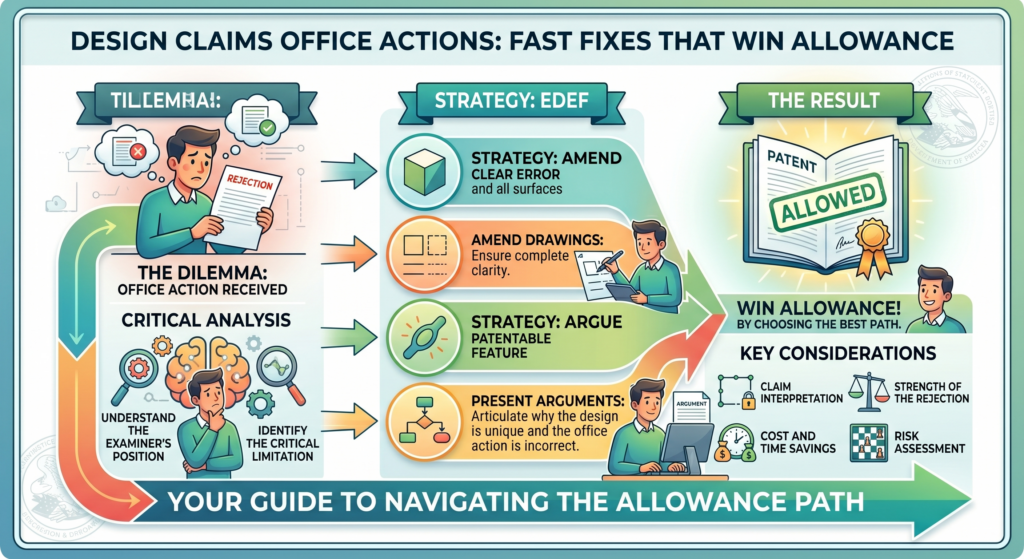
Sometimes the strongest path is to argue. Sometimes you need both. The mistake is picking a path before you understand the real issue.
An amendment changes something in the file. An argument explains why the examiner should withdraw the issue based on what is already there.
Both can work. Both can fail. The right choice depends on the drawings, the claim, the prior art, and the business value of the design.
If the examiner found a real clarity issue, an amendment may be the cleanest fix. If the examiner misunderstood the design, an argument may be better.
If the examiner cited close prior art, the response may need a careful visual argument instead of a quick narrowing move.
Do not amend just because it feels easier
Amending can feel safe because it looks like action. You are changing something. You are giving the examiner a fix. But a fast amendment can give away more than needed.
For example, if the examiner says a line is unclear, you may not need to disclaim a large part of the design.
If the examiner cites prior art, you may not need to narrow the claim to one tiny feature. If the examiner asks about a view, you may not need to add visual material that creates new risk.
The better question is simple. Can the issue be solved by explaining the existing record? If yes, an argument may protect more value. If no, then a careful amendment may be needed.
A good argument helps the examiner see what was already there
A strong argument is not loud. It is clear. It points to the drawings and shows why the examiner’s concern should not block allowance.
If the examiner says two views conflict, but the difference is only a normal perspective effect, the response can explain that.
If the examiner reads a broken line as claimed, but the description already says it is unclaimed, the response can point that out.
If the examiner says the prior art is close, but the overall visual impression is different, the response can guide the eye to that difference.
The best arguments are easy to follow. They do not insult the examiner. They do not overstate the case.
They do not make the design sound more limited than it needs to be. They simply show why the application is ready to move forward.
This is where PowerPatent’s model gives founders an edge. You get speed from smart software, but you also get attorney review where judgment matters.
That is important because the choice between argument and amendment can shape the value of the allowed design. Learn more here: https://powerpatent.com/how-it-works
Conclusion
A design claim Office Action is not a dead end. It is a chance to clean the record, sharpen the claim, and move closer to allowance without giving away the look that makes your product valuable.