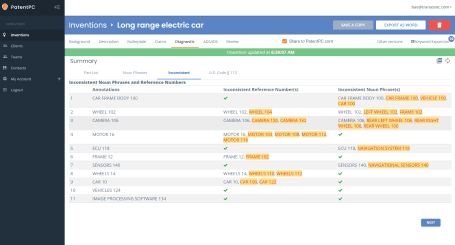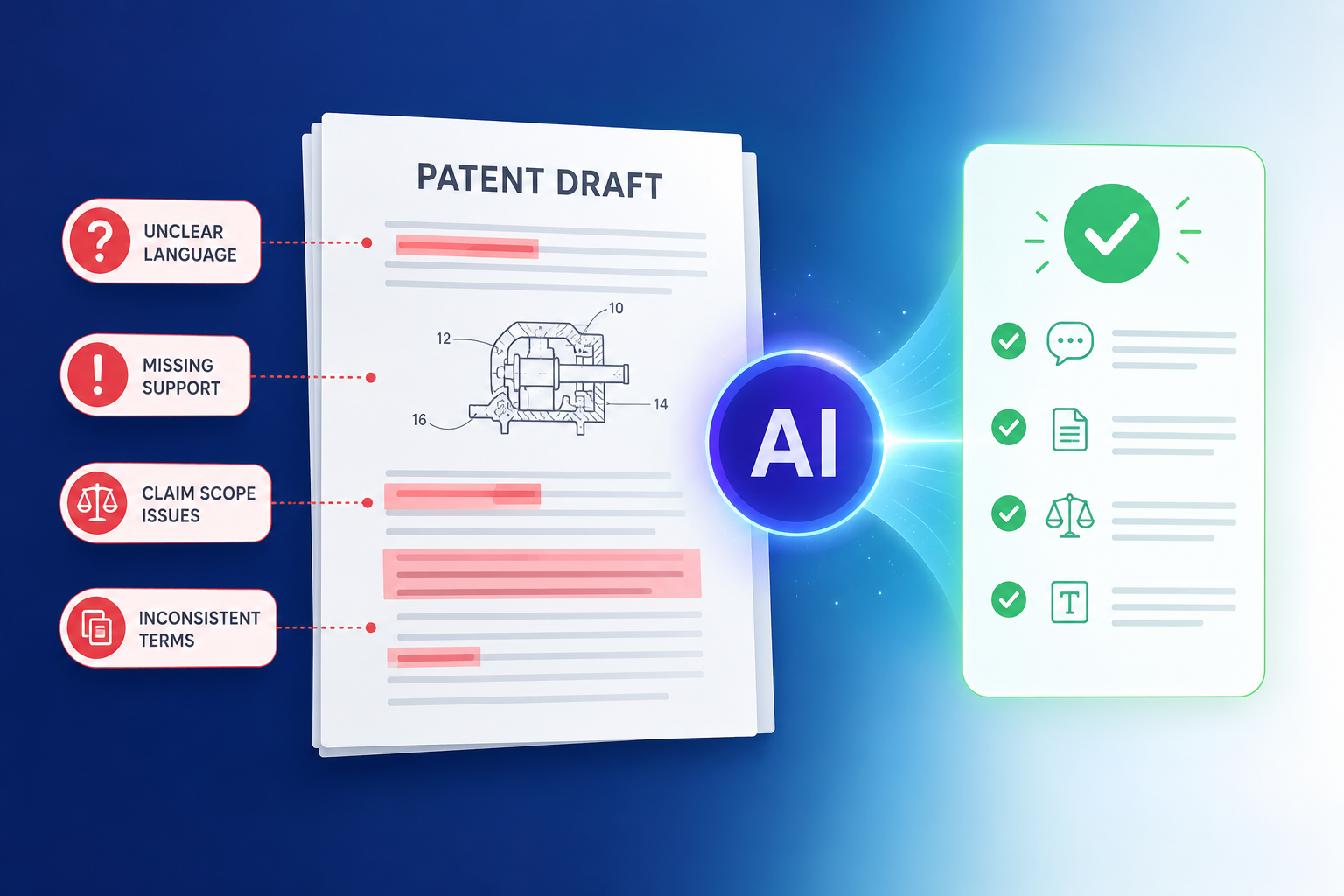
A patent draft is not just a stack of words. It is the story of your invention, the map of how it works, and the shield that may protect your startup later. PowerPatent brings smart AI tools together with real attorney oversight, so your invention can move from idea to stronger patent draft with less friction. You can see how the process works here: https://powerpatent.com/how-it-works
AI can catch claim terms that do not match the rest of the draft
A patent claim is the part of the draft that defines what you are trying to protect. It is the part people fight over later. It is also the part where small wording errors can do a lot of damage.
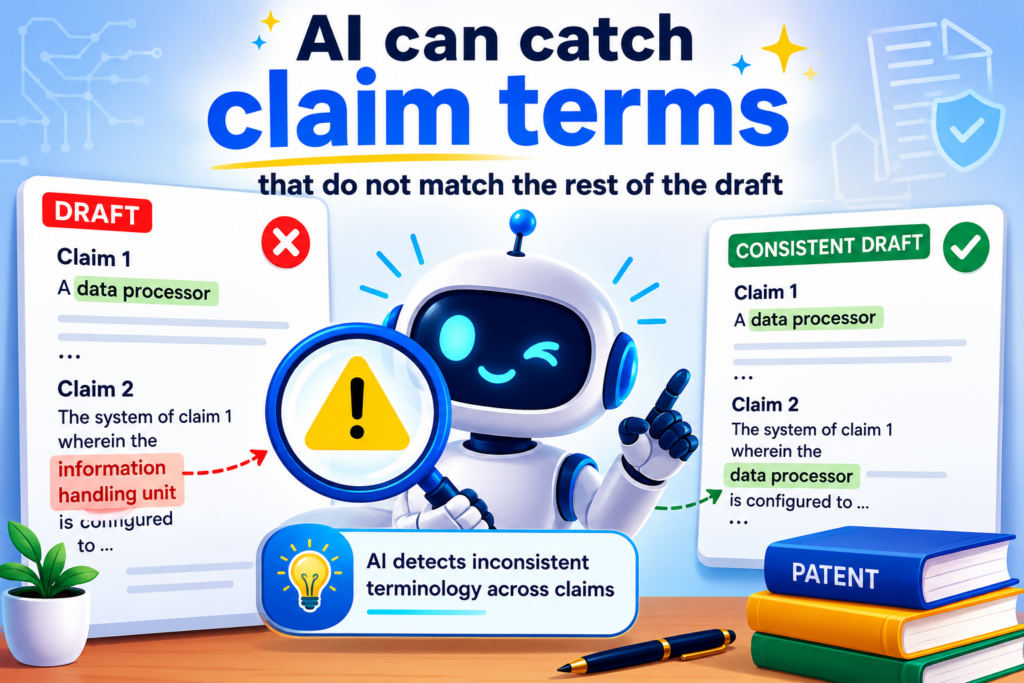
For a founder, this can feel strange. You may think the hard part is explaining the invention. But in patent work, the hard part is making sure every key word is used the right way, in the right place, across the whole draft.
A single term can create confusion if it changes from one section to another. Maybe the claims say “prediction engine,” the description says “machine learning module,” and the drawings call it an “analytics system.”
These may all point to the same thing in your mind. But a reviewer, investor, buyer, or later opponent may not see it that way.
AI can scan the draft fast and flag places where the same part has different names. It can also spot terms that appear in the claims but are not explained well in the body of the draft. This is a simple check, but it can save a lot of pain.
Claim words must stay steady from start to finish
When claim words shift, the draft can become weaker. The invention may look less clear than it really is. The patent office may ask more questions. Your attorney may need more time to clean it up. That means delay, cost, and lost focus.
For example, say your startup built a new way to route data between edge devices. Your claim uses the phrase “adaptive routing layer.” Later, the draft calls the same thing a “network control unit.”
Then the drawing label says “path selector.” These names may all sound useful, but they create noise.
AI can compare the claims, drawings, and written description at scale. It can flag the mismatch and ask whether these are the same item or different items.
That gives the founder and attorney a chance to fix the language before the draft moves forward.
This matters because strong patents are not just broad. They are clear. A broad claim that is unclear can create trouble. A clear claim that is tied to the invention story gives your attorney a better base to work from.
The fast fix is to build a clean term map
A term map is a simple table of the main parts of the invention and the exact names used for them. It does not need to be fancy. It just needs to be steady.
For each key part, choose one name and use that name everywhere unless there is a real reason to use a different one.
If your invention has a “training module,” do not call it a “learning unit” later unless that is truly a separate piece. If your draft uses “sensor signal,” do not switch to “input stream” without explaining the link.
AI is useful here because it does not get tired. It can read the whole draft and find small shifts that a busy team may miss.
Then a real patent attorney can decide what changes matter and what wording gives the best protection.
This is one place where PowerPatent helps founders move faster without losing control.
Smart software can catch the pattern issues early, while real attorney review helps make sure the final language supports the business goal. You can see how that works here: https://powerpatent.com/how-it-works
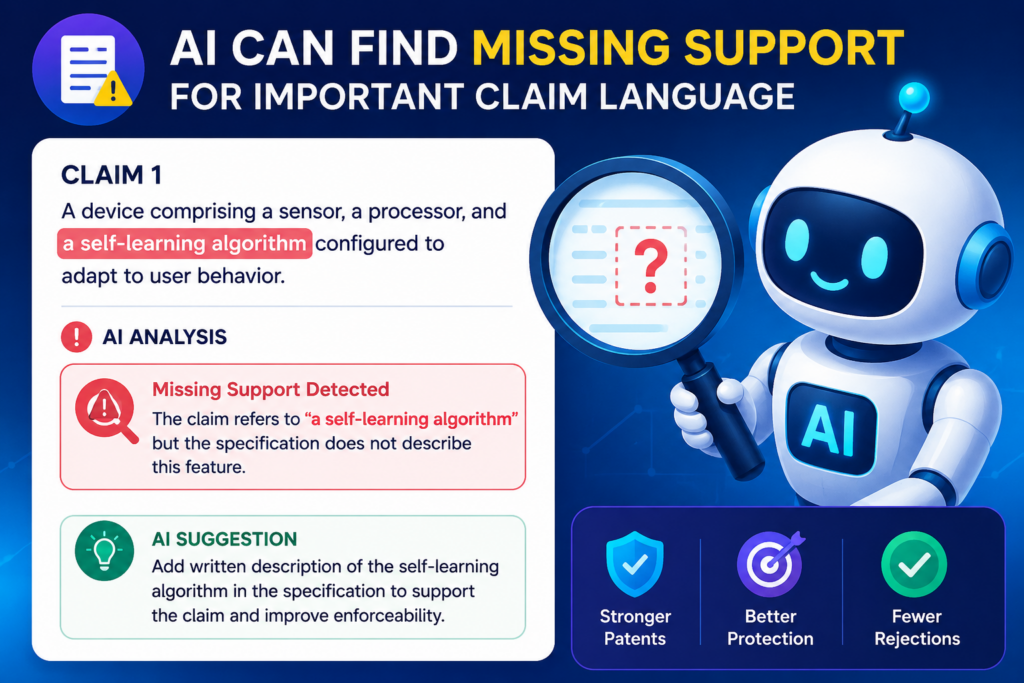
AI can find missing support for important claim language
A claim should not float by itself. The rest of the patent draft should support it. If the claims say the invention does something, the description should explain how it does that thing.
This is where many drafts get weak.
A founder may describe the big idea clearly, but skip the small steps that make the idea work. An engineer may explain the system in code terms, but not in a way that maps cleanly to the claim.
A rushed draft may include strong claim language that sounds good, yet the body of the draft may not give enough detail to back it up.
AI can help by checking whether each important claim phrase is explained in the written description. It can also flag broad words that may need more examples.
Strong claims need a strong trail behind them
Think of each claim as a promise. The draft needs to show why that promise is fair. If the claim says the system “detects abnormal model behavior,” the description should explain what abnormal means, what signals are checked, how the system detects it, and what happens after detection.
A thin draft may only say that the system detects abnormal behavior. That may feel enough during a fast filing push, but it can leave gaps. Later, those gaps may matter.
AI can highlight claim phrases like “automatically selecting,” “securely updating,” “reducing latency,” “generating a confidence score,” or “training a model based on live feedback.”
Then it can search the draft for support. If the phrase appears only in the claim and nowhere else, that is a warning sign.
This does not mean the claim is wrong. It means the draft may need more detail.
The fast fix is to explain the how, not just the result
A common patent drafting error is describing the outcome but not the path. The draft says the system makes things faster, safer, smarter, or more accurate. But it does not explain enough about how the system gets there.
Founders should pressure test every key claim phrase with one simple question: could a smart engineer understand how this feature works from the draft alone?
If the answer is no, the draft needs more support.
For software and AI inventions, this often means adding the data flow, the decision steps, the model inputs, the system outputs, and a few clear examples.
You do not need to reveal private code line by line. You do need to explain the invention in a way that gives the patent draft real substance.
AI is great at finding thin spots. It can say, in effect, “This claim talks about dynamic thresholding, but the draft does not explain how the threshold is set.”
That kind of early warning helps your attorney focus on the right fixes instead of hunting through the document by hand.
PowerPatent is built for this kind of founder-friendly workflow. You bring the invention details. The software helps organize and check them.
Real patent attorneys help shape the draft into something stronger. Learn more here: https://powerpatent.com/how-it-works
AI can catch drawing label errors before they slow the draft down
Drawings matter more than many founders think. Even for software, AI, chips, robotics, sensors, and cloud tools, drawings help show how the invention fits together.
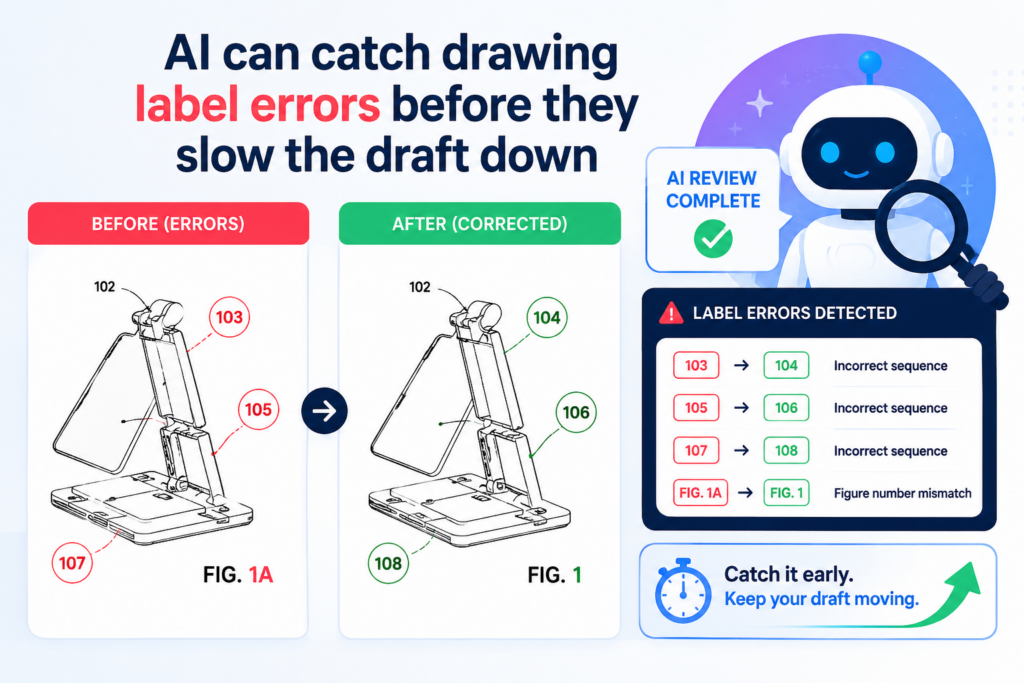
A patent drawing is not just art. It is a map. The labels in that map need to match the words in the draft. When they do not match, the draft can feel messy. It may also create extra work during review.
AI can catch drawing label errors quickly because it can compare the labels used in the figures with the labels used in the written description and claims.
A small label mismatch can create a big mess
Imagine a figure shows “data processor 120.” The written description talks about “model processor 120.”
The claim talks about “inference processor.” The founder may know all three mean the same thing. But the draft does not make that clear.
Now imagine this happens ten times across a long filing. One module has two names. One number is reused by mistake. One arrow is described in the wrong direction.
One figure label appears in the drawing but never appears in the text. None of these errors may seem dramatic alone. Together, they make the draft harder to trust.
AI can scan for figure numbers, part labels, and reference numbers. It can flag missing labels, repeated numbers, and parts that are named in a figure but not described. It can also catch text that refers to “FIG. 4” when the described feature is really in “FIG. 5.”
That is not glamorous work. But it is exactly the kind of work that saves time.
The fast fix is to check every figure against the story
Every figure should earn its place. It should help explain the invention. If a figure shows a system, the text should walk through the key parts.
If a figure shows a method, the text should explain the steps in order. If a figure shows a user interface, the text should explain what the interface does and why it matters.
AI can make this review much faster. It can take each figure reference and ask whether the draft explains it clearly.
It can flag orphan labels. It can point out when a method step appears in a figure but not in the method description.
This is useful for founders because drawing issues often show up late. Late fixes are painful. They cause back-and-forth. They break flow. They pull engineers into cleanup when they should be building.
A better approach is to catch these issues while the draft is still easy to edit. That is where AI can give you speed without lowering quality.
AI can detect unclear links between the problem and the invention
A strong patent draft should make the invention feel needed. It should explain the problem in plain terms, then show how the invention solves it.
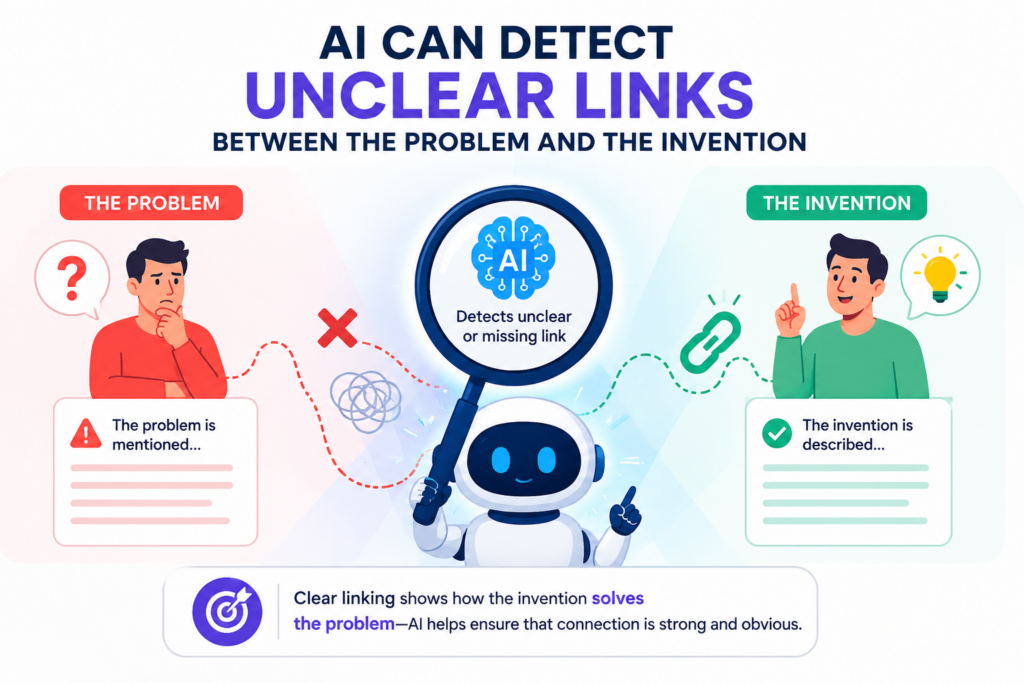
Many drafts fail here. They describe the invention, but the problem feels vague. Or they describe a broad market pain, but not the technical problem the invention solves.
This is common in startup drafts because founders often speak in product language. Patent drafts need a cleaner link between the pain and the technical fix.
AI can help spot weak links between the background, summary, claims, and detailed description. It can show where the draft says the invention improves something without clearly saying what was wrong before.
The draft should make the invention feel obvious after the fact
This sounds strange, but a good draft often makes the reader think, “Of course this system should work this way.” The draft should guide the reader from pain to solution with no sudden jump.
For example, a founder may write that current systems are too slow. That is a start, but it is not enough. Slow in what way? Slow during model training? Slow during edge inference?
Slow when syncing data across devices? Slow because of memory limits? Slow because of network delay?
The stronger draft names the real bottleneck. Then it shows the part of the invention that removes or reduces that bottleneck.
AI can flag vague phrases like “better performance,” “improved accuracy,” “enhanced security,” or “more efficient processing.” These words are not bad, but they need backup.
The draft should explain what is better, how it is measured, and what design choice creates the gain.
The fast fix is to tie each benefit to a feature
Every major benefit in the draft should point back to a feature. If the draft says the invention reduces delay, it should name the part that reduces delay.
If it says the invention improves security, it should explain the security step. If it says the invention saves compute, it should show where compute is avoided.
This keeps the draft honest and useful. It also gives your attorney more raw material for stronger claims.
For founders, this exercise can also sharpen the company story. A cleaner invention story helps with patents, investor talks, customer talks, and internal product thinking.
When you can explain what is broken and how your system fixes it, your IP story becomes much stronger.
PowerPatent helps turn scattered technical notes into a clearer invention record, with AI support and attorney review working together. That means less guesswork and fewer missed details. See the process here: https://powerpatent.com/how-it-works
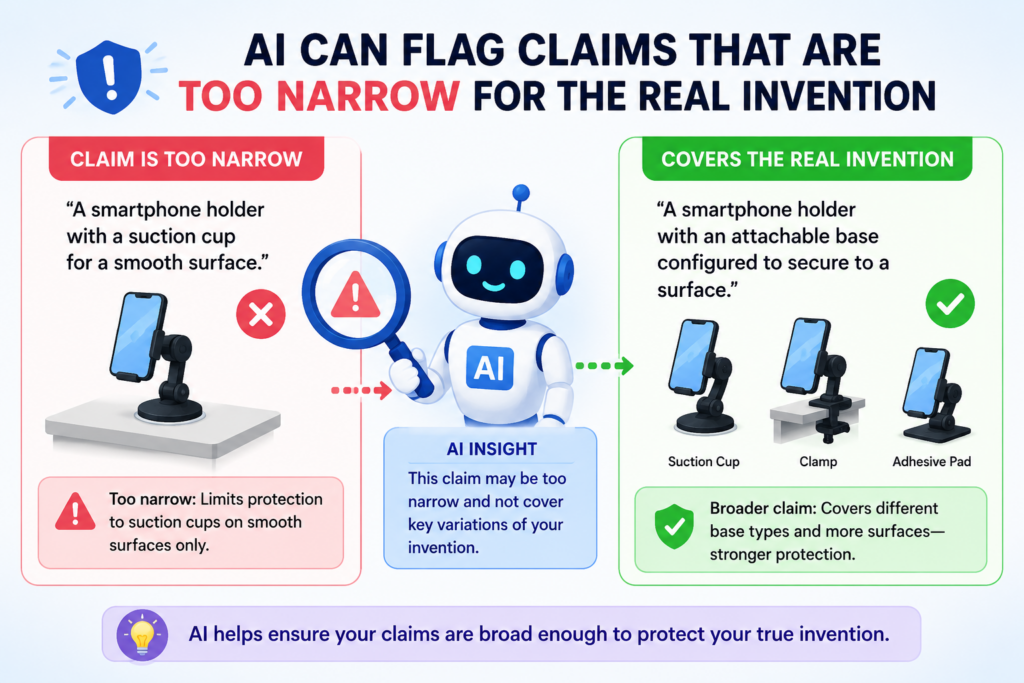
AI can flag claims that are too narrow for the real invention
One of the most costly drafting errors is making claims too narrow by accident. This can happen when a draft copies the exact product version instead of protecting the bigger invention behind it.
Startups move fast. The first version of a product is rarely the final version.
If your patent only protects the first version, you may leave future versions exposed. You may also make it easier for others to design around your work.
AI can help by finding claim language that may be locked to one tool, one setting, one data type, one hardware layout, or one workflow when the invention is actually broader.
Product details can quietly shrink patent coverage
Engineers often explain inventions through the system they already built. That is natural. The working product is real. It has names, screens, modules, settings, and code paths.
But the patent draft should often protect more than the current product screen or code path. It should capture the useful idea in a way that still fits the invention but does not trap it inside one version.
For example, your current system may use a camera sensor. But the real invention may work with other image sources too. Your current model may use a certain neural network type.
But the real invention may be about how training data is filtered before model update. Your current platform may run in the cloud. But the key method may also work at the edge.
AI can flag overly specific terms and ask whether they are required. Words like “camera,” “mobile phone,” “JSON file,” “Bluetooth,” “daily,” “Python script,” or “convolutional model” may be right in some cases. In other cases, they may be narrower than needed.
The fast fix is to separate the must-have parts from the example parts
A strong draft makes a clear split between what the invention needs and what is just one way to build it. This is one of the most valuable habits a founder can bring into the patent process.
Ask this question for each major feature: does the invention fail without this part, or is this only one version?
If the invention needs a sensor, say that. If the invention can use many kinds of sensors, the draft should say that too. If the invention needs a model score, explain that.
If the score can be made by several model types, do not trap the draft inside one model unless there is a good reason.
AI can help create this separation by spotting rigid words and suggesting where examples should be framed as examples.
Then a real patent attorney can decide how broad the language should be while keeping the draft grounded.
This is the kind of work that helps founders avoid one of the worst outcomes: filing a patent that describes the product, but misses the invention.
I can catch claims that are too broad without enough detail
There is another side to the same problem. Some drafts are not too narrow. They are too broad too soon.
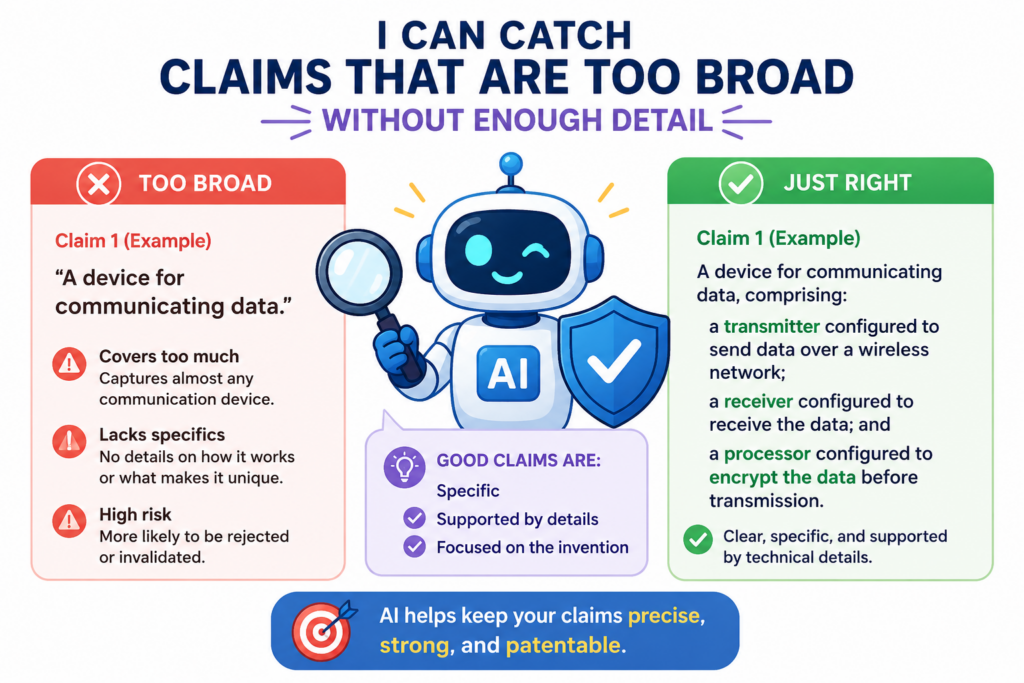
A broad claim can sound powerful. It may feel like you are protecting everything. But if the claim reaches beyond what the draft supports, it can create trouble.
The patent office may push back. The claim may need heavy edits. The process may slow down. Worse, the final patent may end up weaker than it could have been with a cleaner start.
AI can help flag broad language that needs more support, more examples, or a clearer link to the actual invention.
Broad language must still be rooted in the real system
A claim that says “using artificial intelligence to optimize a process” is usually too vague by itself. What process? What input data? What model output? What decision is made? What changes because of that decision?
A draft that says “a system for improving cybersecurity” may sound valuable, but it needs much more.
It should explain the signal being watched, the threat pattern, the detection method, the response, and the part that makes the system different from normal tools.
AI can catch phrases that may be too general. It can flag words like “optimize,” “improve,” “automate,” “intelligently,” or “secure” when the draft does not explain the mechanics behind them.
This is not about making the draft smaller. It is about making it stronger. Broad protection works best when the draft has enough depth to hold it up.
The fast fix is to add concrete examples without giving up scope
Founders sometimes worry that examples will limit the patent. Used the right way, examples can do the opposite. They can help show different ways the invention can work.
For instance, if your invention ranks data streams based on risk, the draft can explain one example using medical device signals, another using factory sensors, and another using cloud logs.
The key is to show that the core method is not tied to one narrow use case.
AI can help find where examples are missing. It can also help compare the claim language against the examples to see whether the draft supports the full range of what you want to protect.
Real attorney oversight is still key here. AI can flag the issue, but a patent attorney helps decide how to shape the claim so it is broad, clear, and defensible.
For technical founders, this is where the right process matters. You do not want a draft that sounds big but collapses under review. You want a draft that is wide enough to matter and detailed enough to stand.
PowerPatent combines smart checks with attorney guidance so founders can move faster with more confidence. Explore it here: https://powerpatent.com/how-it-works
AI can spot missing steps in method claims before they become weak spots
Method claims are common in software, AI, robotics, medical tech, fintech, and data systems.
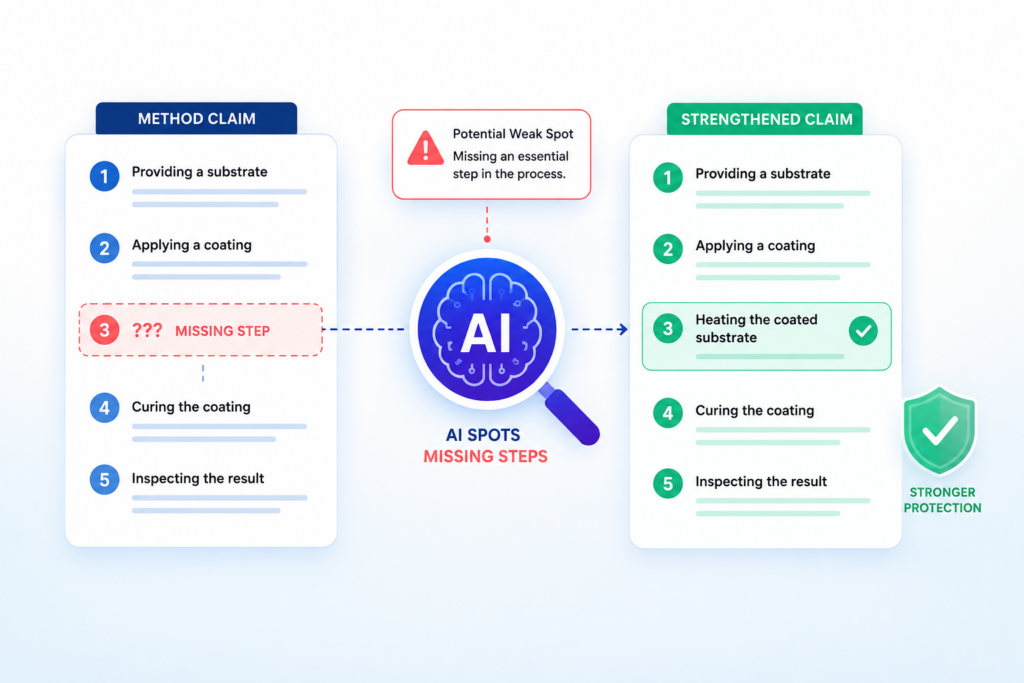
They describe the steps your invention performs. When they are done well, they make the invention easier to understand and harder to copy without risk.
The problem is that method claims often skip steps. The draft may jump from input to output without saying what happens in the middle.
That gap may seem small to the team because everyone knows how the product works. But a patent draft cannot depend on inside knowledge.
AI can scan the claim and compare it with the description to find missing actions. It can ask whether data is received, cleaned, ranked, stored, tested, updated, sent, or displayed.
It can also catch when the claim mentions a result but never explains the steps that create that result.
A method claim should move like a clean workflow
A strong method claim has a clear flow. It should feel like a real process, not a loose group of ideas. One step should lead to the next.
The reader should understand what starts the process, what changes during the process, and what comes out at the end.
For example, a weak claim may say the system receives sensor data and generates a risk score. That may be true, but it does not explain enough. What happens to the sensor data? Is it filtered? Is it compared to past data? Is a model used? Is the score adjusted based on context? Is an alert sent only when a rule is met?
AI can flag this kind of leap. It can point out that the draft jumps from raw data to a final score without enough middle steps.
That gives your team a chance to fill in the real workflow before the draft is reviewed more deeply.
The goal is not to make the claim long for no reason. The goal is to make the core path clear.
The fast fix is to write the invention as a chain of cause and effect
A useful way to fix missing steps is to write the invention like a chain. This happens, so the system does that. Then this value changes, so the system takes the next action. Then the result is sent, stored, displayed, or used.
This simple habit helps founders explain the invention in a way that makes sense to both AI tools and patent attorneys. It also helps remove vague jumps.
AI can review the draft and mark where the chain breaks. A real attorney can then decide whether the missing step belongs in the claim, the description, or both.
PowerPatent is built to help founders turn raw invention notes into this kind of clear workflow. You can see how smart software and real attorney oversight work together here: https://powerpatent.com/how-it-works
AI can catch claim dependencies that do not make sense
Dependent claims are claims that add more detail to another claim. They often protect backup versions of the invention. When used well, they give your patent draft more depth.
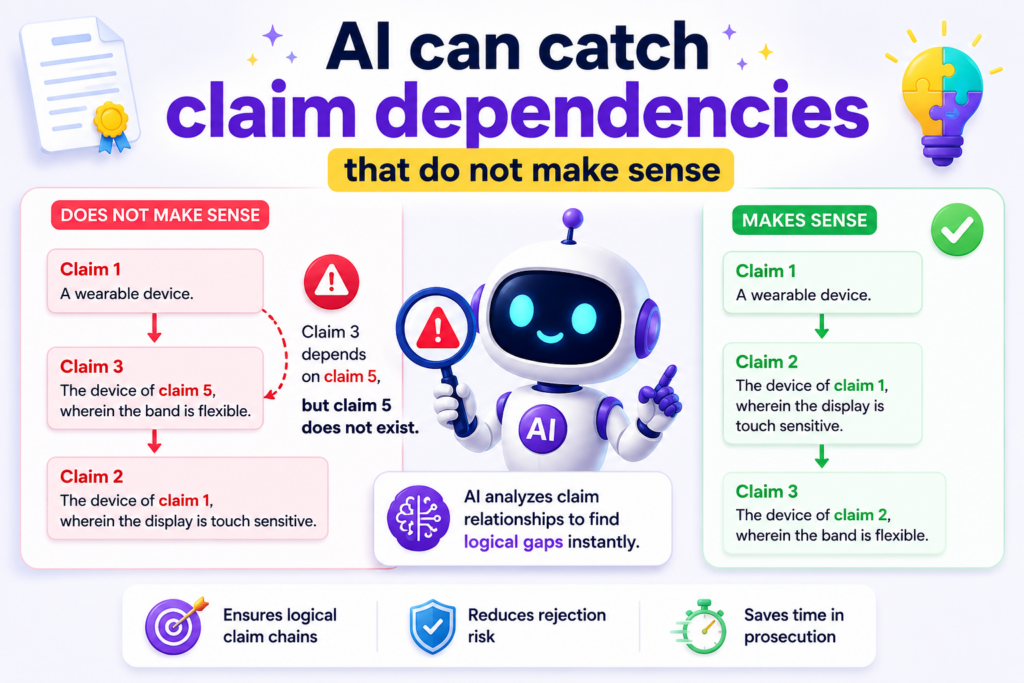
But they are easy to mess up.
A dependent claim may refer to the wrong earlier claim. It may add a feature that does not fit with the claim it depends on.
It may repeat something already stated. It may narrow the invention in a way that was not intended.
These errors are common because claims are often edited many times. A claim that made sense yesterday may stop making sense after the attorney changes the claim order or moves a feature to a different place.
Dependency errors can hide in plain sight
A founder may not notice a dependency problem because the claim still sounds technical. The words look polished. The format looks normal. But the logic may be broken.
For example, claim 8 may depend from claim 3, but claim 3 is about training a model while claim 8 is about displaying a user alert.
Maybe claim 8 should depend from claim 6 instead. Or maybe claim 8 should stand in a different branch of the claim set.
AI can check these links very quickly. It can trace what each claim depends on and show whether the added feature fits the earlier claim. It can also flag when two dependent claims say nearly the same thing in different words.
This helps attorneys clean up the structure faster. It also helps founders understand how different parts of the invention are being protected.
A clear claim tree matters because a messy one can weaken the draft. It may also make review slower and more expensive.
The fast fix is to test each dependent claim as a natural sentence
A simple test can catch many problems. Read the independent claim, then add the dependent claim language to it. If the combined sentence sounds broken, unclear, or mismatched, something needs attention.
AI can do this at scale. It can create a plain-language view of the claim tree and show where the logic does not flow.
This is especially helpful in large drafts where there may be twenty or more claims with several branches.
The founder does not need to become a patent expert. The founder just needs to know when the draft is telling a clear story and when it is not.
This is where PowerPatent can make the process feel less like a black box. The platform helps surface issues early so attorney time can be spent on strategy, not simple cleanup. Learn more here: https://powerpatent.com/how-it-works
AI can find repeated text that adds noise instead of value
Patent drafts often include repeated language. Some repetition is normal. But too much repeated text can make a draft harder to read and harder to review.
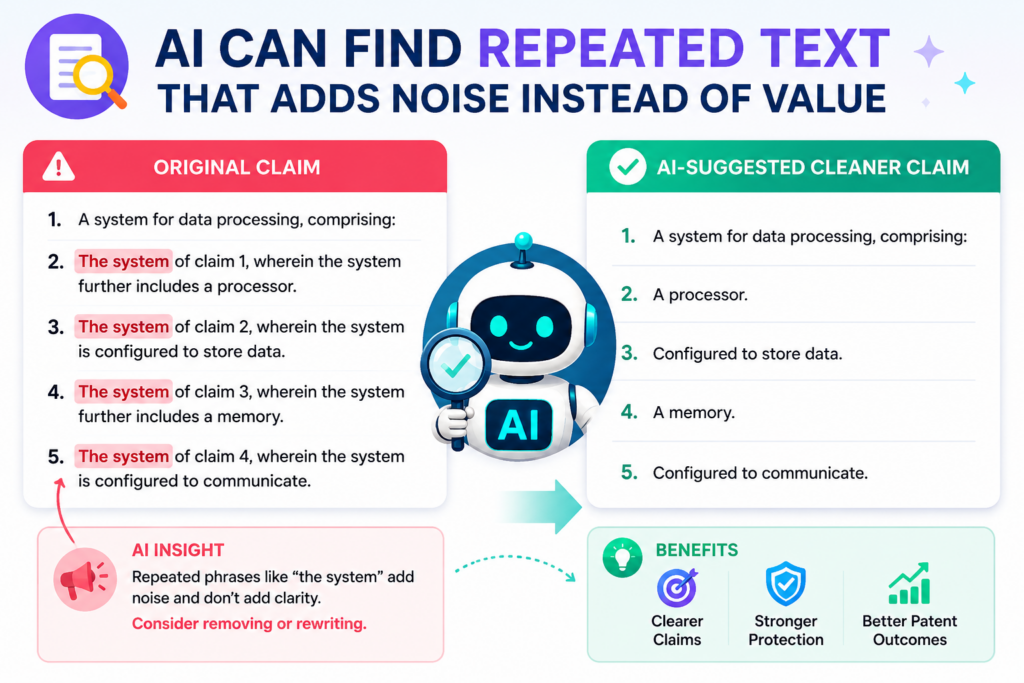
The bigger problem is that repeated text can hide mistakes. When people copy and paste from one section to another, they may forget to update a term, a figure number, a method step, or a device name. That can create errors that look small but cause confusion later.
AI is very good at finding near-duplicate text. It can show where the same idea appears in several places with slight changes. It can also flag repeated phrases that do not add new detail.
Copy and paste can turn yesterday’s fix into today’s mistake
Many drafting errors come from normal human habits. Someone writes a good paragraph for one part of the invention, then copies it into another section to save time.
Later, the copied paragraph still includes the wrong module name or the wrong step order.
For example, a draft may describe “training data store 210” in one section. Later, a copied paragraph may call the same item “event data store 210.” Another paragraph may still refer to an old version of the product.
These issues can slip through because the paragraph looks familiar.
AI can compare repeated blocks and mark the differences. That lets the team decide whether the difference is intended or accidental.
This is useful because not all repetition is bad. Sometimes a patent draft needs to describe the same idea in different ways. The key is knowing when repeated text adds support and when it only adds clutter.
The fast fix is to make each repeated paragraph earn its space
Every paragraph in a strong draft should do a job. It should explain a part, show a step, give an example, support a claim, or connect the invention to a benefit.
If a paragraph only repeats what was already said, it may need to be cut or changed. If it repeats an idea but adds a new use case, new input, new output, or new system version, then it may be worth keeping.
AI can help sort this out by showing which paragraphs are too similar. The attorney can then decide whether to trim, rewrite, or keep them.
For founders, this keeps the draft sharper. It also makes the invention easier to review. A clean draft saves mental energy, and that matters when your team is already busy building, hiring, selling, and shipping.
AI can catch undefined acronyms and short names
Startup teams use short names all the time. They use acronyms for models, parts, tools, internal systems, datasets, and workflows.
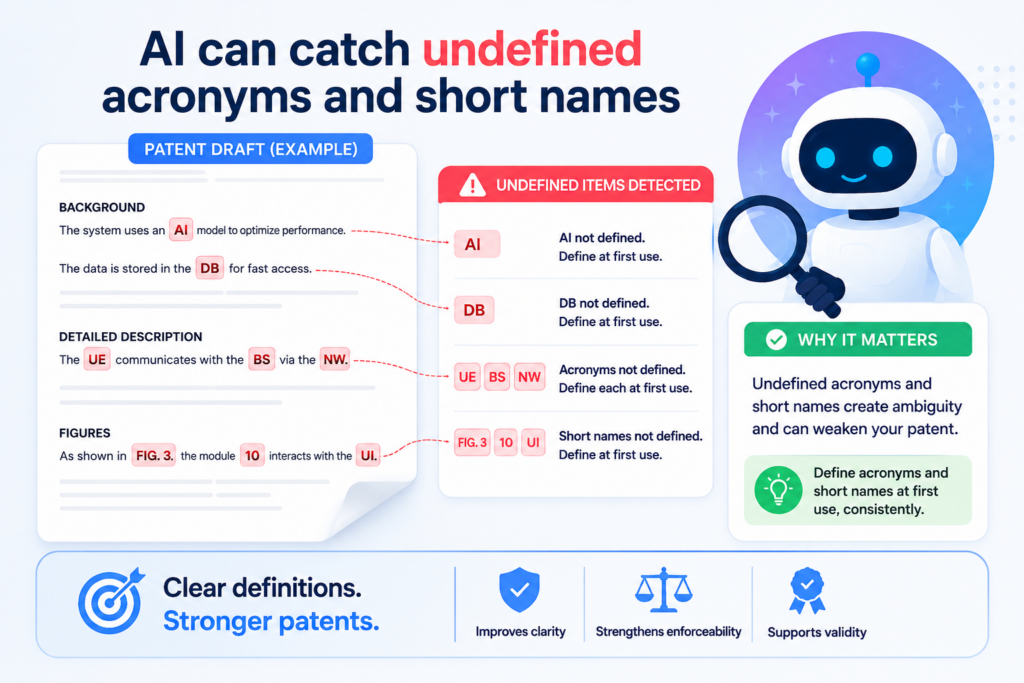
Inside the company, everyone understands them. Outside the company, those same short names can create confusion.
A patent draft should not assume the reader knows your internal language. If an acronym appears, it should be defined clearly.
If a product nickname appears, it should either be explained or replaced with a more useful technical name.
AI can scan for acronyms and short terms that are used without a clear first definition. It can also catch cases where the same acronym means two different things.
Internal team language can weaken a public patent draft
Engineers often write invention notes in the way they talk at work. That is helpful for speed, but it can create problems in a patent draft.
Your team may write “RDE,” “HCM,” “QoS layer,” “policy brain,” “watchdog,” or “smart sync.” Some of these may be normal technical terms. Some may be internal names. Some may be both. The draft needs to make them clear.
AI can flag terms that are all caps, short, repeated, or never defined. It can also point out when the draft switches from an acronym to a full phrase without making the connection.
This matters because patent drafts are read by people who were not in your design meetings. They need enough context to understand what the invention is and how it works.
A clear definition does not make the draft less technical. It makes the technical idea easier to trust.
The fast fix is to define terms the first time they appear
A good rule is simple. The first time a short name appears, define it in plain words. Then use the same term in the same way across the draft.
If the term is only an internal product name, consider replacing it with a more useful technical name. Instead of “Falcon engine,” the draft may need “prediction engine.”
Instead of “BluePipe,” it may need “encrypted data pipeline.” Instead of “Scout,” it may need “anomaly detection module.”
AI can create a term list and show which terms need definition. Your attorney can then decide which names support strong patent language and which names should be changed.
This is especially helpful when a startup is filing several inventions at once. A shared term list keeps language steady across drafts.
PowerPatent helps founders bring order to messy invention details without slowing the team down.
The mix of smart software and attorney review helps catch these basic issues early, before they become costly rework. See how it works here: https://powerpatent.com/how-it-works
AI can flag vague result words that need proof in the draft
Many patent drafts use words that sound strong but do not say much by themselves. Words like faster, better, improved, efficient, accurate, secure, automatic, intelligent, and optimized can be useful, but only when the draft explains them.
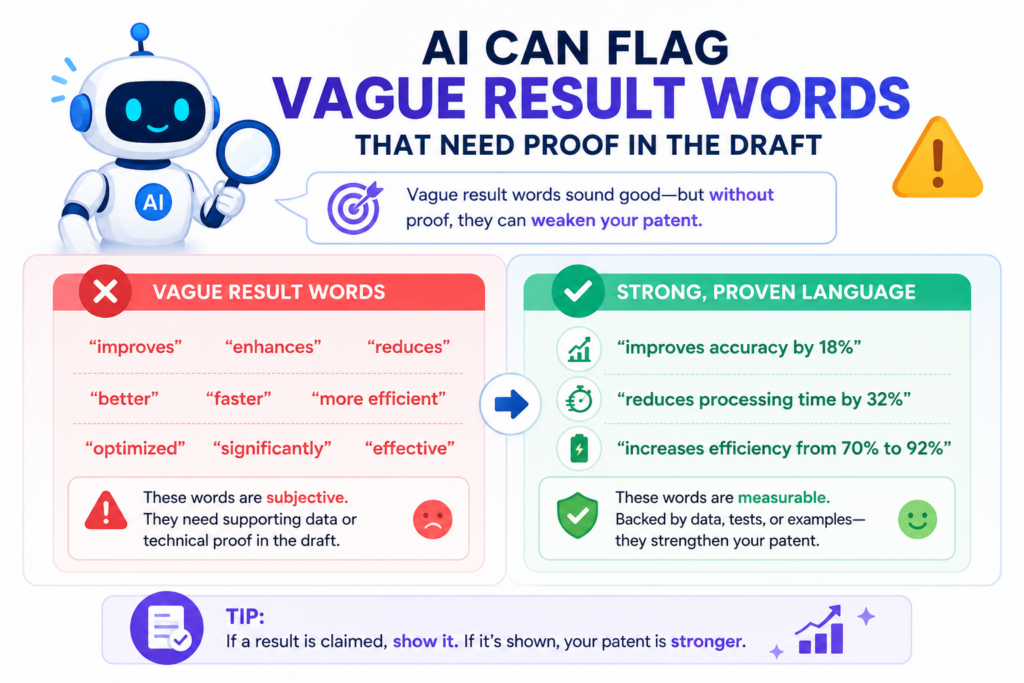
The issue is not the words. The issue is unsupported praise.
A founder may know the invention is faster because internal tests show it. An engineer may know the system saves compute because they built it.
But the draft should not rely on hidden proof. It should explain the design choice that creates the benefit.
AI can find vague result words and ask whether the draft gives enough detail behind them.
A strong draft shows why the result happens
If the draft says the invention improves accuracy, it should explain the feature that improves accuracy. Maybe the system filters noisy labels before training.
Maybe it weighs fresh data more heavily than stale data. Maybe it compares model outputs across several conditions before choosing one.
If the draft says the invention improves speed, it should explain where time is saved. Maybe the system reduces calls to a remote server.
Maybe it caches a score. Maybe it performs a smaller local check before sending data to a larger model.
AI can flag the result word and trace the nearby explanation. If the draft says “improves security” but only talks about login screens, that may not be enough.
If it says “reduces memory use” but never explains what data is removed, compressed, or skipped, the draft may need more detail.
This is a fast, practical check.
The fast fix is to pair each result with a mechanism
A mechanism is the thing that makes the result happen. In simple words, it is the reason the benefit is real.
For every major result, write one clear paragraph that explains the mechanism. Do not just say the system is better. Say what the system does differently.
This helps the patent draft, but it also helps your startup story. Investors, partners, and buyers care about why your technology is different. A clear patent draft can help you say that in plain language.
AI can help find the weak spots. Real attorneys can help turn the stronger explanation into better patent support.
AI can catch missing alternative versions that could protect future product changes
A startup product changes. That is normal. Your first design may use one kind of model, one kind of sensor, one kind of cloud service, or one kind of user flow. Six months later, the best version may look different.
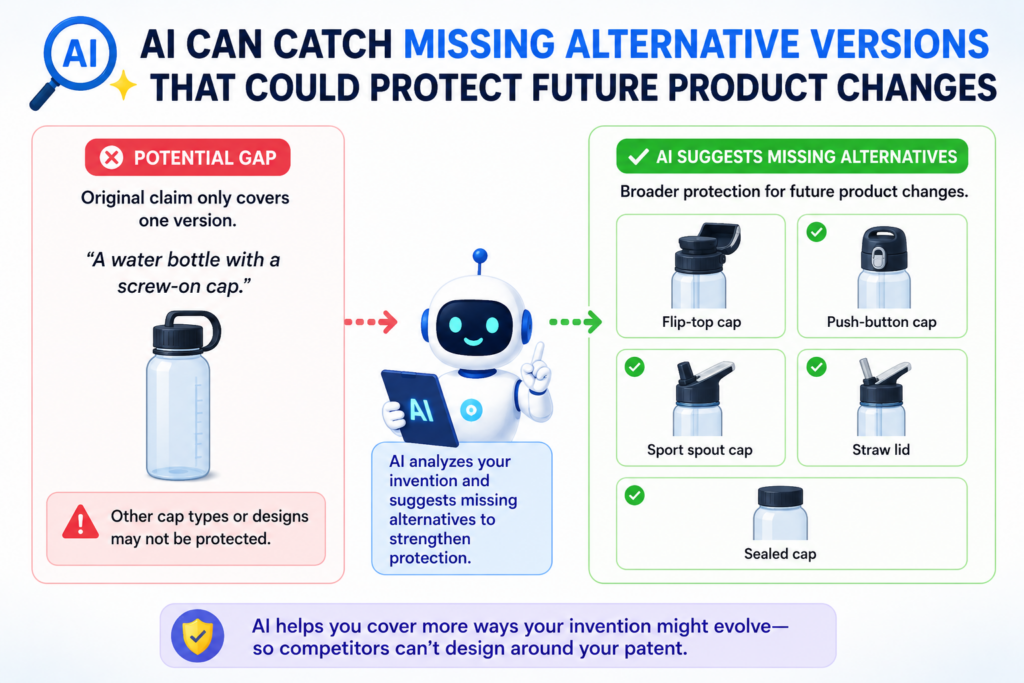
A patent draft should not only describe what you built today. It should also capture fair alternative versions of the same invention.
This does not mean making things up. It means thinking through other real ways the invention can be built.
AI can help by asking where the draft may need alternatives. It can identify features that may have more than one version and flag places where the description is too tied to one product path.
Alternative versions can make a patent draft more durable
Suppose your current invention uses a rules engine to decide when to send data to a model.
Later, you may use a second model to make that decision. If the invention is really about selective routing of data, the draft may need to explain both options.
Suppose your current system runs in the cloud. Later, customers may demand an edge version. If the invention can work at the edge, the draft should say so.
Suppose your current system uses text input. Later, it may also support voice, image, or sensor input. If those are real versions of the invention, the draft should not ignore them.
AI can review the draft and flag places where one example may be too lonely. It can ask whether there are other inputs, outputs, models, devices, storage types, network settings, or user roles that should be described.
This helps keep the patent aligned with how startups really grow.
The fast fix is to draft for the invention, not just the current release
The best question to ask is this: what might still be true about the invention even if the product changes?
That question helps separate the core idea from the current package. The core idea may stay the same while the code, user screen, hardware, model type, or deployment setup changes.
AI can help founders think through these versions before the draft becomes locked. Then an attorney can decide how to describe those versions in a way that is useful and safe.
This is one of the biggest reasons PowerPatent is helpful for technical teams. It gives founders a faster way to capture the full invention story, while real patent attorneys help make sure the draft is not just fast, but thoughtful.
You can explore the process here: https://powerpatent.com/how-it-works
AI can catch weak links between the drawings and the claims
A patent draft should feel connected from top to bottom. The claims should match the written description.
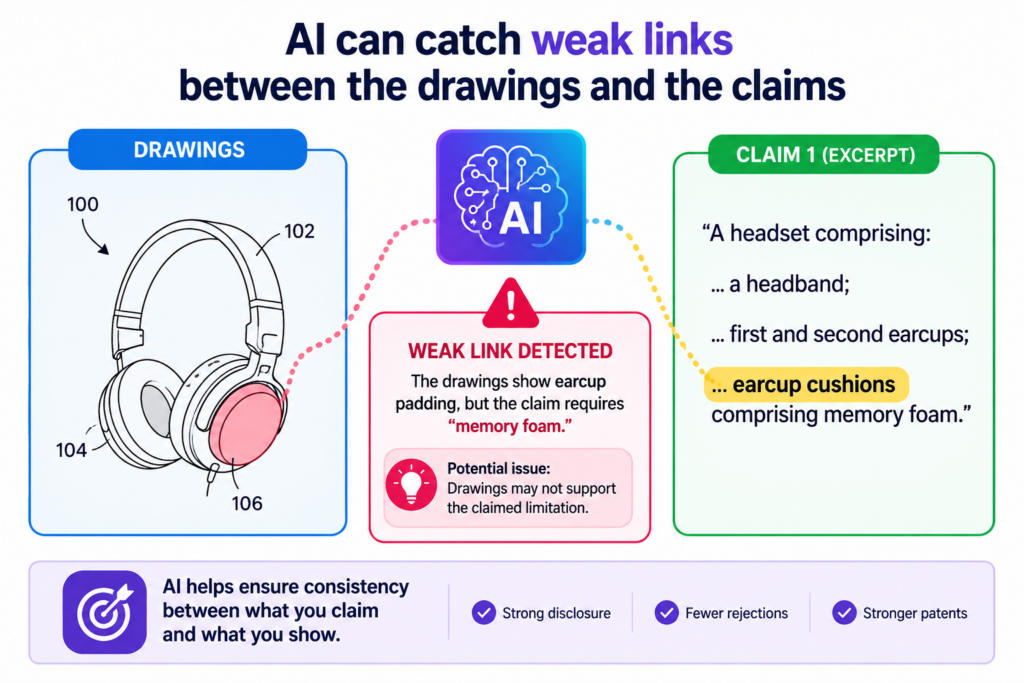
The written description should match the drawings. The drawings should support the parts that matter most.
When those pieces do not line up, the draft can feel loose. A founder may not see the issue because the invention is clear in their head.
But the reader only has the draft. If the drawings show one flow and the claims describe another, the draft can raise questions that slow things down.
AI can help by comparing the claim language against the figures. It can check whether the main parts in the claims appear in the drawings. It can also flag when a key claimed step has no clear figure support.
The drawings should help the reader see the claim
A strong drawing does not need to show every tiny detail. But it should show the heart of the invention. If the claim is about routing data based on a risk score, the drawing should make that route easy to see.
If the claim is about training a model with filtered feedback, the drawing should show where feedback enters, how it is filtered, and how it updates the model.
AI can spot when a claim talks about a feature that is hard to find in the drawings.
For example, the claims may refer to a “policy selection engine,” but the figures may only show a broad “server.” That may be enough in some cases, but often it helps to show the engine as its own part.
This kind of review is valuable because drawing updates can be painful later. It is better to catch gaps while the draft is still being shaped.
The fast fix is to make each key claim visible somewhere
The simple move is to take every major claim idea and ask where it shows up in the figures. If the answer is nowhere, the team should decide whether a drawing update would help.
This does not mean cramming every word into a figure. It means making the invention easier to follow. A clean figure can do more than make the draft look complete. It can help a reader understand why the invention is different.
PowerPatent helps founders connect invention notes, figures, and claims in a cleaner way, with AI helping catch gaps and real attorneys guiding the final draft. You can see how the process works here: https://powerpatent.com/how-it-works
AI can spot invention details trapped inside product names
Founders love product names. Teams name tools, features, models, flows, and internal systems. That is normal.
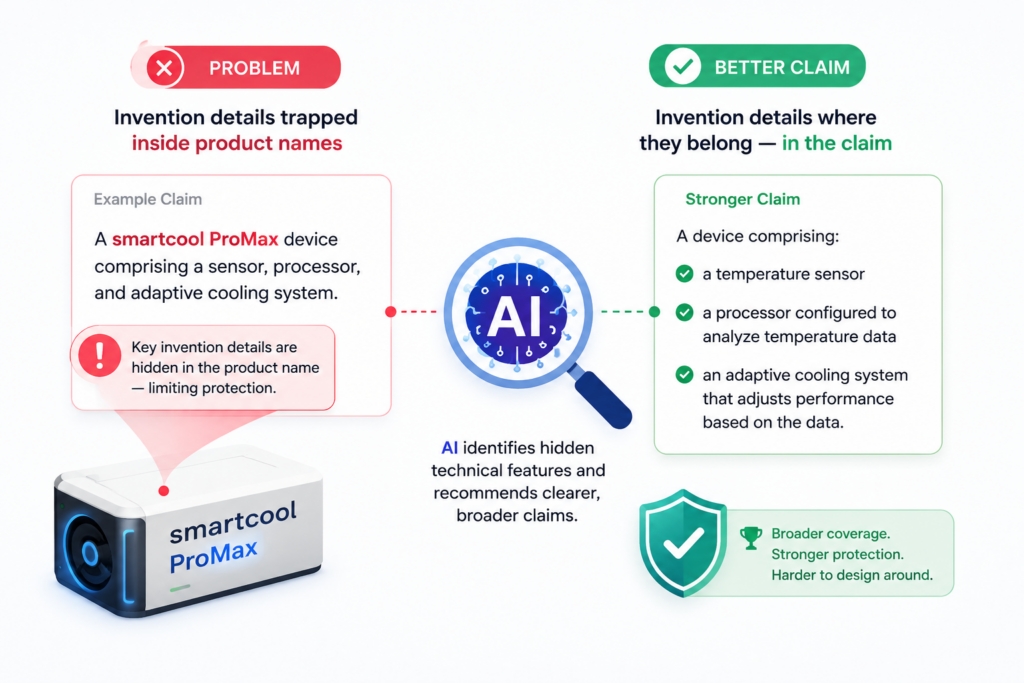
Names help people move fast inside the company.
But product names can cause trouble in a patent draft. A patent is not meant to protect a name. It is meant to protect the invention behind the name.
When a draft leans too hard on internal names, the real technical idea can get buried.
AI can scan the draft for brand names, code names, feature names, and internal labels. It can flag words that sound like product language instead of invention language.
A product name may hide the real technical feature
A draft may say that “PulseFlow sends the data to Guardian.” Inside your company, that sentence may be clear.
Outside your company, it says very little. What is PulseFlow? What is Guardian? What kind of data is sent? Why is it sent? What changes after it is sent?
The stronger draft explains the function. It might say that a data routing module sends selected event data to a threat scoring engine. That is much clearer. It tells the reader what the parts do.
AI can help replace internal names with plain technical names. It can also show where the same product name is used for more than one function.
That matters because one internal feature may include several inventions. If the draft treats the whole feature as one black box, it may miss the parts that deserve protection.
The fast fix is to translate company language into function language
A founder should read the draft and ask whether a stranger could understand each named part without joining a team meeting. If the answer is no, the name should be explained or replaced.
This does not mean stripping out all personality from the draft. It means making the invention clear.
The draft should say what each part receives, what it does, what it sends out, and why that matters.
AI is useful because it can catch names that humans stop noticing. A term used every day at work can feel normal, even when it means nothing to an outside reader.
This is one reason PowerPatent is useful for technical teams. It helps turn builder language into clear patent language while keeping attorney review in the loop. Learn more here: https://powerpatent.com/how-it-works
AI can find places where the draft assumes too much
One quiet drafting error is assuming the reader knows what the team knows. This happens often in deep tech.
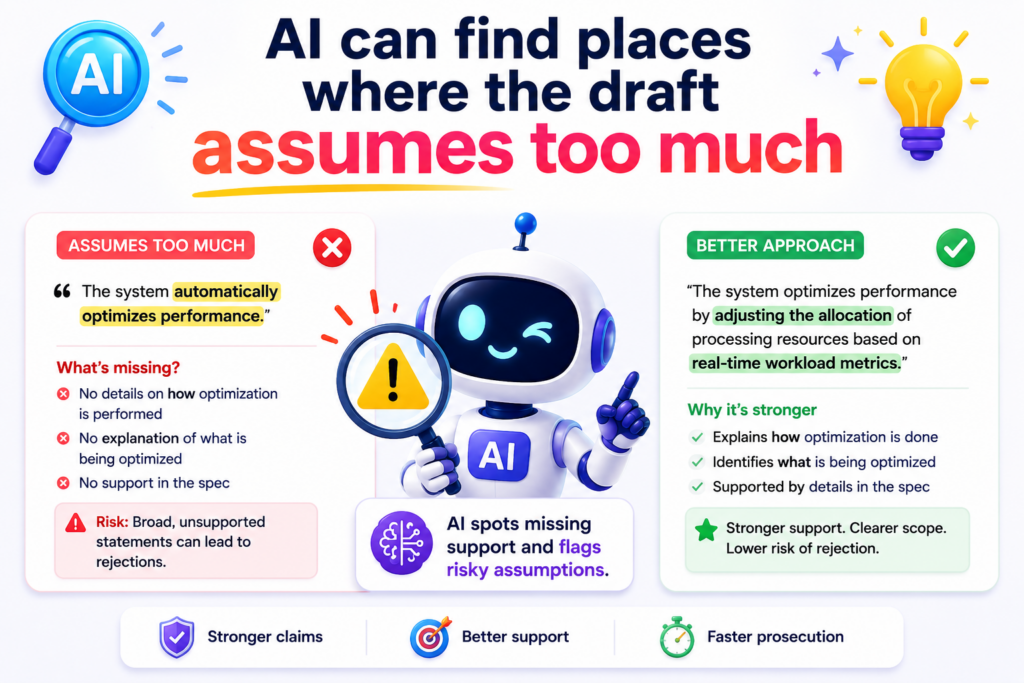
Engineers may leave out simple steps because those steps feel obvious. Founders may skip context because they have explained the product a hundred times.
But a patent draft needs to stand on its own. It should not depend on a demo, a pitch deck, a GitHub repo, or a private design note.
AI can find jumps in the explanation. It can flag places where the draft moves from one idea to another without enough bridge language.
The reader should not need your team in the room
A weak draft may say that the system “normalizes the input and applies the model.” That may be true, but it may not be enough.
What input is normalized? What does normalized mean in this setting? Which values change? Why does that matter before the model runs?
The same issue happens with hardware drafts. A team may say that a controller adjusts power based on detected load.
But what detects the load? What signal is used? How does the controller decide the adjustment? What happens after the adjustment?
AI can mark these gaps because it can look for missing actors, missing inputs, missing outputs, and missing reasons. It can show where a sentence has a result but no clear cause.
This does not replace attorney judgment. It gives the attorney a cleaner draft to work with and helps the founder provide better detail early.
The fast fix is to explain each step like the reader is smart but new
You do not need to dumb down the invention. You need to make it easy to enter. The reader can be smart and still be new to your system.
A good draft gives enough context so the reader can follow the invention without guessing. It explains the parts in a clear order. It names the input, the action, and the output. It shows why the step matters.
AI can help by asking the simple questions a tired team may forget to ask. What data comes in? What rule is applied? What value is made? What device acts next? What result changes?
When those answers are added, the draft becomes stronger, clearer, and easier to defend.
AI can catch inconsistent order in method steps
Method steps should have a clean order. This is especially important when one step depends on another.
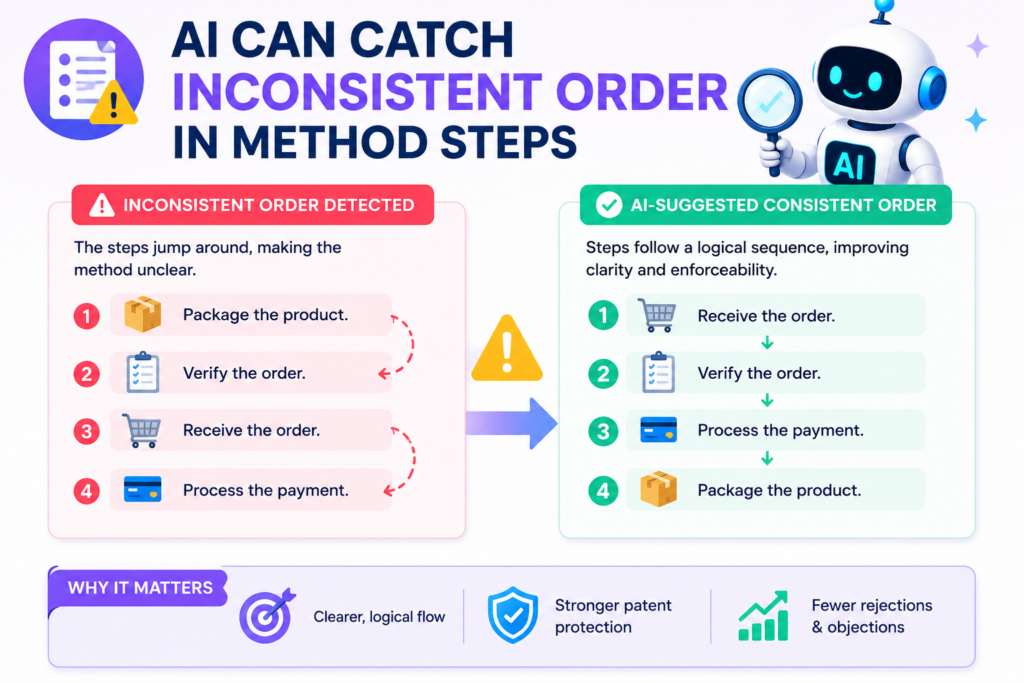
If the draft says a score is used before the score is created, the logic breaks. If the drawing shows one order but the claim says another, the reader may get confused.
These errors often happen during editing. A founder adds a new step. An attorney moves a phrase. A figure is updated. Suddenly, the order is not as clean as it was before.
AI can review the sequence and flag steps that appear out of order.
Order matters when later steps depend on earlier steps
Some method steps can happen in different orders. Others cannot. A system usually cannot compare a value before the value exists.
It cannot send an alert based on a score before the score is made. It cannot train a model on filtered data before the data is filtered.
AI can catch these simple logic breaks. It can compare words like receive, detect, generate, compare, select, update, transmit, and display. It can then ask whether the order makes sense.
For example, a method claim may say the system updates a user profile, then receives user behavior data.
That may be backwards. Or it may be that the update uses older stored data. Either way, the draft should make the order clear.
This kind of issue is easy to fix early and annoying to fix late.
The fast fix is to read every method as a timeline
A strong method should read like a timeline. First, something comes in. Then the system acts. Then something changes. Then the result is used.
That does not mean every claim must be written in a strict time order. Some inventions have parallel steps.
Some systems run loops. Some actions happen at the same time. But the draft should say that clearly.
AI can help by turning the method into a plain-language timeline. When the timeline looks strange, the team can fix the draft before it creates more questions.
PowerPatent helps founders bring structure to this process, so key method steps do not get lost in messy notes or late edits. See how it works here: https://powerpatent.com/how-it-works
AI can flag examples that do not match the claims
Examples are powerful in a patent draft. They help show how the invention works in real life. They make the draft easier to understand. They can also support broader claim language when used with care.
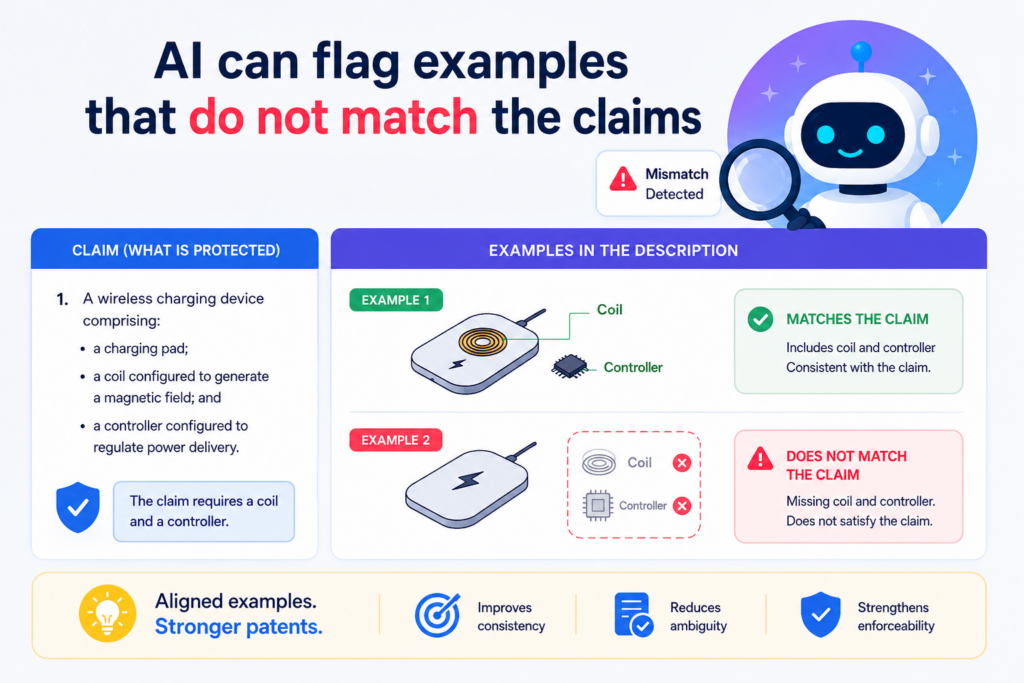
But examples can create problems when they drift away from the claims. The claim may describe one kind of system, while the example describes another.
The claim may require a certain step, but the example skips it. The example may include a feature that sounds required even though it is only one option.
AI can compare examples against claim language and find these mismatches fast.
Examples should support the claim, not fight it
Suppose the claim says the system selects a model based on device state. But the example says the model is always selected by a server.
That may create tension. Maybe both are true in different versions, but the draft needs to explain that.
Or suppose the claim says the system uses sensor data. The example only talks about user text input. That may leave the reader unsure whether the claim is broader than the example supports.
AI can flag these gaps. It can show when a claimed feature is missing from an example. It can also show when an example adds extra details that may make the invention seem narrower than intended.
This is helpful because examples are often written quickly. They may come from a product spec, a customer use case, or a founder memo. They need to be checked against the patent strategy.
The fast fix is to make examples clear as examples
The draft should make it clear when a detail is one possible version, not the only version. If the invention can use many types of input, the example should not make it sound like only one input works.
If the system can run on different devices, the example should not trap it on one device unless that is intentional.
AI can help identify rigid example language. A real attorney can then shape the wording so the example adds support without shrinking the invention by accident.
For startups, this matters because product direction changes. Strong examples can protect the invention story while leaving room for growth.
AI can catch missing data flow details in software and AI patents
Software and AI inventions often live in the movement of data. Data comes in, changes form, gets scored, gets routed, gets stored, gets used, or triggers an action.
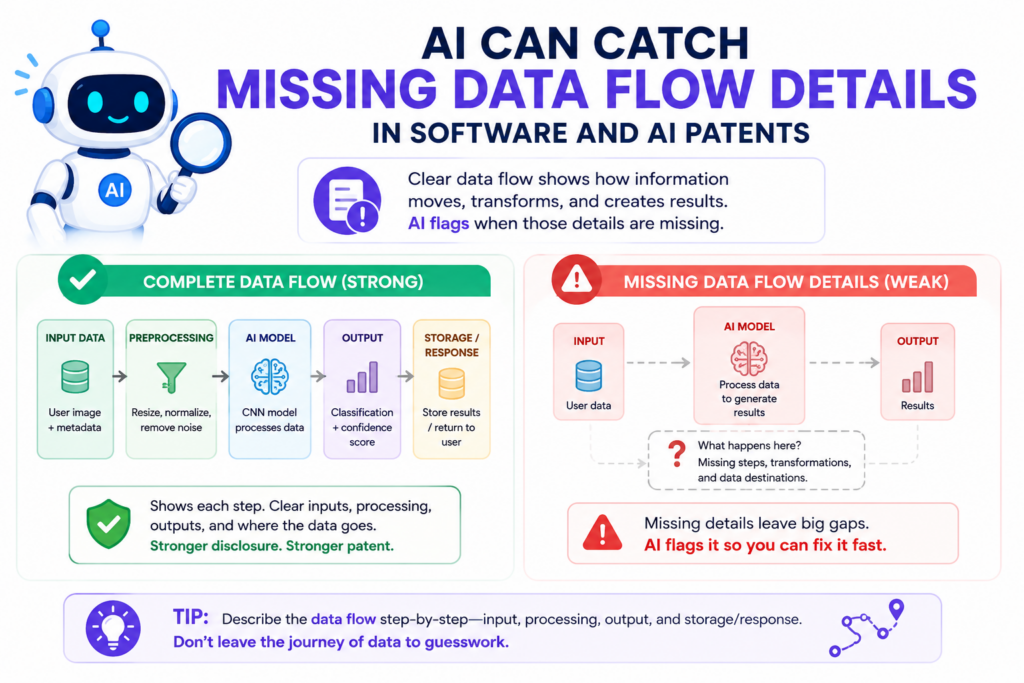
When a draft does not explain that flow, the invention can feel vague. It may sound like the system magically does something. That is not strong enough.
AI can review the draft and identify places where the data flow is incomplete. It can ask what data enters the system, where it goes, what changes it, and what comes out.
Data flow is often the real invention story
In many AI inventions, the model is not the only important part. The key may be how data is chosen, cleaned, weighted, split, ranked, or fed back into the system.
In many software inventions, the value may come from how information moves between services, devices, users, or security layers.
A draft that only says “the system applies a model” may miss the best part. The stronger draft explains what the model receives, why that input is special, what output it creates, and how the output changes the next step.
AI can flag missing data flow words. It can show where a module appears but has no input or output. It can find places where data is received but never used. It can find outputs that appear without a source.
These checks are basic, but they are very useful.
The fast fix is to trace one data item from start to finish
Pick one important data item and follow it through the invention. Where does it come from? What system receives it? What happens to it? Does it get changed, scored, stored, removed, or sent? What decision does it affect?
That simple trace can reveal missing detail right away.
AI can run this kind of trace across the draft. It can show where the story breaks. Then your team and attorney can fill in the missing parts.
This is where PowerPatent can help technical founders move faster. The platform helps capture invention details in a structured way, while real patent attorneys help turn those details into stronger patent filings. Start here: https://powerpatent.com/how-it-works
AI can catch missing links between hardware parts and software logic
Many modern inventions are not only software or only hardware. They sit in the middle. A sensor sends a signal. A chip processes it. A model reads it. A controller makes a choice. A device changes what it does next.
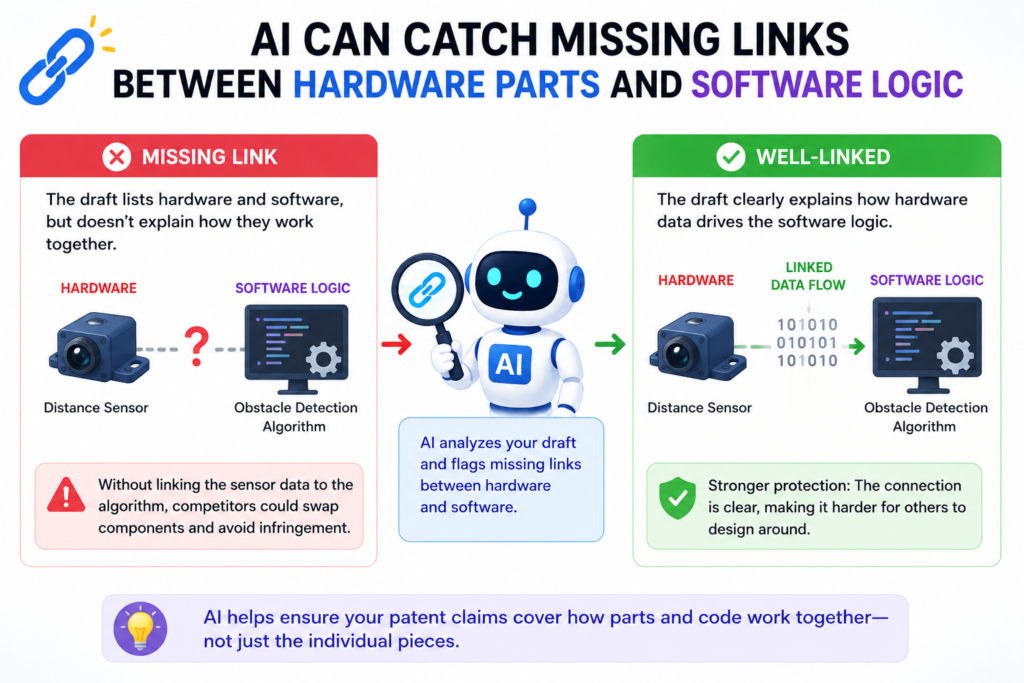
This is where patent drafts often get messy. The hardware may be explained in one section. The software may be explained in another.
But the link between them may be weak. The draft may not clearly show how the physical part and the digital logic work together.
AI can catch this fast by looking for hardware parts that are named but not connected to a software step, and software steps that depend on hardware data without saying where that data comes from.
The best drafts show the handoff between the real world and the code
For a robotics startup, the invention may depend on how a motor reacts to a sensor signal. For a medical device company, the key may be how a wearable collects body data and changes a care alert.
For a chip startup, the value may be how a circuit handles a workload before a processor takes over.
If the draft only says “the controller adjusts operation,” it may not be enough. What does the controller receive? What part detects the condition? What value changes? What action is taken by the physical device?
AI can flag these gaps because it can trace nouns and actions across the draft. It can find a sensor that appears in the drawing but never appears in the method.
It can find a model that depends on device state, while the draft never explains how device state is measured.
The fast fix is to describe the signal path and the action path
A strong draft should show two paths. The first path is how the system knows something. The second path is what the system does because of it.
For example, a sensor may detect pressure, the system may convert that pressure into a value, the model may compare the value to a range, and a controller may change power, speed, timing, or output.
That simple chain helps the reader see the invention as a working system.
AI can find missing pieces in that chain. A real patent attorney can then decide which pieces belong in the claims and which belong in the description.
That is the kind of balance PowerPatent helps founders reach, using smart software plus real attorney oversight. See how it works here: https://powerpatent.com/how-it-works
AI can spot claim language that sounds like a goal instead of an invention
A patent draft should not only say what the invention wants to achieve. It should say what the invention does. This is a common problem in early drafts because founders often start with the big promise.
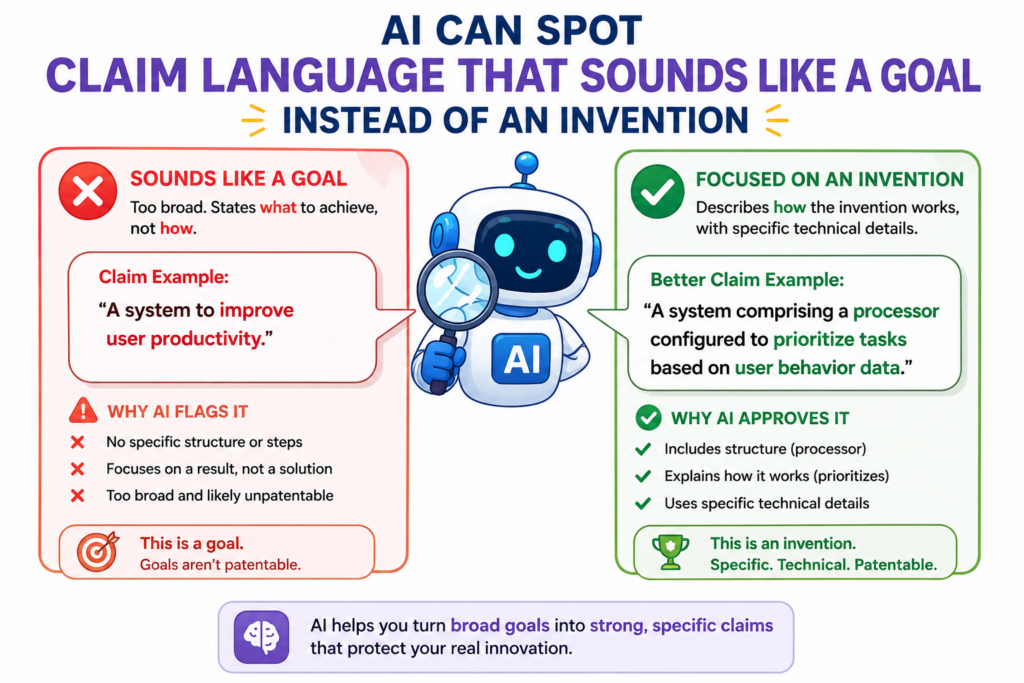
They may say the system “creates safer driving,” “makes models fairer,” “protects patient data,” or “improves factory uptime.”
These are good goals. They may even be true. But a patent draft needs the working parts behind the goal.
AI can find claim language that sounds more like a desired result than a real step. It can flag phrases that describe the finish line without showing the road.
Goals are useful, but mechanisms carry the weight
A claim that says “reducing fraud in a payment network” may sound strong, but it needs more. How is fraud reduced?
Does the system compare device signals? Does it create a risk score? Does it block a transaction only after a certain pattern? Does it update the rule set after review?
A claim that says “improving model safety” also needs detail. Does the system test the model against risky prompts?
Does it route outputs to a second checker? Does it limit actions based on confidence? Does it log certain events for review?
AI can help by marking words that describe a benefit without an action. It can show where the claim needs a step, a part, a rule, or a decision point.
This helps founders avoid a weak draft that sounds impressive but does not give the attorney enough material to work with.
The fast fix is to turn every goal into a working step
Take each big goal and ask what the invention actually does to reach it. Then write that action in plain words.
Instead of saying the system improves safety, say the system checks a model output against a stored safety rule before sending the output to a device.
Instead of saying the system saves power, say the system delays a sensor reading until a trigger condition is met.
This turns soft language into useful patent detail. AI can help find the soft spots, but attorney review matters because the final wording must fit the larger protection plan.
PowerPatent helps make this process less painful for founders. It helps pull real invention steps out of technical notes, product specs, and rough ideas, then pairs that speed with attorney judgment. Learn more here: https://powerpatent.com/how-it-works
Conclusion
Patent drafting is hard because small errors can hide inside strong-sounding words. AI helps founders catch those errors early, from mismatched terms and weak support to missing steps, unclear drawings, and narrow claims. But the real power comes from pairing fast software checks with smart attorney review.
That is how founders move faster without trusting luck or slowing the build. A cleaner draft means more confidence, better protection, and fewer costly surprises. To see how PowerPatent helps turn technical ideas into stronger patent filings, visit https://powerpatent.com/how-it-works and start protecting what you are building before someone else moves around it first.