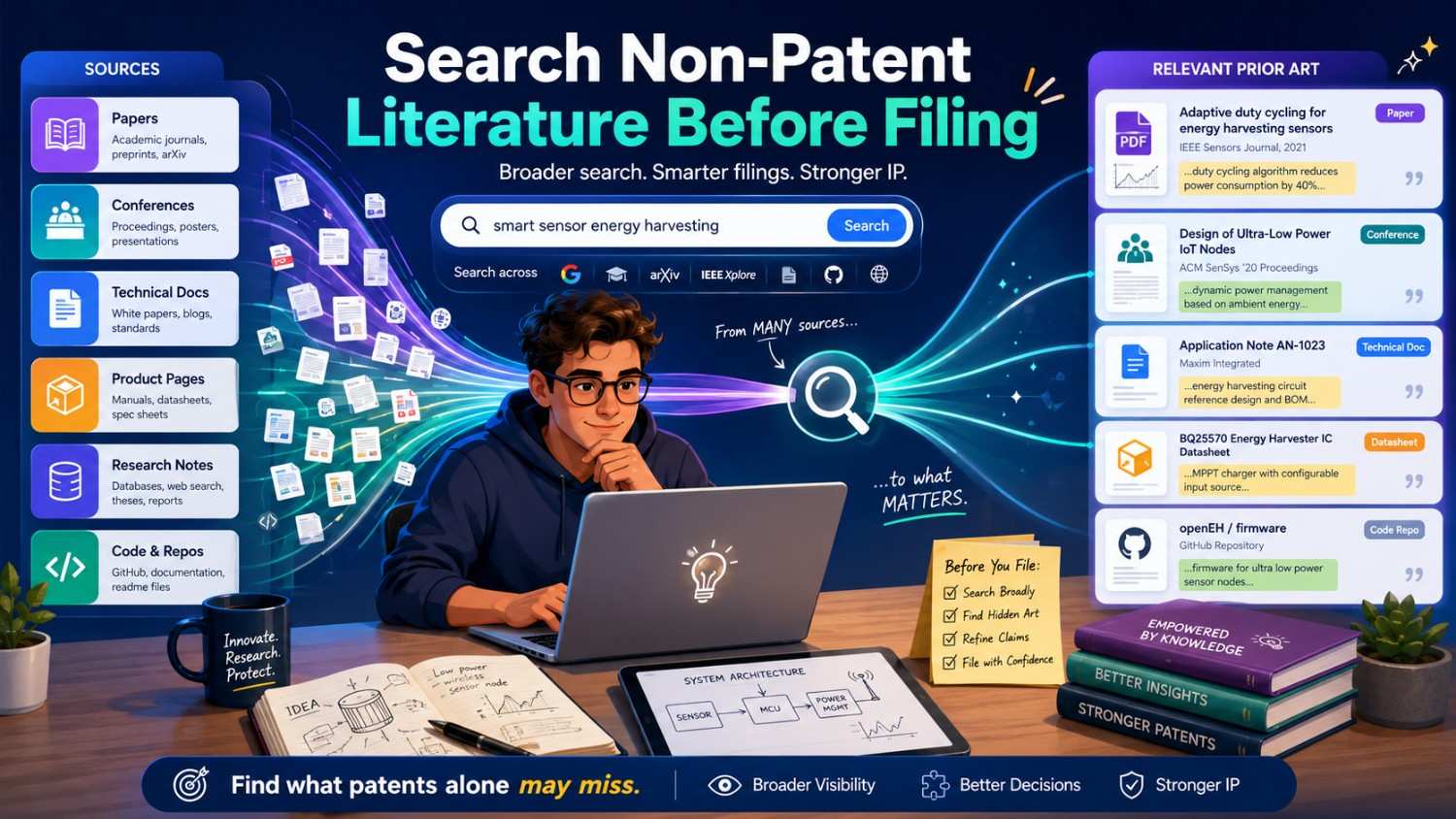
Most founders know they should check patents before they file.
But patents are only part of the story.
A paper, a blog post, a product manual, a GitHub repo, a conference talk, a standards document, or even a public demo can all matter. These sources are called non-patent literature. They can be the quiet place where the best prior art hides.
If you are building something technical, you need to know how to search them before you file.
This guide shows you how to do that in a clear, simple, and practical way.
And if you want help turning your technical work into a strong patent filing, PowerPatent gives founders smart software plus real patent attorney oversight. You can see how it works here: https://powerpatent.com/how-it-works
What Non-Patent Literature Means
Non-patent literature means public information that is not a patent.
That sounds simple, but the range is wide.
It can include research papers, journal articles, conference papers, preprints, technical reports, white papers, product pages, user manuals, datasheets, standards, developer docs, open-source code, theses, dissertations, slide decks, videos, forum posts, public datasets, model cards, API docs, and public talks.
The key word is public.
If someone made technical information available to the public before your filing date, that information may matter. It may show that your idea was already known. It may show one part of your idea. It may help an examiner, competitor, investor, or buyer question how strong your patent really is.
This does not mean every public post is dangerous.
It means you should know what exists before you file.
A strong patent filing is not built in a bubble. It is built with a clear view of the old work. When you know the old work, you can write better claims. You can focus on the real new part. You can avoid wasting money on weak ideas. You can also avoid giving up too early when your improvement is still strong.
Non-patent literature matters because it often moves faster than patents.
In AI, software, robotics, bio tools, climate tech, chips, and many other fields, people share papers, code, demos, specs, and docs long before patents publish. A patent database may look clean, while the open web is full of close art.
That is why founders should not search patents alone.
Why Non-Patent Literature Can Be So Important
Patents have a delay.
A patent application can stay unpublished for a period of time. Also, some people never file patents at all. Researchers may publish papers. Open-source teams may publish code. Product teams may publish docs. Standards groups may publish technical specs. Engineers may explain things in talks. A startup may show its work in a demo.
All of that can become part of the prior art picture.
For a founder, this matters because a quick patent search can create false comfort.
You may search Google Patents, find no close patent, and think you are safe. But the closest source may be a university paper, a GitHub repo, a product manual, or a public standard.
This is common in software and AI.
Many important ideas first show up as research papers, open-source projects, or technical blog posts. Patent filings may come later. Sometimes they never come.
It is also common in hardware.
A datasheet, teardown, user guide, supplier catalog, conference slide, or testing paper may show a structure or method before any patent appears.
It happens in deep tech too.
A quantum control method, battery material, robotics motion plan, or chip layout trick may be discussed in papers and talks before it appears in patent form.
So if you skip non-patent literature, you may miss the closest old work.
That can lead to weak claims.
It can also lead to poor filing choices.
A founder may file on a broad idea that is already shown in a paper, while missing a narrower technical improvement that is truly new and much more valuable.
The point of searching is not to scare you. It is to help you aim.
PowerPatent helps founders capture the actual technical edge and move toward attorney-reviewed patent filings with more clarity. Learn more here: https://powerpatent.com/how-it-works
The Big Difference Between Patent Search and Non-Patent Search
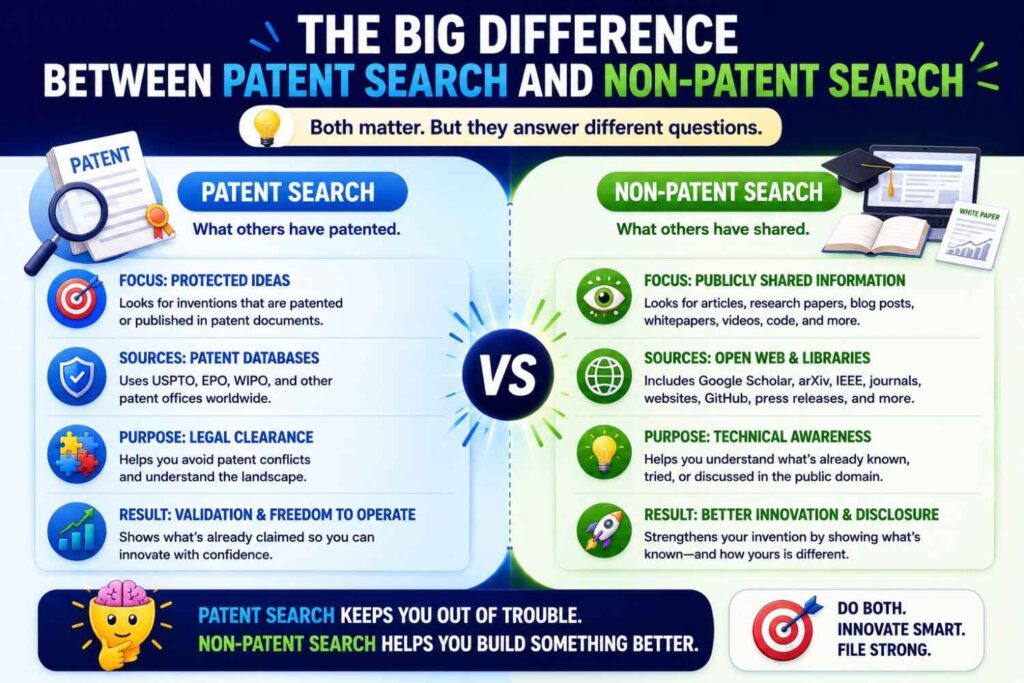
Patent search is more structured.
Patents have titles, abstracts, claims, inventors, owners, filing dates, publication numbers, and classification codes. They live in patent databases. They use a certain style of language.
Non-patent literature is messier.
A paper may use academic words. A GitHub repo may use casual developer terms. A product page may use marketing terms. A manual may use part numbers. A video may show the invention without saying the right words. A forum post may describe a workaround in plain language. A standard may use formal terms that only that industry understands.
This means you need a wider search style.
You cannot use one query and expect the full answer.
You need to search the invention from different angles. Search the problem. Search the method. Search the inputs and outputs. Search the product setting. Search the old words and the new words. Search the technical action. Search the benefit. Search the failure mode.
Patent search often asks, “What did people claim?”
Non-patent search asks, “What did people publicly show, teach, build, share, sell, or explain?”
That is a broader question.
It takes more creativity, but it is worth it.
Search the Invention, Not the Product Name
The first mistake is searching your product name or market category.
A product name is not an invention.
A category is not an invention either.
If your startup built “AI for logistics,” that phrase is too broad. If your company built “a smart battery platform,” that phrase is too vague. If your team built “a new medical dashboard,” that phrase does not tell us what is technical and new.
You need to search the actual technical move.
Ask what your system does that was hard.
Does it detect something earlier? Does it reduce noise? Does it train with less data? Does it route work in a new way? Does it lower heat? Does it improve yield? Does it protect privacy? Does it calibrate a sensor faster? Does it use a new data flow? Does it change a physical layout? Does it recover from failure without human help?
That is what you search.
For example, do not search only “AI code review tool.”
Search “predict software defect from pull request,” “assign code reviewer based on file ownership,” “link code change to prior incident,” “machine learning code review risk score,” and “change impact analysis repository graph.”
Do not search only “battery safety system.”
Search “detect thermal runaway from gas sensor,” “battery cell vent gas monitoring,” “temperature gradient battery fault detection,” “electrolyte vapor sensor battery pack,” and “reduce false alarm battery safety sensor.”
Do not search only “wearable health patch.”
Search “motion artifact reduction wearable sensor,” “posture based physiological signal correction,” “skin temperature wearable fever detection,” and “clinician alert threshold wearable monitoring.”
The more you search the real technical function, the better the results.
Start With a Plain-Language Invention Summary
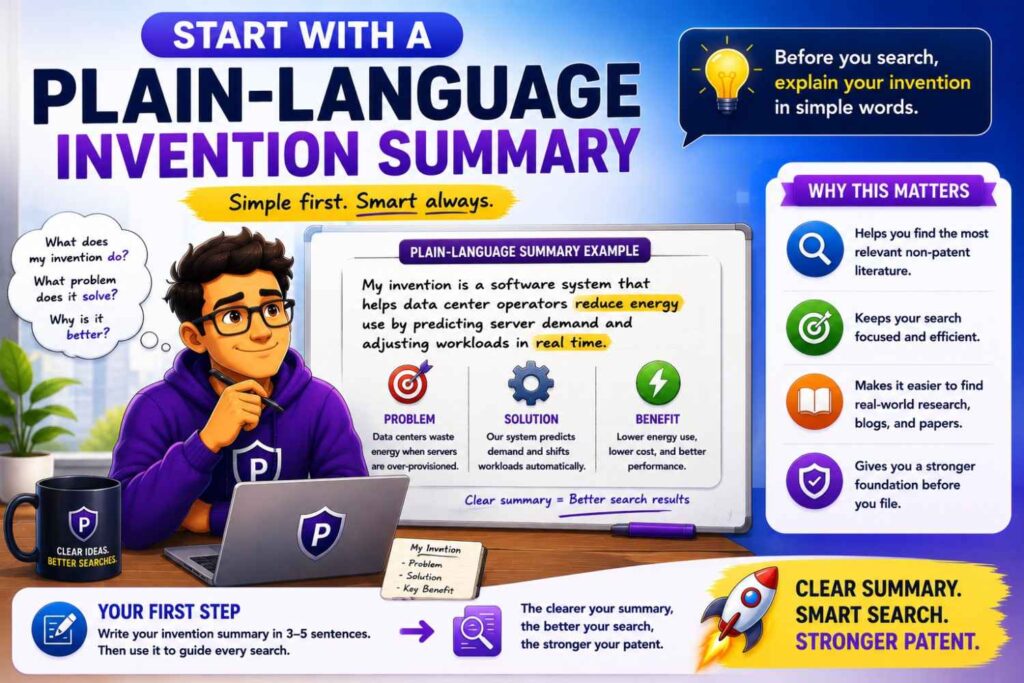
Before searching, write one simple sentence.
Use normal words.
Do not use sales language.
A good sentence might be:
“The system detects early battery cell failure by comparing gas sensor changes with local temperature changes inside a battery pack.”
That sentence gives you search parts.
There is a setting: battery pack.
There are inputs: gas sensor changes and temperature changes.
There is an action: comparing.
There is a result: detecting early cell failure.
There is a value: safety and early warning.
Now you can search each part and each combination.
This is much better than typing one long phrase.
A one-sentence summary also helps your patent team. It forces clarity. If you cannot explain the invention in one clear sentence, it is usually too early to search well.
This does not mean the invention is simple.
It means the search starts simple.
Complex systems need simple starting points.
Break the Invention Into Search Paths
A good search has paths.
One path is the problem. One path is the input. One path is the method. One path is the output. One path is the field. One path is the improvement.
This keeps the search from becoming random.
Let’s say your invention is a model that finds missing facts in clinical notes by comparing doctor edits, patient chart data, and speech transcripts.
You can search the problem: missing clinical facts, incomplete medical notes, clinical documentation errors, note quality review.
You can search the inputs: physician edits, patient chart data, speech transcript, electronic health record, dictated notes.
You can search the method: compare edits to chart data, detect omitted facts, align transcript with medical record, model confidence clinical note.
You can search the result: improve clinical documentation, reduce note errors, alert physician to missing information.
Each path may find different non-patent literature.
A medical paper may focus on documentation errors. A software paper may focus on text alignment. A product doc may focus on clinical note review. A GitHub repo may show speech-to-note processing. A conference talk may describe physician feedback loops.
If you search only the product phrase, you miss these.
This path-based method is one of the easiest ways for founders to improve search quality.
Build Word Families
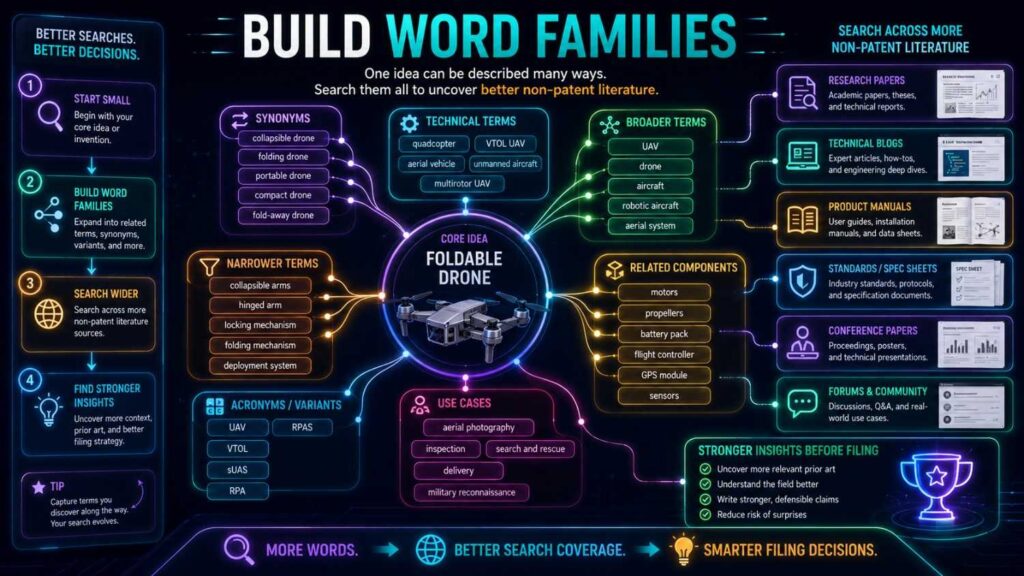
Non-patent literature uses many different words.
A researcher, developer, product marketer, and standards writer may all describe the same thing in different ways.
So you need word families.
For each important concept, write nearby terms.
If your term is “detect,” nearby words may include identify, find, discover, sense, monitor, flag, classify, diagnose, predict, infer, estimate, determine, recognize, and alert.
If your term is “failure,” nearby words may include fault, defect, anomaly, error, breakdown, degradation, abnormal state, malfunction, drift, wear, and unsafe condition.
If your term is “AI model,” nearby words may include trained model, classifier, neural network, machine learning system, predictor, transformer, embedding model, reranker, agent, and inference engine.
If your term is “battery pack,” nearby words may include battery module, energy storage system, lithium ion pack, traction battery, cell stack, accumulator, and battery assembly.
This step matters because non-patent sources rarely speak with one voice.
A paper may say “anomaly detection.” A product page may say “smart alerts.” A manual may say “fault warning.” A forum post may say “it flags bad readings.”
Same idea. Different words.
Word families help you catch more of the field.
Do not build them once and stop.
As you search, add new terms from good results.
The best searches get smarter as they go.
Search the Problem Before the Solution
Many founders search only their solution.
That is too narrow.
Search the problem too.
If your invention reduces false alarms in a sensor network, search false alarms in that field. Search noisy sensor readings. Search sensor drift. Search failure detection errors. Search alert fatigue. Search wrong alarms.
Why does this work?
Because older sources often describe the same pain even when they use a different solution.
Those sources may lead you to better terms, older papers, known benchmarks, product docs, or standards.
They may also show that the problem is well known.
That can be useful. A known problem does not kill your invention. It may help explain why your solution matters.
But you need to know what people tried before.
For example, if your invention improves robotic grasping in cluttered bins, search the problem. Search “bin picking failure,” “robot grasp occlusion,” “cluttered object manipulation,” “grasp planning uncertainty,” and “failed grasp recovery.”
Those searches may find research papers, robot demos, datasets, and code that a patent search alone may miss.
If your invention improves cloud cost prediction, search “cloud cost overrun,” “forecast cloud spend,” “resource usage prediction,” “Kubernetes cost anomaly,” and “cloud billing anomaly detection.”
The problem is often the doorway.
Search the Result Too
The result can be easier to search than the method.
Your method may be new or named in a special way, but the result may be plain.
Maybe your system lowers latency. Maybe it saves power. Maybe it improves yield. Maybe it reduces false positives. Maybe it prevents data leakage. Maybe it speeds training. Maybe it detects drift. Maybe it improves alignment. Maybe it reduces heat.
Search those results with the field.
For example, “reduce false positives fraud detection,” “lower inference latency edge device,” “increase semiconductor yield defect prediction,” “reduce hallucination retrieval augmented generation,” “prevent data leakage machine learning training,” or “reduce motion artifacts wearable sensor.”
These searches may reveal papers and docs that do not share your exact method but solve the same problem.
That helps you understand the space.
It may also reveal the closest old method.
For patents, claims matter. For non-patent literature, teachings matter. A source does not need to use claim-style language to be important. It only needs to show enough technical detail.
Searching the result helps find those teachings.
Search Inputs and Outputs
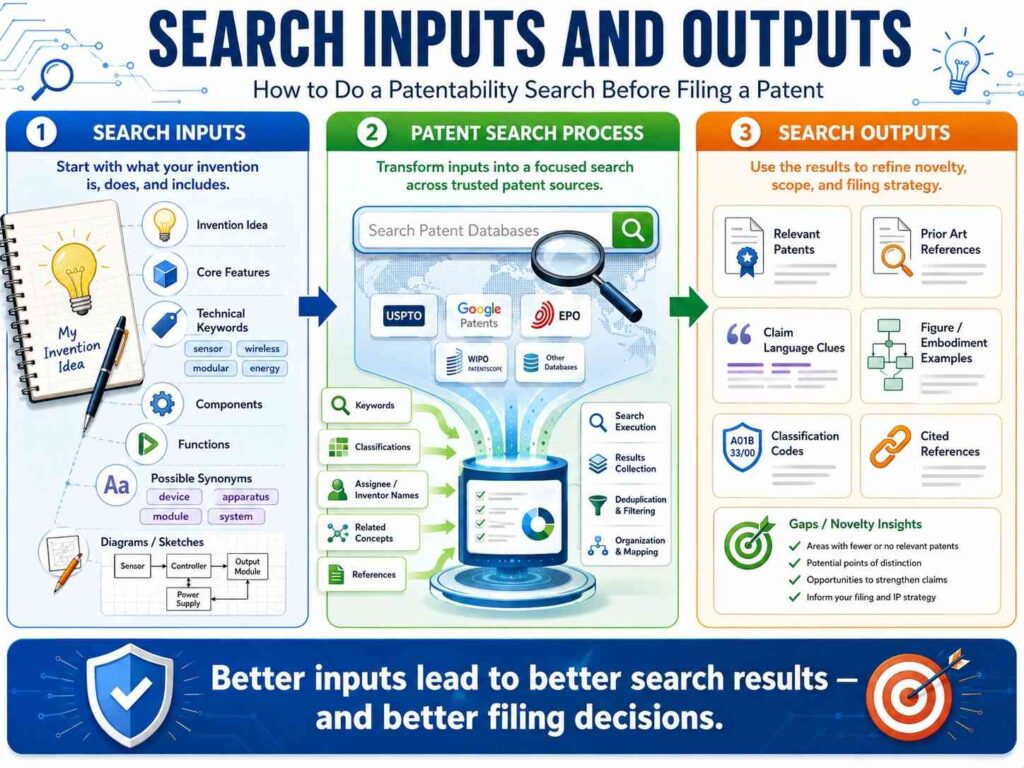
Many modern inventions are systems that turn inputs into outputs.
This is especially true in software, AI, sensors, robotics, and control systems.
Search the input-output pair.
If your system takes vibration data and motor current to predict bearing wear, search “vibration current bearing wear prediction,” “motor current vibration fault diagnosis,” and “bearing fault detection vibration current machine learning.”
If your system takes user edits and updates a writing model, search “user edits train language model,” “document correction feedback model,” and “learn from accepted edits text generation.”
If your system takes satellite images and weather data to predict crop stress, search “satellite weather crop stress prediction,” “remote sensing weather yield stress model,” and “multimodal crop stress detection.”
Input-output searches are powerful because they describe what the system actually does.
They cut through product names.
They also work well across papers, code, product docs, and patents.
Search the Technical Action
Verbs matter.
A good search often depends on the action your invention performs.
Does it route, rank, filter, compress, encrypt, compare, align, fuse, split, merge, train, calibrate, detect, trigger, score, schedule, authenticate, allocate, recover, or validate?
Search those actions with the field.
For example, if your invention routes reviews, search routing, assigning, recommending, selecting, matching, and prioritizing.
If your invention filters noisy data, search filtering, smoothing, denoising, rejecting, correcting, compensating, and cleaning.
If your invention combines signals, search fusion, correlation, comparison, integration, multi-sensor, multimodal, and joint inference.
This is simple but important.
Nouns tell you what things are. Verbs tell you what the invention does.
Prior art often hides behind different nouns, but the action can reveal it.
Search Old Words, Not Just New Words
New fields love new names.
But old ideas may live under older words.
If you search only the newest phrase, you may miss older literature.
For example, “agentic AI” may connect to software agents, planning systems, autonomous agents, task execution, tool selection, workflow automation, and decision systems.
“Vector database” may connect to nearest neighbor search, similarity search, indexing high-dimensional vectors, embedding retrieval, and approximate nearest neighbor.
“Digital twin” may connect to virtual model, simulation model, asset model, process simulation, and state estimation.
“Edge AI” may connect to on-device inference, local machine learning, embedded inference, client-side model execution, and low-power inference.
“RAG” may connect to information retrieval, question answering, retrieval augmented generation, document retrieval, passage ranking, and grounded generation.
This is one of the biggest search lessons.
A buzzword may be new while the core method is not.
Do not let new language hide old work.
Search the older roots.
Search Across Fields
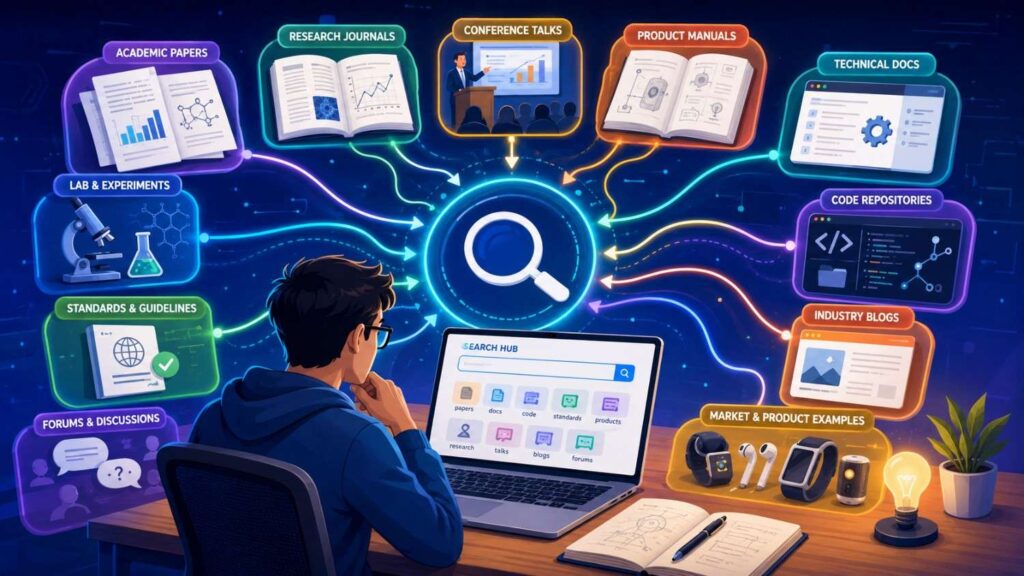
Your invention may be new in your product area but known in another field.
That can matter.
A sensor filtering method used in industrial machines may apply to medical wearables. A routing method used in call centers may apply to code reviews. A battery cooling method used in server racks may apply to electric vehicles. A robotic planning method used in warehouses may apply to surgery tools.
To search across fields, remove your product label and keep the function.
Instead of “drone obstacle avoidance,” search “real-time path planning moving obstacles,” “collision avoidance mobile robot,” and “dynamic obstacle trajectory prediction.”
Instead of “legal AI contract redlining,” search “text revision recommendation based on prior edits,” “document clause replacement,” and “policy based text modification.”
Instead of “factory defect AI,” search “visual anomaly detection manufacturing,” “surface defect detection neural network,” and “quality inspection image classification.”
Cross-field search is where many close sources appear.
It can feel less direct, but it often finds useful art.
A good patent team will care about these adjacent fields, especially if they solve the same technical problem.
Search Academic Papers
Research papers are a major source of non-patent literature.
They are especially important in AI, machine learning, robotics, biotech, materials, chips, networking, security, climate tech, medical devices, and sensing.
Start with the title-level search.
Use your best technical terms. Search the problem, method, inputs, outputs, and result.
Then look at abstracts.
A paper abstract can quickly tell you whether the source is close. If it looks close, scan the introduction, method section, figures, experiments, and conclusion.
Do not read every paper in full at first.
Search is a triage process.
You are looking for close teachings.
When you find a close paper, follow its citations. Look at the papers it cites. Look at later papers that cite it. This can reveal the main research path.
Also search the authors.
Researchers often publish multiple papers on the same topic. One paper may be broad, while another has the exact detail you need.
Search the lab name too.
Labs often post preprints, code, slides, datasets, and talks.
A paper may be just the starting point.
Search Preprints
In fast-moving fields, preprints can be more current than journals.
A preprint may appear months or years before a formal journal version. In AI and software-heavy areas, many important ideas are shared first as preprints.
Search preprint databases with the same care you use for papers.
Use old terms and new terms.
Search author names when you find a close source.
Search the paper title on the open web too. You may find code, slides, demos, or a project page.
Those linked materials may reveal more detail than the paper itself.
Do not ignore preprints because they are not peer reviewed.
For prior art search, the key question is often whether the information was publicly available and technically clear, not whether it went through journal review.
Your attorney can help judge how it matters. Your job as a founder is to help find it.
Search Open-Source Code
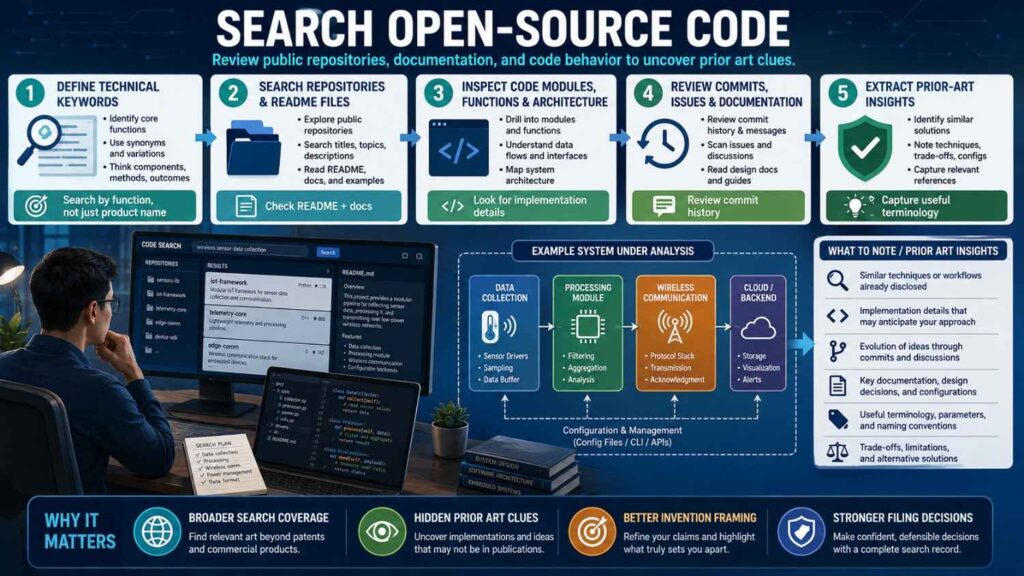
Open-source code can be very important prior art.
This is true for software, AI, developer tools, infrastructure, security, robotics, data systems, and embedded systems.
A repo may show exactly how a method works.
It may also show dates, commits, issues, documentation, examples, and discussions.
Start with keywords from your invention.
Search the feature name, technical action, input-output pair, and old terms.
Then search code terms.
Developers may use different words than papers or patents. They may name functions, classes, scripts, or modules in a practical way.
For example, a paper may say “semantic retrieval.” A repo may say “vector_search.py” or “rerank_docs.” A patent may say “retrieving candidate documents based on embeddings.”
Same area. Different language.
When you find a close repo, look beyond the README.
Check docs, examples, issues, pull requests, release notes, commit history, and tests.
Sometimes the README is broad, but the code shows the technical detail.
Also check whether the repo links to a paper, blog post, demo, or package page.
Open-source projects often sit inside a web of related sources.
For founders, this matters a lot.
A public repo can be a strong sign that a feature was already known.
It can also teach you how to claim your invention more carefully.
Maybe the broad method is open-source, but your deployment, safety layer, data flow, hardware control, or privacy method is still new.
You need to know that before you file.
Search Product Documentation
Product docs are often overlooked.
They can be very close prior art.
A company may never file a patent, but it may publish detailed docs showing how a system works. This is common in SaaS, developer tools, cloud services, APIs, hardware products, medical devices, industrial systems, and electronics.
Search product documentation by function.
Use terms like docs, manual, guide, API, developer, integration, setup, configuration, troubleshooting, release notes, and admin guide.
For example, if your invention relates to automated incident routing, search “incident routing documentation,” “alert assignment rules docs,” “on-call escalation machine learning,” “service ownership incident routing,” and “runbook automation docs.”
If your invention relates to a sensor device, search “user manual,” “installation guide,” “calibration guide,” “datasheet,” and “service manual.”
Product docs can show real system behavior.
They may reveal features that patents and papers do not.
Release notes can be especially useful because they show when features became public.
A small release note may say that a product added automatic routing, anomaly detection, model retraining, sensor calibration, or data export.
Do not skip these.
Search Datasheets and Technical Manuals
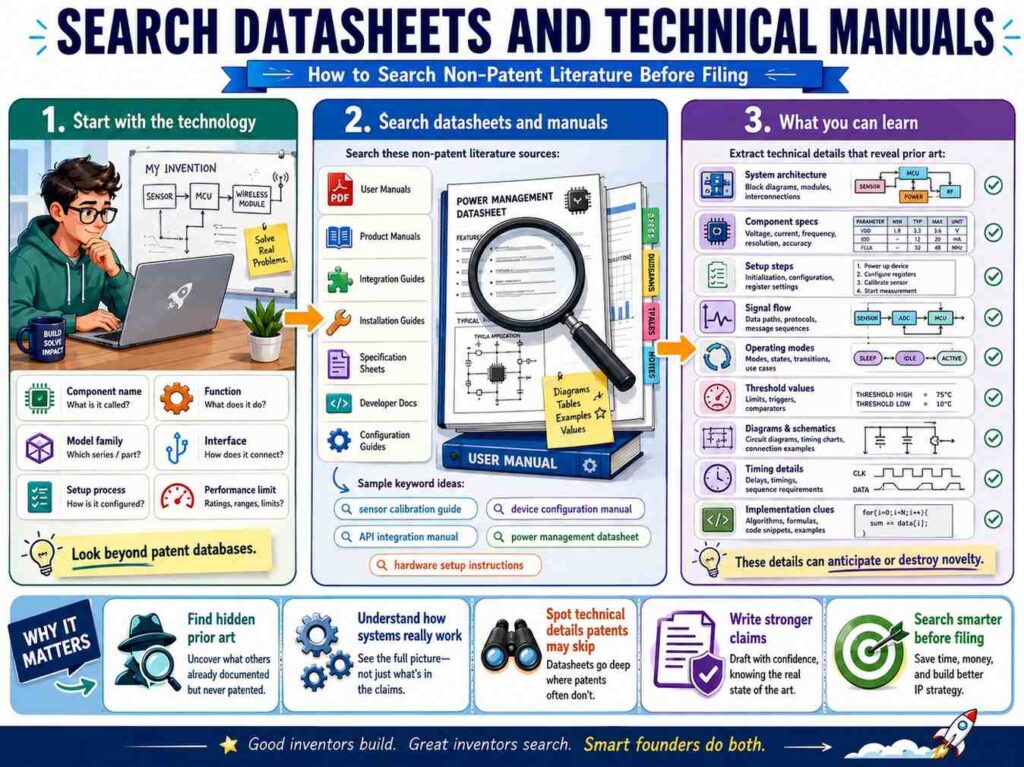
For hardware, datasheets can matter.
A datasheet may show circuit layouts, sensor specs, timing behavior, signal processing steps, pin functions, calibration methods, operating ranges, and recommended use.
Technical manuals may show installation, operation, maintenance, error detection, fault handling, and safety steps.
Search by part names, functions, materials, sensors, chips, modules, and system outcomes.
If your invention uses a certain sensor type, search datasheets for that sensor and competing sensors.
If your invention uses a special circuit function, search application notes from chip makers.
Application notes are often rich non-patent sources.
They can explain how to use a chip or component to solve a technical problem. Sometimes they show a method close to what a startup built.
For example, an application note may describe battery monitoring, motor control, noise filtering, power conversion, thermal management, or signal conditioning.
These sources can be easy to miss if you search only papers and patents.
Search Standards
Standards can be dense, but they matter.
A standard may define protocols, interfaces, security methods, data formats, communication steps, test methods, safety rules, and system behavior.
This is important in telecom, networking, video, audio, cloud systems, cybersecurity, payments, medical devices, automotive, robotics, energy, and electronics.
Search for the standard name plus your feature.
Also search the feature plus words like specification, protocol, standard, profile, compliance, test method, and requirements.
Standards often use formal language. They may not use your product terms.
If your invention touches a known protocol or industry spec, search that spec carefully.
Also look at working group drafts, technical reports, and implementation guides when public.
A standard may not show your full invention, but it may show key steps or constraints.
This can shape your patent strategy.
If the standard already requires a certain step, claiming that step broadly may not help. Your invention may lie in how you implement, optimize, secure, verify, or adapt it.
Search Conference Talks and Slide Decks
Conference talks can reveal a lot.
A speaker may explain a system before any paper or patent is easy to find. A slide deck may show architecture, data flow, experiments, diagrams, or product behavior.
Search the topic plus conference, slides, deck, presentation, talk, webinar, workshop, and recording.
Search speaker names when you find one good source.
Search company engineering blogs around the same date.
Many companies present technical work at conferences and then publish blog posts or slides.
For software and AI, talks can be especially rich. Engineers often explain practical design choices that are not in papers.
For hardware, talks may show test setups, prototypes, failure modes, and design tradeoffs.
Be careful with videos.
They take time.
Use transcripts when available. Search within pages for key terms. Look at slide thumbnails. Read summaries first. Watch only the parts that seem close.
A talk can be prior art if it publicly teaches the invention in enough detail. Your attorney can help assess that. Your search job is to find it.
Search Videos and Demos
A public video can show technical features.
This matters when the invention is visible in operation.
A demo may show a robot behavior, user interface flow, hardware mechanism, medical device step, software automation, or model output.
Search video platforms and company pages using the product category, feature, problem, and result.
Use words like demo, walkthrough, prototype, teardown, test, benchmark, launch, webinar, and tutorial.
Do not rely only on the video title.
A title may be broad, while the demo shows close detail.
If the video has a transcript, search it. If it has chapters, use them. If it links to slides, docs, code, or a product page, follow those.
Videos are harder to search than text, but they can be important.
A founder should at least check for obvious public demos in the field, especially if competitors or labs have shown similar systems.
Search Theses and Dissertations
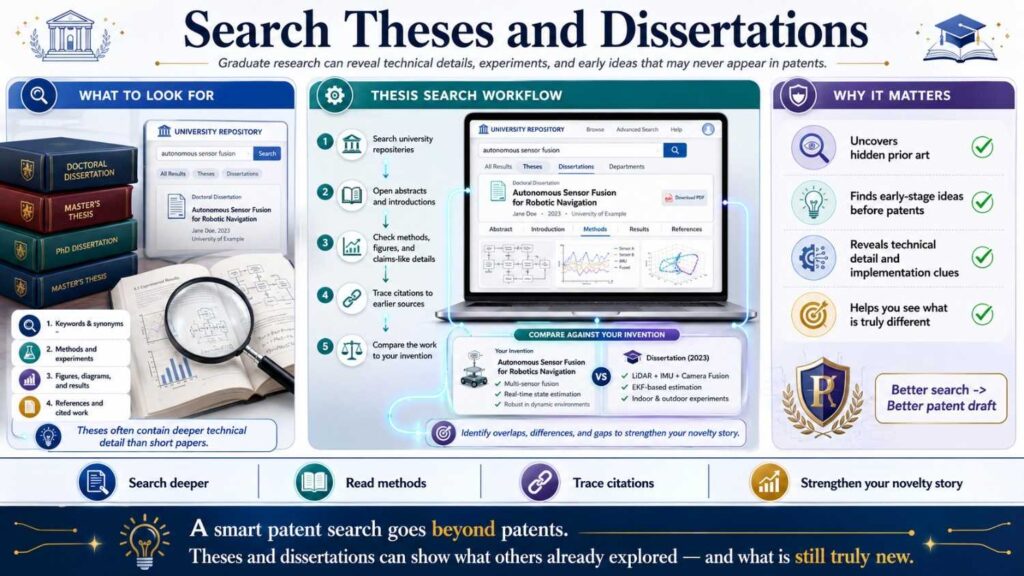
Theses can be deep.
A PhD thesis may include details that never made it into a paper. It may have long method sections, diagrams, experiments, source references, and background reviews.
Search your topic plus thesis, dissertation, university, lab, and PDF.
Search author names from close papers.
A researcher may publish a short paper and later include fuller details in a thesis.
This can matter in technical fields like robotics, materials, biotech, computer vision, security, control systems, signal processing, and hardware design.
Theses may be harder to read, but you do not need to read every page.
Start with the abstract, table of contents, figures, method chapters, and conclusion.
Use search inside the PDF for key terms.
If it is close, save it and write notes.
Search Public Datasets and Benchmarks
Datasets can reveal methods and tasks.
In AI and data-heavy fields, a dataset paper, benchmark page, leaderboard, or task definition may show the problem and standard approach.
Search the task name, dataset name, benchmark name, and field terms.
If your invention improves a known benchmark, search that benchmark deeply.
Look at papers using the dataset. Look at code linked from leaderboard entries. Look at baseline methods. Look at discussion pages.
Sometimes a dataset page shows input formats, labels, evaluation steps, and baseline models that are relevant to your invention.
This may not block your patent, but it helps you know what was already known.
It can also help you explain your improvement.
For example, your system may use less labeled data, work under a new constraint, handle real-time input, improve privacy, or operate on-device.
Those details matter.
Search Model Cards and Technical Reports
AI systems often come with model cards, system cards, technical reports, safety reports, and eval reports.
These sources may describe training data, model behavior, safety filters, evaluation methods, deployment limits, feedback loops, retrieval steps, or guardrails.
Search your feature plus model card, system card, technical report, safety report, evaluation, benchmark, and deployment.
For AI startups, this can be very useful.
A model card may not look like a patent source, but it may publicly teach a technical method or system behavior.
If your invention relates to model routing, retrieval, feedback, safety scoring, grounding, alignment, evaluation, or tool use, look at technical reports and model docs.
Also search open-source model repos and package pages.
AI prior art is spread across many places.
A good search must follow the trail.
Search Forums and Developer Communities
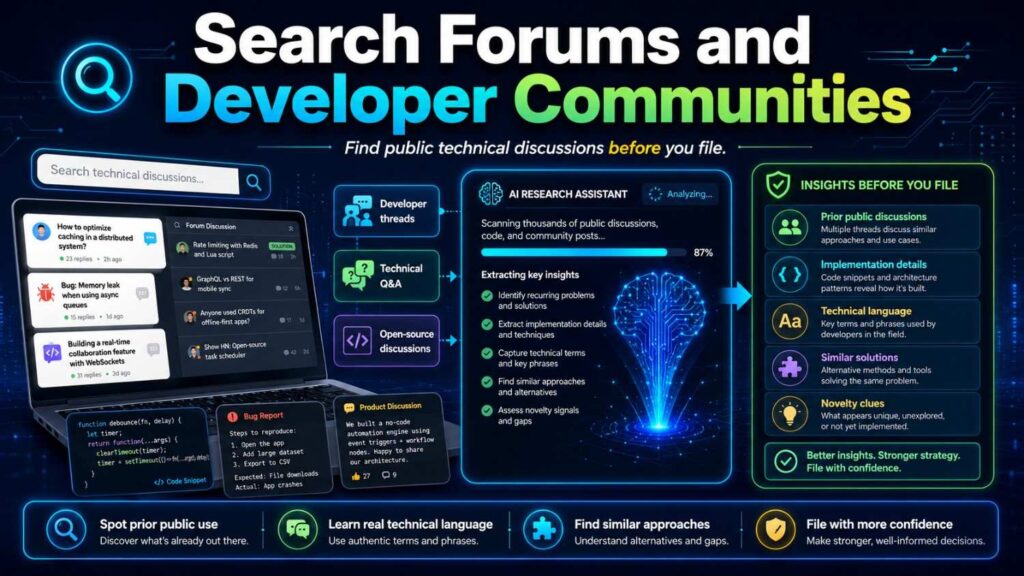
Forums can be messy, but they sometimes contain useful prior art.
Developers and engineers often discuss workarounds, designs, bugs, and solutions in public communities.
Search your technical problem plus forum terms.
Use words like Stack Overflow, GitHub issue, Reddit, forum, discussion, mailing list, bug, workaround, and fix.
For highly technical software, mailing lists can be important. Open-source projects may discuss features long before release.
For hardware, forums may show teardown details, modifications, calibration steps, and practical fixes.
Forum posts are not always easy to use. They may be informal or incomplete.
But they can lead you to better sources.
A forum post may link to code, docs, papers, manuals, or product pages.
Treat forums as leads unless the post itself is very clear and technical.
Search Company Blogs and Engineering Blogs
Engineering blogs can be some of the best non-patent literature.
Companies often explain how they solved real technical problems. These posts may include diagrams, architecture, tradeoffs, metrics, and lessons.
Search the problem plus engineering blog.
Search company names if you know who works in the space.
Search terms like architecture, scaling, reliability, latency, inference, ranking, detection, pipeline, migration, incident, performance, and design.
For example, if your invention is about real-time ranking, search “ranking system engineering blog,” “real time recommendation architecture,” “low latency ranking pipeline,” and “feature store online inference.”
If your invention is about security detection, search “anomaly detection engineering blog,” “fraud detection pipeline,” “risk scoring architecture,” and “abuse detection machine learning.”
Engineering blogs often use practical language. They may not say “invention,” but they can show the method.
Do not ignore them.
Search Product Launch Posts and Press Pages
Product launch posts can reveal features.
They may not include deep technical detail, but they can show that a feature was publicly available.
Search the feature plus launch, announced, release, beta, update, product, new feature, and changelog.
Then follow links to docs, demos, help pages, and API references.
The launch page is often the surface. The linked docs may contain the technical detail.
For patent strategy, launch posts can also help identify competitors and dates.
If a competitor launched a similar feature before your filing, you want to know.
That does not mean your invention is dead. Your technical improvement may still be different.
But you need to understand the public record.
Search Changelogs and Release Notes
Changelogs are underrated.
They show when features were released, improved, renamed, or fixed.
For software, this can be very helpful.
Search the product name plus changelog, release notes, version history, updates, and docs.
Then search within the changelog for your feature terms.
A release note may say that a tool added automatic classification, new routing, improved detection, model-based scoring, sensor support, offline mode, privacy controls, or a new API.
That may lead to docs or code showing how it worked.
Release notes also help with timing.
Dates matter in prior art.
A feature that became public before your filing date may matter. A feature after your filing date may not be prior art against you, though it can still be useful market information.
Always record dates when you find sources.
Search Archived Pages
Web pages change.
A product page today may not show what it showed two years ago.
Archived pages can help.
If you suspect a feature existed before, check web archives when available.
Search the page history, old docs, old changelogs, and older versions of manuals.
This can be important when a company removed or changed a page.
For prior art, the date of public availability matters.
Archived pages can help show what was public and when.
This is a deeper search step. You may not need it for every invention.
But for important filings or close competitors, it can be very useful.
Search Supplier Catalogs
For hardware startups, suppliers matter.
A component supplier may publish catalogs, application notes, design guides, reference designs, and integration manuals.
These can show technical features that later appear in products.
Search supplier names, component names, part numbers, and function terms.
For example, if your invention uses a pressure sensor in a fluid system, search sensor supplier docs. If your invention uses a battery management IC, search chip maker application notes. If your invention uses a motor controller, search reference designs and design guides.
Supplier materials often include practical circuits, layouts, calibration steps, and safety methods.
They can be close prior art.
They can also help you understand what is standard in the field.
If a supplier already teaches a certain setup, your patent should not rely on that setup as the core new part.
Your invention may still be in how you combine, control, package, or adapt it.
Search Regulatory and Safety Materials
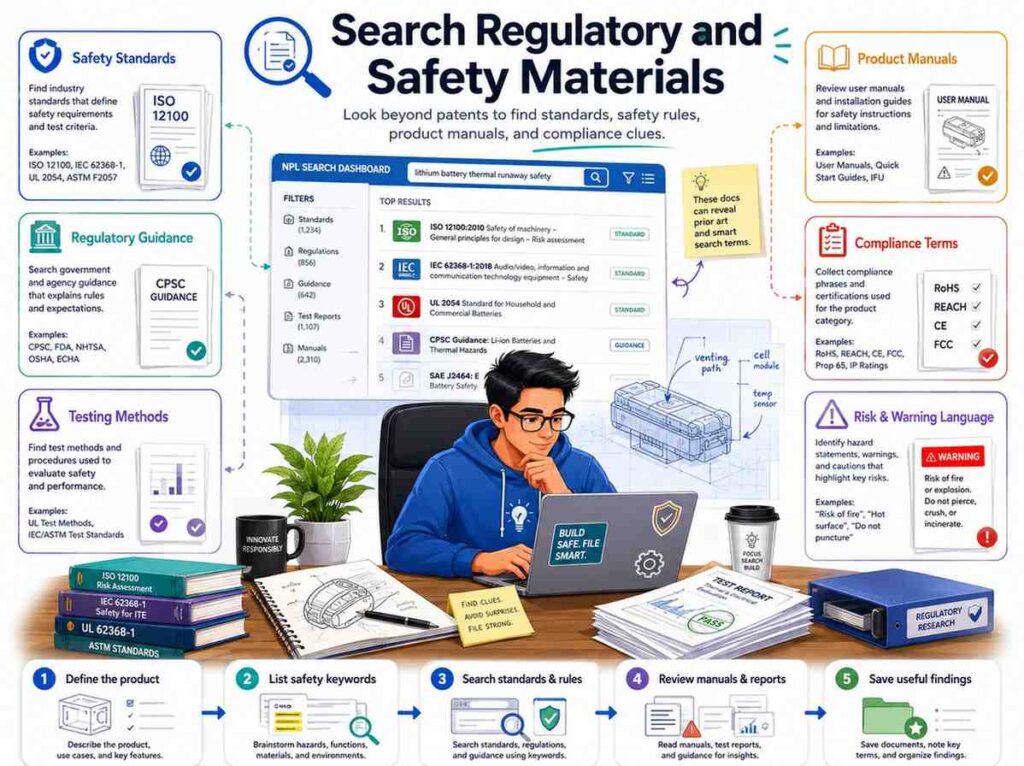
In fields like medical devices, automotive, energy, aviation, robotics, and industrial equipment, regulatory and safety materials can show known methods and requirements.
Search your technical problem plus safety guide, test protocol, regulatory guidance, hazard analysis, risk control, validation, verification, and standard operating procedure.
These sources may not look like prior art at first.
But they can show known safety steps, testing methods, warning systems, monitoring rules, or failure responses.
If your invention relates to safety, do not ignore this category.
A safety requirement may already teach a broad step. Your invention may lie in a better way to meet it.
That distinction is important for claim strategy.
Search Public Grant Reports and Government Technical Reports
Government-funded research can produce public reports.
These reports may be detailed and technical.
They can appear in energy, defense, aerospace, health, climate, transportation, materials, and computing.
Search your topic plus technical report, final report, government, grant, lab, national lab, and project.
These reports may include prototypes, experiments, diagrams, performance data, and methods.
They may not be well indexed in normal searches, so try several terms.
If you find one close report, search the project name and authors.
You may uncover related papers, slides, datasets, or patents.
Search Industry White Papers
White papers can be useful, especially in enterprise software, networking, cloud, security, finance, energy, and hardware systems.
Some are marketing-heavy. Others are technical.
Search your feature plus white paper, architecture, solution brief, technical guide, and reference architecture.
Be careful with marketing fluff.
A source is more useful when it gives enough technical detail.
Look for diagrams, process steps, system architecture, data flows, test methods, and configuration details.
A white paper that only says “AI improves performance” may not matter much.
A white paper that shows how alerts are scored, routed, and verified may matter.
Search Public Procurement Documents
This is a more advanced source, but it can help in some fields.
Government or enterprise procurement documents may describe technical requirements for systems before they are built or bought.
Search your field plus request for proposal, RFP, technical requirements, procurement, tender, specification, and bid.
These sources can show that certain features were requested or known in the market.
They may not always show how to build the feature, but they can reveal known needs and system requirements.
For patent work, they are usually supporting context rather than the closest art.
But in some cases, they can lead to vendors, manuals, or technical specs.
Search Technical Books and Handbooks
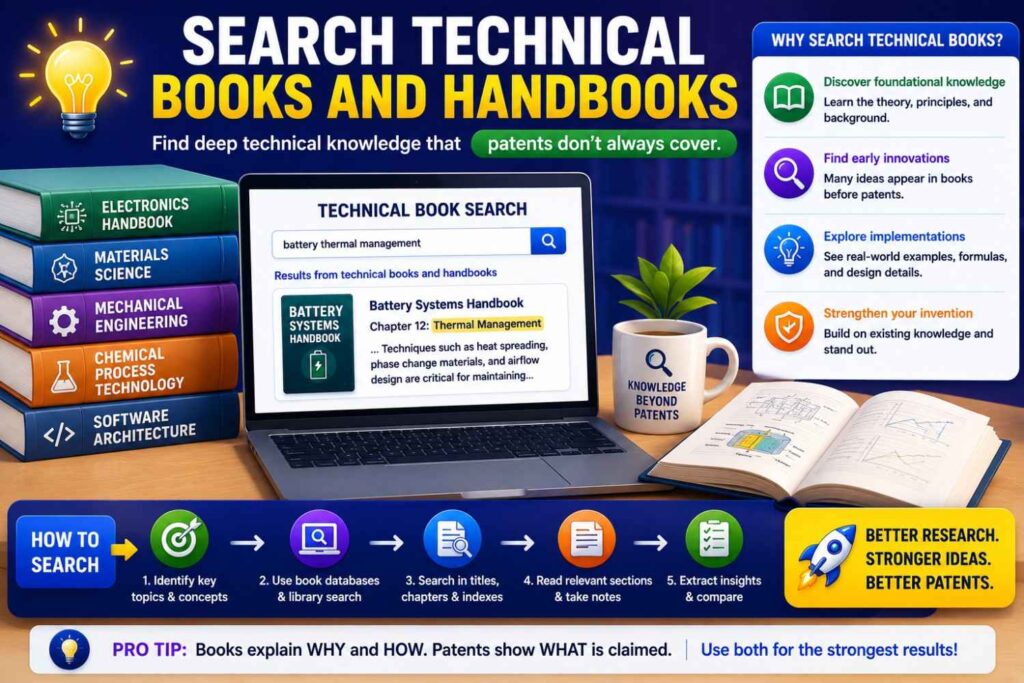
Books and handbooks can show mature knowledge.
They are useful when your invention sits in a known field like signal processing, control systems, electronics, chemistry, materials, manufacturing, optics, or mechanical design.
Search your topic plus handbook, textbook, guide, reference, chapter, and PDF.
You may not need to read full books.
Look at tables of contents, previews, cited chapters, and searchable snippets.
Books can show that a general method was well known.
They can also help you learn the right terms for deeper search.
If a book names a method differently than your team does, add that term to your word family.
How to Use Search Operators Without Getting Lost
Search operators can help, but do not overdo them.
Quotes can search exact phrases.
A minus sign can remove unwanted meanings.
Site searches can focus on a domain.
File type searches can find PDFs.
Date filters can help when timing matters.
For example, searching a phrase in quotes can help when the term is unique. Searching for PDFs can help find papers, manuals, and slides. Searching within a company domain can find docs and release notes.
But search operators are only tools.
The main value still comes from choosing good terms.
A bad query with fancy operators is still bad.
A clear query with plain terms often works better.
Use operators to sharpen your search, not to make it complicated.
Search in Waves
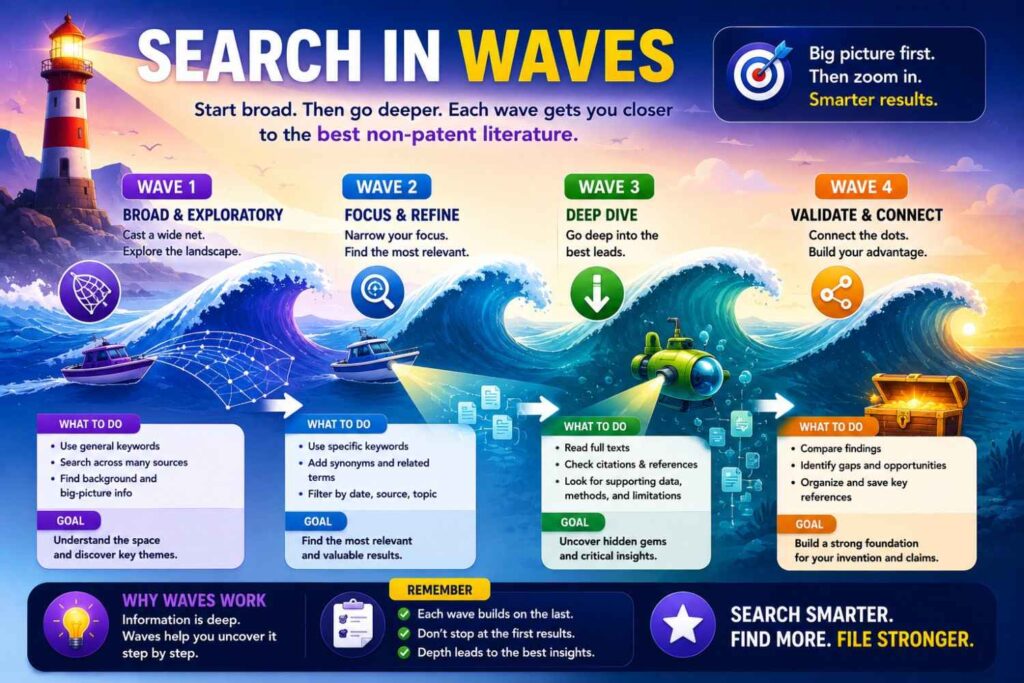
Do not try to find everything in one pass.
Search in waves.
The first wave is broad. You are learning terms, players, sources, and problem language.
The second wave is focused. You use better terms and search specific source types like papers, code, docs, manuals, and standards.
The third wave is deep. You follow citations, authors, repos, versions, archived pages, and linked materials.
This wave method keeps you from getting overwhelmed.
It also mirrors how real search works.
You rarely know the best terms at the start.
The first results teach you how to search better.
Know When to Stop Searching
You can search forever.
That is not the goal.
The goal is to find enough close sources to make a good filing decision.
For a rough early screen, you may stop after you understand the main terms and find no obvious close source.
For a serious filing, you should search more deeply across patents and non-patent literature.
For a core invention that investors, partners, or buyers may care about, you should involve a professional.
Stopping is a judgment call.
Ask whether new searches are still finding new close sources or just repeating the same themes.
Ask whether you have checked the most likely source types for your field.
Ask whether you have found the major papers, products, repos, and docs.
Ask whether the closest sources are understood well enough to shape claims.
When the search starts to repeat and you have covered the right sources, you may have enough for the next step.
But if the invention is central to your company, do not rely only on your own stopping point. Get review.
Keep a Search Log
A search log saves you from chaos.
It does not need to be fancy.
Record the date, source, query, filters, useful results, and notes.
For close sources, write what they show and what they seem to miss.
Also record publication dates or public dates when you can find them.
This is important because prior art depends on timing.
A good note might say:
“Paper from 2022 shows using vibration and current signals to detect motor faults, but it does not show the real-time edge deployment with adaptive threshold update.”
Another good note might say:
“GitHub repo from 2021 includes reviewer recommendation based on file ownership, but does not link pull request risk to prior production incidents.”
These notes are simple and useful.
They help your patent attorney move faster. They help your team remember what mattered. They also help you avoid searching the same path again.
Save Copies or Stable Links
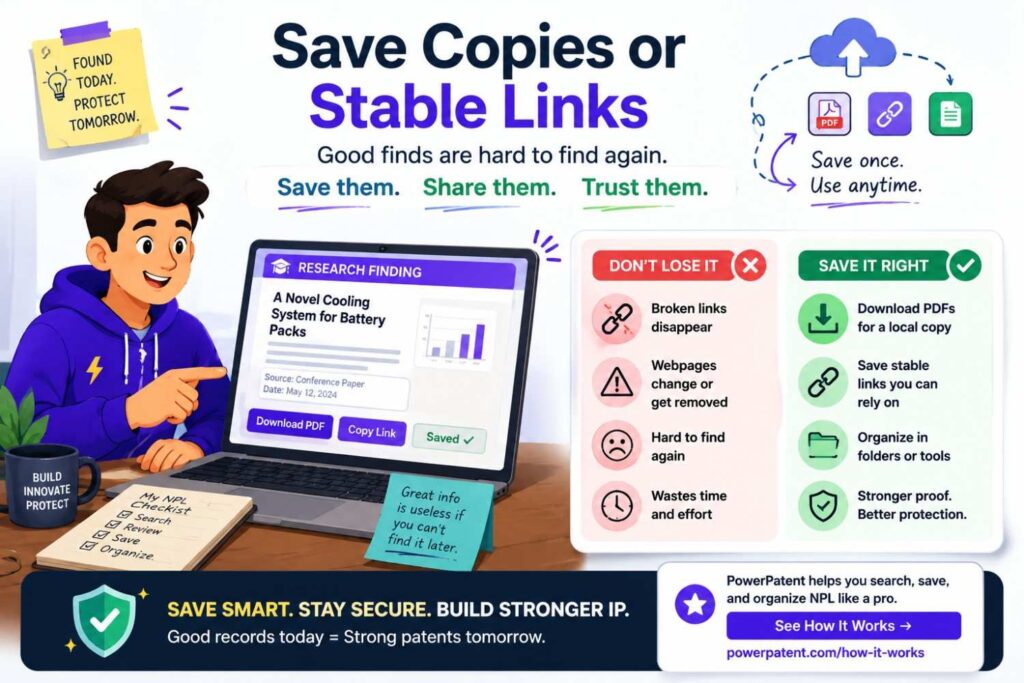
Web pages can disappear.
Repos can change.
Docs can move.
When you find a close source, save enough information to find it again.
Record the title, author or company, URL, date found, publication date if shown, version if relevant, and a short note.
For code, record the repo, commit, release, or tag if relevant.
For manuals, record the version and date.
For standards, record the version number.
For videos, record the title, speaker, date, and time mark if the key part appears at a certain point.
This may feel tedious, but it matters.
A source you cannot find later is less useful.
Read Close Sources Feature by Feature
When you find a close source, slow down.
Do not just ask, “Is this the same?”
Break your invention into key features and compare.
Does the source show the same input? The same process? The same output? The same setting? The same trigger? The same timing? The same control step? The same hardware structure? The same data flow?
This comparison is more useful than a gut feeling.
A paper may look close but miss your key step.
A repo may show one feature but not the system-level use.
A manual may show the same device but not the method.
A talk may show the workflow but not the technical implementation.
Feature comparison helps you see the real gap.
That gap may become the center of your patent claim strategy.
Do Not Make Legal Conclusions Alone
Founder-led search is useful, but it is not the same as legal review.
You can find sources. You can compare features. You can spot risks. You can prepare better materials.
But novelty and obviousness can be hard.
A patent attorney can help decide how the sources affect filing strategy.
This matters because a source does not need to be identical to create risk. Several sources may be combined. A source in a nearby field may matter. A public disclosure date may be unclear. A detail may or may not be enough.
Do the search, but do not carry the legal burden alone.
The best workflow is shared.
Founders and engineers bring technical detail. Patent professionals bring patent judgment.
PowerPatent is designed to make that shared workflow smoother, faster, and more useful. You can see how it works here: https://powerpatent.com/how-it-works
AI and Software: Where to Search First
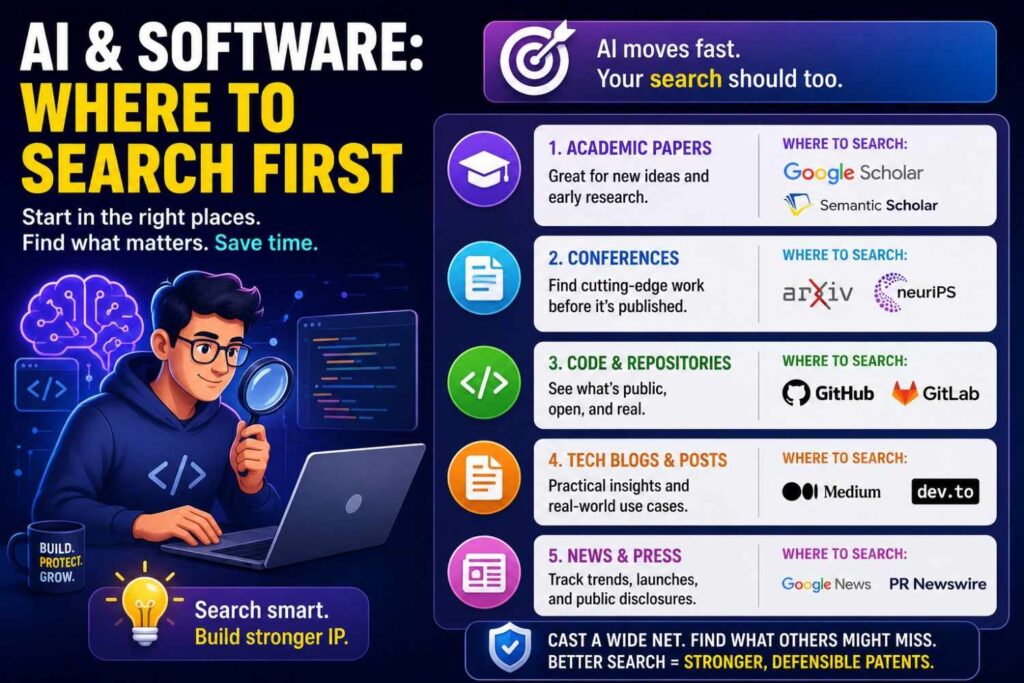
For AI and software inventions, start with papers, preprints, code, docs, and engineering blogs.
Patent databases still matter, but non-patent literature is often where the freshest work appears.
Search for the task, not just the product.
If your tool uses retrieval, search the retrieval method. If it uses ranking, search ranking. If it routes work, search routing. If it learns from feedback, search feedback learning. If it detects risk, search risk scoring and anomaly detection.
Then search open-source projects.
Look for repos, package docs, notebooks, examples, and issue discussions.
Then search product docs and release notes.
Many software features are described in docs long before they are described in patents.
Then search papers and citations.
Academic papers can show core methods. Code can show implementation. Docs can show product use. Blogs can show architecture.
Together, they give a fuller picture.
Hardware: Where to Search First
For hardware inventions, start with patents and technical documents, but do not stop there.
Search datasheets, manuals, application notes, supplier catalogs, standards, research papers, teardown articles, and product videos.
Look at drawings and diagrams.
Hardware prior art is often visual.
A source may not use your exact term, but a figure may show the same structure.
Search part names, materials, geometry, functions, failure modes, and manufacturing steps.
If your invention is a seal, search the seal type, the environment, the failure mode, and the device using it.
If your invention is a cooling path, search the heat source, fluid flow, packaging, control, and safety result.
If your invention is a sensor mount, search sensor placement, housing, vibration, thermal isolation, calibration, and signal quality.
Hardware search rewards patience.
Small details can matter.
Biotech and Life Sciences: Where to Search First
For biotech, diagnostics, therapeutics, lab tools, and health tech, non-patent literature can be very important.
Search journal articles, preprints, clinical trial materials, grant reports, theses, protocols, datasets, product inserts, regulatory documents, and conference abstracts.
Terms matter a lot.
Search gene names, protein names, assay names, disease terms, biomarkers, sample types, methods, reagents, and outcomes.
Also search synonyms and older names.
Biology changes naming over time.
A method may be known under an older assay name or a related pathway term.
Because this area is high stakes and technically dense, professional help is especially important.
Founder-led search can help gather materials, but attorney and subject-matter review are key.
Climate and Energy: Where to Search First
Climate and energy inventions often span papers, government reports, standards, supplier docs, patents, and field demos.
Search research papers, national lab reports, technical reports, equipment manuals, standards, pilot project pages, grant reports, and conference slides.
If your invention is in batteries, search materials papers, cell design, pack design, battery management systems, safety, manufacturing, and recycling.
If it is in carbon capture, search sorbents, membranes, process conditions, regeneration, energy use, and reactor design.
If it is in grid software, search forecasting, demand response, dispatch, storage control, fault detection, and grid standards.
Energy search often requires both science terms and system terms.
The material may be old, but the system integration may be new.
Or the system concept may be old, but your control method may be new.
Search both layers.
Robotics: Where to Search First

Robotics prior art is spread across papers, code, videos, patents, product docs, and lab pages.
Search the task, environment, sensors, control method, planner, gripper, motion type, failure mode, and result.
If your robot picks objects, search grasp planning, bin picking, pose estimation, tactile sensing, failed grasp recovery, and clutter.
If it navigates, search path planning, collision avoidance, localization, mapping, dynamic obstacles, and recovery behavior.
If it works with humans, search safety zones, intent prediction, force control, shared autonomy, and human-robot interaction.
Videos matter in robotics.
A demo may show a behavior before a paper is published.
Code also matters.
Many robotics methods are shared in open-source packages.
Search papers, then follow project pages and repos.
Cybersecurity: Where to Search First
Cybersecurity prior art can appear in papers, CVE reports, standards, tools, code, blogs, conference talks, and mailing lists.
Search the threat, detection method, data source, response action, and system context.
If your invention detects phishing, search signals, user behavior, domain features, message analysis, and response workflows.
If it detects malware, search static analysis, dynamic analysis, behavior detection, sandboxing, signatures, anomaly detection, and endpoint telemetry.
If it controls access, search authentication, authorization, policy enforcement, identity, tokens, risk scoring, and step-up checks.
Security teams share a lot in blogs and talks.
Do not rely only on patents.
Also search standards and open-source tools.
A security method may be implemented in public code before it appears in a patent.
Medical Devices and Digital Health: Where to Search First
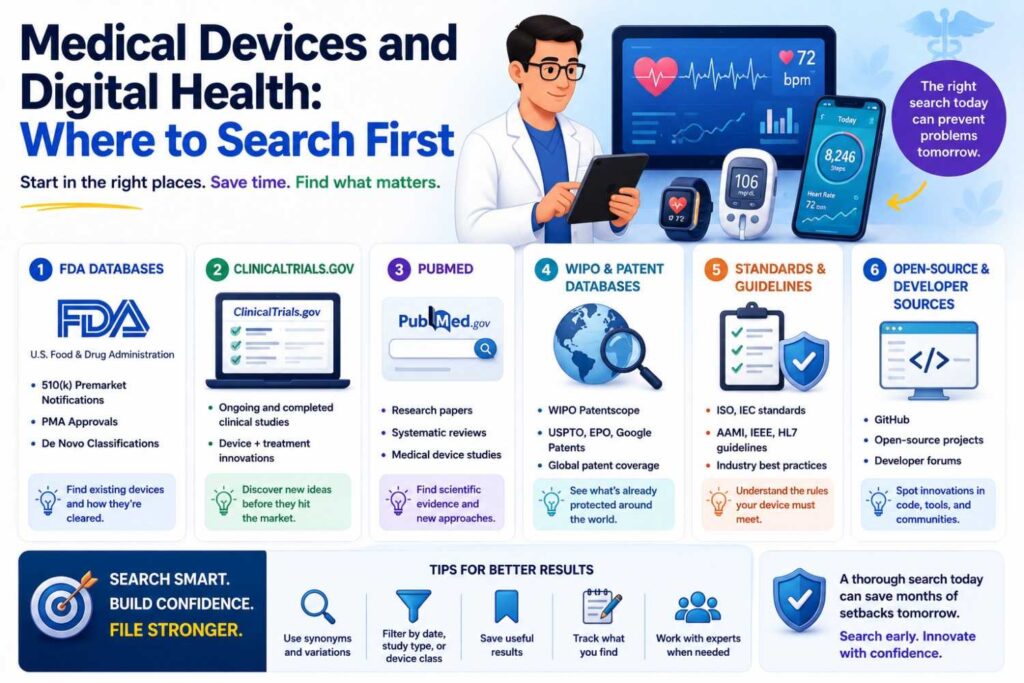
Medical device and digital health search should cover papers, patents, product manuals, regulatory materials, clinical studies, standards, user guides, and sensor docs.
Search the condition, device type, signal, patient setting, clinician workflow, alert logic, and outcome.
If your system monitors a patient, search sensor placement, signal processing, alarm thresholds, motion artifacts, remote monitoring, clinician alerts, and false alarms.
If your invention is a device structure, search manuals, teardown images, supplier docs, and standards.
If it is software, search clinical workflow papers, health IT docs, and product guides.
This field has safety and regulatory layers, so broad product searching is not enough.
Look for the technical detail behind the clinical promise.
What to Do When You Find a Very Close Source
Finding a close source can feel bad.
Do not panic.
Read it carefully.
Write down what it shows. Then write down what it does not show.
Compare it to your invention feature by feature.
Ask whether your improvement is still specific, technical, and useful.
Maybe the broad idea is old, but your timing method is new. Maybe the input data is old, but the feedback loop is new. Maybe the hardware layout is old, but the calibration method is new. Maybe the model is old, but the privacy-preserving deployment is new.
A close source often helps you find the true invention.
Bring it to your patent team.
Do not hide close art from your own advisors. That only makes the process weaker.
A strong patent strategy faces the closest art early.
What to Do When You Find Nothing
Finding nothing does not prove you are clear.
It may mean your search terms are wrong.
Try broader terms. Try older terms. Try problem terms. Try result terms. Try input-output searches. Try adjacent fields. Try papers. Try code. Try product docs. Try standards. Try patents. Try author and company searches.
If you still find little after a thoughtful search, that may be a positive sign.
But be careful.
The value is in the process, not the empty result.
A weak search that finds nothing is not useful.
A strong search that finds little can be meaningful.
What to Do When You Find Too Much
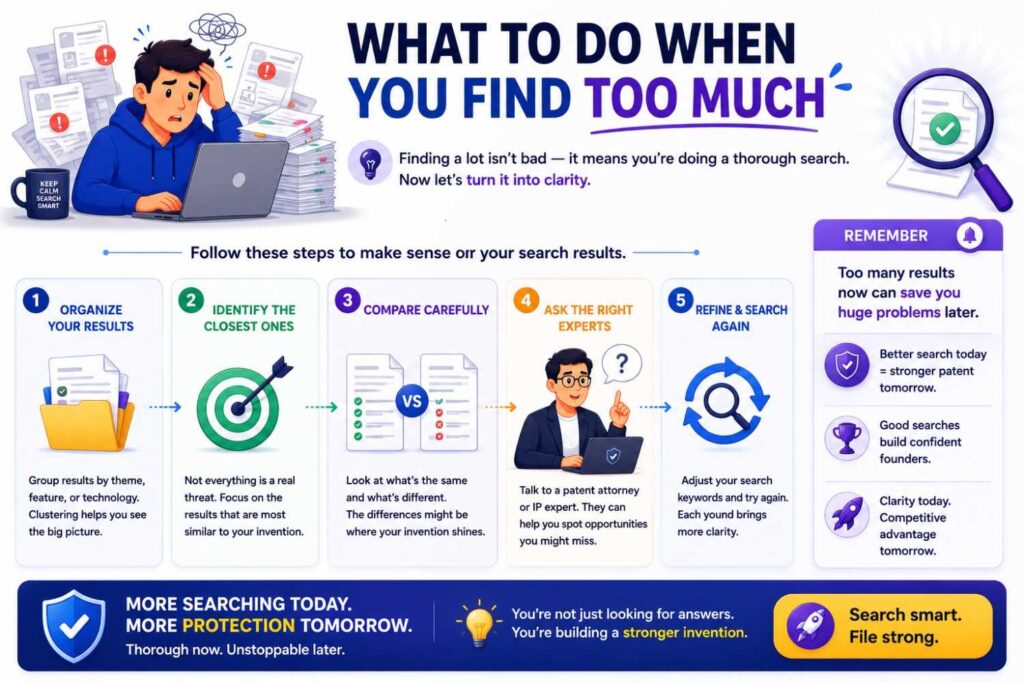
Too many results can feel just as bad.
Do not read everything.
Narrow by feature.
Add the specific input, output, method, setting, or result.
Search within source types.
For example, if “anomaly detection machine learning” is too broad, add the field, data type, and outcome. Search “anomaly detection motor vibration current bearing wear” or “anomaly detection cloud billing usage spike.”
If papers are too many, sort by citations, recency, or known conferences. If code is too much, focus on repos with docs, releases, stars, or links from papers. If product docs are too many, focus on direct competitors or the exact feature.
The goal is not to collect everything.
The goal is to find the closest sources.
How Non-Patent Search Improves Claim Drafting
A good non-patent search can make your patent stronger.
It helps your team avoid claiming what is already public.
It helps identify the real point of difference.
It helps add examples and fallback details.
It helps explain the technical benefit.
It helps decide which terms to use in the filing.
For example, if the literature already shows general model retraining from user feedback, your filing may need to focus on the specific kind of feedback, privacy boundary, timing, update rule, or deployment architecture.
If papers already show sensor fusion for fault detection, your filing may need to focus on the unique signal pairing, calibration, threshold adaptation, physical placement, or response step.
If docs already show workflow routing, your filing may need to focus on the special data graph, risk score, human override, or failure recovery.
Search gives the drafting team a sharper target.
How Non-Patent Search Helps You Avoid Weak Provisionals
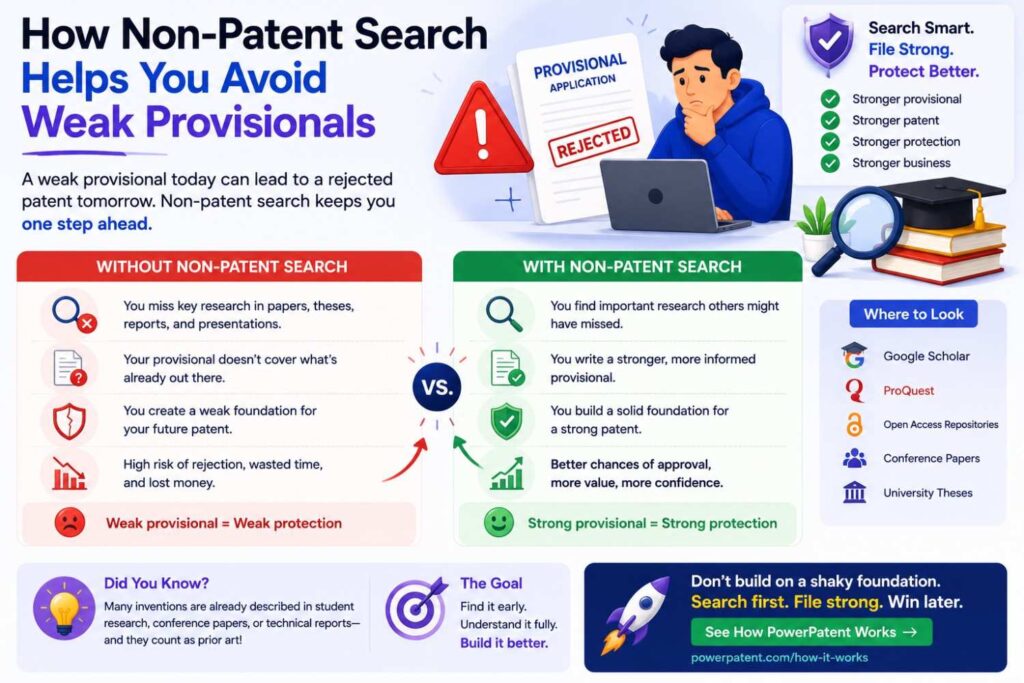
A provisional patent application can be useful, but only if it supports the invention well.
A thin provisional can create false comfort.
Non-patent search helps you know what details to include.
If the old literature already shows the broad idea, your provisional should describe the specific improvement in real detail.
That may include architecture, data flow, timing, settings, training steps, hardware layouts, examples, alternatives, and technical benefits.
Do not file a vague provisional just to feel protected.
Capture the real invention.
PowerPatent helps founders do this with a guided process and attorney oversight, so the filing is not built from a shallow product pitch. See how PowerPatent works here: https://powerpatent.com/how-it-works
How Non-Patent Search Supports Investor Diligence
Investors want to know whether your technical edge is real.
They may not read every patent or paper, but they care about defensibility.
If you can explain what you searched, what you found, and how your invention differs, you sound more prepared.
This does not mean you need to show a giant search report to every investor.
It means your patent strategy should be based on clear thinking.
A founder who says “we searched and found nothing” sounds less credible than a founder who says “the broad field is active, but our filing focuses on a specific method for reducing false alerts using this signal relationship.”
That is a stronger story.
Non-patent search helps you build that story honestly.
How Non-Patent Search Helps Product Strategy
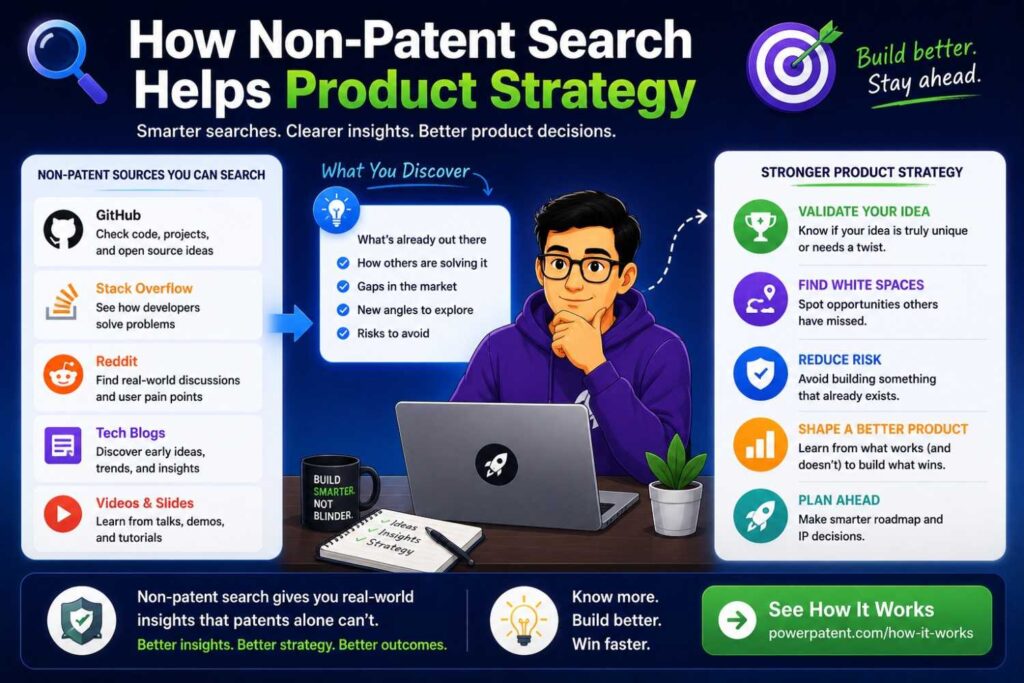
Prior art search is not only for patents.
It can also teach product strategy.
You may find old solutions that failed. You may find common pain points. You may find competitor features. You may find technical limits. You may find open-source tools that users already know. You may find standards that shape the market.
This can help your roadmap.
Maybe your planned feature is common, but your deployment is special. Maybe customers care about a problem that many papers discuss but few products solve. Maybe a competitor has strong docs in one area and a gap in another.
Search helps you see the field.
A patent filing should protect the business. Understanding the field helps you choose what matters.
How to Work With Your Engineering Team
Engineers are vital to non-patent search.
They know the real terms. They know what was hard. They know the open-source tools. They know the papers everyone reads. They know the weird bug that led to the clever fix.
Do not leave them out.
Ask them what they searched when building. Ask what papers they used. Ask what repos they studied. Ask what docs they copied patterns from. Ask what failed. Ask what they changed. Ask what competitors they respect.
This is not about blame.
It is about truth.
The best invention details often come from engineering stories.
A founder may describe the product at a high level. An engineer may reveal the real patentable improvement.
PowerPatent is built for this kind of technical capture. It helps teams turn builder knowledge into patent-ready information with less friction. Start here: https://powerpatent.com/how-it-works
How to Handle Your Own Public Disclosures
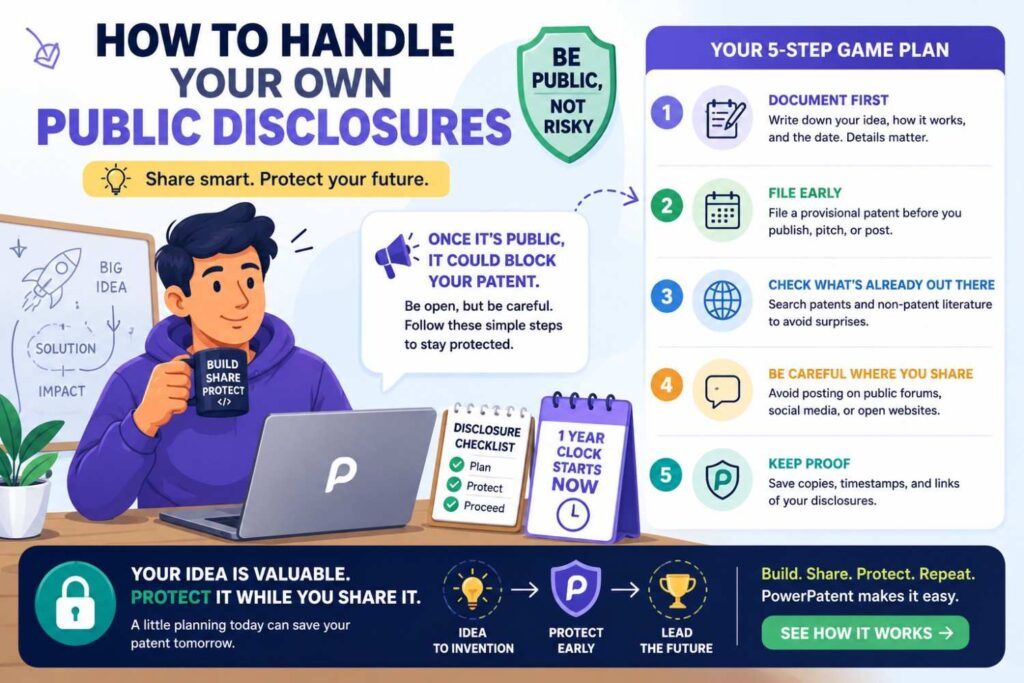
Your own public materials can matter too.
Blog posts, launch pages, docs, demos, pitch decks, papers, videos, and GitHub repos may disclose your invention.
Before filing, review what your team has already shared or plans to share.
Search your own website, docs, blog, repos, talks, and demos.
Ask whether the technical details are already public.
If you plan to publish soon, talk to your patent team before publishing.
This is especially important for startups that move fast and market early.
A public demo can be great for growth, but it can create patent issues if it reveals the technical invention before filing.
The safer move is to file before major technical disclosure when possible.
How to Search Competitor Materials
Competitor materials are a rich source of non-patent literature.
Search competitor docs, blogs, demos, release notes, manuals, talks, and repos.
Do not search only company names.
Search company name plus feature terms.
Search company name plus docs, API, manual, white paper, architecture, demo, and release notes.
Also search people.
Founders, engineers, researchers, and product leaders may give talks, write posts, or publish papers.
Competitor search can reveal close features and dates.
It can also show gaps.
Maybe a competitor talks about the same broad problem, but their docs do not show your technical method. Maybe they solve the issue in a different way. Maybe they have no public detail at all.
All of that helps your strategy.
How to Search by People and Organizations
When you find one close source, search the people behind it.
Authors, inventors, engineers, labs, companies, and universities often leave trails.
A researcher may have papers, code, slides, and a thesis. A company may have docs, blog posts, talks, and patents. A standards group may have drafts and meeting notes.
Search names with your feature terms.
Search the lab page.
Search the company engineering blog.
Search the author’s project page.
This can uncover related sources that keyword search misses.
Good search is not only term-based. It is network-based.
Sources connect to people. People connect to more sources.
Follow the trail.
How to Search by Dates
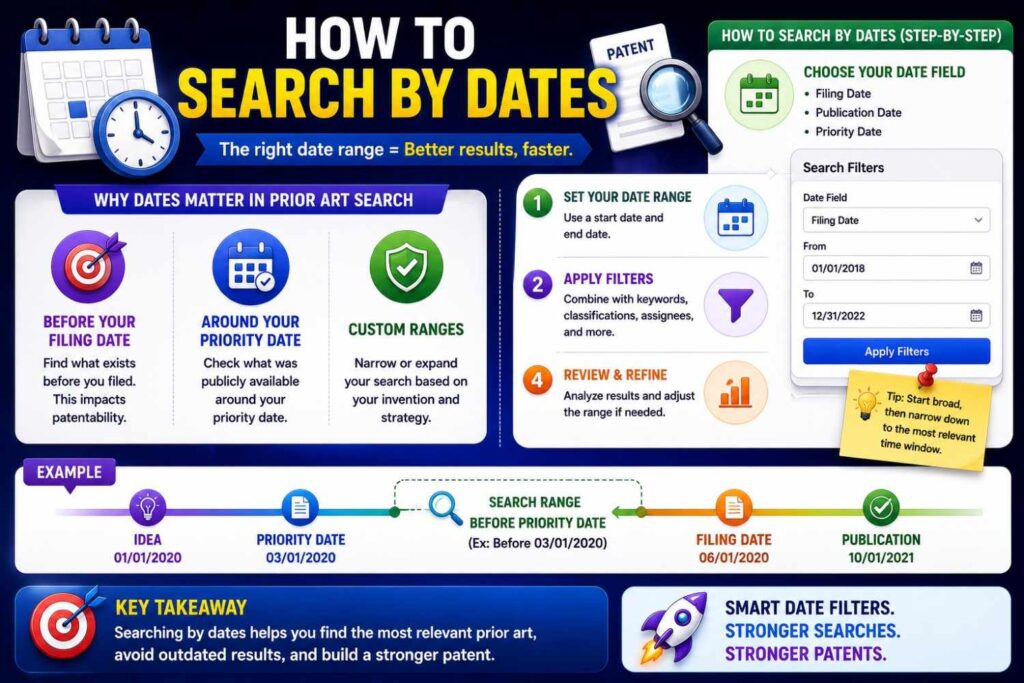
Dates matter.
A source before your filing date may be prior art. A source after your filing date may not be prior art against that filing, though it can still be useful.
When searching, use date filters carefully.
If you are filing now, focus on sources before your planned filing date.
If your invention was first built years ago, talk to your patent team about which dates matter.
Record publication dates, release dates, commit dates, conference dates, and archive dates when possible.
Be cautious.
Some pages show update dates that are not the original publication date. Some repos have old commits and new README changes. Some papers have preprint dates and journal dates. Some standards have draft dates and final dates.
Do not guess if timing is important.
Save what you find and ask for legal review.
How to Judge Whether a Source Is Close
A close source does at least one of three things.
It solves the same problem in the same setting.
It uses the same method or a very similar method.
It shows the same key feature that makes your invention valuable.
The best sources may do all three.
A source does not need to use your exact words to be close.
It does not need to be a patent.
It does not need to come from a direct competitor.
A university paper, old manual, code repo, or standards doc can be close.
When in doubt, save it.
You can sort later.
How to Write Useful Notes for a Patent Team
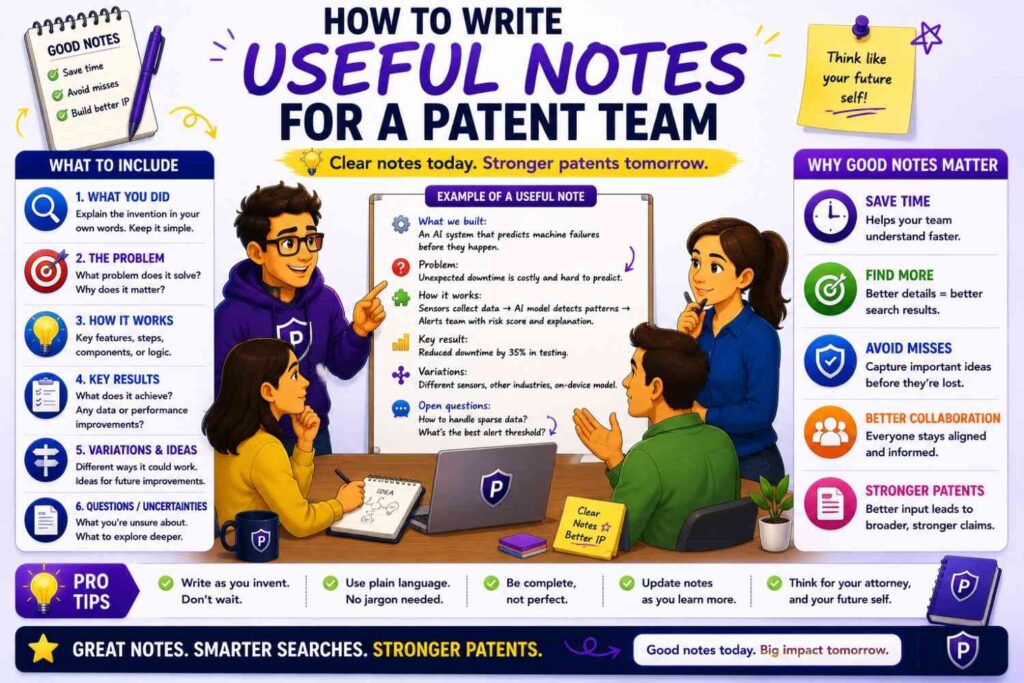
Your notes should be plain and specific.
Avoid vague labels like “similar” or “not relevant.”
Say what the source shows.
Say what it does not appear to show.
Say why it matters.
For example:
“This 2021 paper shows detecting bearing faults using vibration and current data. It does not appear to update thresholds on-device based on local temperature drift.”
Or:
“This product doc shows automated incident routing based on service ownership. It does not appear to use predicted customer impact from live usage data.”
Or:
“This repo includes retrieval with embeddings and reranking. It does not appear to route queries across models based on privacy risk.”
These notes help the attorney understand the gap.
They also help you remember why a source mattered.
How to Build a Simple Source Table
A simple source table can make your search much easier.
Use columns for source name, type, date, link, key teaching, missing feature, and notes.
Keep it short.
You do not need a huge report.
The goal is clarity.
A good source table lets your patent team scan the landscape quickly.
It also helps you compare sources feature by feature.
For major inventions, this table can become a useful internal asset.
It shows that the team took the landscape seriously.
Common Mistakes to Avoid
The biggest mistake is stopping after patents.
The second biggest mistake is searching only your product category.
Another mistake is using only new buzzwords.
Another is ignoring code and docs.
Another is failing to record dates.
Another is reading too much too early instead of scanning first.
Another is hiding close sources because they feel scary.
Another is filing a thin provisional before understanding the old work.
You can avoid most of these with a simple, steady process.
Search broadly. Focus quickly. Save close sources. Compare features. Get review.
A Practical Example: AI Support Ticket Routing
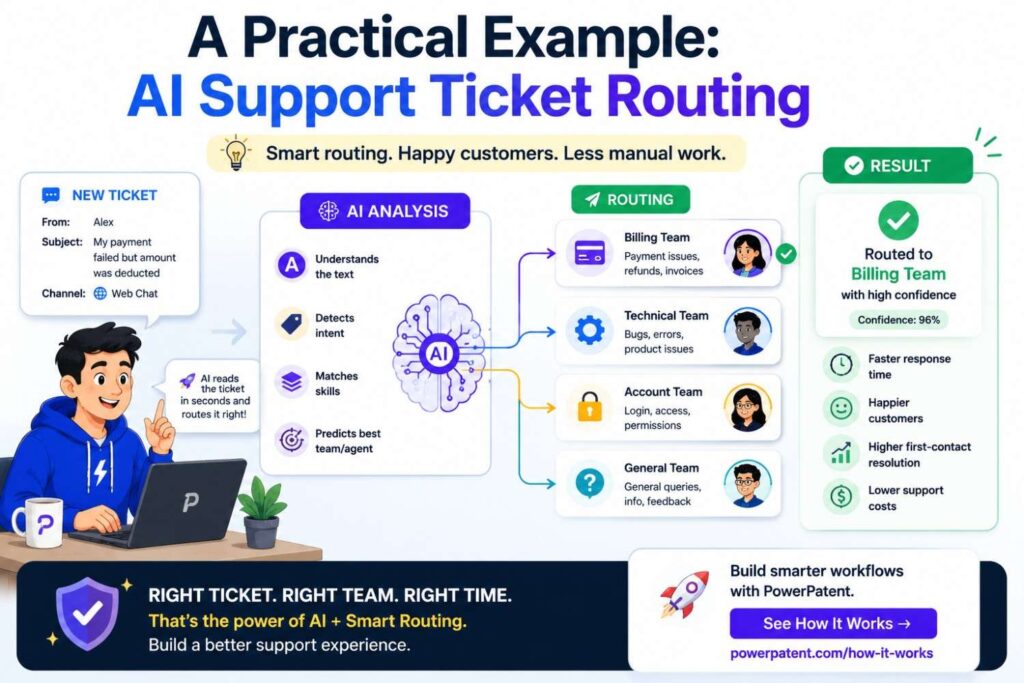
Imagine your startup built a system that routes support tickets to the right engineer.
The system uses ticket text, service ownership, past incidents, customer impact, and on-call load. It predicts the likely root cause and sends the ticket to the best person.
A weak search would be “AI support ticket router.”
A better non-patent search breaks the invention down.
Search the problem: support ticket triage, incident routing, alert fatigue, wrong escalation, support queue prioritization.
Search the inputs: ticket text, service ownership, past incidents, customer impact, on-call schedule, logs.
Search the method: root cause prediction, ticket classification, expert recommendation, incident similarity, service graph, machine learning triage.
Search the output: assign engineer, route incident, prioritize ticket, escalation recommendation.
Then search source types.
Look for papers on ticket triage and incident management. Look for engineering blogs from cloud and infrastructure companies. Search open-source incident tools. Search product docs from support and observability platforms. Search release notes for routing features. Search conference talks on incident response automation.
You may find that ticket classification is old. Expert routing may be old. Incident similarity may be old.
But maybe your exact combination with live customer impact and on-call load is not shown.
That could become the focus.
The search did not kill the idea. It made it clearer.
A Practical Example: Battery Fault Detection
Imagine your team built a battery fault system that combines gas sensing, pressure changes, and cell temperature gradients.
A weak search is “battery fault detection sensor.”
A stronger search uses many paths.
Search papers for thermal runaway detection, battery vent gas sensing, electrolyte vapor detection, pressure monitoring, temperature gradient fault detection, and battery management safety.
Search supplier application notes for gas sensors, pressure sensors, and battery management chips.
Search standards and safety reports around battery pack testing and fault response.
Search product manuals for battery safety systems.
Search conference slides from battery safety workshops.
Search technical reports from labs.
Then compare.
Maybe gas detection is known. Maybe temperature monitoring is known. Maybe pressure sensing is known. The question becomes whether the specific signal relationship, timing, placement, calibration, or control response is new.
That is a much better question than “Is battery safety patentable?”
A Practical Example: Medical Wearable Alerting
Imagine your startup built a wearable patch that reduces false alerts by checking body position before sending a clinician warning.
Search medical papers for wearable monitoring, false alarms, motion artifacts, posture correction, remote patient monitoring, and alarm fatigue.
Search product manuals for wearable sensors and patient monitors.
Search regulatory and safety materials for alarm systems.
Search clinical studies using similar sensors.
Search standards for patient monitoring devices.
Search demos and product pages from competitors.
You may find many sources about false alarms and motion filtering.
That does not end the story.
Your invention may lie in how the system uses position, timing, signal confidence, clinician workflow, and alert rules together.
The search helps you focus the filing on that point.
A Practical Example: AI Contract Review
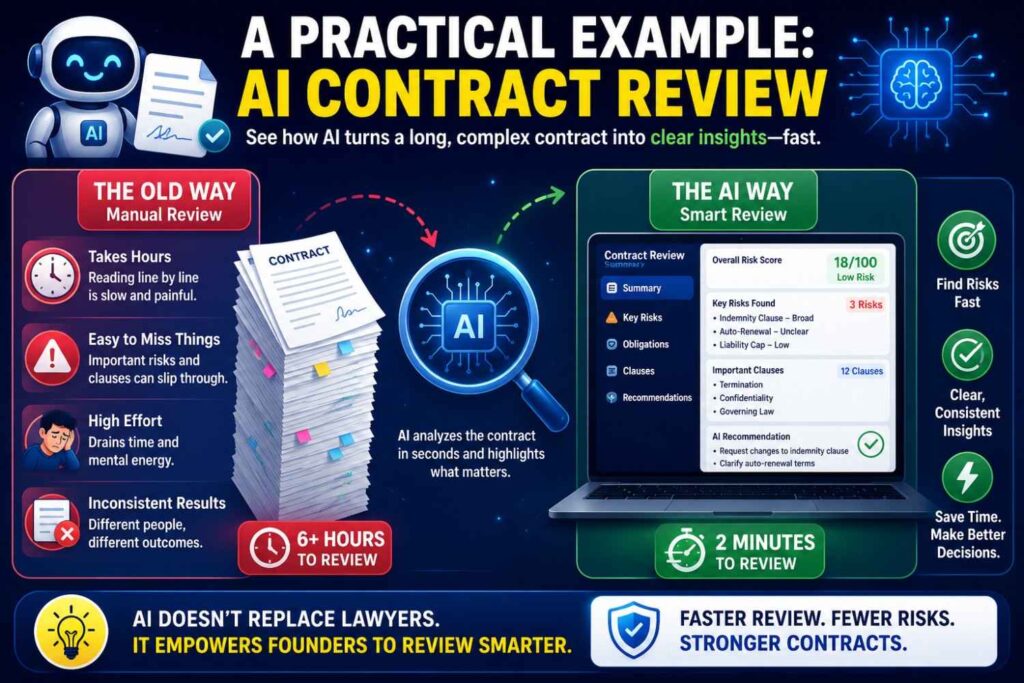
Imagine your company built an AI tool that reviews contracts.
A weak search is “AI contract review.”
That will find broad marketing pages and many shallow results.
A better search is more specific.
Search clause detection, missing clause identification, contract risk scoring, redline suggestion, fallback clause recommendation, negotiation playbook automation, accepted edits feedback, legal document comparison, and obligation extraction.
Search papers on legal NLP.
Search open-source legal text datasets and models.
Search product docs from contract lifecycle platforms.
Search engineering blogs and demos.
Search conference talks on legal AI.
Search older terms like document classification, information extraction, text comparison, and policy-based document review.
You may learn that broad contract review is crowded.
But maybe your invention is a specific feedback loop that learns from approved redlines while protecting client data.
That is a much stronger filing target than “AI reviews contracts.”
A Practical Example: Robotics Grasp Recovery
Imagine your robot fails a grasp, then uses tactile feedback and camera updates to recover without restarting the task.
Search robotics papers for grasp failure detection, tactile feedback, visual servoing, recovery policy, bin picking, manipulation in clutter, and closed-loop grasping.
Search code repos from robotics labs.
Search videos and demos.
Search conference talks.
Search datasets for robotic grasping.
Search product docs from robot gripper companies.
Search patents too, but do not stop there.
Robotics work is often public in papers and videos.
The close art may be a demo from a lab, not a patent.
When you compare sources, focus on the recovery behavior. Does the robot detect slip? Does it update pose? Does it adjust grip force? Does it retry from the same partial state? Does it avoid full reset? Does it learn from the failure?
That feature-level view reveals the invention.
How Search Helps You Decide Between Patent and Trade Secret
Not every technical edge should be patented.
Some ideas are better kept secret, especially if they are hard to reverse engineer and not likely to be discovered from the product.
Prior art search helps here too.
If the field is crowded and your improvement is hidden, you may consider trade secret protection for some parts.
If the feature will be visible in the product or easy to copy, a patent may be more useful.
If you need to disclose details to customers, partners, investors, or regulators, filing may make sense.
If the improvement is a core moat and can be described well, patent protection may be worth pursuing.
This decision needs legal and business input.
But search helps you understand whether the idea is truly different and how others may approach it.
How to Fit Search Into Your Filing Timeline
Do not wait until the night before filing.
Build search into the invention process.
When your team solves a hard problem, capture it.
When you prepare a public launch, check whether the technical details should be filed first.
When you publish a paper or release code, talk to your patent team before disclosure.
When a roadmap feature becomes core, run a focused search.
This does not need to slow the company.
A clear process can run quickly.
Capture the invention. Run a first-pass search. Identify close non-patent sources. Review with patent counsel. File when ready.
PowerPatent helps make this flow less painful for busy startup teams. It gives you a structured way to move from invention details to attorney-reviewed patent work. Learn more here: https://powerpatent.com/how-it-works
The Founder’s Search Checklist in Plain English
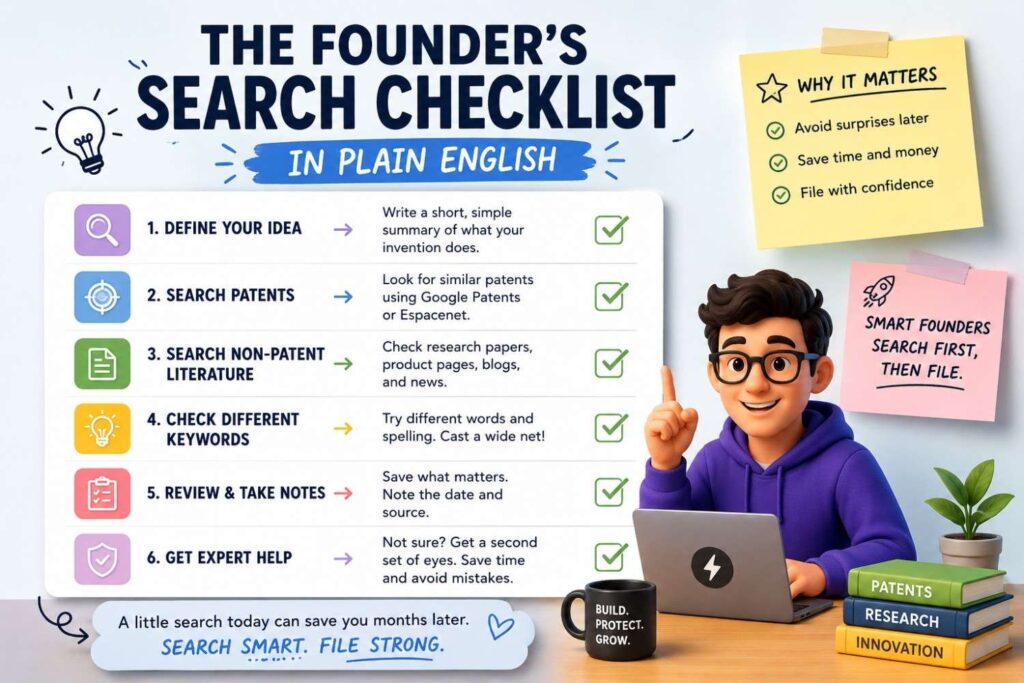
Start with the real invention, not the product name.
Write one clear sentence.
Break it into problem, setting, inputs, method, output, and improvement.
Build word families.
Search old terms and new terms.
Search papers, preprints, code, docs, manuals, standards, talks, videos, blogs, datasets, and release notes.
Follow citations, authors, repos, and links.
Record dates.
Save close sources.
Compare features.
Bring the results to your patent team.
That is the whole playbook.
Simple does not mean shallow.
Done well, this can change the quality of your patent filing.
Why PowerPatent Cares About This
PowerPatent exists because founders need a better way to protect hard technical work.
Old patent processes can feel slow, expensive, and hard to understand. Founders often do not know what to search, what to share, or what matters. Engineers may have the key details, but those details get lost in meetings and emails.
PowerPatent helps fix that.
It gives teams a better way to capture inventions, organize technical details, and move toward filings with real attorney oversight.
That matters because strong patents do not come from vague ideas.
They come from clear invention details, smart search, and careful claim strategy.
Non-patent literature search is part of that clarity.
It helps reveal what is old, what is close, and what may still be protectable.
If you are building in AI, software, hardware, robotics, climate, biotech, chips, or any deep tech field, this step can save you from costly mistakes.
It can also help you find the strongest version of your invention.
See how PowerPatent helps founders file better patents faster: https://powerpatent.com/how-it-works
The Bottom Line
Non-patent literature search is not extra homework.
It is one of the best ways to understand whether your invention is truly new and how to protect it well.
Patents matter, but they are not the whole map.
Papers, code, docs, manuals, standards, talks, videos, datasets, and product pages can all shape the prior art picture.
For founders, the goal is not to become a search expert.
The goal is to be smart before you file.
Search the real technical move. Look outside patent databases. Save close sources. Compare the details. Then work with a patent team to shape the filing around what matters most.
That is how you avoid weak filings.
That is how you protect the real edge.
That is how you build a patent strategy that supports the company you are working so hard to grow.
When you are ready to turn your invention into a stronger patent plan, PowerPatent can help you move faster with smart software and real attorney oversight. Start here: https://powerpatent.com/how-it-works